Įvadas
Ačiū, kad pirkoteasing the Blufree Floating Pool Speaker with Lights. This manual provides essential information for the safe and efficient operation of your new speaker. Please read it thoroughly before use and retain it for future reference.
Kas yra dėžutėje
- 1 x Blufree Floating Pool Speaker (CT602W)
- 1x USB įkrovimo laidas
- 1 x Vartotojo vadovas
Produkto savybės
- Multi-Colors Lights and Eight Flashing Modes: Features yellow, green, red, blue LED lights with 8 distinct flashing patterns for an enhanced audio-visual experience.
- Nice Sound and Louder Volume: High-fidelity stereo sound and passive radiators deliver clear, loud audio suitable for various environments, including under showering noise.
- Large Battery Capacity and Handsfree: Equipped with a 2500 mAh rechargeable battery for up to 8 hours of playback. Bluetooth 5.0 technology provides a wireless connection range of up to 25 meters. Includes a built-in microphone for hands-free calling.
- IP68 Waterproof Floating Speaker: Designed to be fully splashproof and rainproof, capable of immersion in water up to 1 meter deep for 30 minutes without damage. Ideal for all water activities.
Produktas baigtasview

1 paveikslas: Button Functions and Product Dimensions. This diagram illustrates the location of the DC 5V charging jack, Light mode button, Vol-/Previous button, Multifunction button, Vol+/Next button, and the Carrying Handle. It also shows the speaker's height (6.63 inches) and width (4.94 inches).

2 paveikslas: The Blufree Floating Pool Speaker in water, showcasindėl ryškių LED lempučių ir vandeniui atsparaus dizaino.
Mygtukų funkcijos:
- Šviesos režimo mygtukas: Press to cycle through different LED light modes.
- Vol-/Previous Button: Trumpas paspaudimas, norint sumažinti garsumą, ilgas paspaudimas, norint grįžti į ankstesnį takelį.
- Daugiafunkcinis mygtukas: Įjungimas / išjungimas, atkūrimas / pristabdymas, atsiliepimas / skambučių užbaigimas.
- Vol+/Next Button: Short press to increase volume, long press to go to the next track.
- DC 5V įkrovimo lizdas: USB įkrovimo laido prijungimui.
Sąranka
1. Įkraukite garsiakalbį
Before first use, fully charge the speaker. Connect the provided USB charging cable to the DC 5V charging jack on the speaker and the other end to a standard USB power adapter (not included) or a computer USB port. The charging indicator light will show charging status (refer to LED indicator section for details). A full charge takes approximately 8 hours.
2. „Bluetooth“ poravimas
- Įsitikinkite, kad garsiakalbis yra įkrautas ir išjungtas.
- Paspauskite ir palaikykite Daugiafunkcis mygtukas for a few seconds until you hear a prompt and the LED indicator flashes rapidly, indicating pairing mode.
- On your Bluetooth-enabled device (smartphone, tablet, laptop), go to Bluetooth settings and search for available devices.
- Select "Blufree CT602W" (or similar name) from the list.
- Once paired, you will hear a confirmation sound, and the LED indicator will change to a steady light or slow flash.
- Įjungus garsiakalbį, jis automatiškai prisijungs prie paskutinio suporuoto įrenginio, jei šis yra diapazone.
Naudojimo instrukcijos
Muzikos atkūrimas
- Leisti / pristabdyti: Trumpai paspauskite Daugiafunkcis mygtukas.
- Pagarsink: Trumpai paspauskite Mygtukas Vol+/Next.
- Patildyti: Trumpai paspauskite Vol-/Previous Button.
- Kitas takelis: Ilgai paspauskite mygtuką Mygtukas Vol+/Next.
- Ankstesnis takelis: Ilgai paspauskite mygtuką Vol-/Previous Button.
Šviesos režimai
Paspauskite Šviesos režimo mygtukas to cycle through the 8 different flashing light patterns and solid color options. This allows you to customize the ambiance for any setting.

3 paveikslas: The speaker displaying various RGB LED light colors, enhancing the listening experience.

4 paveikslas: The Blufree speaker is versatile for use in multiple environments, from relaxing in a bathroom to lively parties, beach outings, or home use.
Skambinimas laisvų rankų įranga
- Atsiliepti į skambutį: Trumpai paspauskite Daugiafunkcis mygtukas kai ateina skambutis.
- Baigti skambutį: Trumpai paspauskite Daugiafunkcis mygtukas pokalbio metu.
- Atmesti skambutį: Ilgai paspauskite mygtuką Daugiafunkcis mygtukas kai ateina skambutis.
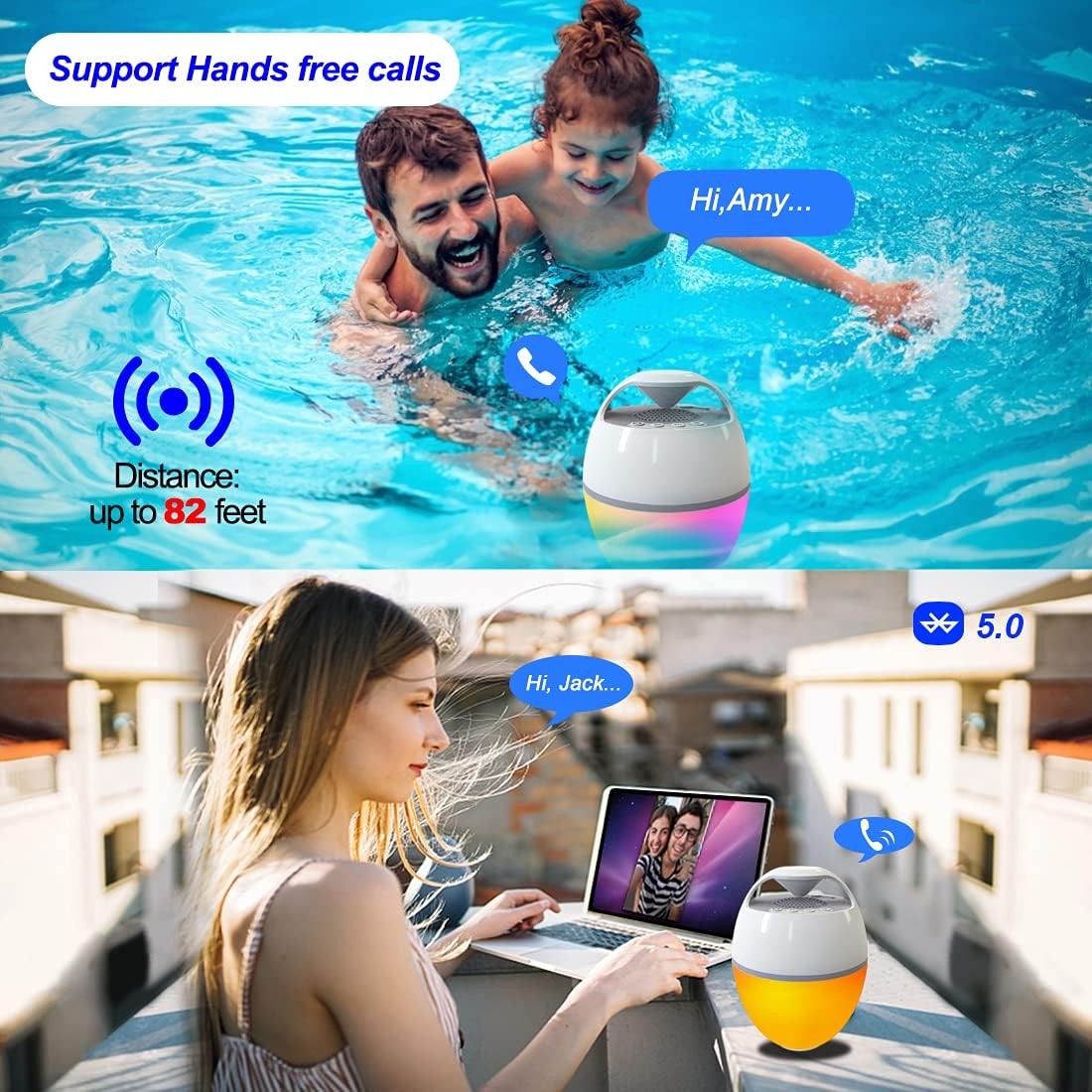
5 paveikslas: The speaker supports hands-free calls, allowing communication even while enjoying water activities or relaxing outdoors.
Priežiūra
- Valymas: Nuvalykite garsiakalbį minkšta, damp audinys. Nenaudokite abrazyvinių valiklių ar tirpiklių.
- Saugykla: Kai nenaudojate, laikykite garsiakalbį vėsioje, sausoje vietoje. Venkite ekstremalių temperatūrų.
- Vandens ekspozicija: While IP68 waterproof, ensure the charging port is dry before charging to prevent damage.
Trikčių šalinimas
| Problema | Galima priežastis | Sprendimas |
|---|---|---|
| Garsiakalbis neįsijungia. | Senka baterija. | Visiškai įkraukite garsiakalbį. |
| Negalima susieti su Bluetooth įrenginiu. | Garsiakalbis neįjungtas susiejimo režimu; įrenginys per toli; įrenginyje išjungtas „Bluetooth“. | Ensure speaker is in pairing mode (flashing LED). Move device closer. Turn on Bluetooth on your device. Forget previous pairings and try again. |
| Nėra garso arba garsas per mažas. | Garsiakalbyje arba įrenginyje per mažas garsumas; garsiakalbis neprijungtas. | Padidinkite garsumą tiek garsiakalbyje, tiek prijungtame įrenginyje. Iš naujo užmegzkite „Bluetooth“ ryšį. |
| Šviesos neveikia. | Light mode off or stuck. | Norėdami perjungti režimus, paspauskite šviesos režimo mygtuką. Įsitikinkite, kad garsiakalbis įjungtas. |
Specifikacijos
- Modelio pavadinimas: CT602W
- Prekinis ženklas: Blufree
- Medžiaga: Plastikiniai
- Ryšio technologija: Bluetooth 5.0
- Belaidis diapazonas: Iki 25 metrų (82 pėdų)
- Atsparumo vandeniui lygis: IP68 Atsparus vandeniui
- Baterijos talpa: 2500 mAh
- Baterijos veikimo laikas: Iki 8 valandų
- Įkrovimo laikas: Maždaug 8 val
- Didžiausia garsiakalbio išėjimo galia: 6 vatų
- Garso išvesties režimas: Stereo
- Gaminio matmenys: 15.6"D x 15.6"W x 14.9"H (Note: These dimensions seem unusually large for a portable speaker, possibly a typo in source data. User should refer to product packaging for exact dimensions.)
- Prekės svoris: 0.8 kilogramų (1.76 svarai)
- Ypatingos savybės: Built-in Microphone, LED Light, Portable, Waterproof
- Rekomenduojami naudojimo būdai: For Music Players, Party, Swimming Pool, Hot Tub, Shower, Outdoor Sports, Home
Garantija ir palaikymas
The Blufree Floating Pool Speaker comes with a Full Warranty. For detailed warranty information, product support, or to report any issues, please contact Blufree customer service through the retailer where you purchased the product or visit the official Blufree websvetainę.
Palaikymas internetu: Visit the Blufree Store on Amazon
