1. Įvadas
This manual provides detailed instructions for the setup, operation, maintenance, and troubleshooting of your MEETION MT-KB015 One-Handed Wired RGB Gaming Keyboard. Please read this manual thoroughly to ensure proper use and to maximize your gaming experience.
2. Produktas baigtasview
The MEETION MT-KB015 is a compact, one-handed gaming keyboard designed for enhanced control and comfort. It features vibrant RGB backlighting, ergonomic keycaps, and dedicated multimedia controls. Its durable membrane switches are rated for 50 million keystrokes, ensuring longevity.

Šiame paveikslėlyje pavaizduota priekinė dalis view of the MEETION MT-KB015 one-handed gaming keyboard, highlighting its compact design and vibrant RGB backlighting.

An angled perspective of the MEETION MT-KB015 keyboard, emphasizing its integrated ergonomic palm rest designed for comfortable use during extended gaming sessions.

A user's hand is shown comfortably resting on the integrated palm rest of the MEETION MT-KB015 keyboard, illustrating its ergonomic design for gaming.
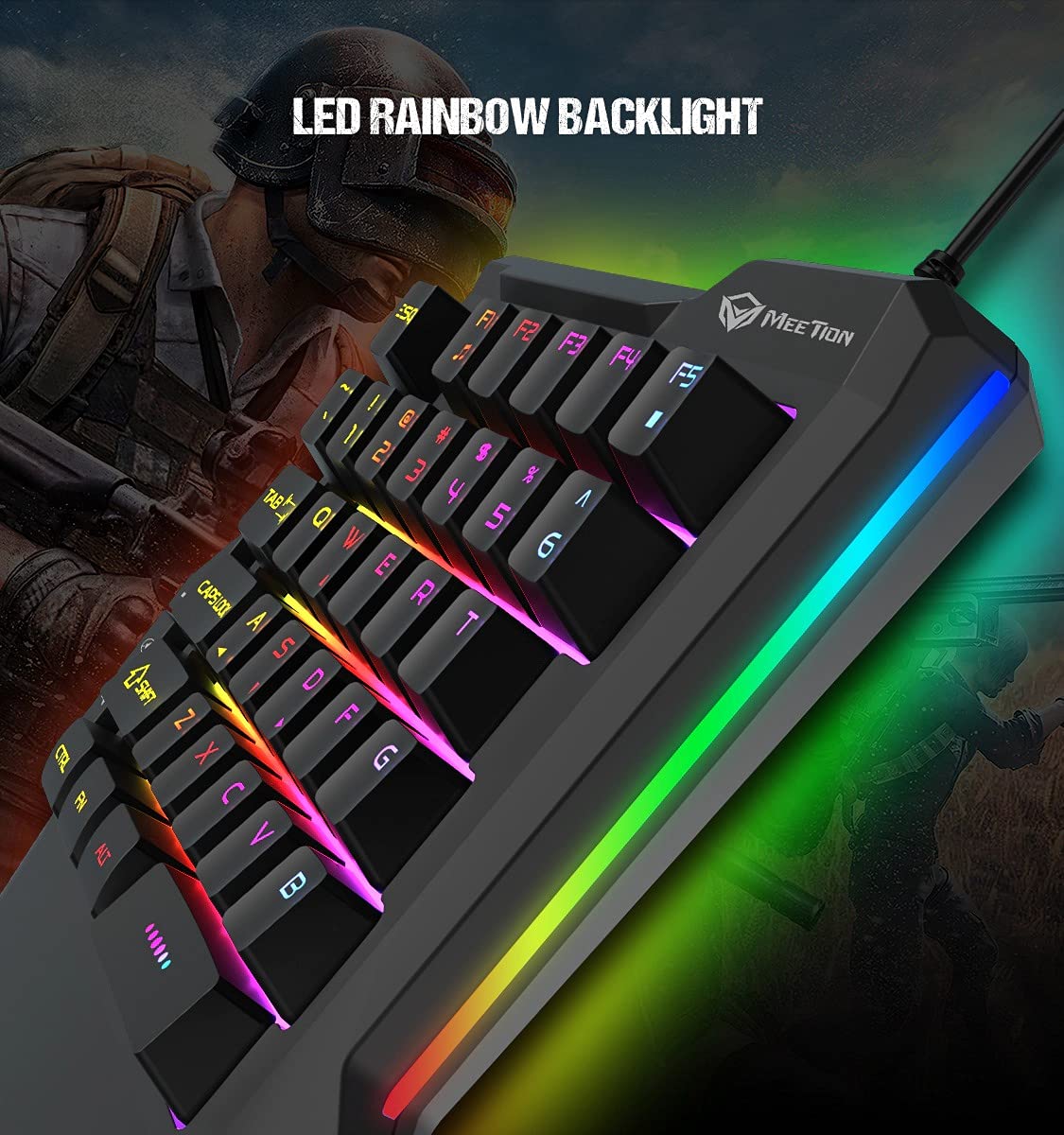
Išsamią view of the MEETION MT-KB015 keyboard's keys, showcasing the dynamic LED rainbow backlighting effect.

This image provides a close-up of the membrane switch keys on the MEETION MT-KB015 keyboard, illustrating their design and construction.

The MEETION MT-KB015 keyboard is depicted connected to a computer setup, demonstrating its simple plug-and-play connectivity.

Pridėtinė view of a user engaged in gaming, utilizing the MEETION MT-KB015 one-handed keyboard alongside a gaming mouse on a desk.
Pagrindinės funkcijos:
- 50 Million Keystroke Life: Durable membrane switches designed for extended use.
- Multimedijos klavišai: Conveniently placed dedicated keys for volume control.
- Comfortable Palm Rest: Integrated broad palm rest for ergonomic support during long gaming sessions.
- Easy To Use Plug and Play: Simple connectivity with various devices without requiring additional drivers.
3. Sąranka
The MEETION MT-KB015 keyboard is designed for plug-and-play functionality, requiring no complex installation.
Klaviatūros prijungimas:
- Locate an available USB port on your computer, laptop, or compatible smartphone.
- Plug the USB cable of the MT-KB015 keyboard into the USB port.
- The operating system (e.g., Windows 10) will automatically detect and install the necessary drivers.
- The keyboard's RGB backlight will illuminate, indicating it is ready for use.
Suderinami įrenginiai: Laptop, PC, Smartphone.
4. Naudojimo instrukcijos
Pagrindinė operacija:
Once connected, the keyboard functions immediately. The keys are laid out for one-handed gaming, providing quick access to essential commands.
RGB foninio apšvietimo valdymas:
The keyboard features an LED rainbow backlight. Specific key combinations or dedicated buttons for backlight mode changes are not detailed in the product information, but the lighting will be active upon connection.
Multimedijos klavišai:
The MT-KB015 includes dedicated multimedia keys for convenient audio control.

A diagram highlighting the location and function of the dedicated Volume Up, Mute, and Volume Down multimedia keys positioned on the left side of the MEETION MT-KB015 keyboard.
- Pagarsink: Increases audio output.
- Nutildyti: Įjungia / išjungia garso nutildymą.
- Patildyti: Decreases audio output.
Additional multimedia functions (Music Player, Stop) are indicated with FN key combinations (FN + F1 for Music Player, FN + F5 for Stop).
5. Priežiūra
Norėdami užtikrinti klaviatūros ilgaamžiškumą ir optimalų veikimą, laikykitės šių priežiūros nurodymų:
- Valymas: Klaviatūros paviršiui valyti naudokite minkštą, sausą šluostę. Gilesniam valymui naudokite šiek tiek drėgnąamp cloth with mild soap can be used, ensuring no liquid enters the key switches or internal components.
- Dulkių šalinimas: Norėdami pašalinti dulkes ir šiukšles iš tarpų tarp klavišų dangtelių, naudokite suslėgtą orą.
- Venkite skysčių: Nepilkite skysčių ant klaviatūros. Atsitiktinai išsiliejus, nedelsdami atjunkite klaviatūrą ir leiskite jai visiškai išdžiūti prieš vėl prijungdami.
- Saugykla: Klaviatūrą laikykite vėsioje, sausoje vietoje, apsaugotoje nuo tiesioginių saulės spindulių ir ekstremalių temperatūrų.
6. Problemų sprendimas
If you encounter issues with your MEETION MT-KB015 keyboard, refer to the following common solutions:
Klaviatūra nereaguoja:
- Patikrinkite USB jungtį: Ensure the USB cable is securely plugged into a functional USB port on your device. Try a different USB port.
- Iš naujo paleiskite įrenginį: Perkraukite kompiuterį arba išmanųjį telefoną.
- Bandymas kitame įrenginyje: Connect the keyboard to another computer or compatible device to determine if the issue is with the keyboard or the original device.
Foninis apšvietimas neveikia:
- Įsitikinkite, kad klaviatūra tinkamai prijungta ir gauna maitinimą.
- If available, check for any dedicated backlight control keys or software settings.
Raktai neregistruojami arba įvedami du kartus:
- Clean the affected keys to remove any debris that might be obstructing the switch mechanism.
- Ensure the keyboard is on a stable, flat surface.
Jei išbandžius šiuos sprendimus problemos išlieka, susisiekite su klientų aptarnavimo tarnyba.
7. Specifikacijos
| Funkcija | Detalė |
|---|---|
| Prekės ženklas | SUSITIKIMAS |
| Modelio numeris | MT-KB015 |
| Serija | MEETION MT-KB015 |
| Spalva | Juoda |
| Ryšio technologija | Laidinis |
| Klaviatūros aprašymas | Žaidimas |
| Jungiklio tipas | Membraninis jungiklis |
| Keystroke Life Cycle | 50 mln |
| Aparatinės įrangos platforma | Nešiojamasis kompiuteris, kompiuteris, išmanusis telefonas |
| Operacinės sistemos suderinamumas | Windows 10 (and compatible with other OS via Plug and Play) |
| Gaminio matmenys (IxPxH) | 21 x 3.8 x 18.1 cm |
| Prekės svoris | 420 g |
| Įtraukti komponentai | USB kabelis |
| Baterijos įtrauktos | Nr |
8. Garantija ir palaikymas
Informacija apie garantiją:
The MEETION MT-KB015 One-Handed Wired RGB Gaming Keyboard comes with a 1 metų garantija nuo įsigijimo datos. Ši garantija taikoma gamybos defektams, atsiradusiems įprasto naudojimo metu. Išsaugokite pirkimo įrodymą, jei galėtumėte pateikti pretenzijas dėl garantijos.
Klientų aptarnavimas:
For technical assistance, warranty claims, or any product-related inquiries, please contact MEETION customer support. Contact details for the manufacturer/importer are provided below:
- Gamintojas: Meetion, Meetion Tech Co. LTD - China
- Importuotojas: Cavitak Marketing Pvt Ltd. 9, Vitthalbhai Patel Colony, Lakhudi, Naranpura, Ahmedabad-380014
- El. paštas: meetion@cavitak.com
- Telefonas: 0796813-66-11


