1. Įvadas
Thank you for choosing the Moultrie MCG-14001 A-900 Game and Trail Camera. This manual provides essential information for setting up, operating, and maintaining your camera to ensure optimal performance. The A-900 camera is designed for outdoor surveillance, featuring a 30 MP resolution, a rapid 0.4-second trigger speed, and 1280x720 HD video recording capabilities. Its Illumi-Night Sensor enhances nighttime image clarity, and the 70-foot flash range ensures clear captures at a distance. Please read this manual thoroughly before use.
2. Sąranka
2.1 Išpakavimas ir komponentai
Prieš pradėdami, įsitikinkite, kad yra visi komponentai:
- Moultrie A-900 Game Camera
- Heavy-duty Camera Strap
- 16GB SD kortelė
- 8 AA baterijos

Image 2.1: The Moultrie A-900 Game Camera shown with the included 16GB SD card and 8 AA batteries.
2.2 Akumuliatoriaus įdėjimas
- Atidarykite kameros korpuso fiksatorių.
- Raskite akumuliatoriaus skyrių.
- Įdėkite 8 AA baterijas, užtikrindami teisingą poliškumą (+/-).
- Saugiai uždarykite akumuliatoriaus skyrių.
2.3 SD kortelės įdėjimas
- Atidarę kameros korpusą, suraskite SD kortelės lizdą.
- Insert the 16GB SD card into the slot until it clicks into place. Ensure the card is oriented correctly.
- Norėdami išimti kortelę, švelniai ją paspauskite, kad ją atlaisvintumėte.
2.4 Fotoaparato montavimas
The camera can be mounted using the provided heavy-duty strap.
- Thread the strap through the mounting slots on the back of the camera.
- Secure the camera to a tree or post at the desired height and angle.
- Įsitikinkite, kad kamera stabili ir nukreipta į norimą stebėti sritį.
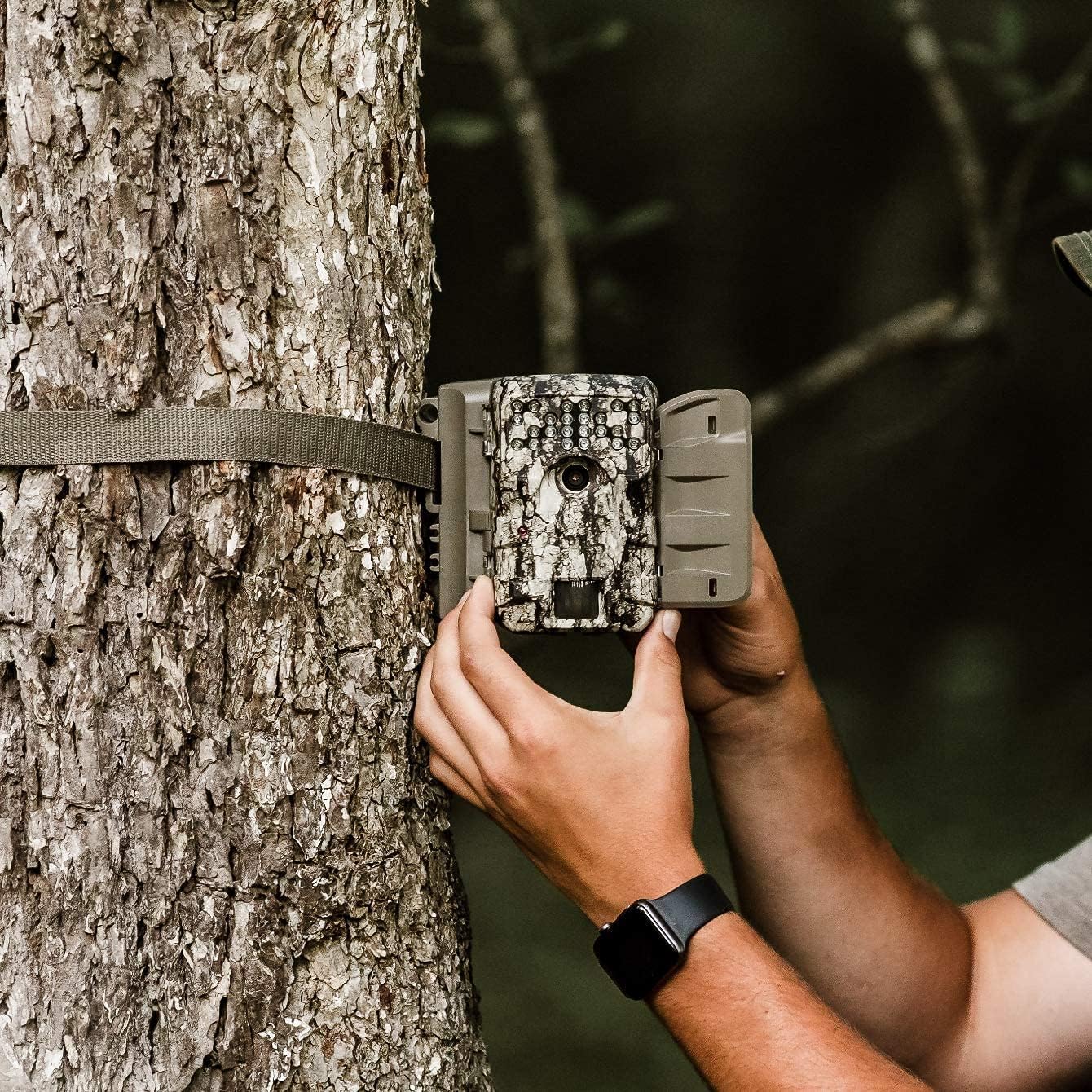
Image 2.2: A user demonstrating the process of securing the camera to a tree.

Image 2.3: The Moultrie A-900 Game Camera shown securely mounted to a tree, ready for operation.
2.5 Pradinis įjungimas
After installing batteries and the SD card, close the camera housing. Power on the camera using the designated power switch. The camera will perform a self-check and enter standby mode.
3. Naudojimo instrukcijos
3.1 Pagrindiniai veikimo režimai
The A-900 camera offers several capture options:
- Nuotraukų režimas: Fiksuoja nejudančius vaizdus.
- Vaizdo įrašo režimas: Records 1280x720 HD video clips.
- Nuotraukų ir vaizdo įrašų režimas: Užfiksuoja nuotrauką, o po to įrašo vaizdo įrašą.
Refer to the camera's internal menu for selecting and configuring these modes.
3.2 Capture Options
Within Photo Mode, you can configure the number of photos taken per trigger event:
- 1 Nuotrauka: Takes a single image per trigger.
- 3 Nuotraukos: Takes three consecutive images per trigger.
Image resolution can also be set to either low or high resolution for both single and multiple photo captures.
3.3 Illumi-Night Sensor and Night Vision
The camera is equipped with an Illumi-Night Sensor to produce bright and clear images during nighttime operation. This feature automatically activates in low-light conditions, utilizing the 70-foot flash range to illuminate subjects.
3.4 Judesio jutiklio funkcionalumas
The integrated motion sensor detects movement within its range, triggering the camera to capture images or videos. The 0.4-second trigger speed ensures that fast-moving subjects are captured effectively. Adjust the sensor sensitivity in the camera settings if needed.
4. Priežiūra
4.1 Akumuliatoriaus keitimas
When the battery indicator shows low power, replace all 8 AA batteries with new ones. Always use high-quality alkaline or lithium batteries for best performance and longevity.
4.2 SD kortelės valdymas
Regularly check the SD card capacity. It is recommended to format the SD card periodically using the camera's menu function to ensure optimal performance and prevent data corruption. Always back up important files prieš formatavimą.
4.3 Kameros valymas
To maintain image quality, periodically clean the camera lens and the motion sensor window with a soft, lint-free cloth. For the camera housing, use a damp cloth to wipe away dirt and debris. Do not use abrasive cleaners or solvents.
5. Problemų sprendimas
| Problema | Galima priežastis | Sprendimas |
|---|---|---|
| Kamera neįsijungia | Išsikrovusios arba neteisingai įdėtos baterijos | Pakeiskite baterijas, patikrinkite poliškumą |
| Prasta vaizdo kokybė | Nešvarus objektyvas, prastas apšvietimas, neteisingi nustatymai | Clean lens, check Illumi-Night settings, adjust resolution |
| Judesio jutiklis nesuveikia | Obstruction, incorrect sensitivity, out of range | Clear sensor path, adjust sensitivity, reposition camera |
| SD kortelės klaida | Card full, corrupted, or incompatible | Format SD card (backup data first), replace with compatible card |
For issues not covered here, please refer to the Warranty & Support section for contact information.
6. Specifikacijos
- Rezoliucija: 30 megapikselio
- Trigerio greitis: 0.4 sekundžių
- Vaizdo įrašo raiška: 1280x720 HD
- Blykstės diapazonas: 70 pėdų
- Jutiklis: Illumi-Night Motion Sensor
- Saugykla: Palaiko iki 16GB SD kortelę
- Galia: 8 AA Batteries (not included in all bundles)
- Naudojimas: Lauke
- Ypatingos savybės: Judesio jutiklis, naktinis matymas
7. Garantija ir palaikymas
Moultrie products are manufactured to high-quality standards. For specific warranty details, please refer to the warranty card included with your product or visit the official Moultrie website. If you encounter any issues or require technical assistance, please contact Moultrie customer support through their official channels. Keep your purchase receipt as proof of purchase for warranty claims.


