1. Įvadas
Welcome to the user manual for your WHILL Model C2 Mobility Power Chair. This guide provides essential information for the safe and effective operation, maintenance, and care of your device. The WHILL Model C2 is designed to offer enhanced mobility and independence, featuring advanced technology and a user-friendly design.

Image: The WHILL Model C2 Mobility Power Chair, showcasindėl savo elegantiško dizaino ir kompaktiškos formos.
Pagrindinės funkcijos:
- Patogus važiavimas: Adjustable seat height and back support angles with multiple seat widths (16", 18", 20") for personalized comfort.
- Patobulintas mobilumas: Equipped with two powerful motors, capable of tackling difficult terrain, climbing inclines up to 10°, and overcoming obstacles up to 2” high.
- Išmanioji technologija: Control the Model C2 remotely, monitor device and battery health, and lock the device using the WHILL smartphone app.
- Nešiojamas patogumas: Easily disassembles into four lightweight components for hassle-free transportation in a car trunk.
- Sklandus manevringumas: Patented front Omni-wheels provide a tight 29.9” turning radius, ideal for navigating narrow indoor spaces like hallways and elevators.
Produktas baigtasview Vaizdo įrašas:
Video: An official product video demonstrating the features and maneuverability of the WHILL Model C2 in various environments, including indoor spaces and outdoor terrains.
2. Sąranka ir surinkimas
The WHILL Model C2 is designed for easy assembly and disassembly, making it highly portable. Follow these steps to set up your power chair:
- Išpakuokite komponentus: Carefully remove all components from the packaging. The main components include the base unit, seat unit, battery, and controller.
- Sėdynės pritvirtinimas: Align the seat unit with the base unit and securely attach it. Ensure all locking mechanisms click into place.
- Įdėkite bateriją: Locate the battery compartment and insert the Lithium Ion battery. Ensure it is fully seated and locked.
- Prijunkite valdiklį: Attach the controller to the designated port on the armrest. Verify a secure connection.
- Sėdynės reguliavimas: Adjust the seat height and backrest angle to your preferred comfortable position.

Image: A user demonstrating the assembly process of the WHILL Model C2, connecting the seat to the base.
Disassembly for Transport:
To disassemble the Model C2 for transport, reverse the assembly steps. The chair breaks down into four manageable pieces, making it easy to load into a vehicle trunk.

Image: A user separating the seat unit from the base of the WHILL Model C2 for transport.

Image: A user placing a disassembled component of the WHILL Model C2 into the trunk of a car, highlighting its transportability.
3. Naudojimo instrukcijos
Operating your WHILL Model C2 is intuitive. Familiarize yourself with the controls and features for a safe and enjoyable experience.
Pagrindinė operacija:
- Maitinimo įjungimas/išjungimas: Use the main power button on the controller to turn the chair on or off.
- Vairavimas: Use the joystick to control direction and speed. Push forward to move forward, pull back to reverse, and move left or right to turn.
- Greičio reguliavimas: Adjust the speed settings using the controls on the joystick panel.
- Stabdymas: Release the joystick to engage the electromagnetic brakes, bringing the chair to a smooth stop.

Image: A user navigating the WHILL Model C2 indoors, demonstrating its compact turning radius.
Maneuverability and Terrain:
The Model C2 excels in various environments:
- Ankštos erdvės: The patented front Omni-wheels allow for a tight 29.9” turning radius, making it easy to navigate through narrow hallways, elevators, and crowded indoor spaces.
- Nelygūs paviršiai: The 4-wheel independent suspension provides a comfortable ride over uneven sidewalks and minor obstacles.
- Kopimas kliūtimis: The powerful drive-train enables the chair to climb inclines up to 10° and overcome obstacles up to 2” in height, such as small curbs or railroad tracks.
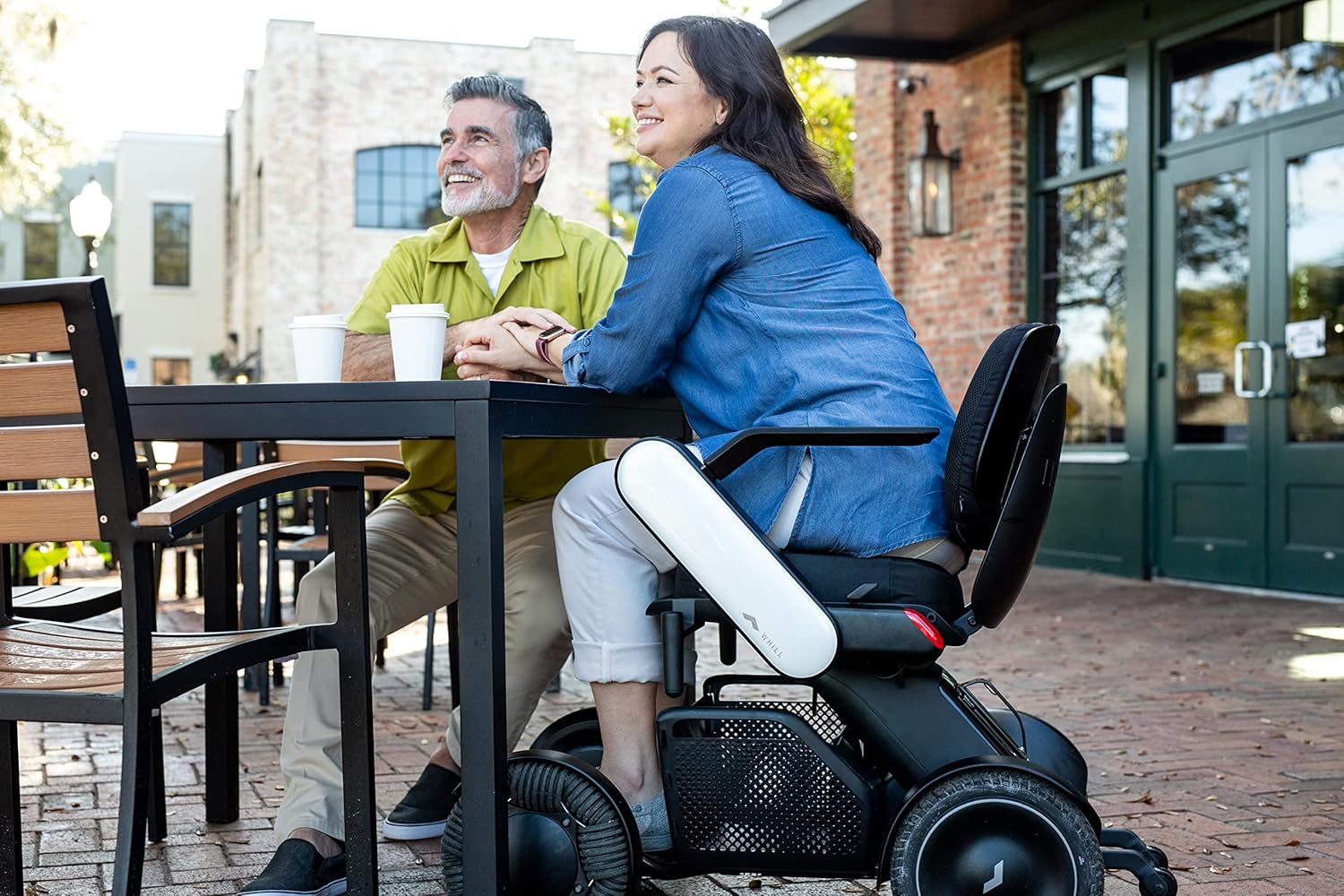
Image: A user seated in the WHILL Model C2 at an outdoor cafe table, illustrating its integration into social settings.

Image: A user in the WHILL Model C2 moving through a bustling market alongside companions, showcasing its ease of use in public spaces.
Išmaniojo telefono programų integravimas:
Download the WHILL app to unlock additional features:
- Remote Drive: Control your Model C2 remotely.
- Įrenginio stebėjimas: Check battery level and device health.
- Apsaugos užraktas: Lock your device for added security.
4. Priežiūra ir priežiūra
Regular care and maintenance will ensure the longevity and optimal performance of your WHILL Model C2.
- Valymas: Reguliariai nuvalykite kėdę skelbimuamp skudurėliu. Venkite stiprių cheminių medžiagų ar abrazyvinių valiklių.
- Akumuliatoriaus priežiūra: Charge the Lithium Ion battery as recommended in the charging instructions. Do not allow the battery to fully discharge for extended periods.
- Padangos: The rear tires are puncture-proof, reducing the need for frequent maintenance. Periodically inspect all wheels for debris or damage.
- Saugykla: Store the chair in a dry, cool place when not in use. If storing for an extended period, ensure the battery is partially charged.
5. Problemų sprendimas
If you encounter any issues with your WHILL Model C2, refer to the following common troubleshooting tips:
- Kėdė neįsijungia:
- Įsitikinkite, kad akumuliatorius yra visiškai įkrautas ir tinkamai įdėtas.
- Check all cable connections, especially to the controller.
- Unexpected Movement/No Movement:
- Verify the joystick is functioning correctly and not stuck.
- Patikrinkite, ar aplink ratus nėra kliūčių.
- Ensure the chair is not in a locked mode via the app.
- Klaidų indikatoriai:
- Consult the WHILL app for specific error codes or messages.
- Refer to the detailed troubleshooting section in the full manual (if available) or contact customer support.
For persistent issues, please contact WHILL customer support.
6. Techninės specifikacijos
| Specifikacija | Vertė |
|---|---|
| Gaminio matmenys | 38.8 x 21.8 x 29.3 colio |
| Prekės svoris | 114 svaro |
| Maksimali svorio talpa | 300 svaro |
| Prekės modelio numeris | Ci2 |
| Baterijos | 1 ličio jonų baterija (pridedama) |
| Seat Width Options | 16", 18", 20" |
| Posūkio spindulys | 29.9 colių |
| Kliūčių įveikimo galimybės | Iki 2 colių |
| Pakreipimo galimybės | Iki 10° |
7. Saugos gairės
Please read and adhere to all safety information to prevent injury or damage to the device.
- Didžiausia svorio talpa: Neviršykite maksimalios 300 svarų (apie 400 svarų) svorio ribos.
- Numatytas naudojimas: Šis gaminys skirtas tik suaugusiems.
- Aplinkos sąlygos: Avoid operating the chair in extreme weather conditions or on excessively slippery surfaces.
- Kliūčių suvokimas: While the chair can traverse small obstacles, always exercise caution and assess the terrain before proceeding.
- Baterijos sauga: Use only the provided charger and battery. Do not attempt to modify or open the battery pack.
8. Palaikymas ir garantija
For customer support, technical assistance, or warranty inquiries, please contact WHILL directly or the authorized retailer from whom you purchased the product.
Klientų aptarnavimas: Refer to your purchase documentation for specific contact details or visit the official WHILL websvetainę.
Informacija apie garantiją: Specific warranty terms and conditions may vary. Please retain your proof of purchase for any warranty claims.


