1. Įvadas
This manual provides detailed instructions for the proper use, setup, and maintenance of your cellularline Key In-Ear True Wireless Earbuds. Please read this manual thoroughly before using the product to ensure optimal performance and longevity.
2. Pakuotės turinys
- cellularline Key In-Ear True Wireless Earbuds (Left and Right)
- Įkrovimo dėklas su LED ekranu
- USB-C įkrovimo laidas
- Vartotojo vadovas
3. Produktas baigtasview
The cellularline Key In-Ear True Wireless Earbuds offer a compact design with intuitive touch controls and a convenient LED display charging case.

3.1 paveikslas: The cellularline Key In-Ear True Wireless Earbuds resting in their charging case.

3.2 paveikslas: The charging case features an LED display that indicates the current battery level.

3.3 paveikslas: The compact and lightweight design of the charging case allows for easy portability.
4. Ausinių ir dėklo įkrovimas
Norėdami užtikrinti optimalų veikimą, prieš pirmą kartą naudodami visiškai įkraukite ausines ir įkrovimo dėklą.
4.1. Ausinių įkrovimas
- Įdėkite ausines į atitinkamas įkrovimo dėklo angas.
- Ensure the charging case has sufficient power. The earbuds will begin charging automatically.
4.2. Įkrovimo dėklo įkrovimas
- Prijunkite pridėtą USB-C įkrovimo laidą prie dėklo įkrovimo prievado.
- Kitą USB-C laido galą prijunkite prie suderinamo USB maitinimo šaltinio (pvz., sieninio adapterio, kompiuterio USB prievado).
- The LED display on the case will show the current charge level. A full charge takes approximately 4 hours.
The earbuds provide up to 4 hours of continuous playback on a single charge, with an additional 12 hours of playtime available from the fully charged case, totaling 16 hours of battery life.
5. Sąranka ir susiejimas
Follow these steps to pair your cellularline Key Earbuds with your device.
5.1. Pradinis poravimas
- Įsitikinkite, kad jūsų ausinės yra įkrautos.
- Atidarykite įkrovimo dėklą. Ausinės automatiškai įsijungs ir pradės veikti susiejimo režimu.
- Išmaniajame telefone arba „Bluetooth“ įrenginyje eikite į „Bluetooth“ nustatymus.
- Ieškokite available devices and select "cellularline Key" from the list.
- Prijungus išgirsite garsinį patvirtinimą ir ausinės bus paruoštos naudoti.
5.2. Automatinis pakartotinis prisijungimas
Po pradinio susiejimo ausinės automatiškai prisijungs prie paskutinio susieto įrenginio, kai bus išimtos iš įkrovimo dėklo, jei įrenginyje įjungtas „Bluetooth“.

5.1 paveikslas: The earbuds are designed for seamless wireless connection with your smartphone for music and calls.
6. Naudojimo instrukcijos
The cellularline Key Earbuds feature intuitive touch controls for managing calls, music, and volume.
6.1. Palieskite Valdikliai
| Funkcija | Veiksmas |
|---|---|
| Leisti / pristabdyti muziką | Vienu bakstelėjimu bet kurią ausinę |
| Kitas takelis | Dukart bakstelėkite dešinįjį ausinės antgalį |
| Ankstesnis takelis | Dukart bakstelėkite kairįjį ausinės antgalį |
| Atsiliepti / Baigti skambutį | Vienu bakstelėjimu bet kurią ausinę |
| Atmesti skambutį | Paspauskite ir 2 sekundes palaikykite bet kurią ausinę |
| Suaktyvinkite balso padėjėją | Triple tap on either earbud (functionality may vary by device) |
6.2. Double Master Function
The earbuds support a double master function, allowing you to use either the left or right earbud independently for calls or music playback. This provides flexibility and convenience.
7. Priežiūra ir priežiūra
Tinkama priežiūra prailgins ausinių tarnavimo laiką.
- Ausines ir įkrovimo dėklą laikykite švarius ir sausus.
- Use a soft, dry cloth to wipe the surfaces. Avoid using abrasive cleaners or solvents.
- Kai nenaudojate, laikykite ausines įkrovimo dėkle, kad apsaugotumėte ir liktų įkrautos.
- Venkite ekstremalių temperatūrų ir tiesioginių saulės spindulių.
- Do not attempt to disassemble the product, as this will void the warranty.
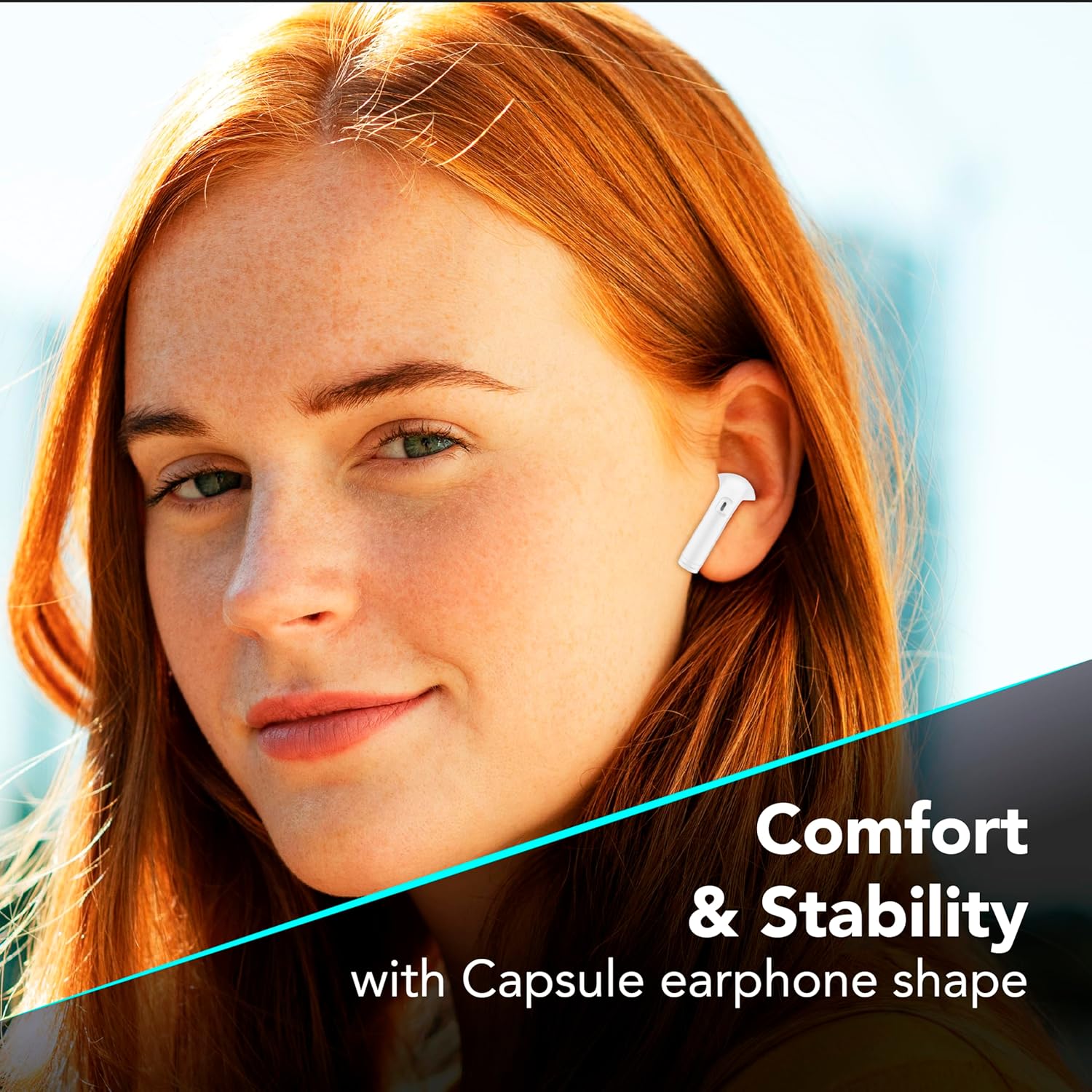
7.1 paveikslas: The in-ear design provides a comfortable and stable fit for extended wear.
8. Problemų sprendimas
If you encounter issues with your earbuds, refer to the following common solutions.
| Problema | Galimas sprendimas |
|---|---|
| Ausinės nesusiejamos |
|
| Nėra garso iš vienos ausinės |
|
| Įkrovimo dėklas neįkraunamas |
|
| Jutikliniai valdikliai nereaguoja |
|
9. Specifikacijos
| Funkcija | Detalė |
|---|---|
| Modelio numeris | BTKEYTWSW |
| Ryšys | Bluetooth 5 |
| Ausinių baterijos veikimo laikas | Iki 4 valandų (vienas įkrovimas) |
| Bendras grojimo laikas (su dėklu) | Iki 16 valandų |
| Įkrovimo laikas (dėklas) | Maždaug 4 val |
| Įkrovimo prievadas | USB-C |
| Medžiaga | Plastikiniai |
| Ypatingos savybės | True Wireless, Touch Control, LED Display Charging Case, Double Master Function |
10. Garantija ir palaikymas
Your cellularline Key In-Ear True Wireless Earbuds are covered by a standard manufacturer's warranty. For specific warranty details, please refer to the warranty card included in your product packaging or visit the official cellularline websvetainę.
For technical support, troubleshooting assistance beyond this manual, or warranty claims, please contact cellularline customer service through their official channels.


