1. Įvadas
The GROVIEW JQ818C Projector is designed to deliver a high-quality home theater experience with its native 1080P resolution, high brightness (15000lux 490ANSI lm), and impressive contrast ratio (12000:1). Utilizing LED light and LCD technology, it supports 4K Ultra HD video for clear and detailed images. This versatile projector offers seamless connectivity options including 2.4+5G dual-band WiFi and Bluetooth, enabling easy screen mirroring and audio integration. Its compact design and user-friendly features make it suitable for various applications, from home entertainment to business presentations.
2. Kas yra dėžutėje
Upon unboxing your GROVIEW JQ818C Projector, please ensure all the following components are present:
- JQ818C Projector
- Nuotolinio valdymo pultas
- AV kabelis
- HDMI kabelis
- Maitinimo laidas
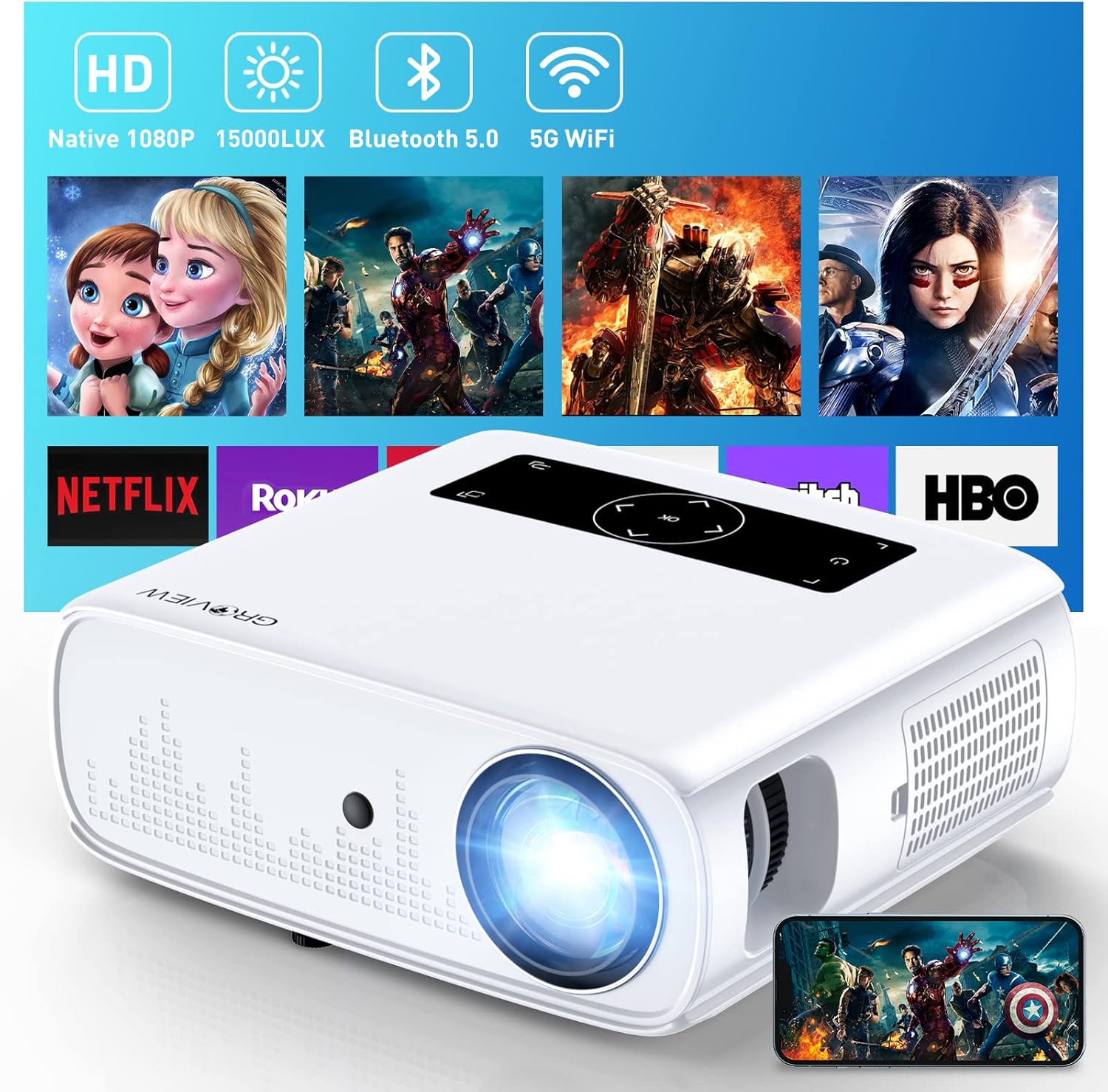
Image: The GROVIEW JQ818C Projector shown with its remote control, AV cable, HDMI cable, and power cord.
3. Produktas baigtasview
3.1 Fizinės savybės
The GROVIEW JQ818C Projector features a sleek, white design with intuitive controls and multiple connectivity options. Its compact dimensions of 10.63 x 9.06 x 3.94 inches and a weight of 5.9 pounds make it portable for various setups.
Vaizdas: priekis view of the GROVIEW JQ818C Projector, highlighting its lens and clean design.
3.2 Prievadai ir valdikliai
The projector is equipped with a variety of ports for seamless integration with your devices:
- HDMI prievadai (x2): For connecting laptops, gaming consoles (PS5), TV sticks, and other HDMI-enabled devices.
- USB prievadai (x2): For connecting USB drives, smartphones, tablets, and other USB devices.
- AV prievadas: Skirta senesniems įrenginiams prijungti naudojant AV kabelį.
- Garso išvestis (3.5 mm lizdas): Skirta išoriniams garsiakalbiams arba ausinėms prijungti.
- Maitinimo įvestis: Maitinimo laido prijungimui.
Control buttons are conveniently located on the top panel, allowing for easy navigation and adjustments. A remote control is also included for convenient operation from a distance.

Vaizdas: Galinis view of the projector, detailing the HDMI, USB, AV, and audio out ports.

Image: Top panel of the projector with illuminated control buttons.
4. Sąranka
4.1 Įdėjimas
Padėkite projektorių ant stabilaus, lygaus paviršiaus. Optimaliam veikimui viewing, position it directly in front of your projection surface (wall or screen). The projector features an adjustable foot at the front to slightly tilt the projection upward if needed.

Image: Diagram illustrating recommended projection distances for various screen sizes (50-300 inches).
4.2 Maitinimo jungtis
Prijunkite pateiktą maitinimo laidą prie projektoriaus maitinimo įvesties, o tada – prie standartinio elektros lizdo.
4.3 Pradinis įjungimas ir fokusavimo reguliavimas
Press the power button on the projector or the remote control to turn on the device. Adjust the focus ring around the lens until the projected image is clear and sharp. The projector also includes a lens cap to protect the lens when not in use.
5. Naudojimo instrukcijos
5.1 Įrenginių prijungimas
The GROVIEW JQ818C Projector offers multiple ways to connect your devices:
- HDMI: Use the provided HDMI cable to connect your laptop, game console (PS5), DVD player, or TV stick to either of the two HDMI ports.
- USB: Insert a USB flash drive into one of the USB ports to play media files tiesiogiai.
- APIE: Connect older devices like DVD players using the AV cable.
5.2 Screen Mirroring (Wireless Connectivity)
Experience seamless content sharing with the projector's advanced screen mirroring capabilities:
- WiFi (2.4G+5G Dual-Band): Connect the projector to your home WiFi network for ultra-fast and stable screen mirroring from your smartphone, tablet, or laptop.
- Mobilusis tinklas: The projector supports one-step screen mirroring via cellular network technology, allowing you to mirror your device even outdoors without a WiFi network.
- Bluetooth: Connect the projector to external Bluetooth speakers for enhanced audio experience. The built-in 5W dual stereo speakers with SRS sound system also provide clear and dynamic audio.
5.3 Vaizdo koregavimas
- Priartinimo funkcija: Adjust the display size from 50 to 300 inches using the 25% zoom function, allowing you to fine-tune the image without moving the projector.
- Keystone korekcija: Manually adjust the keystone to correct distorted images if the projector is not perfectly perpendicular to the screen.
6. Priežiūra
To ensure the longevity and optimal performance of your GROVIEW JQ818C Projector, follow these maintenance guidelines:
- Objektyvo valymas: Use a soft, lint-free cloth specifically designed for optical lenses to gently wipe the projector lens. Avoid using abrasive cleaners or cloths that could scratch the surface.
- Išorės valymas: Wipe the exterior of the projector with a soft, dry cloth. Do not use liquid or aerosol cleaners.
- Vėdinimas: Ensure the projector's ventilation openings are clear and unobstructed to prevent overheating. Regularly check for dust buildup.
- Saugykla: When not in use for extended periods, store the projector in a cool, dry place, ideally in its original packaging or a protective case, with the lens cap on.
7. Problemų sprendimas
If you encounter any issues with your GROVIEW JQ818C Projector, please refer to the common troubleshooting steps below. For more detailed information, consult the full Vartotojo vadovas (PDF).
- Nėra paveiksliuko:
- Įsitikinkite, kad maitinimo laidas yra tvirtai prijungtas ir projektorius įjungtas.
- Verify the input source is correctly selected (e.g., HDMI 1, USB, Miracast).
- Check the connected device for proper output settings.
- Neryškus vaizdas:
- Sureguliuokite fokusavimo žiedą ant projektoriaus objektyvo.
- Ensure the projection surface is flat and the projector is positioned correctly.
- Use keystone correction to adjust image shape if needed.
- Nėra garso:
- Patikrinkite projektoriaus ir prijungto įrenginio garsumo nustatymus.
- Jei naudojate išorinius garsiakalbius, įsitikinkite, kad jie tinkamai prijungti ir įjungti.
- Verify Bluetooth connection if using wireless audio.
- Ryšio problemos („WiFi“ / „Bluetooth“):
- Įsitikinkite, kad projektorius yra „Wi-Fi“ maršrutizatoriaus arba „Bluetooth“ įrenginio diapazone.
- Paleiskite iš naujo ir projektorių, ir jungiamąjį įrenginį.
- Patikrinkite, ar nėra trukdžių iš kitų belaidžių įrenginių.
8. Techninės specifikacijos
| Funkcija | Specifikacija |
|---|---|
| Gaminio matmenys | 10.63 x 9.06 x 3.94 colio |
| Prekės svoris | 5.9 svaro |
| Modelio numeris | JQ818C |
| Gimtoji raiška | 1920 x 1080 (Full HD) |
| Ryškumas | 15000LUX (490ANSI lm) |
| Kontrasto santykis | 12000:1 |
| Palaikoma vaizdo raiška | Up to 4K Ultra HD (downscaled to 1080P) |
| Projekcijos dydis | 50-300 colių |
| Ryšio technologija | Wireless (WiFi 2.4G+5G, Bluetooth), HDMI, USB, AV |
| Integruoti garsiakalbiai | 5 W dvigubi stereo garsiakalbiai su SRS garso sistema |
| Ypatingos savybės | Zoom function, Eye-friendly diffused reflection |
9. Garantija ir palaikymas
GROVIEW siūlo a 2-year customer service and replacement policy for the JQ818C Projector, providing peace of mind for your purchase.
For further assistance, detailed instructions, or troubleshooting not covered in this manual, please refer to the comprehensive Vartotojo vadovas (PDF) galima rasti internete.
Taip pat galite apsilankyti oficialiame Groview Parduotuvė „Amazon“ daugiau informacijos apie produktą ir pagalbą.


