Įvadas
The XTOOL D7W is an advanced wireless OBD2 diagnostic scanner designed for comprehensive vehicle system analysis. This tool provides extensive diagnostic capabilities, including bidirectional control, ECU coding, and over 39 special reset functions. It supports a wide range of vehicle brands and incorporates modern communication protocols like CAN FD and DoIP, offering efficient and precise vehicle maintenance and repair solutions.

Image: XTOOL D7W diagnostic tablet and wireless VCI module.
Pakuotės turinys
Patikrinkite, ar pakuotėje yra visi reikalingi daiktai:
- D7W Tablet (Main diagnostic unit)
- VCI Box (Vehicle Communication Interface)
- USB kabelis (C tipo)
- Planšetinio kompiuterio įkroviklis
- US Adapter
- ES adapteris
- EN Adapter
- Carry Case
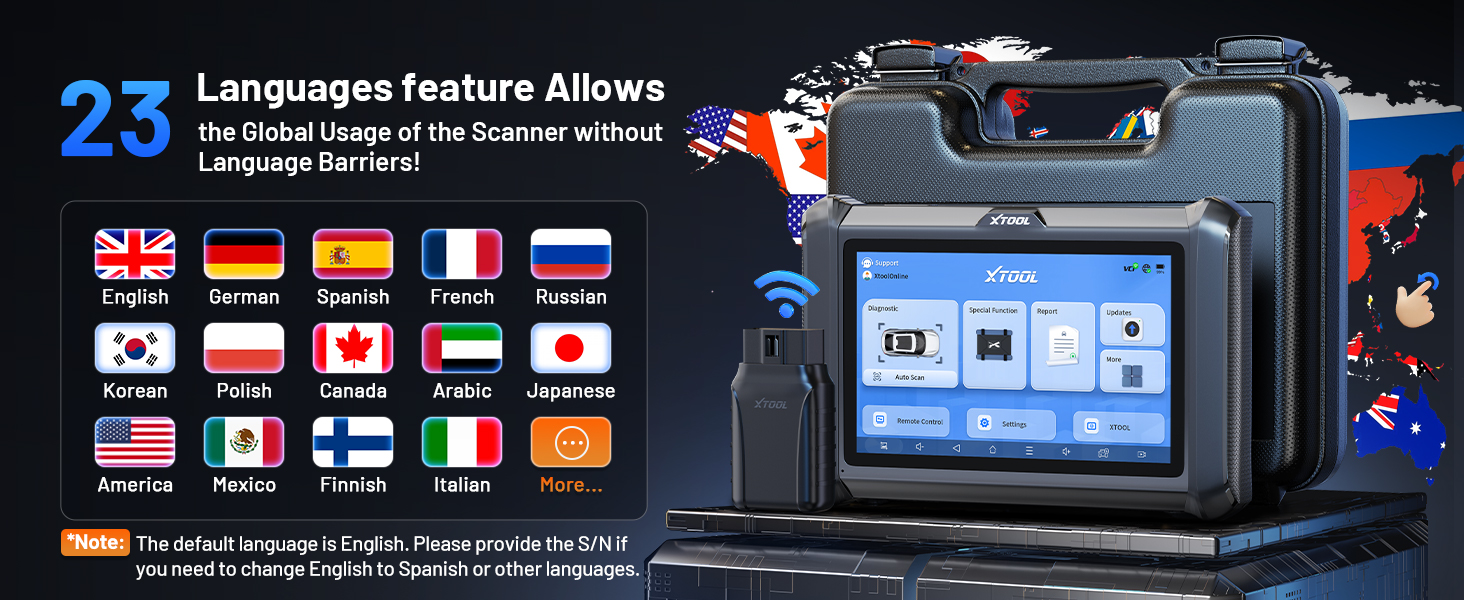
Image: Visual representation of the XTOOL D7W package contents, including the tablet, VCI box, cables, adapters, and carrying case.
Sąranka
- Įkraukite planšetinį kompiuterį: Connect the D7W tablet to the power adapter using the provided USB Type-C cable. Ensure the tablet is fully charged before first use.
- Maitinimas: Paspauskite ir palaikykite nuspaudę planšetinio kompiuterio maitinimo mygtuką, kad jį įjungtumėte.
- Connect VCI Box: Plug the VCI box into the vehicle's OBD2 port. The OBD2 port is typically located under the dashboard on the driver's side.
- Užmegzkite belaidį ryšį: The D7W tablet features built-in Wi-Fi for direct communication with the VCI box. No external Wi-Fi router is required for this connection. The tablet will automatically attempt to connect to the VCI box.
- Pradinė programinės įrangos sąranka: Follow the on-screen prompts to complete the initial software setup, including language selection and Wi-Fi network configuration for internet access (for updates).

Image: Diagram illustrating the wireless connection between the XTOOL D7W tablet and the VCI box, highlighting the freedom from tangled wires.
Naudojimo instrukcijos
1. Visapusiška sistemos diagnostika
The D7W performs comprehensive diagnostics across all available vehicle systems, including Engine, ABS, SRS, Transmission, BCM, and more. This function allows you to:
- Diagnostinių gedimų kodų (DTC) skaitymas ir valymas
- View Live Data (up to 8 PIDs simultaneously)
- Gauti fiksuoto kadro duomenis
- Access ECU Information
- Perform Auto VIN scanning for automatic vehicle identification
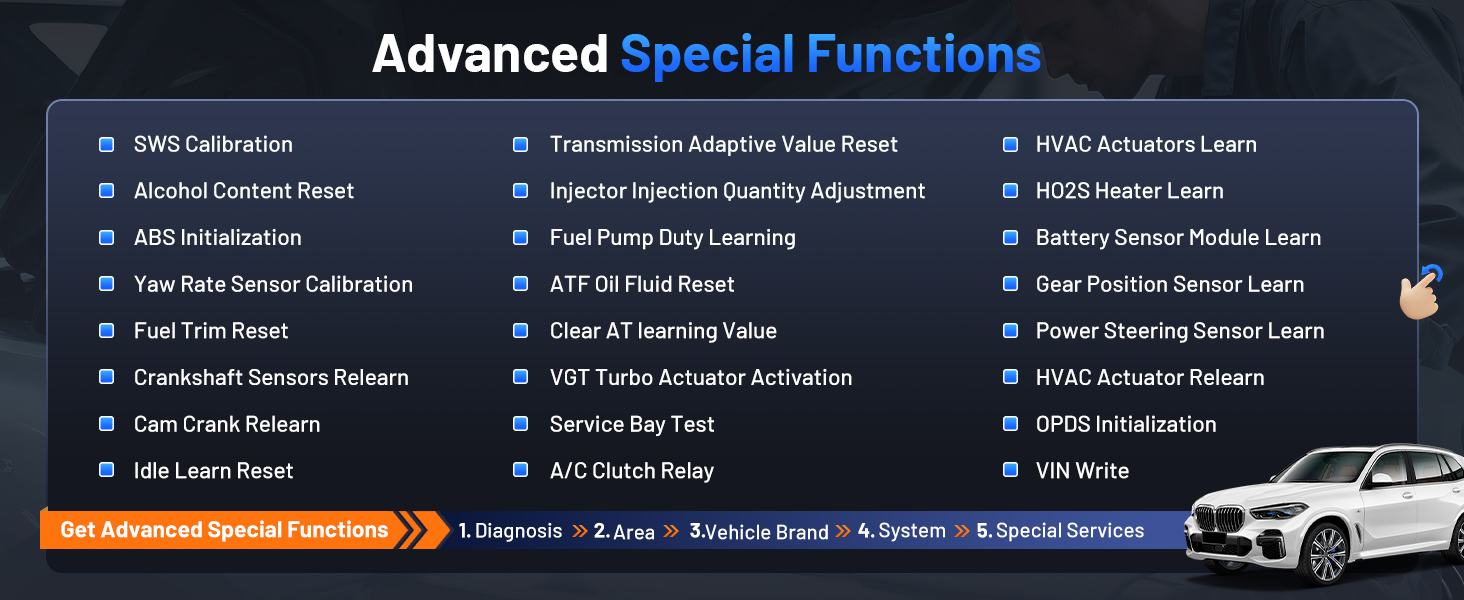
Image: Screenshot of the XTOOL D7W performing full system diagnostics, showing various diagnostic functions.
2. Bidirectional Control (Active Tests)
This function allows the diagnostic tool to send commands to vehicle components to test their functionality, aiding in faster fault isolation. Exampįtraukia:
- Purkštuvo vibracijos testas
- ABS Pump Control
- Aušinimo ventiliatoriaus įjungimas
- Fuel Pump On/Off
- Window/Door Lock Tests

Vaizdas: pvzamples of bidirectional control (active tests) such as injector buzz test, ABS pump control, and sound horn test.
3. Special Functions (39+ Resets)
The D7W offers a wide array of maintenance and reset services, including but not limited to:
- Alyvos atstatymas
- EPB (elektroninio stovėjimo stabdžio) atstatymas
- TPMS (padangų slėgio stebėjimo sistemos) atstatymas
- BMS (akumuliatorių valdymo sistemos) atstatymas
- SAS (vairavimo kampo jutiklio) kalibravimas
- ABS kraujavimas
- Injektoriaus kodavimas
- Droselis Iš naujo išmokti
Vaizdas: Viršview of the 39+ maintenance services available on the XTOOL D7W, including various reset and calibration functions.
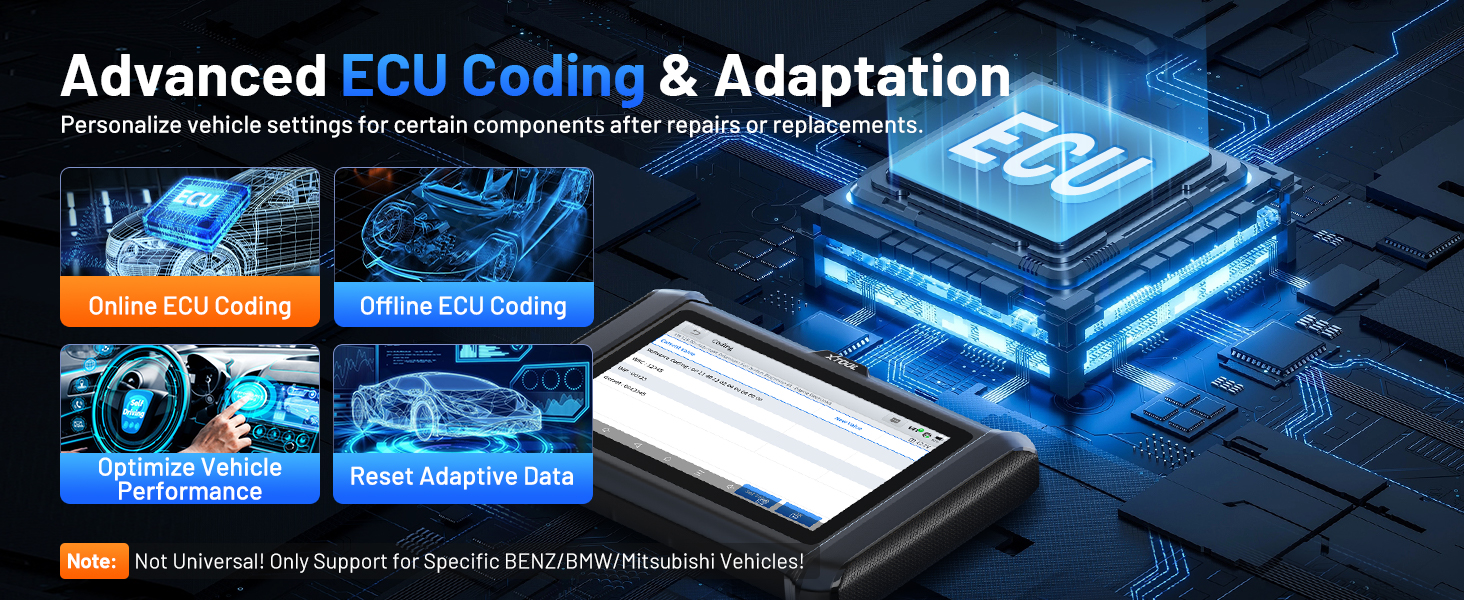
4. Advanced ECU Coding & PMI Programming
This feature allows for personalization of vehicle settings and recoding adaptive data for certain components after repairs or replacements. PMI (Programmable Module Installation) programming enables programming data from an original module to a new unit for module replacement, particularly for Ford, Lincoln, and Mazda vehicles. Pastaba: ECU Coding is not universally supported for all vehicles; it is specific to certain brands like VW, Audi, Skoda, Benz, and Mitsubishi.
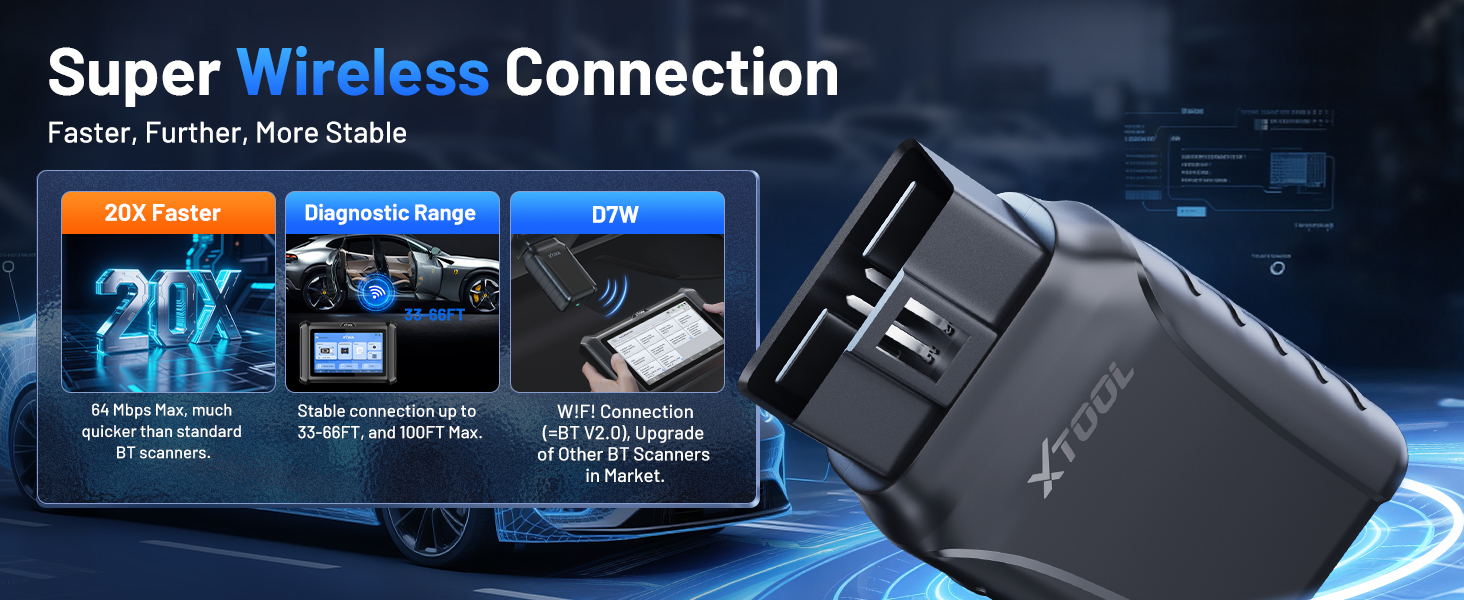
Image: Visual explanation of advanced ECU coding and adaptation, showing how it optimizes vehicle performance and resets adaptive data.
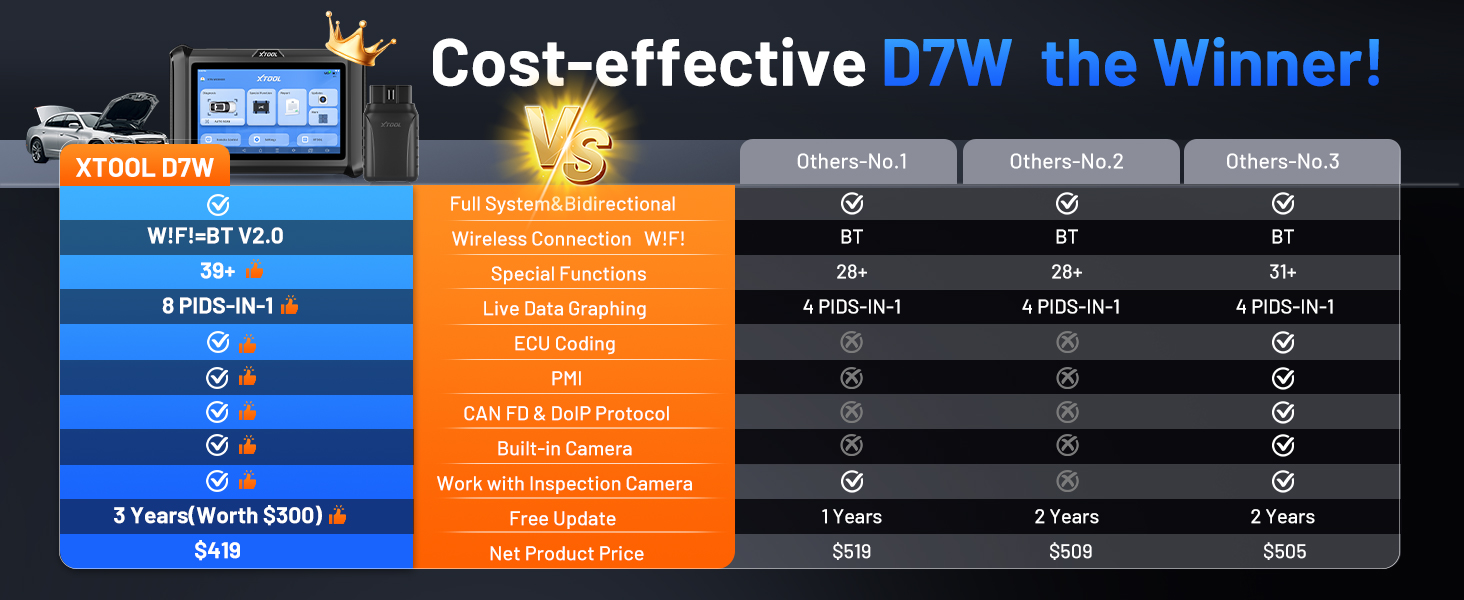
Image: Illustration of PMI and offline ECU programming for Ford, Lincoln, and Mazda vehicles, demonstrating module replacement procedures.
Priežiūra
- Programinės įrangos atnaujinimai: Regularly check for and install software updates via Wi-Fi to ensure compatibility with the latest vehicle models and diagnostic functions. The device includes 3 years of free updates.
- Akumuliatoriaus priežiūra: To prolong battery life, avoid fully discharging the tablet frequently. Store the device in a cool, dry place when not in use.
- Valymas: Naudokite minkštą, damp Planšetinio kompiuterio ekraną ir korpusą valykite šluoste. Venkite abrazyvinių valiklių ar tirpiklių.
- Saugykla: Store the device and its accessories in the provided carry case to protect them from damage.
Trikčių šalinimas
- Įrenginys neįsijungia: Įsitikinkite, kad planšetinis kompiuteris pakankamai įkrautas. Prijunkite jį prie įkroviklio ir palaukite kelias minutes, prieš bandydami vėl įjungti.
- VCI neprisijungia: Verify the VCI box is securely plugged into the vehicle's OBD2 port. Check the vehicle's ignition status. Ensure the tablet's Wi-Fi is enabled and attempting to connect to the VCI.
- Diagnostinė funkcija neveikia: Confirm that the vehicle model and year are correctly selected. Ensure the software is up to date. Some functions may not be supported on all vehicle makes/models. Refer to the vehicle compatibility list or contact support.
- Lėtas našumas: Close any unnecessary applications running in the background. Ensure sufficient storage space is available.
Specifikacijos
| Funkcija | Specifikacija |
|---|---|
| Modelis | XTOOL D7W |
| Operacinė sistema | Android 10.0 |
| Ekranas | 7 colių jutiklinis ekranas |
| Atmintis | 2 GB RAM + 64 GB saugykla |
| Baterija | 5000mAh (7.3V) Lithium Polymer |
| Prisijungimo būdas | Built-in Wi-Fi (Wireless VCI) |
| Palaikomi protokolai | CAN FD, DoIP, FCA (with active subscription) |
| Matmenys | 12.6 x 11.25 x 4.1 colio |
| Prekės svoris | 5.06 svaro |
| Kalbos | Palaikoma 23 kalbų |

Image: Comparison table highlighting the enhanced features of the XTOOL D7W compared to previous models like D7, D7S, and D7BT.
Garantija ir palaikymas
„XTOOL D7W“ komplektuojamas su 2 metų garantijaBe to, tai apima 3 metai nemokamų programinės įrangos atnaujinimų from the date of purchase, ensuring your tool remains current with the latest vehicle data and functionalities.
For technical assistance, troubleshooting, or any inquiries, please contact XTOOL customer support:
- El. paštas: xtooldirect@outlook.com
- 24/7 Technical Assistance is available.
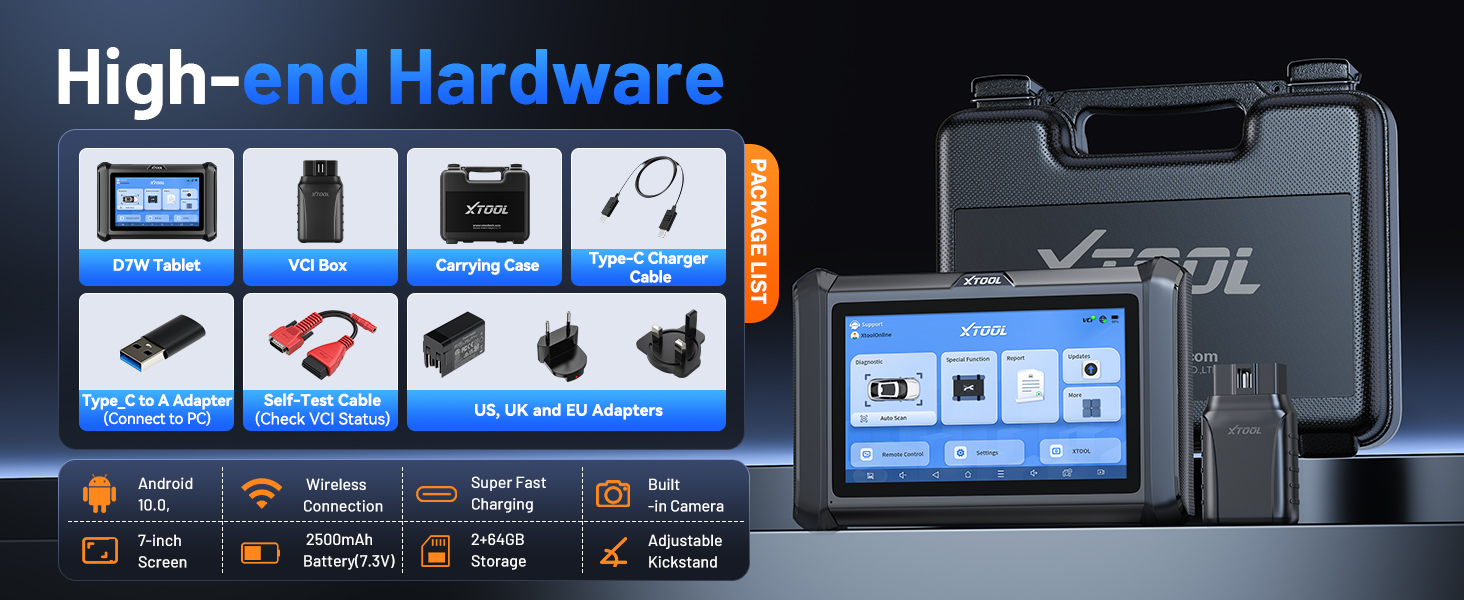
Image: Information regarding XTOOL's professional services, including 24/7 tech assistance, 2-year warranty, and 3 years of free updates.


