1. Įvadas
This manual provides instructions for the Monoprice Dark Matter 27-inch 165Hz Gaming Monitor. This monitor features an IPS panel, a 165Hz refresh rate, and a 1920x1080p Full HD resolution. It includes Adaptive Sync technology for smooth visuals and offers multiple connectivity options, including HDMI and DisplayPort inputs.
2. Saugos informacija
- Prieš naudodami monitorių, perskaitykite visas instrukcijas.
- Keep the monitor away from water or damp aplinkos.
- Neuždenkite vėdinimo angų.
- Naudokite tik gamintojo pateiktą maitinimo adapterį.
- Stenkitės nestatyti monitoriaus ant nestabilių paviršių.
- Atjunkite maitinimo laidą žaibuojant arba kai prietaisas ilgą laiką nenaudojamas.
- Visus techninės priežiūros darbus patikėkite kvalifikuotam personalui.
3. Pakuotės turinys
Patikrinkite, ar jūsų pakuotėje yra šie elementai:
- Monoprice Dark Matter 27-inch Gaming Monitor
- Monitoriaus stovas (pagrindas ir kaklelis)
- Maitinimo adapteris ir maitinimo laidas
- HDMI kabelis
- Vartotojo vadovas (šis dokumentas)
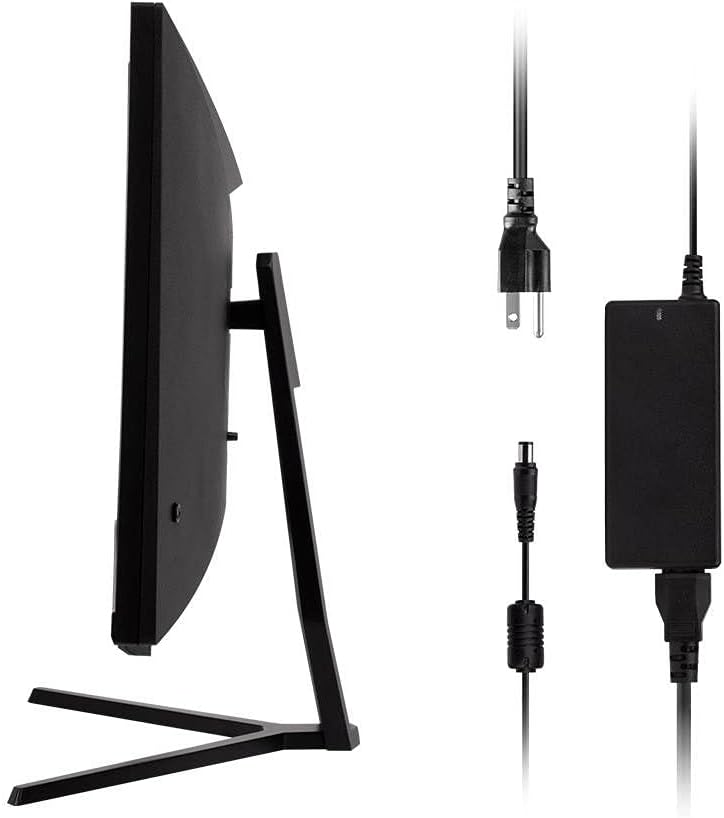
Image: Monitor side view with included power adapter and cable.
4. Stebėtiview
Priekyje View
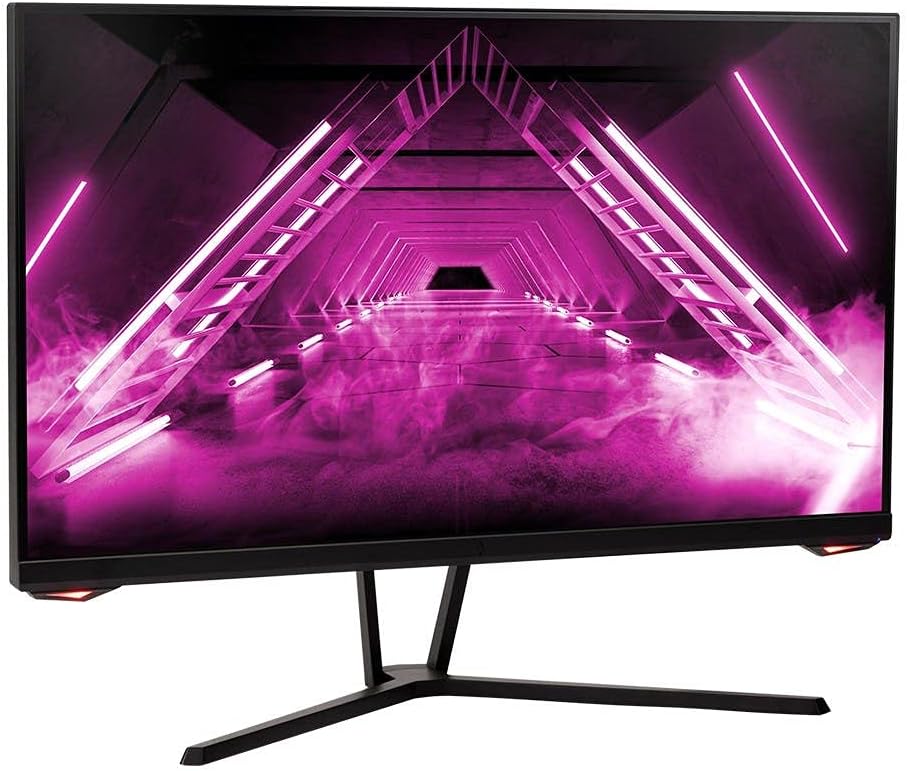
Vaizdas: priekis view monitoriaus.
Galinis View ir uostai
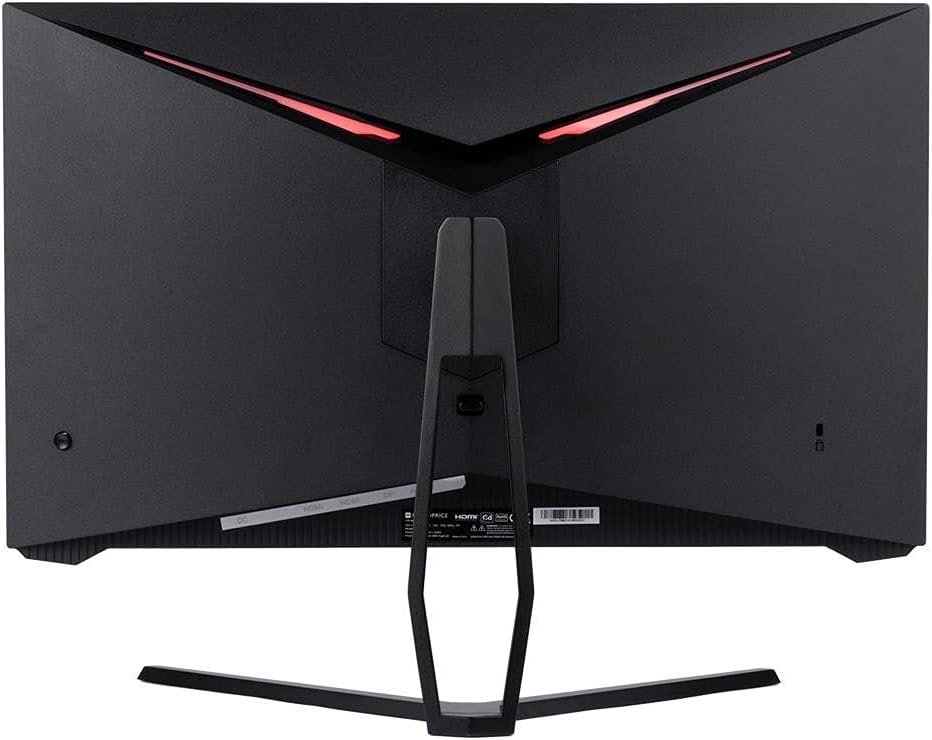
Vaizdas: Galinis view of the monitor, highlighting the VESA mount and stand attachment.

Image: Close-up of the monitor's input ports.
5. Sąranka
5.1 Stovo surinkimas
- Atsargiai išimkite monitorių iš pakuotės, apsaugodami jį ant minkšto paviršiaus.
- Attach the stand neck to the monitor's rear panel by aligning the tabs and securing any screws if present.
- Attach the stand base to the stand neck, ensuring it is firmly secured.
- Surinktą monitorių padėkite ant stabilaus, lygaus paviršiaus.
5.2 VESA montavimas
The monitor supports a 75x75mm VESA mount pattern. To use a wall or desk mount:
- Remove the pre-attached stand by unscrewing it from the monitor's rear panel.
- Attach your VESA-compatible mount to the monitor using the appropriate screws (not included).
- Prieš atlaisvindami, įsitikinkite, kad laikiklis yra tvirtai pritvirtintasasing monitorių.
5.3 Prijungimas prie kompiuterio
Prijunkite monitorių prie kompiuterio vienu iš šių būdų:
- DisplayPort: Connect one end of a DisplayPort cable to the DisplayPort output on your computer's graphics card and the other end to the DisplayPort input on the monitor.
- HDMI: Connect one end of an HDMI cable to an HDMI output on your computer's graphics card and the other end to one of the HDMI inputs on the monitor.
After connecting the video cable, connect the power adapter to the monitor's DC input and then plug the power cable into a wall outlet.
6. Monitoriaus valdymas
6.1 Maitinimo įjungimas/išjungimas
Press the power button, typically located on the rear or bottom of the monitor, to turn the monitor on or off. The power indicator light will illuminate when the monitor is on.
6.2 Ekrano meniu (OSD)
The OSD menu allows you to adjust various monitor settings. Access the OSD menu by pressing the menu button (often a joystick or a series of buttons) on the monitor. Navigate through the options using the directional controls and confirm selections.
Įprasti OSD nustatymai:
- Vaizdo nustatymai: Ryškumas, kontrastas, ryškumas, spalvų temperatūra.
- Įvesties pasirinkimas: Pasirinkite tarp „DisplayPort“ ir HDMI įėjimų.
- Garsas: Garso išvesties garsumo valdymas.
- Žaidimų ypatybės: Overdrive, FreeSync/Adaptive Sync settings.
6.3 Pagrindinės savybės
- 165Hz atnaujinimo dažnis: This monitor supports a 165Hz refresh rate, providing smoother motion and reduced input lag compared to standard 60Hz monitors. Ensure your graphics card and system settings are configured to utilize this refresh rate.
- Adaptyvusis sinchronizavimas: This technology synchronizes the monitor's refresh rate with your graphics card's frame rate, eliminating screen tearing and stuttering for a smoother gaming experience. Enable Adaptive Sync in your graphics card's control panel and the monitor's OSD menu.
- Full HD Resolution (1920x1080p): The monitor displays content at 1920x1080 pixels, offering clear and detailed visuals.
7. Priežiūra
To maintain your monitor and ensure its longevity:
- Ekrano valymas: Švelniai nuvalykite ekraną minkštu, nepūkuotu skudurėliu. Įsisenėjusioms dėmėms valyti naudokite monitoriui skirtą valymo tirpalą, užteptą ant šluostės, o ne tiesiai ant ekrano.
- C valymasasing: Monitorių nuvalykite minkštu, sausu skudurėliu.asing. Venkite abrazyvinių valiklių.
- Vėdinimas: Įsitikinkite, kad monitoriaus ventiliacijos angos nėra dulkės ir neužsikimšusios, kad neperkaistų.
- Išjungti: Turn off the monitor when not in use for extended periods.
8. Problemų sprendimas
Jei kyla problemų dėl monitoriaus, žr. šį trikčių šalinimo vadovą:
| Problema | Galima priežastis | Sprendimas |
|---|---|---|
| Ekrane nėra vaizdo / Maitinimo šviesos diodas išjungtas | Monitor not powered on; Power cable loose; Power outlet faulty. | Press the power button; Check power cable connections; Try a different power outlet. |
| Nėra vaizdo / pranešimas „Nėra signalo“ | Video cable loose; Incorrect input selected; Computer not outputting signal. | Check video cable connections; Select the correct input via OSD; Ensure computer is on and outputting video. |
| Screen flickers or goes black intermittently | Loose video cable; Graphics driver issue; Monitor overheating; Faulty cable. | Ensure video cable is secure; Update graphics drivers; Ensure adequate ventilation around the monitor; Try a different video cable. |
| Perkaitimas / dūmai | Blocked ventilation; Internal component issue. | Immediately unplug the monitor. Ensure ventilation is clear. Do not use the monitor if smoke is present. Contact support. |
| Red line or other display artifacts | Faulty panel; Graphics card issue. | Test with a different video cable and computer. If the issue persists, contact support. |
| Backlight turns off, requires power cycle | Power management settings; Internal fault. | Check computer's power saving settings. If issue persists, contact support. |
9. Specifikacijos
| Funkcija | Specifikacija |
|---|---|
| Modelio numeris | 142771 |
| Ekrano dydis | 27 colių |
| Skydelio tipas | IPS |
| Rezoliucija | 1920 x 1080 (Full HD 1080p) |
| Atnaujinimo dažnis | 165 Hz |
| Krašto santykis | 16:9 |
| Vaizdo įrašų įėjimai | 2x HDMI 1.4, 1x DisplayPort 1.2a |
| VESA kalnas | 75x75mm |
| Matmenys (IxPxH) | 28.8 x 7.1 x 19.3 colio |
| Prekės svoris | 15.77 svaro |
10. Garantija ir palaikymas
10.1 Informacija apie garantiją
This Monoprice monitor is backed by a 1 Year PixelPerfect Guarantee. This warranty covers defects in materials and workmanship under normal use for one year from the date of purchase. Please refer to Monoprice's official websvetainėje, kur rasite visas garantijos sąlygas.
10.2 Pagalba klientams
For technical assistance, warranty claims, or further information, please contact Monoprice Customer Support. Contact details can typically be found on the official Monoprice websvetainėje arba pirkimo dokumentuose.
11. Vaizdo įrašų ištekliai
Šiam modeliui nerasta jokių oficialių pardavėjo vaizdo įrašų.


