1. Įvadas
This manual provides comprehensive instructions for the setup, operation, and maintenance of your i-box Epoca Portable Radio. Please read this manual thoroughly before using the device to ensure proper functionality and to maximize your listening experience.

Figure 1: i-box Epoca Portable Radio
2. Pagrindinės savybės
- DAB/DAB+ ir FM radijas: Pasiekite platų skaitmeninių ir analoginių radijo stočių pasirinkimą.
- Bluetooth 5.0 ryšys: Belaidžiu būdu transliuokite garsą iš suderinamų įrenginių.
- Įkraunama baterija: Provides up to 15 hours of portable playback.
- USB įkrovimas: Convenient charging via a standard USB connection.
- Stereo garsiakalbiai: Equipped with a bass reflex port for enhanced sound performance.
- Aukščiausios kokybės dizainas: Features a retro-inspired leather effect finish, wooden housing, and anodised aluminium speaker grille.
- Pagalbinė įvestis: 3.5mm AUX-IN port for wired audio connections.
- Ausinių išvestis: 3.5mm headphone socket for private listening.

2 pav. Baigtaview pagrindinių funkcijų
3. Pakuotės turinys
Išpakuodami įsitikinkite, kad visi daiktai yra pakuotėje ir yra geros būklės:
- i-box Epoca Portable Radio
- USB įkrovimo laidas
- Maitinimo adapteris
- Naudotojo vadovas (šis vadovas)

Figure 3: Product Components and Ports
4. Sąranka
4.1 Akumuliatoriaus įkrovimas
The i-box Epoca radio includes a built-in rechargeable Lithium Ion battery. Before first use, it is recommended to fully charge the battery.
- Connect the supplied USB charging cable to the Micro USB port on the back of the radio.
- Connect the other end of the USB cable to the supplied power adapter.
- Įjunkite maitinimo adapterį į standartinį sieninį lizdą.
- The charging indicator on the radio's display will show charging status. A full charge may take several hours.
Once fully charged, the radio provides up to 15 hours of playback, depending on usage and volume levels.
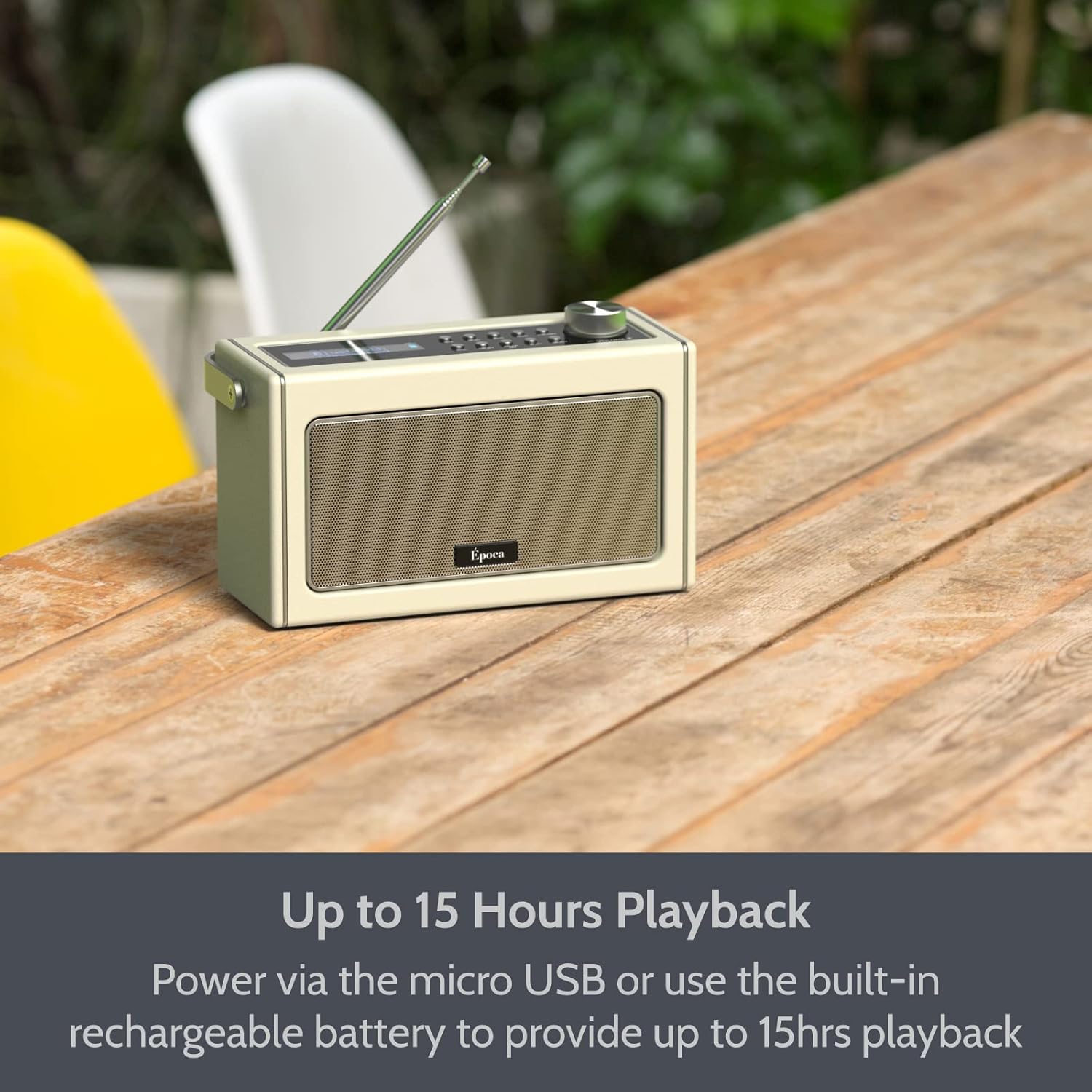
Figure 4: Portable Playback with Rechargeable Battery
4.2 Įjungimas / išjungimas
- Norėdami įjungti radiją, paspauskite ir palaikykite Galia mygtuką, esantį valdymo skydelyje.
- Norėdami išjungti radiją, paspauskite ir palaikykite Galia mygtuką dar kartą.
5. Veikimo režimai
5.1 FM radijo veikimas
- Ištieskite teleskopinę anteną, kad gautumėte optimalų priėmimą.
- Paspauskite Režimas mygtuką, kad pasirinktumėte FM radijo režimą.
- To automatically scan and save available FM stations, press the Nuskaityti button. The radio will scan and store stations in presets.
- Norėdami sureguliuoti rankiniu būdu, naudokite Derinimas +/- buttons or the rotary dial.
- To recall a saved preset, press the Iš anksto nustatytas mygtuką ir naudokite Derinimas +/- buttons to navigate through presets.

Figure 5: FM Tuner in Use
5.2 Bluetooth veikimas
- Paspauskite Režimas button to select Bluetooth mode. The display will show "BT" and the Bluetooth indicator will flash, indicating it's ready for pairing.
- Savo „Bluetooth“ įrenginyje (pvz., išmaniajame telefone, planšetiniame kompiuteryje) įjunkite „Bluetooth“ ir ieškokite galimų įrenginių.
- Select "i-box Epoca" from the list of devices.
- Once paired, the Bluetooth indicator on the radio will stop flashing and remain solid. You can now play audio from your device through the radio.
- Use the radio's volume control or your device's volume control to adjust the audio level.

Figure 6: Bluetooth Setup Steps
Vaizdo įrašas: Užbaigtaview of i-box Epoca Portable Radio features, including DAB/DAB+ and FM tuners, Bluetooth 5.0 connectivity, built-in rechargeable battery, AUX-IN port, 3.5mm headphone socket, and included accessories.
5.3 AUX-IN veikimas
- Connect one end of a 3.5mm audio cable (not supplied) to the AUX-IN port on the back of the radio.
- Connect the other end of the audio cable to the headphone jack or audio output of your external audio device (e.g., MP3 player, CD player).
- Paspauskite Režimas mygtuką, norėdami pasirinkti AUX-IN režimą.
- Play audio from your external device. The sound will be output through the radio's speakers.
- Adjust the volume using the radio's volume control or your external device's volume control.
6. Priežiūra
- Valymas: Radijo paviršių valykite minkštu, sausu skudurėliu. Nenaudokite abrazyvinių valiklių ar tirpiklių.
- Saugykla: Kai radijo imtuvo nenaudojate ilgesnį laiką, laikykite jį vėsioje, sausoje vietoje, apsaugotoje nuo tiesioginių saulės spindulių ir ekstremalių temperatūrų.
- Akumuliatoriaus priežiūra: Norėdami pailginti baterijos veikimo laiką, venkite jos dažnai visiškai iškrauti. Reguliariai kraukite radijo stotelę, net jei jos nenaudojate nuolat.
- Antena: Handle the telescopic antenna carefully to prevent damage.
7. Problemų sprendimas
| Problema | Galima priežastis | Sprendimas |
|---|---|---|
| Radijas neįsijungia. | Baterija išsikrovusi arba maitinimo adapteris neprijungtas. | Connect the radio to the power adapter and allow it to charge. Ensure the power adapter is securely plugged into a working outlet. |
| Prastas FM radijo priėmimas. | Antenna not fully extended or weak signal area. | Fully extend the telescopic antenna. Try repositioning the radio to improve signal reception. |
| „Bluetooth“ įrenginio nepavyksta susieti. | Radijas neįjungtas susiejimo režimu, įrenginys per toli arba jau susietas su kitu įrenginiu. | Ensure the radio is in Bluetooth mode and the indicator is flashing. Move your device closer to the radio. Disconnect from any other Bluetooth devices. |
| Nėra garso iš garsiakalbių. | Volume too low, muted, or incorrect mode selected. | Increase the volume on the radio and your connected device. Check if the radio is muted. Ensure the correct operating mode (FM, Bluetooth, AUX-IN) is selected. |
8. Specifikacijos
- Modelis: 79272PI/17
- Maitinimo šaltinis: Battery Powered (1 Lithium Ion battery included) / USB (5V-1A)
- Atkūrimo laikas: Up to 15 hours (battery)
- Tuner technologija: FM
- Ryšys: Bluetooth 5.0, USB, AUX-IN
- Garso išvestis: 3.5 mm ausinių lizdas
- Garsiakalbio išvestis: 2x 5W Speakers (10W Stereo Sound)
- Matmenys: Maždaug 10.12 x 6.18 x 5.12 colio
- Svoris: Maždaug 3.34 svaro
- Gamintojas: „Philex Electronic Ltd.“
- Kilmės šalis: Kinija
9. Garantija ir palaikymas
The i-box Epoca Portable Radio comes with a 3 metų garantija nuo įsigijimo datos. Ši garantija taikoma gamybos defektams ir medžiagų defektams įprasto naudojimo sąlygomis.
For technical support, warranty claims, or further assistance, please contact Philex Electronic Ltd. customer service. Contact details can typically be found on the product packaging or the manufacturer's official websvetainę.
Prašome išsaugoti pirkimo įrodymą garantijos tikslais.


