Įvadas
This manual provides detailed instructions for the Jabra Elite 2 True Wireless In-Ear Bluetooth Earbuds. It covers product setup, operation, maintenance, and troubleshooting to ensure optimal performance and user experience. Please read this manual carefully before using your earbuds.
Kas yra dėžutėje
The Jabra Elite 2 package includes the following components:
- „Jabra Elite 2 True“ belaidės ausinės
- Įkrovimo dėklas
- USB-C įkrovimo laidas
- EarGels (three sizes: Small, Medium, Large)
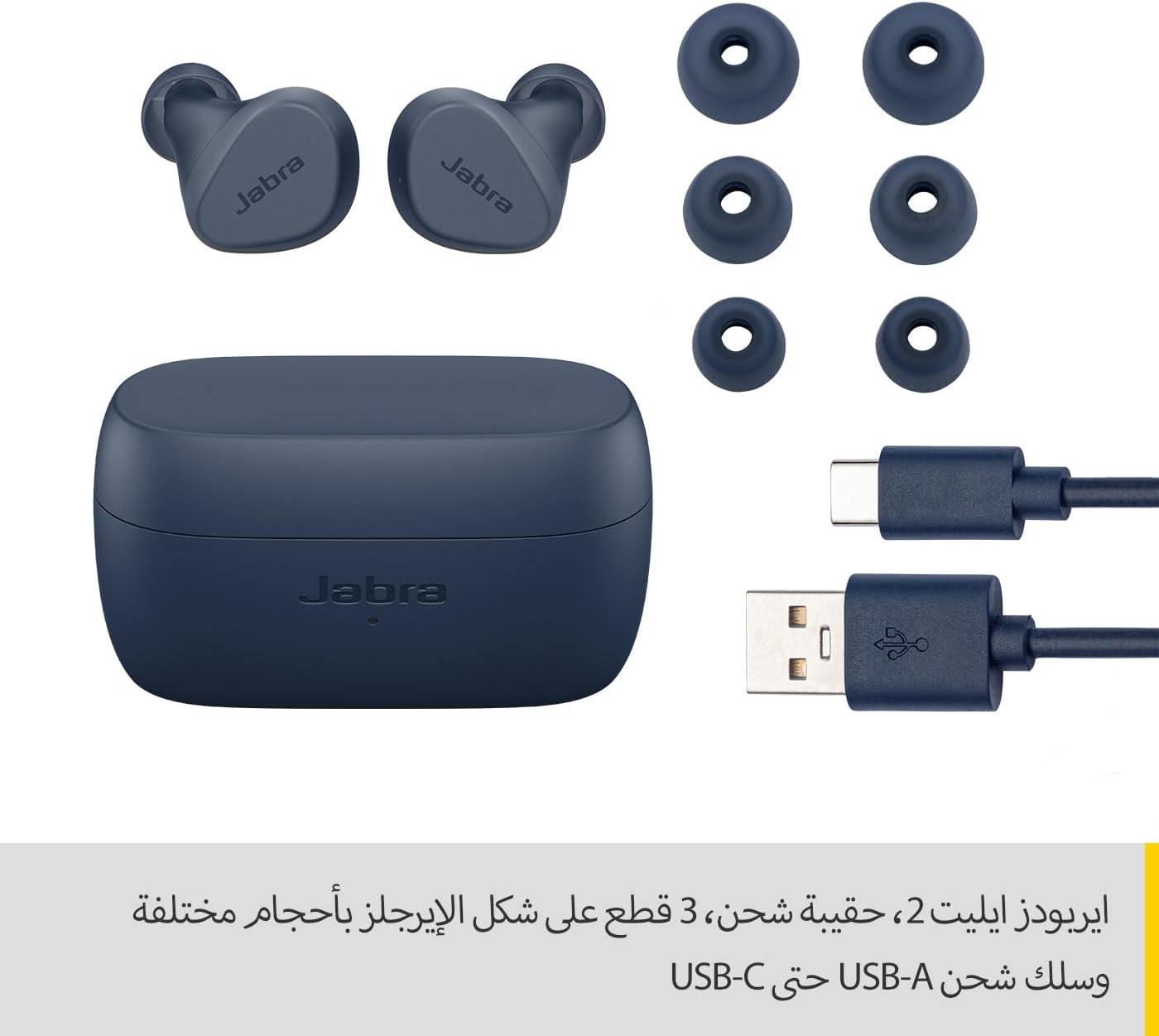
Image: Jabra Elite 2 earbuds, charging case, three sizes of EarGels, and USB-A to USB-C charging cable.
Sąranka
1. Ausinių ir dėklo įkrovimas
Before first use, fully charge the earbuds and the charging case. Place the earbuds into the charging case and connect the USB-C cable to the charging port on the case and a power source.
- The earbuds provide up to 7 hours of listening time on a single charge.
- The charging case extends the total battery life to up to 21 hours.

Image: Jabra Elite 2 earbuds inside their charging case, ready for charging.
2. Suporavimas su „Bluetooth“ įrenginiu
- Įsitikinkite, kad ausinės yra įkrautos ir įdėtos į įkrovimo dėklą.
- Atidarykite įkrovimo dėklą. Ausinės automatiškai įsijungs susiejimo režimu.
- Išmaniajame telefone ar kitame „Bluetooth“ įrenginyje eikite į „Bluetooth“ nustatymus.
- Select 'Jabra Elite 2' from the list of available devices.
- Prijungus, balso pranešimas patvirtins sėkmingą susiejimą.
3. Ausinių uždėjimas
For optimal sound quality and comfort, choose the correct size of EarGels. Insert the earbuds into your ears and rotate them slightly to ensure a secure and comfortable fit.
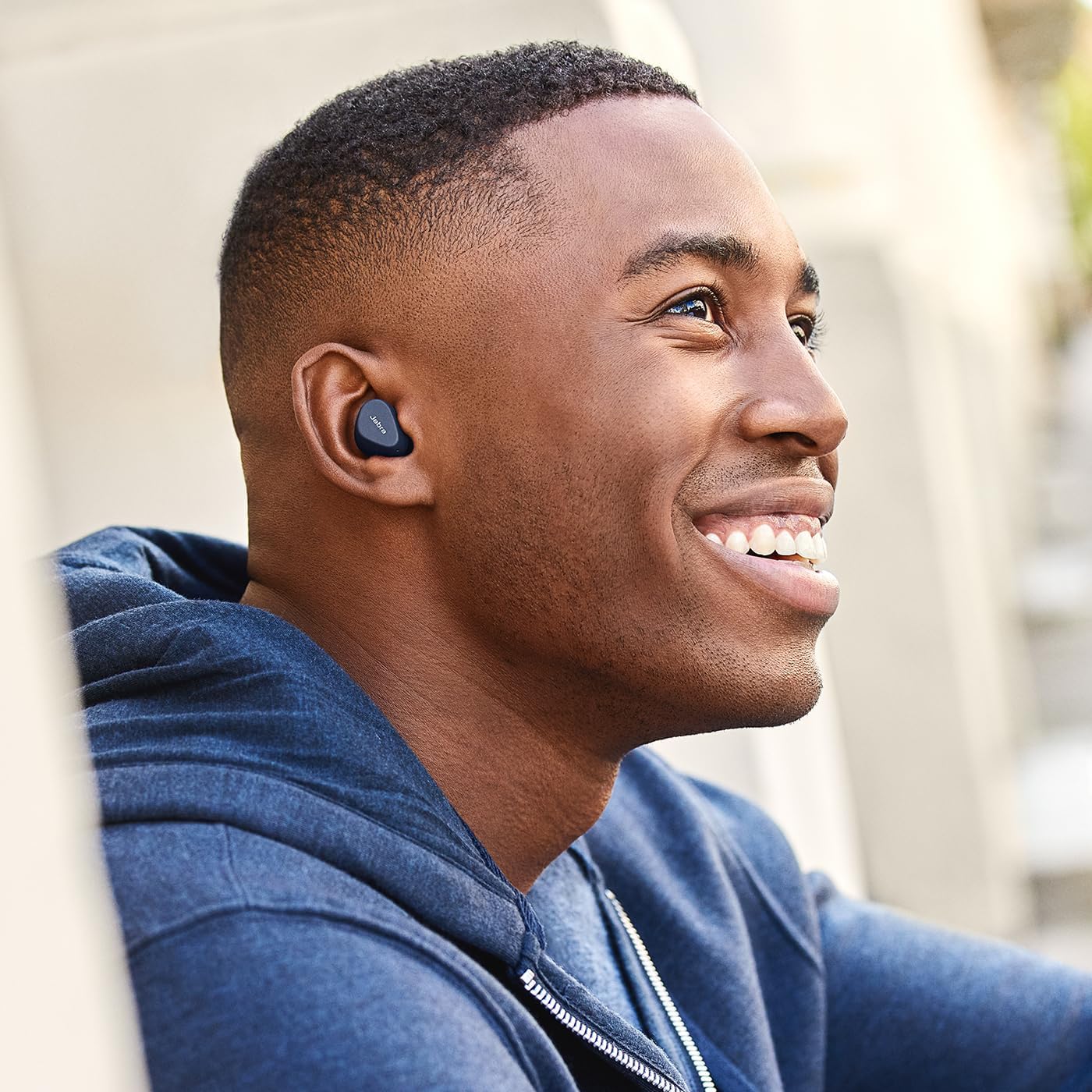
Image: A man wearing Jabra Elite 2 earbuds, demonstrating a proper fit.

Image: A woman wearing Jabra Elite 2 earbuds, demonstrating a proper fit.
Naudojimo instrukcijos
The Jabra Elite 2 earbuds feature intuitive controls for managing audio and calls.
Muzikos ir skambučių valdikliai
| Veiksmas | Kairė ausinė | Dešinė ausinė |
|---|---|---|
| Leisti / pristabdyti muziką | Vienkartinis paspaudimas | Vienkartinis paspaudimas |
| Atsiliepti / Baigti skambutį | Vienkartinis paspaudimas | Vienkartinis paspaudimas |
| Atmesti skambutį | Du kartus paspauskite | Du kartus paspauskite |
| Kitas takelis | Du kartus paspauskite | N/A |
| Ankstesnis takelis | Trigubas paspaudimas | N/A |
| Activate Voice Assistant (Alexa for Android) | N/A | Trigubas paspaudimas |

Image: Close-up of Jabra Elite 2 earbuds, highlighting the control surface.
Priežiūra
Proper maintenance ensures the longevity and performance of your Jabra Elite 2 earbuds.
Valymas
- Reguliariai valykite ausines ir įkrovimo dėklą minkštu, sausu, nepūkuotu skudurėliu.
- Išimkite ausų įdėklus ir nuvalykite juos švelniu muilu ir vandeniu, tada kruopščiai nusausinkite prieš vėl įdėdami.
- Venkite naudoti stiprių cheminių medžiagų ar abrazyvinių medžiagų.
Atsparumas vandeniui
The Jabra Elite 2 earbuds are rated IP55 for resistance against dust and water splashes. This means they are protected against low-pressure water jets from any direction, making them suitable for use during light rain or workouts. They are not designed for submersion in water.

Image: A man wearing Jabra Elite 2 earbuds under an umbrella, illustrating their water resistance.
Sandėliavimas
Kai nenaudojate, laikykite ausines įkrovimo dėkle, kad jos būtų apsaugotos ir įkrautos.
Trikčių šalinimas
If you encounter issues with your Jabra Elite 2 earbuds, refer to the following common solutions:
- Nėra garso / mažas garsumas: Ensure earbuds are properly seated in your ears, volume is turned up on both earbuds and connected device, and EarGels are the correct size.
- Susiejimo problemos: Įsitikinkite, kad jūsų įrenginyje įjungtas „Bluetooth“ ryšys ir ausinės veikia susiejimo režimu. Pabandykite atjungti ir iš naujo susieti ausines.
- Pertraukiamas ryšys: Keep your device close to the earbuds. Avoid environments with strong Wi-Fi or other wireless interference.
- Neįkraunamos ausinės: Įsitikinkite, kad įkrovimo laidas yra tvirtai prijungtas ir įkrovimo dėklas maitinamas. Nuvalykite įkrovimo kontaktus ant ausinių ir dėklo.
- Mikrofono problemos: Ensure the microphones are not obstructed. Check the audio input settings on your connected device. The Elite 2 features 2 microphones for clear calls.
For further assistance, visit the official Jabra support websvetainę.
Specifikacijos
| Funkcija | Detalė |
|---|---|
| Modelio pavadinimas | Jabra Elite 2 |
| Modelio numeris | 100-91400003-60 |
| Ryšio technologija | Belaidis ryšys („Bluetooth“) |
| Ausinių baterijos veikimo laikas | Iki 7 valandų |
| Bendras baterijos veikimo laikas (su dėklu) | Iki 21 valandų |
| Mikrofonai | 2 integruoti mikrofonai |
| Triukšmo valdymas | Triukšmo izoliacija |
| Atsparumo vandeniui įvertinimas | IP55 (Rain, Dust, Water Resistant) |
| Rekomenduojami naudojimo būdai | Listening to audio (music, podcasts), phone calls, sports, fitness, travel |
| Suderinami įrenginiai | „Bluetooth“ palaikantys įrenginiai |
| Valdymo tipas | Media/Volume Control, Remote Control |
| Įtraukti komponentai | Protective case, USB-C cable, EarGels |
| Spalva | Navy |
Garantija ir palaikymas
Informacija apie garantiją
The Jabra Elite 2 earbuds come with a 2 metų garantija. Product registration is required to activate the full warranty period. Please refer to the warranty card included in your package or visit the official Jabra websvetainėje, kur rasite išsamias sąlygas.
Pagalba klientams
For technical support, frequently asked questions, or to register your product, please visit the official Jabra support page:
You may also find additional resources and software updates on the Jabra websvetainę.


