1. Įvadas
This manual provides comprehensive instructions for the operation and maintenance of your FOXWELL NT604 OBD2 Scanner and BT100 Pro Battery Tester. These devices are designed to assist in diagnosing vehicle issues and assessing battery health, providing valuable information for vehicle maintenance.
The FOXWELL NT604 is an advanced diagnostic scan tool capable of reading and clearing fault codes, displaying live data, and performing various tests on key vehicle systems. The FOXWELL BT100 Pro is a professional battery analyzer designed to test 12V batteries, providing accurate readings on battery voltage, CCA, internal resistance, and overall health.
2. Sąranka
2.1 Įrenginio išpakavimas
Carefully remove all components from the packaging. Verify that all items listed in the product packaging are present. Retain the packaging for future storage or shipping.
2.2 Pradinis įjungimas
The NT604 scanner typically powers on when connected to a vehicle's OBD-II port. The BT100 Pro battery tester powers on when connected to a 12V battery.

Figure 2.1: The FOXWELL NT604 OBD2 Scanner and BT100 Pro Battery Tester.
3. Operacija
3.1 FOXWELL NT604 OBD2 Scanner Operation
The NT604 scanner connects to your vehicle's On-Board Diagnostics II (OBD-II) port to access vehicle system information.
- Raskite OBD-II prievadą: OBD-II prievadas paprastai yra po prietaisų skydeliu vairuotojo pusėje.
- Prijunkite skaitytuvą: Plug the NT604's diagnostic cable into the vehicle's OBD-II port. The scanner will power on automatically.
- Vehicle Communication: The scanner will attempt to establish communication with the vehicle's ECU (Engine Control Unit). Follow on-screen prompts.
- Pagrindinio meniu naršymas: Use the navigation buttons (up, down, left, right, OK, ESC) to select desired functions from the main menu. Common functions include:
- Skaitykite kodus: Retrieves Diagnostic Trouble Codes (DTCs) from the vehicle's systems.
- Išvalyti kodus: Erases DTCs from the vehicle's memory. Note: Clearing codes does not fix the underlying problem. Address the issue before clearing codes.
- Tiesioginiai duomenys: Displays real-time sensor data from the vehicle.
- Sustabdyti kadrą: Užfiksuoja transporto priemonės eksploatavimo sąlygų momentinę kopiją tuo metu, kai buvo nustatytas gedimo kodas.
- I/M pasirengimas: Tikrina su emisija susijusių monitorių būseną.
- Sistemos diagnostika: Accesses specific vehicle systems like Engine, ABS, SRS (Airbag), and Transmission for detailed diagnostics.

Figure 3.1: The NT604 scanner's main menu showing various OBDII functions.

Figure 3.2: The NT604 scanner's capability to diagnose Engine, ABS, SRS, and Transmission systems.
3.2 FOXWELL BT100 Pro Battery Tester Operation
The BT100 Pro is designed for testing 12V automotive batteries. It can perform tests both in-vehicle and out-of-vehicle.
- Paruoškite bateriją: Įsitikinkite, kad akumuliatoriaus gnybtai yra švarūs ir be korozijos.
- Prijunkite testerį:
- Prijunkite raudoną klamp prie teigiamo (+) akumuliatoriaus gnybto.
- Prijunkite juodą klamp prie neigiamo (-) akumuliatoriaus gnybto.
- Testeris įsijungs automatiškai.
- Pasirinkite bandymo tipą:
- In-Vehicle Test: For batteries installed in the vehicle.
- Out-of-Vehicle Test: For standalone batteries.
- Pasirinkite baterijos tipą: Choose the correct battery type (e.g., Regular Flooded, AGM Flat Plate, AGM Spiral, GEL) from the menu. Incorrect selection may lead to inaccurate results.
- Enter CCA Rating: Įveskite šaltojo užvedimo duomenis Amps (CCA) rating found on the battery label.
- Atlikite testą: The tester will perform the analysis and display results such as:
- ttage
- Išmatuotas CCA
- Vidinis pasipriešinimas
- Sveikatos būklė (SOH)
- Apmokestinimo būsena (SOC)

Figure 3.3: The BT100 Pro supports both in-vehicle and out-of-vehicle battery testing.
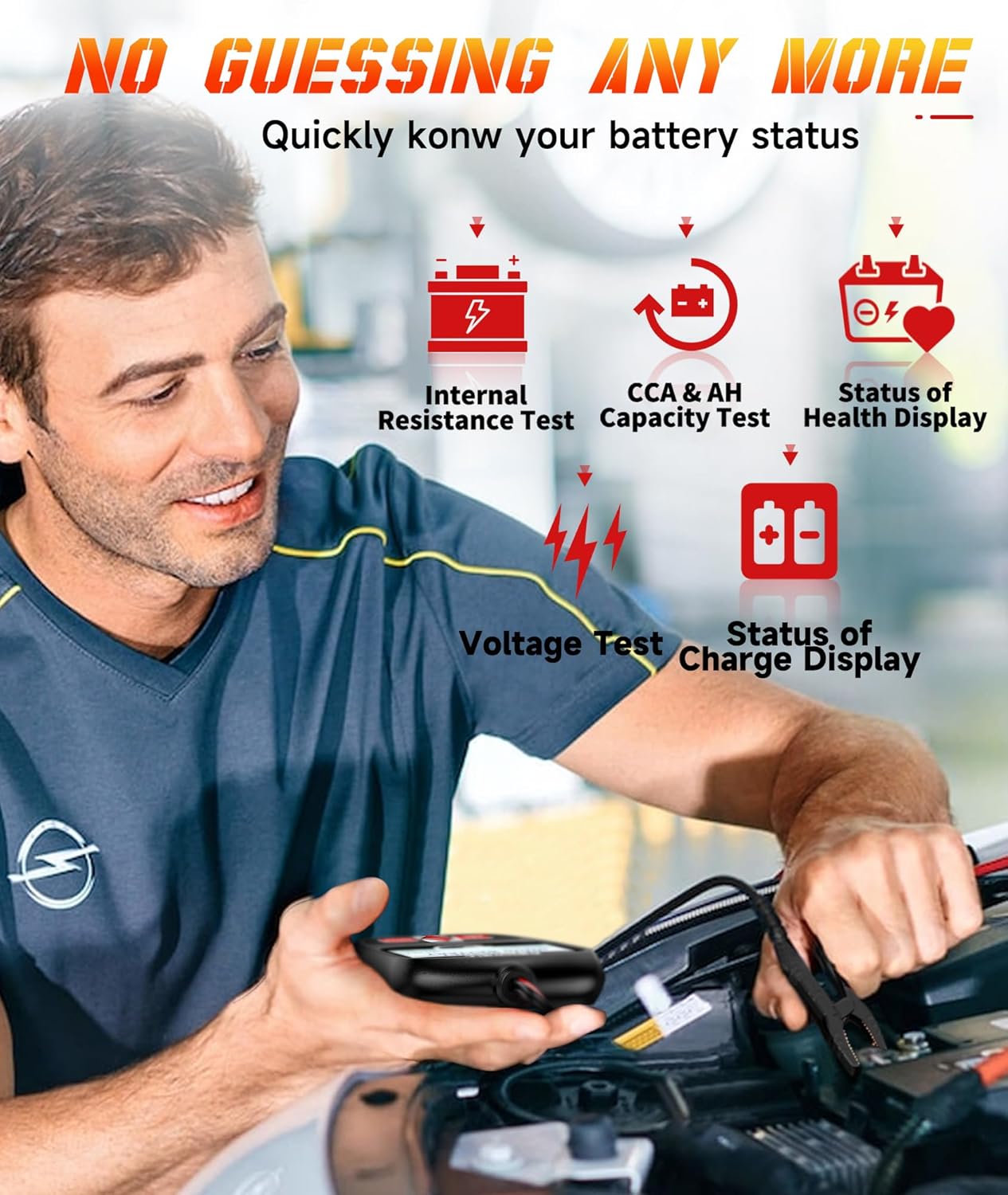
Figure 3.4: The BT100 Pro provides detailed battery status including internal resistance, CCA, and health display.
4. Priežiūra
4.1 Valymas
Nuvalykite prietaisą minkšta, damp šluoste. Nenaudokite abrazyvinių valiklių ar tirpiklių. Prieš padėdami prietaisą į saugyklą, įsitikinkite, kad jis sausas.
4.2 Programinės įrangos naujiniai
Periodically check the FOXWELL official website for software updates for the NT604 scanner. Updates can improve performance, add new features, and expand vehicle compatibility. Follow the instructions provided on the website for updating the device firmware.
4.3 Saugykla
Store the devices in a clean, dry environment, away from extreme temperatures and direct sunlight. Keep cables neatly coiled to prevent damage.
5. Problemų sprendimas
| Problema | Galima priežastis | Sprendimas |
|---|---|---|
| NT604 does not power on. | Loose OBD-II connection; vehicle's OBD-II port fuse blown; vehicle battery low. | Ensure secure connection. Check vehicle's OBD-II port fuse. Verify vehicle battery voltage. |
| NT604 fails to link with vehicle. | Incorrect protocol selected; vehicle ignition off; faulty connection. | Ensure ignition is ON. Check cable connection. Try a different vehicle if possible to isolate the issue. |
| BT100 Pro does not power on. | Loose battery clamp connection; battery voltage per žema. | Užtikrinkite clamps are securely attached to clean battery terminals. Test a different battery if available. |
| Inaccurate BT100 Pro readings. | Incorrect battery type or CCA entered; dirty battery terminals. | Verify battery type and CCA input. Clean battery terminals thoroughly. |
6. Specifikacijos
FOXWELL NT604 OBD2 skaitytuvas
- Palaikomos sistemos: Engine, ABS, SRS (Airbag), Transmission
- OBDII Modes: 10 modes (Read Codes, Clear Codes, Live Data, Freeze Frame, I/M Readiness, Component Test, O2 Monitor Test, On-Board Monitor Test, Retrieve Vehicle Info, Modules Present)
- Maitinimo šaltinis: Vehicle OBD-II port
FOXWELL BT100 Pro Battery Tester
- Baterijos tūristage: 12 V
- Bandymo diapazonas: 100-1100 CCA
- Palaikomi baterijų tipai: Įprastas užlietas, AGM plokščias, AGM spiralinis, GEL
- Testo rezultatai: ttage, CCA, Internal Resistance, State of Health (SOH), State of Charge (SOC)
- Maitinimo šaltinis: Battery Powered (from the tested battery)

6.1 pav. Pvzample of battery test results displayed on the BT100 Pro.
7. Garantija ir palaikymas
7.1 Informacija apie garantiją
FOXWELL products are covered by a limited warranty against defects in materials and workmanship. Please refer to the warranty card included with your product or visit the official FOXWELL websvetainėje, kurioje pateikiamos išsamios garantijos sąlygos.
7.2 Techninė pagalba
For technical assistance, software updates, or service inquiries, please contact FOXWELL customer support. Contact information can typically be found on the official FOXWELL websvetainėje arba produkto pakuotėje.
Websvetainė: www.foxwelltech.com (Pvzampnuoroda, patikrinkite oficialią svetainę)


