Įvadas
The Logitech POP Keys Mechanical Wireless Keyboard is designed to bring personality and efficiency to your workspace. Featuring customizable emoji keys and satisfying mechanical switches, this keyboard offers a unique typing experience. It supports multi-device connectivity via Bluetooth or the Logi Bolt USB receiver, making it versatile for various operating systems and devices. Its compact design promotes better posture and saves desk space, while its durable construction ensures long-lasting performance.

The Logitech POP Keys keyboard in Daydream Mint, showcasing its vibrant design.
Sąranka
Akumuliatoriaus montavimas
The POP Keys keyboard requires 2 AAA batteries, which are included. To install the batteries:
- Raskite baterijų skyrių klaviatūros apačioje.
- Švelniai atidarykite akumuliatoriaus dangtelį.
- Įdėkite 2 AAA tipo baterijas, užtikrindami teisingą poliškumą (+/-).
- Saugiai uždarykite akumuliatoriaus dangtelį.
The battery compartment and Logi Bolt USB receiver storage on the back of the keyboard.
Ryšys
The Logitech POP Keys keyboard offers two primary connection methods: Bluetooth and the Logi Bolt USB receiver.
- „Bluetooth“ naudojimas:
1. Ensure Bluetooth is enabled on your device (computer, laptop, iPad, tablet, or phone).
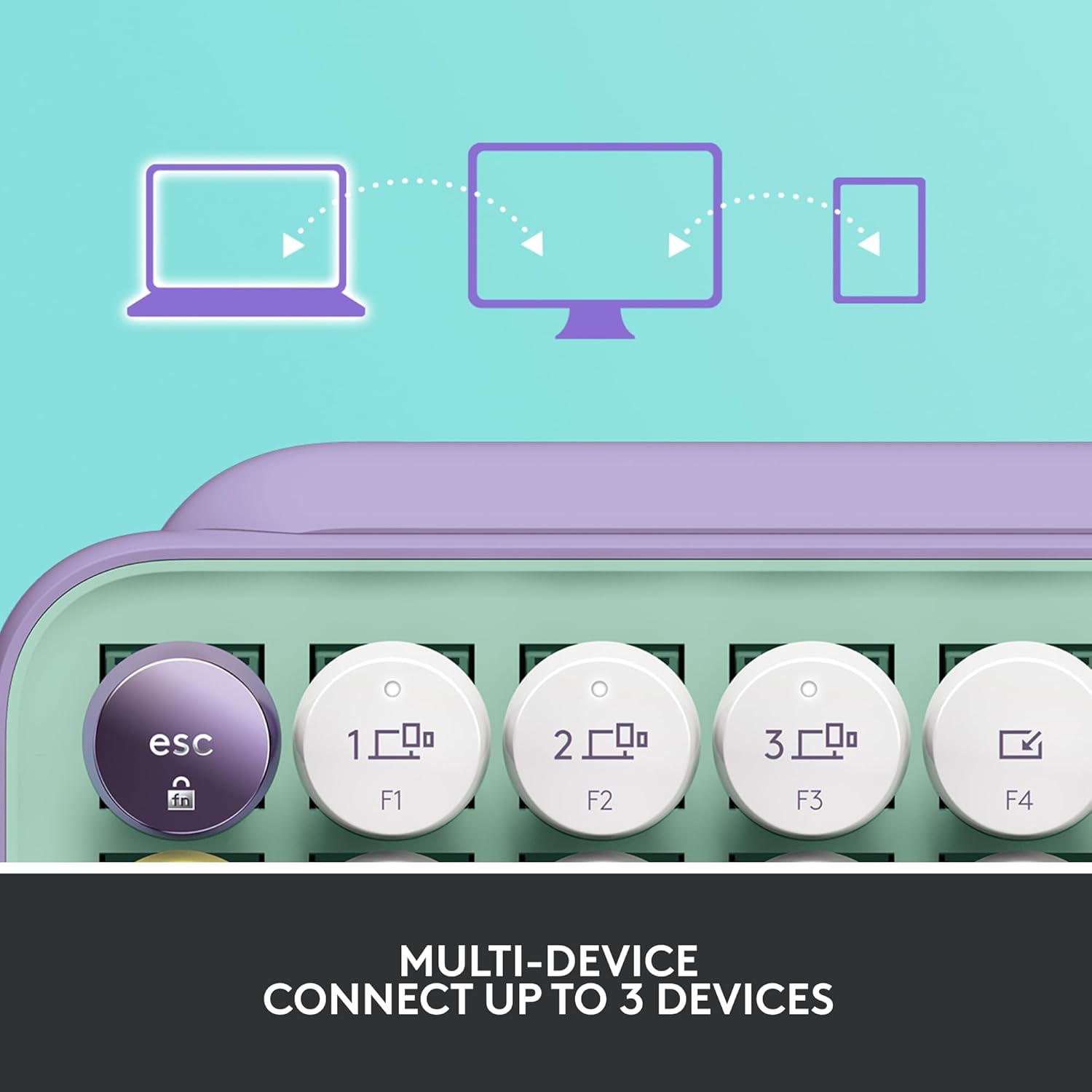
2. On the POP Keys keyboard, press and hold one of the Easy-Switch keys (F1, F2, or F3) for 3 seconds until the LED light above the key starts blinking rapidly.
3. On your device, search for Bluetooth devices and select "Logi POP Keys" to pair.
4. The LED light on the keyboard will turn solid for 5 seconds to confirm successful pairing. - Using Logi Bolt USB Receiver:
1. Plug the Logi Bolt USB receiver into an available USB port on your computer.
2. The keyboard should automatically connect to the receiver. If not, press any key on the keyboard to wake it up.

The keyboard can connect to up to three devices simultaneously, easily switching between them.
Klaviatūros valdymas
Customizable Emoji Keys
The POP Keys keyboard features 8 swappable emoji keys and 1 emoji menu key, allowing you to personalize your typing experience. Four emoji keys are pre-installed, with four extra keys included in the box. You can easily remove and replace these keys to match your preferred emojis.
To customize the emoji keys, download and install the Logitech Options software on your Windows or macOS device. This software allows you to assign specific emojis or other functions to these keys.
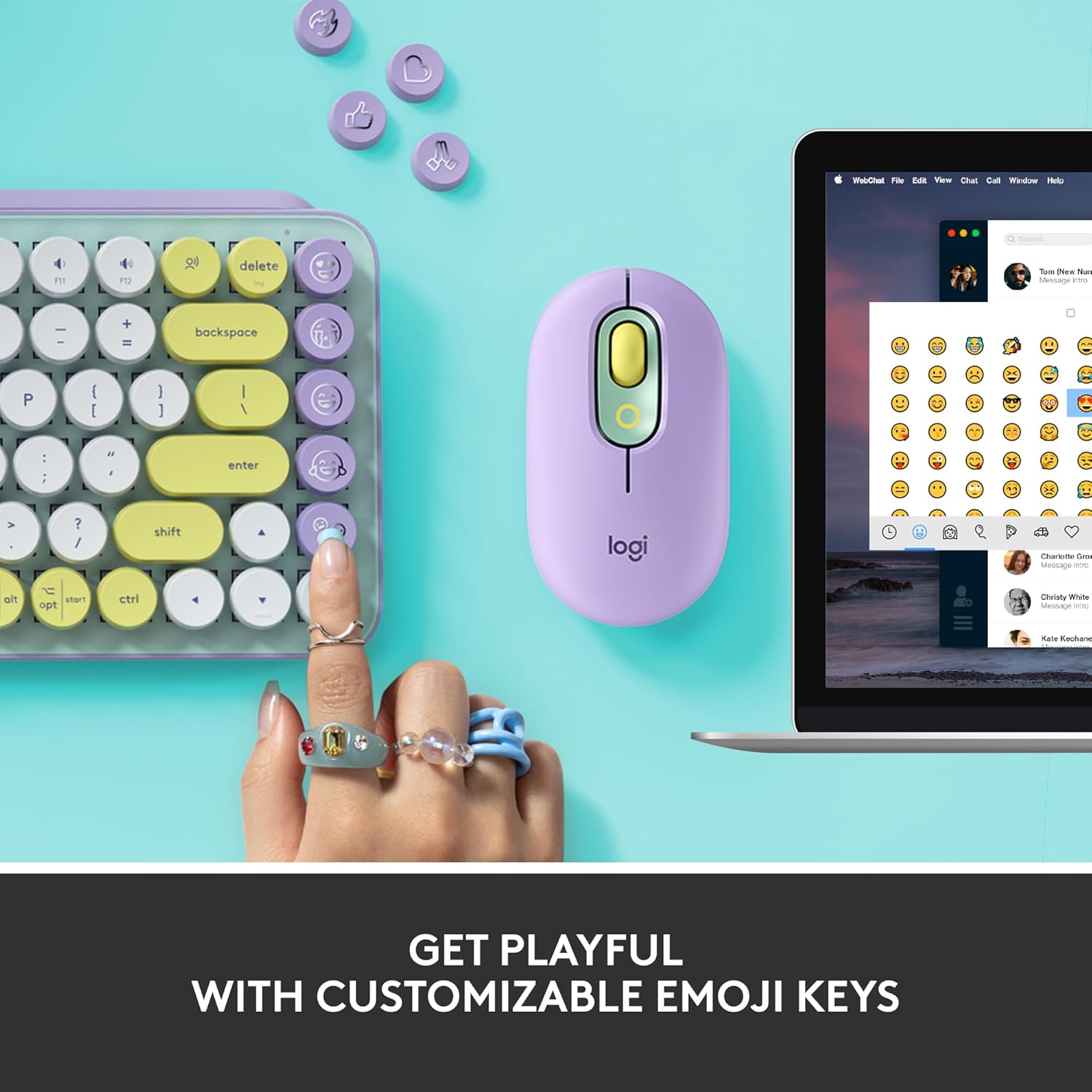
The customizable emoji keys are located on the right side of the keyboard.
Kelių įrenginių perjungimas
The Easy-Switch keys (F1, F2, F3) allow you to seamlessly switch between up to three connected devices. Once paired with multiple devices, simply press the corresponding F-key to switch the keyboard's active connection.
Shortcut and Media Keys
The POP Keys keyboard includes a series of dedicated shortcut and media keys for enhanced productivity and control. These include:
- Snip Screen: Capture screenshots quickly.
- Mikrofono nutildymas: Mute or unmute your microphone.
- Medijos raktai: Control playback (play/pause, next/previous track) and volume.
- Voice-to-Text: Activate dictation features (availability may vary by operating system and region).
Priežiūra
Baterijos veikimo laikas
The Logitech POP Keys keyboard is designed for extended battery life, offering up to 3 years of use on a single set of AAA batteries. Actual battery life may vary based on usage patterns and environmental conditions.
Valymas
To maintain your keyboard's appearance and functionality, regularly clean its surface. Use a soft, lint-free cloth slightly dampened with water or a mild cleaning solution. Avoid using harsh chemicals or abrasive materials that could damage the keyboard's finish or keys.
Trikčių šalinimas
If you encounter issues with your Logitech POP Keys keyboard, consider the following common troubleshooting steps:
- No Connection/Unresponsive:
1. Ensure the keyboard is powered on and batteries are correctly installed.
2. Check if the batteries need replacement.
3. For Bluetooth connection, ensure Bluetooth is enabled on your device and the keyboard is paired. Try unpairing and re-pairing.
4. For Logi Bolt USB receiver, ensure the receiver is securely plugged into a working USB port. Try a different USB port.
5. Ensure the keyboard is within the wireless range (up to 32.81 ft / 10 m). - Neveikia raktai:
1. Check for any debris or obstructions under the keys.
2. Restart your computer or device.
3. If specific keys are not responding, it might indicate a hardware issue. - Emoji Keys Not Customizing:
1. Ensure you have installed the latest version of Logitech Options software.
2. Verify your operating system is compatible with Logitech Options (Windows and macOS only).
Išsamesnės informacijos apie trikčių šalinimą arba nuolatines problemas ieškokite oficialioje „Logitech“ palaikymo svetainėje. websvetainę arba visą naudotojo vadovą PDF formatu.
Specifikacijos
| Funkcija | Detalė |
|---|---|
| Prekės ženklas | Logitech |
| Modelio numeris | 920-010708 |
| Ryšio technologija | Bluetooth, USB (Logi Bolt Receiver) |
| Klaviatūros aprašymas | Mechaninis |
| Raktų jungikliai | Brown, tactile |
| Raktų skaičius | 84 |
| Operacinės sistemos suderinamumas | Windows 10+, macOS 10.15+, iPadOS 14+, iOS 14+, Chrome OS, Android 8+ |
| Prekės svoris | 1.72 svaro (779 g) |
| Gaminio matmenys | 12.65 x 5.45 x 1.4 colio (321.2 x 138.47 x 35.4 mm) |
| Spalva | Svajonių mėta |
| Maitinimo šaltinis | Maitinamas baterijomis (pridedamos 2 x AAA) |
| Baterijos veikimo laikas | Up to 3 years (may vary) |
| belaidis diapazonas | 32.81 pėdos (10 m) |
Kas yra dėžutėje
Atidarę pakuotę turėtumėte rasti šiuos elementus:
- Logitech POP Keys Mechanical Wireless Keyboard
- Logi Bolt USB imtuvas
- 2 x AAA baterijos (iš anksto įdėtos arba pridedamos atskirai)
- 4 Extra Emoji Keycaps
- Vartotojo dokumentacija
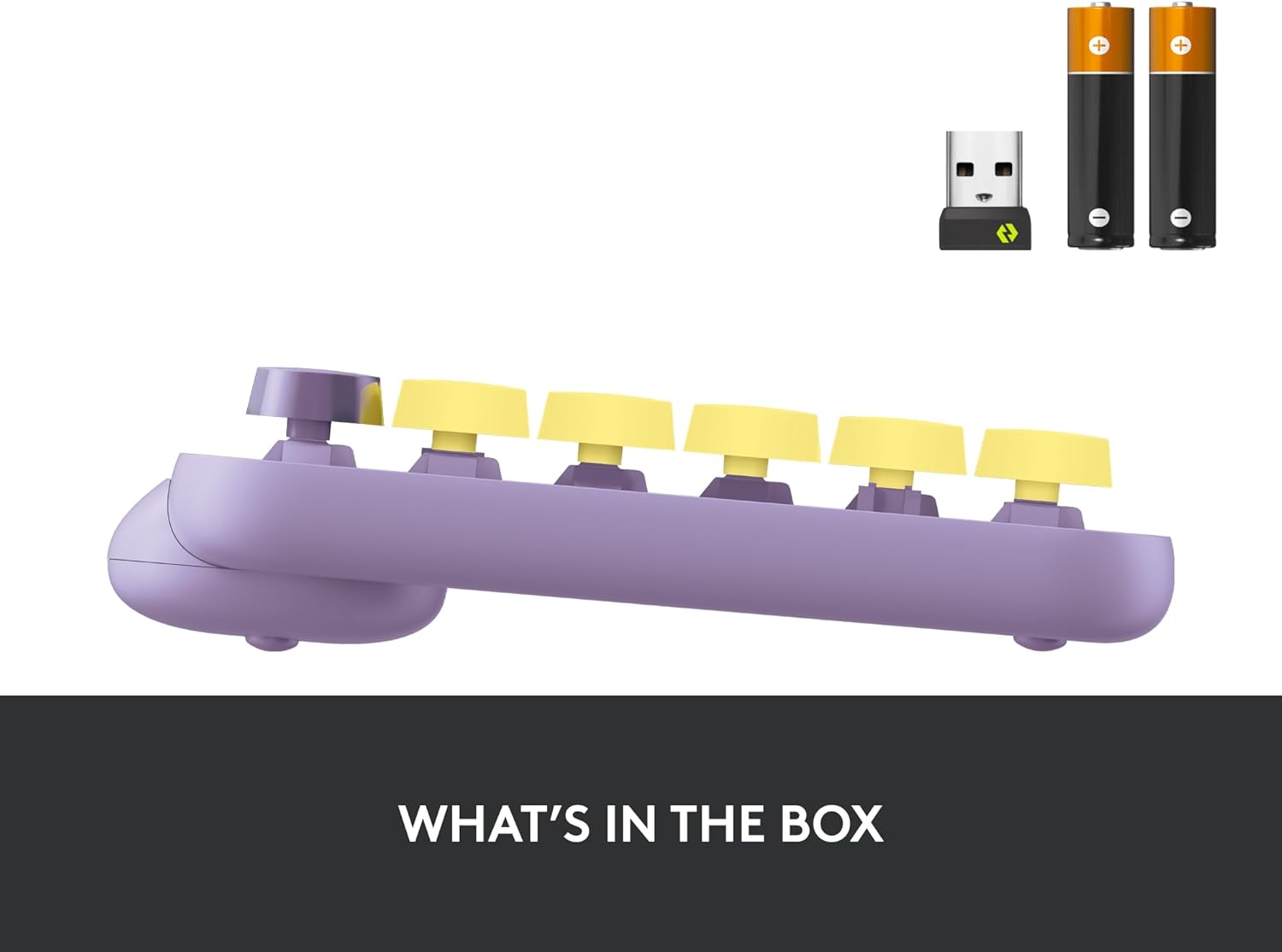
The Logitech POP Keys keyboard, Logi Bolt USB receiver, and AAA batteries as typically found in the product packaging.
Garantija ir palaikymas
Logitech products are manufactured to high quality standards and come with a limited hardware warranty. For specific warranty terms and conditions applicable to your region, please refer to the warranty information provided in the product packaging or on the official Logitech websvetainę.
For additional support, FAQs, and the latest drivers or software, please visit the official Logitech support page. You can also download the full user manual in PDF format for comprehensive instructions and information:


