Įvadas
Thank you for choosing the Keychron K1 Ultra-Slim Mechanical Keyboard. This manual provides detailed instructions on setting up, operating, and maintaining your keyboard to ensure optimal performance and longevity. The Keychron K1 is a versatile 87-key tenkeyless layout keyboard designed for both wireless (Bluetooth) and wired (USB) connectivity, featuring low-profile Gateron mechanical switches and white LED backlighting.

Image: Keychron K1 Ultra-Slim Tenkeyless Layout Mechanical Keyboard overview.
Pakuotės turinys
Prieš pradėdami, įsitikinkite, kad pakuotėje yra visi reikalingi daiktai:
- Keychron K1 Mechanical Keyboard
- C tipo USB kabelis
- Klaviatūros traukiklis
- Switch Puller (if hot-swappable version)
- Papildomi klavišų dangteliai „Windows“ ir „Mac“ operacinėms sistemoms

Vaizdas: Iš viršaus į apačią view of the Keychron K1 mechanical keyboard, showing the 87-key tenkeyless layout.
Sąranka
1. Pradinis įkrovimas
For optimal performance, it is recommended to fully charge the keyboard before first use. Connect the provided USB Type-C cable to the keyboard's USB-C port and the other end to a USB power source (e.g., computer USB port, wall adapter). The battery indicator LED will show charging status.
2. Ryšio režimai
The Keychron K1 supports both Bluetooth wireless and USB wired connections.
„Bluetooth“ ryšys:
- Ensure the keyboard's mode switch (located on the side/back) is set to "BT" (Bluetooth).
- Norėdami įjungti poravimo režimą, paspauskite ir palaikykite fn+1 (for Device 1), fn+2 (for Device 2), or fn+3 (for Device 3) for 4 seconds until the corresponding key (1, 2, or 3) flashes rapidly.
- On your device (computer, tablet, smartphone), enable Bluetooth and search for "Keychron K1".
- Select the keyboard from the list of available devices to complete pairing. The flashing light will become solid once connected.
- Norėdami perjungti susietus įrenginius, tiesiog paspauskite fn+1, fn+2, arba fn+3.

Image: Diagram illustrating how the Keychron K1 keyboard connects to up to three Bluetooth devices (e.g., desktop, laptop, tablet) using Fn+1, Fn+2, and Fn+3.
Laidinis ryšys:
- Set the keyboard's mode switch to "Cable" (or "USB").
- Prijunkite USB C tipo laidą nuo klaviatūros prie kompiuterio USB prievado. Klaviatūra bus atpažinta automatiškai.
3. Operacinės sistemos suderinamumas
The Keychron K1 is compatible with both Mac and Windows operating systems. Use the OS switch (located on the side/back) to select the appropriate layout for your system. Extra keycaps for both operating systems are included for customization.
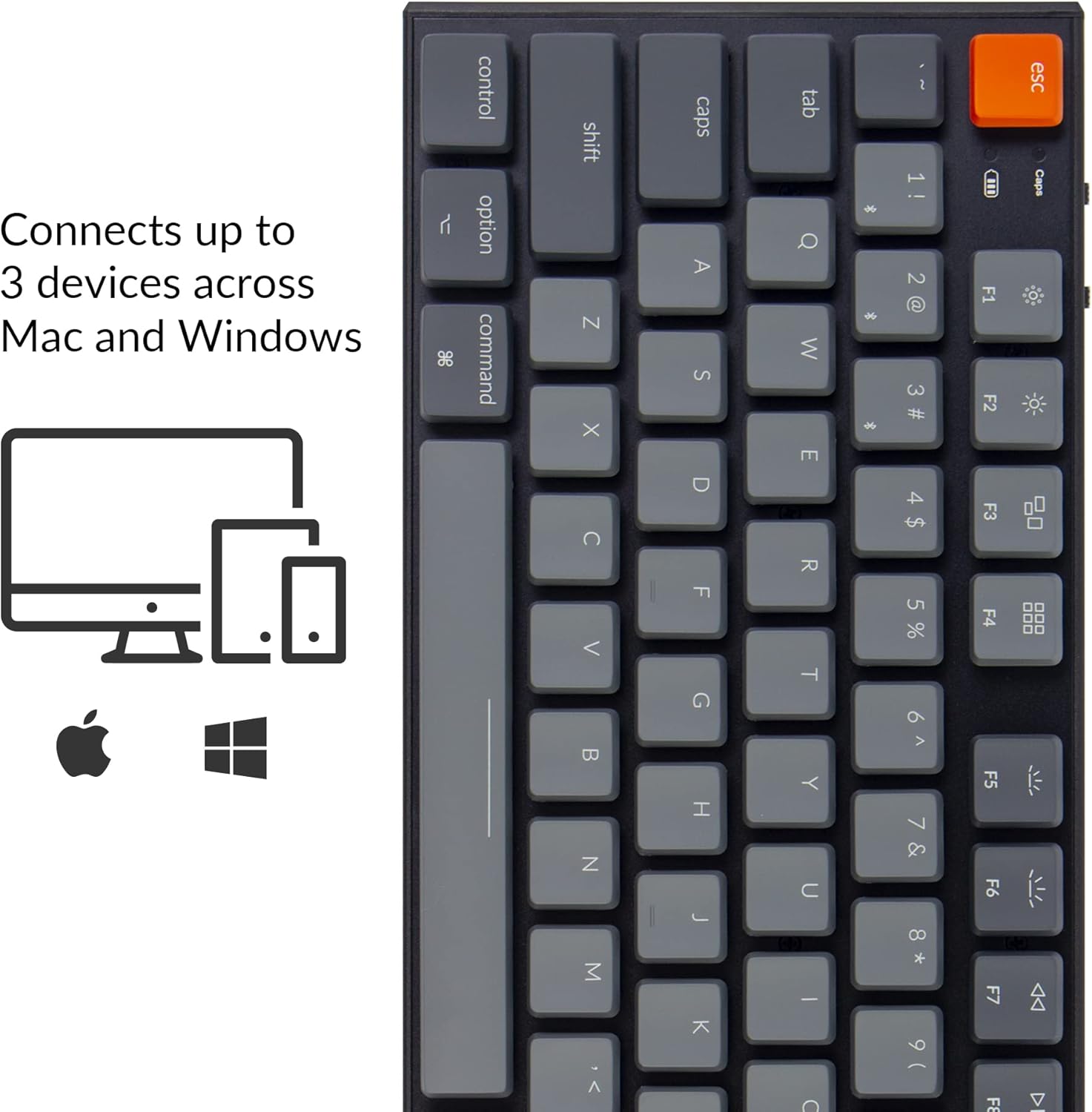
Image: Visual representation of the Keychron K1's compatibility with Mac and Windows operating systems, connecting to up to 3 devices.
Naudojimo instrukcijos
1. Pagrindinės funkcijos
The K1 features an 87-key tenkeyless layout. Many keys have dual functions accessible via the Fn raktas.
- Multimedijos klavišai: Access media controls (play/pause, volume up/down, mute) using Fn + F7 į Fn + F12.
- Foninio apšvietimo valdymas: Adjust backlight brightness and effects using Fn + F5 (decrease brightness), Fn + F6 (increase brightness), and Fn + Light Bulb key (change backlight effect).
- N klavišų perkėlimas (NKRO): In wired mode, the keyboard supports N-Key Rollover, allowing all keys to be registered simultaneously. In wireless mode, it supports 6-Key Rollover (6KRO).

Image: The Keychron K1 keyboard with its white LED backlight illuminated, showcasing the key layout.
2. Baterijos indikatorius
The battery indicator LED (located near the Esc key) provides information on battery status:
- Raudona (mirksi): Low battery. Please charge the keyboard.
- Žalia (kieta): Pilnai įkrautas.
- Orange (solid): Įkrovimas.

Vaizdas: Stambus planas view of the top-left corner of the Keychron K1 keyboard, highlighting the orange Esc key and the battery indicator light.
Priežiūra
1. Valymas
To clean your keyboard, power it off and disconnect it from any devices. Use a soft, lint-free cloth slightly dampened with water or a mild cleaning solution. For dust and debris between keycaps, use compressed air or the provided keycap puller to remove keycaps and clean underneath. Avoid excessive moisture.
2. Akumuliatoriaus priežiūra
The Keychron K1 is equipped with a 2000 mAh Lithium Polymer battery. To prolong battery life:
- Venkite reguliariai visiškai iškrauti akumuliatorių.
- Jei klaviatūra nebus naudojama ilgą laiką, laikykite ją vėsioje, sausoje vietoje.
- Charge the keyboard using a standard 5V USB power source.
Trikčių šalinimas
| Problema | Galima priežastis | Sprendimas |
|---|---|---|
| Klaviatūra neprisijungia per „Bluetooth“ | Keyboard not in pairing mode; device Bluetooth off; interference; already connected to 3 devices. | Ensure keyboard is in BT mode and pairing mode (Fn+1/2/3 held for 4s). Check device Bluetooth. Try forgetting and re-pairing the device. Ensure no more than 3 devices are paired. |
| Keys not responding in wired mode | Keyboard not in Cable mode; faulty USB cable; loose connection. | Set keyboard to "Cable" mode. Try a different USB port or cable. Ensure cable is securely connected. |
| Foninis apšvietimas neveikia arba yra silpnas | Backlight turned off or set to lowest brightness; low battery. | Increase brightness using Fn+F6. Change backlight effect using Fn+Light Bulb key. Charge the keyboard. |
| Keyboard randomly disconnects | Low battery; Bluetooth interference; distance from device. | Charge the keyboard. Reduce distance to device. Minimize other wireless interference. |
Specifikacijos
| Funkcija | Detalė |
|---|---|
| Modelis | K1-A2 |
| Išdėstymas | Tenkeyless (87 Keys) |
| Jungiklio tipas | „Low-Pro“file Gateron mechaninis mėlynas jungiklis |
| Perjungimo trukmė | Iki 50 milijonų klavišų paspaudimų |
| Ryšys | Bluetooth 5.1 (Broadcom chipset) & USB Type-C Wired |
| Baterijos talpa | 2000 mAh ličio polimeras |
| Baterijos veikimo laikas | Up to 110 hours (with backlight off) |
| Foninis apšvietimas | Baltas LED |
| Matmenys (I x P x A) | 13.98 x 5.31 x 1.02 colio (355 x 135 x 26 mm) |
| Svoris | 2.27 svaro (1.03 kg) |
| OS suderinamumas | „Mac“, „Windows“, „iOS“, „Android“. |

Image: Diagram showing the ultra-slim profile and dimensions of the Keychron K1 keyboard.

Vaizdas: Stambus planas view of the Keychron K1 keyboard with several keycaps removed, revealing the low-profile Gateron Mechanical Blue switches and their specifications.
Garantija ir palaikymas
Keychron products are manufactured with high-quality standards. For warranty information, technical support, or service inquiries, please visit the official Keychron websvetainėje arba susisiekite tiesiogiai su jų klientų aptarnavimo tarnyba. Išsaugokite pirkimo kvitą kaip pirkimo įrodymą garantijos pretenzijoms.
Oficialus „Keychron“ Websvetainė: www.keychron.com


