1. Produktas baigtasview
The realme narzo 50A is a smartphone designed for performance and extended usage. It features a MediaTek Helio G85 Octa-core Processor, a large 6000 mAh battery, and a versatile 50MP AI Triple Camera system. The device runs on Android 11.0 and offers a 6.5-inch HD+ display for a clear visual experience.

Vaizdas: Priekinė ir galinė dalys view of the realme narzo 50A smartphone, highlighting its design and camera module.
2. Kas yra dėžutėje
Upon unboxing your realme narzo 50A, you should find the following items:
- Handset (realme narzo 50A)
- Adapteris
- USB Cable Type C
- SIM kortelės įrankis
- Ekrano apsauginė plėvelė
- Important Info Booklet with Warranty Card
- Trumpas vadovas
Video: An unboxing video of the realme narzo 50A, showing the contents of the retail package including the phone, charger, cable, and documentation.
3. Sąrankos vadovas
3.1. SIM kortelės ir atminties kortelės įdėjimas
- Suraskite SIM kortelės dėklą savo įrenginio šone.
- Įkiškite pateiktą SIM kortelės išstūmimo įrankį į mažą SIM kortelės dėklo angą. Tvirtai spauskite, kol dėklas iššoks.
- Įdėkite nano-SIM kortelę (-es) ir (arba) „microSD“ kortelę į tam skirtus dėklo lizdus. Įsitikinkite, kad auksiniai kontaktai yra nukreipti žemyn.
- Atsargiai įstatykite SIM kortelės dėklą į telefoną, kol jis spragtelės ir užsifiksuos.
3.2. Įrenginio įjungimas
- Paspauskite ir palaikykite maitinimo mygtuką (esantį dešinėje pusėje), kol ekrane pasirodys „Realme“ logotipas.
- Vykdykite ekrane pateikiamus nurodymus, kad atliktumėte pradinę sąranką, įskaitant kalbos pasirinkimą, „Wi-Fi“ ryšį ir „Google“ paskyros nustatymą.
4. Naudojimo instrukcijos
4.1. Pagrindinė navigacija
- Palieskite: Palieskite piktogramą, kad atidarytumėte programėlę arba pasirinktumėte elementą.
- Perbraukimas: Slide your finger across the screen to scroll through pages or content.
- Žiupsnelis: Nuotraukoms priartinti arba atitolinti naudokite du pirštus ir web puslapių.
- Pagrindinis ekranas: Braukite aukštyn iš apačios, kad pasiektumėte programėlių stalčių.
4.2. Volume and Power Buttons
- The Volume rocker is located on the right side of the device. Press the upper part to increase volume, and the lower part to decrease volume.
- The Power button is located below the Volume rocker. Press it once to lock/unlock the screen. Press and hold to access power options (Power off, Restart).
5. Kameros funkcijos
The realme narzo 50A is equipped with a versatile camera system to capture your moments.
- Galinė kamera: 50MP + 2MP + 2MP AI Triple Camera setup. The 50MP primary sensor captures detailed photos, while the additional sensors assist with macro shots and depth effects.
- Priekinė kamera: 8 MP aiškioms asmenukėms ir vaizdo skambučiams.
- Kameros režimai: Includes modes such as Photo, Video, Night, Portrait, and Macro.

Vaizdas: Išsamus view of the realme narzo 50A's rear camera array and integrated fingerprint sensor.
6. Ekrano funkcijos
Experience vibrant visuals on the realme narzo 50A's display.
- Dydis: 16.51 cm (6.5 inch) HD+ Display.
- Rezoliucija: 1600 x 720 taškų.
- Technologija: LCD with 269 PPI and 60Hz refresh rate.
- Ryškumas: Iki 570 nitų, kad būtų užtikrintas aiškus matomumas.
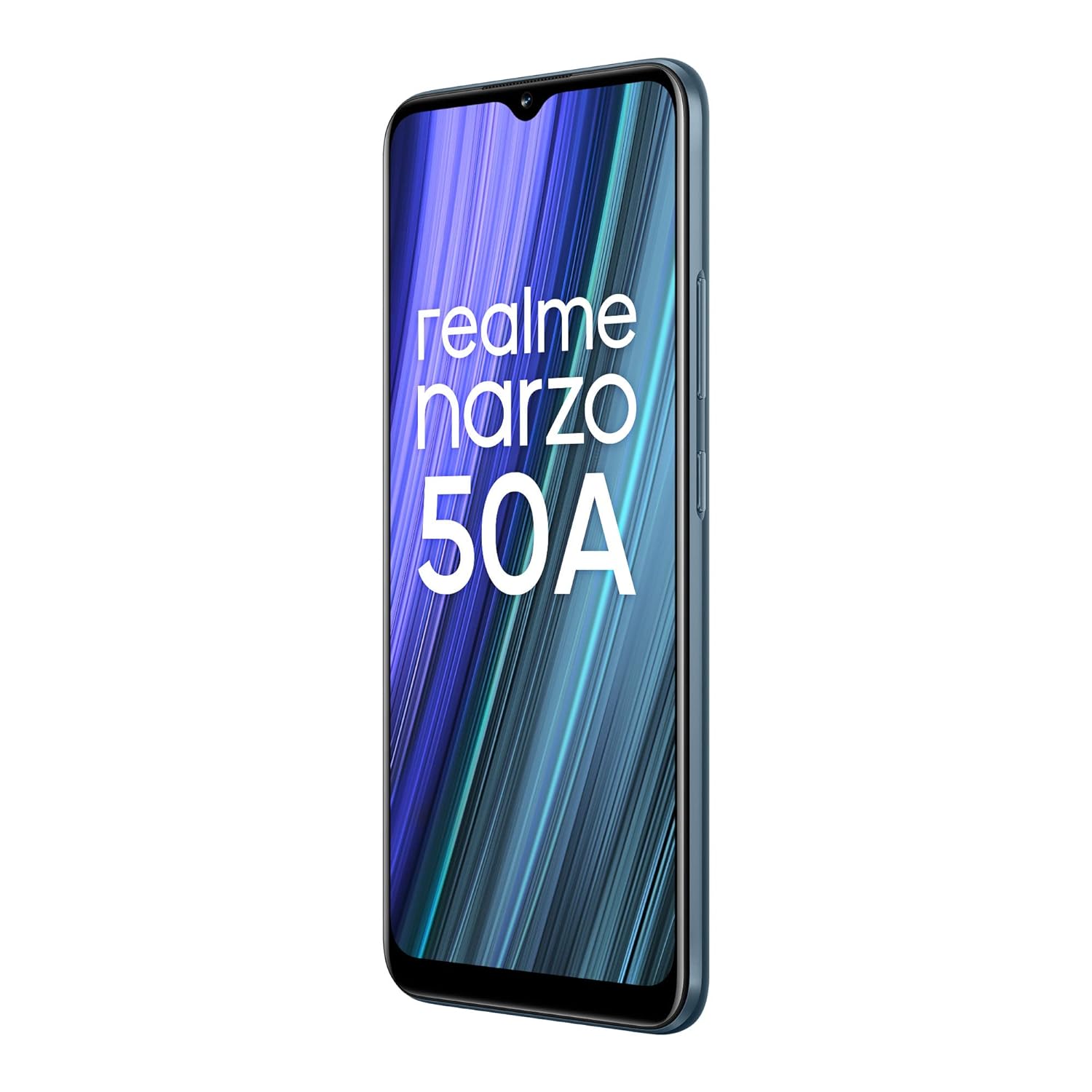
Image: The realme narzo 50A display showcasing a colorful interface.
7. Baterija ir įkrovimas
The device is powered by a high-capacity battery and supports fast charging.
- Baterijos talpa: 6000 mAh ličio polimerų baterija.
- Įkrovimas: Supports 18W Quick Charge via USB Type-C.
- Naudojimas: Designed for extended talk time and standby.

Image: Graphic illustrating the 6000 mAh mega battery of the realme narzo 50A.
8. Techninės specifikacijos
| Funkcija | Specifikacija |
|---|---|
| Modelio numeris | RMX3430 |
| Operacinė sistema | Android 11.0 |
| Procesorius | „MediaTek Helio G85“ aštuonių branduolių procesorius |
| RAM | 4 GB |
| Vidinė saugykla | 64 GB (Expandable Upto 256 GB) |
| Ekrano dydis | 16.51 cm (6.5 inch) HD+ |
| Ekrano raiška | 1600 x 720 pikselių |
| Galinė kamera | 50 MP + 2 MP + 2 MP triguba kamera |
| Priekinė kamera | 8 MP |
| Baterijos talpa | 6000 mAh |
| Įkrovimas | 18 W greitas įkrovimas |
| Ryšys | Bluetooth, Wi-Fi, Cellular |
| Garso lizdas | 3.5 mm |
| Matmenys | 16.5 x 7.6 x 1 cm |
| Svoris | 207 g |
9. Problemų sprendimas
If you encounter issues with your realme narzo 50A, consider the following common solutions:
- Įrenginys neįsijungia: Įsitikinkite, kad akumuliatorius įkrautas. Prijunkite telefoną prie įkroviklio ir palaukite kelias minutes, prieš bandydami jį vėl įjungti.
- Programėlių strigimas / užstrigimas: Try clearing the cache of the problematic app (Settings > Apps > [App Name] > Storage > Clear Cache). If the issue persists, reinstall the app.
- Prastas baterijos veikimo laikas: Check background app usage (Settings > Battery). Reduce screen brightness, disable unnecessary features like GPS or Bluetooth when not in use.
- Tinklo ryšio problemos: Ensure your SIM card is correctly inserted. Try restarting the device or toggling Airplane Mode on and off. Check with your service provider for network status.
- Lėtas našumas: Close unused background apps. Clear unnecessary files and data to free up storage. Consider a factory reset as a last resort (back up your data first).
10. Priežiūra
To ensure the longevity and optimal performance of your realme narzo 50A, follow these maintenance tips:
- Nuolat atnaujinkite programinę įrangą: Regularly check for and install system updates to benefit from performance improvements and security patches.
- Apsaugokite ekraną: Use the provided screen protect film or a third-party screen protector to prevent scratches.
- Švelniai valykite: Telefono ekraną ir korpusą valykite minkštu, nepūkuotu audiniu. Venkite stiprių cheminių medžiagų.
- Venkite ekstremalių temperatūrų: Do not expose the device to very high or low temperatures, as this can affect battery life and internal components.
- Tinkamai įkraukite: Use only the original charger and cable provided with the device to prevent damage and ensure efficient charging.
11. Garantija ir palaikymas
Your realme narzo 50A comes with a standard manufacturer's warranty. Please refer to the "Important Info Booklet with Warranty Card" included in your package for detailed terms and conditions.
- Garantinis laikotarpis: Typically 1 year from the date of purchase for the device, and 6 months for accessories.
- Klientų aptarnavimas: For technical assistance, repairs, or warranty claims, please contact realme customer support. Contact details can usually be found on the official realme websvetainėje arba garantijos knygelėje.
- Internetiniai ištekliai: Apsilankykite oficialioje „Realme“ palaikymo svetainėje websvetainė, kurioje rasite DUK, trikčių šalinimo vadovus ir programinės įrangos atsisiuntimus.


