1. Įvadas
This manual provides detailed instructions for the setup, operation, and maintenance of your TECLAST Mini PC N10. This compact desktop computer features an Intel Celeron N4000 processor, 6GB DDR4 RAM, 128GB SSD, and comes pre-installed with Windows 11 Pro. It is designed for various applications including office work, multimedia playback, and general computing tasks.
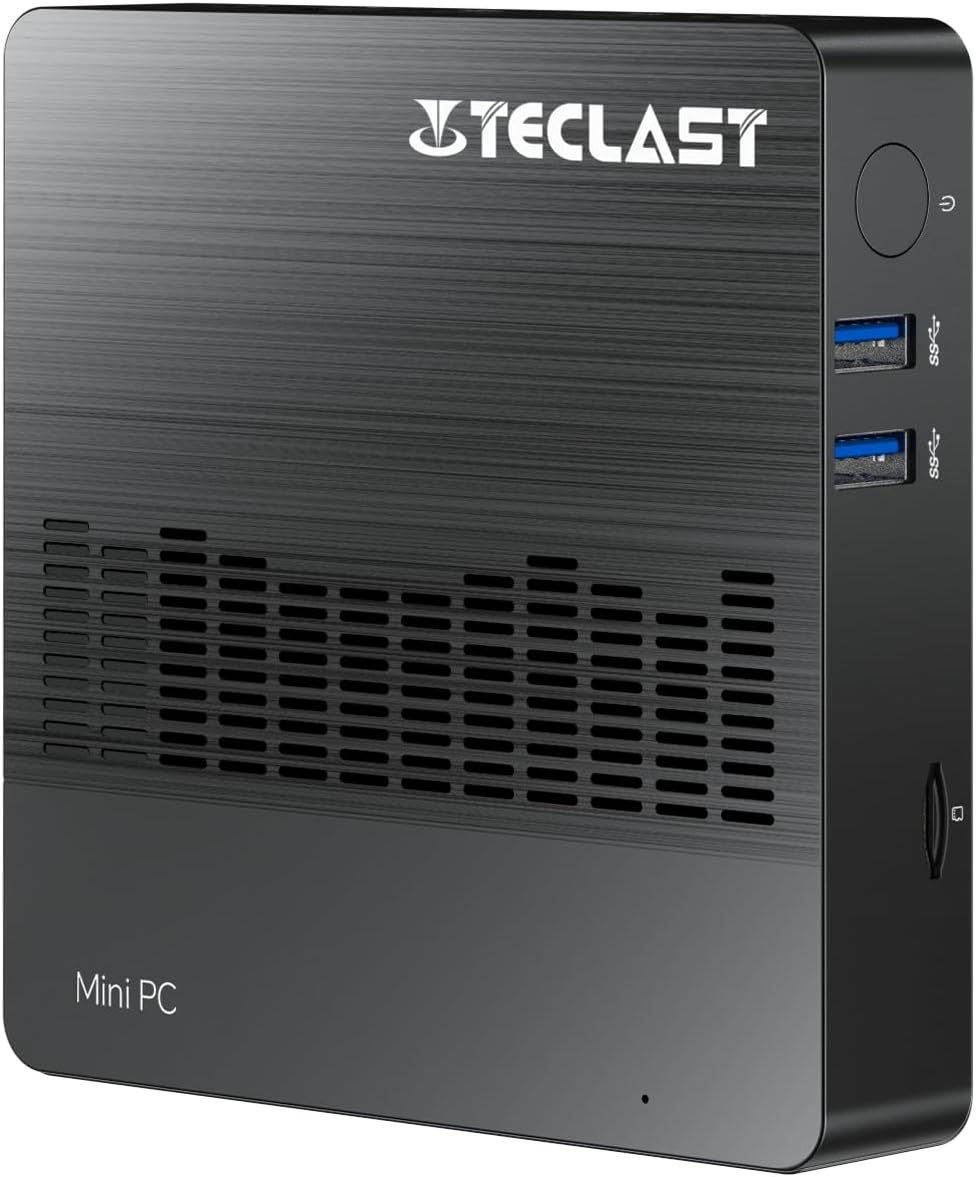
1.1 vaizdas: priekis view of the TECLAST Mini PC N10, showing its compact design and front ports.
2. Pakuotės turinys
Patikrinkite pakuotę, ar joje yra šie daiktai:
- TECLAST Mini PC N10 Unit
- Maitinimo adapteris
- Vartotojo vadovas
Jei trūksta kokių nors prekių arba jos pažeistos, susisiekite su klientų aptarnavimo tarnyba.
3. Produktas baigtasview
3.1. Physical Dimensions and Design
The TECLAST Mini PC N10 is designed to be compact and lightweight, making it suitable for various environments. Its dimensions are approximately 11.9 x 11.9 x 2.4 cm, and it weighs around 700g.

Image 3.1: Illustration of the TECLAST Mini PC N10's compact dimensions (120mm x 120mm x 24mm) and lightweight design (200g, note: product specifications state 700g).
3.2. Prievadų išdėstymas
The Mini PC N10 features a variety of ports for connectivity, located on its right, left, and back sides.

3.2 pav.: Išsamus view of the TECLAST Mini PC N10's expansion ports.
- Dešinė pusė: TF (MicroSD) Card Reader x 1, USB 3.2 x 2, Power Button x 1
- Kairė pusė: VGA Port x 1
- Galinė pusė: Reset Button x 1, DC Power Input x 1, USB 3.2 x 1, HDMI Port x 1, RJ45 Ethernet Port x 1, 3.5mm Headphone Output x 1
4. Pradinė sąranka
Follow these steps to set up your TECLAST Mini PC N10:
- Prijunkite prie ekrano: Connect your monitor or TV to the Mini PC using either the HDMI port or the VGA port. For optimal resolution, use the HDMI port.
- Prijunkite išorinius įrenginius: Plug in your keyboard and mouse to the available USB 3.2 ports.
- Prijunkite prie maitinimo: Connect the power adapter to the DC power input port on the back of the Mini PC, then plug the adapter into a power outlet.
- Maitinimas: Press the power button located on the right side of the Mini PC. The system will boot up.
- Pradinė „Windows“ sąranka: Vykdykite ekrane pateikiamus nurodymus, kad užbaigtumėte „Windows 11 Pro“ sąranką, įskaitant kalbos, regiono, tinklo ryšio ir vartotojo paskyros kūrimą.
5. Naudojimo instrukcijos
5.1. Prisijungimas prie interneto
- Laidinis ryšys: Connect an Ethernet cable from your router or modem to the RJ45 Ethernet port on the back of the Mini PC.
- Belaidis ryšys: The Mini PC supports 2.4GHz and 5GHz Wi-Fi. During Windows setup or via Windows settings, select your Wi-Fi network and enter the password.
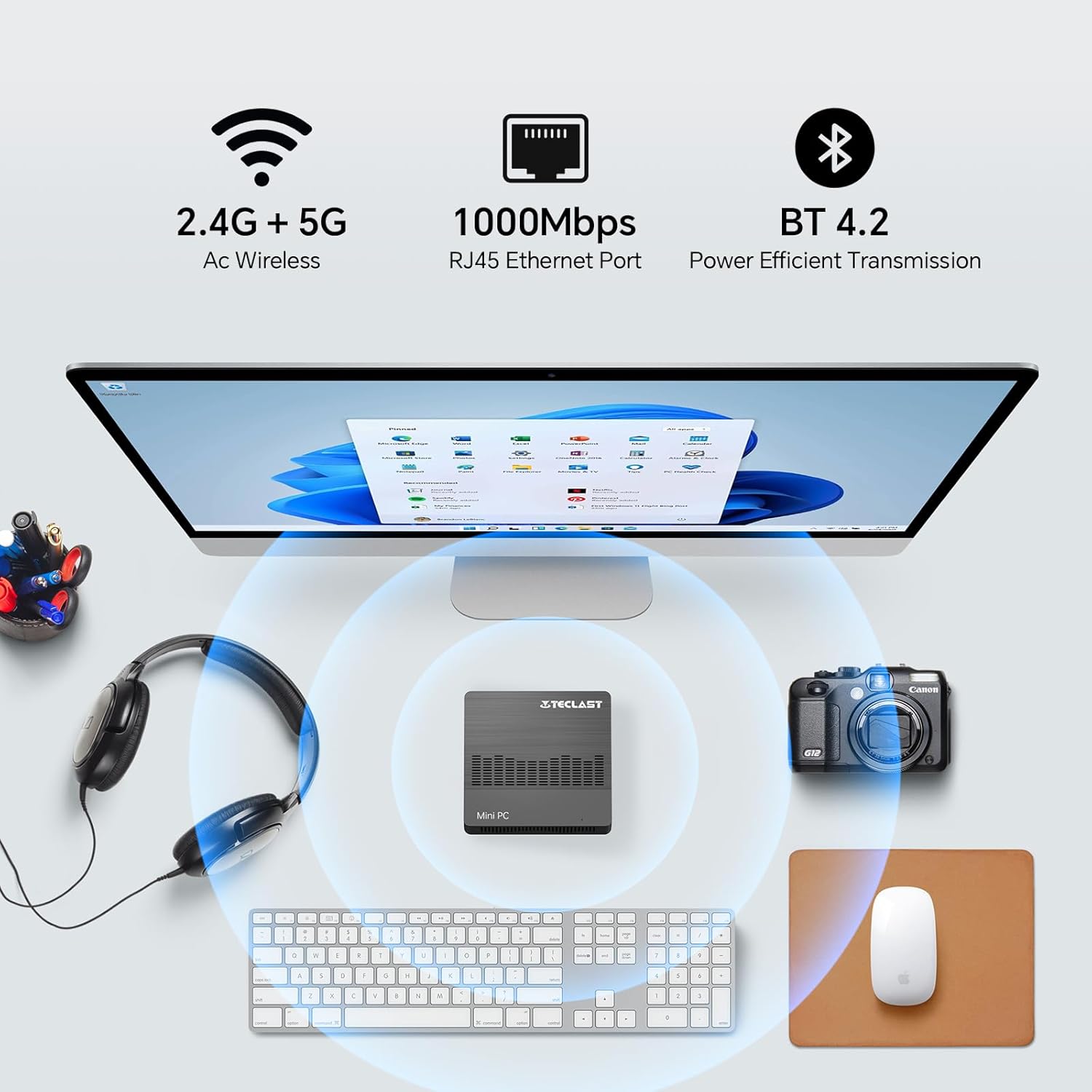
Image 5.1: The Mini PC N10 supports 2.4G+5G Wi-Fi, 1000Mbps RJ45 Ethernet, and Bluetooth 4.2 for versatile connectivity.
5.2. Dvigubo ekrano sąranka
The TECLAST Mini PC N10 supports dual display output via its HDMI and VGA ports, allowing you to extend your desktop across two screens or duplicate your display.
- Prijunkite pagrindinį monitorių prie HDMI prievado.
- Connect your secondary monitor to the VGA port.
- Once both monitors are connected and powered on, Windows 11 should automatically detect them.
- To configure display settings (extend, duplicate, resolution), right-click on the desktop, select 'Display settings', and adjust as needed. The HDMI port supports up to 4K@60Hz resolution.

Image 5.2: The Mini PC N10 connected to two monitors via HDMI and VGA for dual display output.
5.3. Saugyklos išplėtimas
The Mini PC N10 includes 128GB of internal SSD storage. For additional storage, it supports SATA protocol for M.2 SSD expansion (2242 length, M.2 interface, not included). A TF (MicroSD) card reader is also available for removable storage.
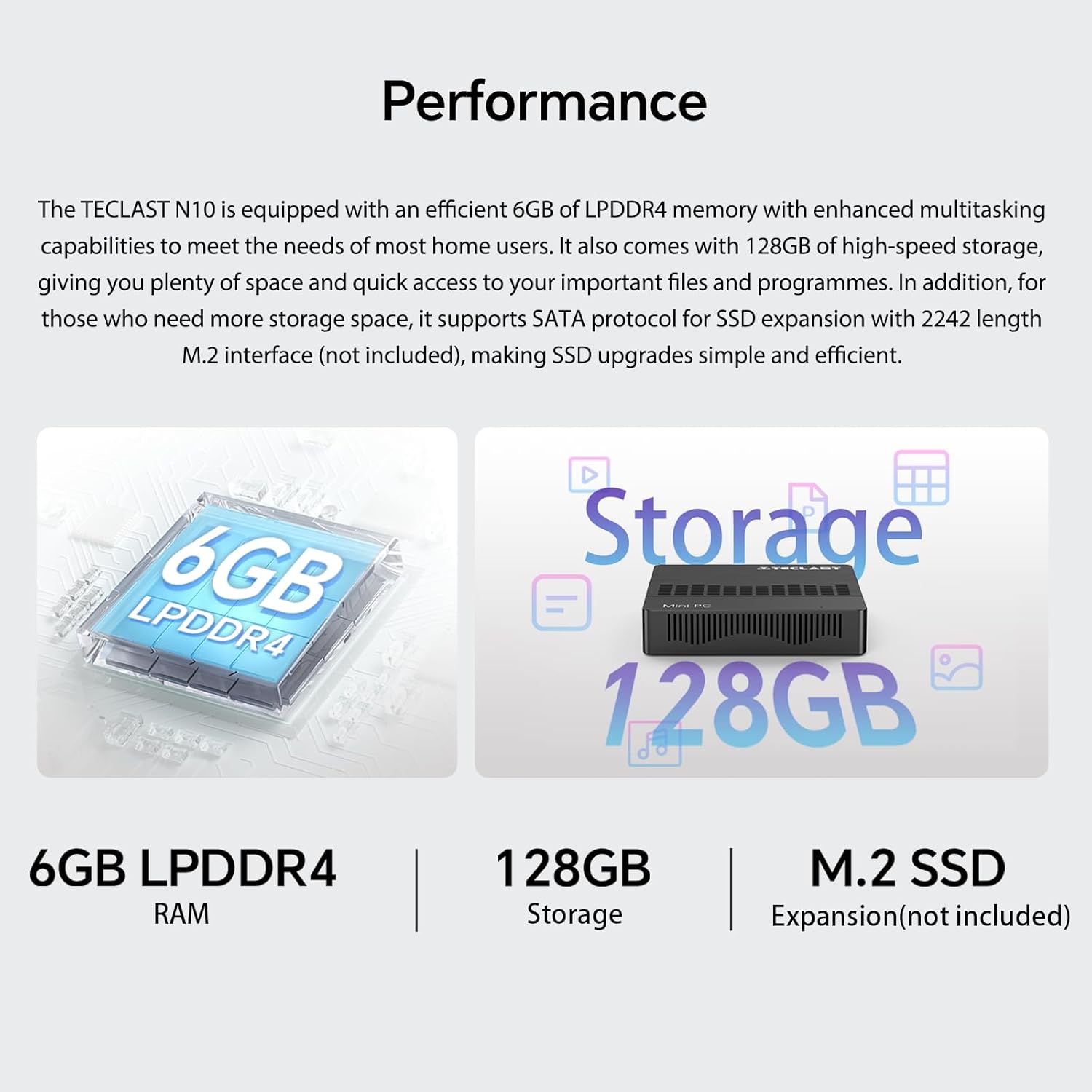
5.3 vaizdas: Baigtaview of the Mini PC N10's 6GB LPDDR4 RAM, 128GB storage, and M.2 SSD expansion capability.
6. Specifikacijos
| Funkcija | Detalė |
|---|---|
| Prekės ženklas | TECLAST |
| Modelio pavadinimas | N10 |
| Gaminio matmenys | 11.9 x 11.9 x 2.4 cm |
| Produkto svoris | 700 g |
| Spalva | Juoda |
| Operacinė sistema | Windows 11 Pro |
| Procesoriaus gamintojas | Intel |
| Procesoriaus tipas | Intel Celeron N4000 |
| Procesoriaus greitis | 2.6 GHz (Turbo Frequency) |
| Procesorių skaičius | 2 |
| RAM talpa | 6 GB |
| Atminties technologija | DDR4 |
| Hard Drive Description | SSD |
| Atminties talpa | 128 GB |
| Grafikos koprocesorius | Intel UHD Graphics 600 |
| Vaizdo plokštės aprašymas | Integruota |
| Didžiausia raiška | 3840 x 2160 (4K) |
| Ryšio tipas | Wi-Fi, Bluetooth |
| Belaidžio ryšio tipas | 2.4GHz + 5GHz Wi-Fi, Bluetooth 5.0 |
| Uostai | HDMI x 1, VGA x 1, USB 3.2 x 3, RJ45 Ethernet x 1, 3.5mm Audio x 1, TF (MicroSD) x 1 |

Image 6.1: Details of the Intel Celeron N4000 processor, featuring 14nm process, Gemini Lake Architecture, 4MB cache, and up to 2.6GHz turbo frequency.
7. Priežiūra
- Valymas: Use a soft, dry cloth to clean the exterior of the Mini PC. Avoid using liquid cleaners or sprays directly on the device.
- Vėdinimas: Ensure the ventilation openings are not blocked to prevent overheating. Place the Mini PC on a flat, stable surface.
- Programinės įrangos atnaujinimai: Reguliariai tikrinkite, ar yra „Windows“ naujinimų, ir juos įdiekite, kad užtikrintumėte sistemos stabilumą ir saugumą.
- Duomenų atsarginė kopija: Periodiškai kurkite svarbių duomenų atsargines kopijas išoriniame diske arba debesies saugykloje, kad išvengtumėte duomenų praradimo.
8. Problemų sprendimas
8.1. Nėra elektros
- Įsitikinkite, kad maitinimo adapteris yra tvirtai prijungtas tiek prie „Mini PC“, tiek prie veikiančio maitinimo lizdo.
- Patikrinkite, ar maitinimo lizdas veikia, prijungdami prie jo kitą įrenginį.
8.2. Nėra ekrano
- Patikrinkite, ar HDMI arba VGA kabelis yra tvirtai prijungtas prie mini kompiuterio ir monitoriaus.
- Ensure the monitor is powered on and set to the correct input source (HDMI/VGA).
- Pabandykite prijungti prie kito ekrano arba naudoti kitą laidą, kad atmestumėte sugedusių komponentų galimybę.
8.3. Nėra interneto ryšio
- Laidinis: Patikrinkite Ethernet kabelio jungtį. Įsitikinkite, kad maršrutizatorius / modemas veikia tinkamai.
- Belaidis ryšys: Ensure Wi-Fi is enabled in Windows settings. Check if you are connected to the correct network and have entered the password correctly. Restart your router/modem.
8.4. Sistemos sulėtėjimas
- Uždarykite nereikalingas programas, veikiančias fone.
- Patikrinkite, ar yra laukiančių „Windows“ naujinimų, ir įdiekite juos.
- Įsitikinkite, kad SSD diske yra pakankamai laisvos vietos.
- Paleiskite virusų nuskaitymą, kad patikrintumėte, ar nėra kenkėjiškų programų.
9. Garantija ir palaikymas
9.1. Informacija apie garantiją
The TECLAST Mini PC N10 comes with a 2-year warranty, valid immediately after purchase. Please retain your proof of purchase for warranty claims.
9.2. Pagalba klientams
If you require assistance or have any questions regarding your TECLAST Mini PC N10, please contact our customer support team. Send us a message, and our specialists will respond within 1 business day. We are committed to providing support for our products.


