1. Įvadas
This manual provides essential information for the safe and efficient operation of your ACROJOY D501 Native 1080P Mini Projector. Please read it thoroughly before using the product and retain it for future reference.
2. Saugos informacija
- Nežiūrėkite tiesiai į projektoriaus objektyvą, kai lamp įjungtas. Intensyvi šviesa gali pažeisti akis.
- Užtikrinkite tinkamą vėdinimą aplink projektorių. Neužblokuokite ventiliacijos angų.
- Projektorių saugokite nuo vandens, drėgmės ir ekstremalių temperatūrų.
- Naudokite tik prie projektorijaus pridėtą maitinimo adapterį.
- Nebandykite patys taisyti projektoriaus. Visus techninės priežiūros darbus patikėkite kvalifikuotiems specialistams.
- Laikyti vaikams nepasiekiamoje vietoje.
3. Pakuotės turinys
Patikrinkite, ar pakuotėje yra visi reikalingi daiktai:
- 1x ACROJOY D501 Projector
- 1x User Manual/Quick Start/Warranty Information
- 1x Cleaning Kit
- 1x HDMI laidas
- 1x maitinimo laidas
- 1x Projector Lens Cover
- 1x 120-inch Projector Screen
- 1x nuotolinio valdymo pultas
4. Produktas baigtasview
Familiarize yourself with the main components of your ACROJOY D501 projector.

4.1 paveikslas: ACROJOY D501 Projector and included 120-inch screen. The image highlights key features such as native 1080p resolution, 5G+2.4G WiFi, 9500 lumens (as indicated in image), and 4K support.

4.2 paveikslas: Šoninė view of the projector illustrating its connectivity options, including ports for PS5, Nintendo Switch, TV Stick, Phone/Tablet, USB, Laptop/PC, and Audio output.
5. Sąranka
5.1 Projektoriaus išdėstymas
Position the projector on a stable, flat surface or mount it (ceiling, tripod) according to your preference. Ensure the projector is perpendicular to the projection surface for optimal image quality.
- Projekcijos atstumas: Optimalus projekcijos atstumas yra nuo 4 iki 40 metrų.
- Ekrano dydis: The projector can produce an adjustable display size from 35 inches to 400 inches. A 120-inch screen is included for convenience.

5.1 paveikslas: The ACROJOY D501 Projector in an outdoor setting, demonstrating its portability and the use of the bundled 120-inch projector screen for an enjoyable viewpatirtį.
5.2 Maitinimo jungtis
- Prijunkite maitinimo laidą prie projektoriaus maitinimo įvesties prievado.
- Plug the other end of the power cord into a suitable electrical outlet (120 Volts).
- Užsidegs projektoriaus maitinimo indikatoriaus lemputė.
5.3 Fokusavimo ir trapecijos koregavimas
Įjungę projektorių, sureguliuokite vaizdo aiškumą ir formą:
- Fokusavimo žiedas: Rotate the focus ring on the projector lens until the projected image is sharp and clear.
- Keystone korekcija: Use the keystone correction dial or digital adjustment (if available) to correct trapezoidal distortion, ensuring a rectangular image. The projector supports ±15 degrees keystone correction.
6. Naudojimo instrukcijos
6.1 Maitinimo įjungimas/išjungimas
- Maitinimas: Paspauskite maitinimo mygtuką ant projektoriaus arba nuotolinio valdymo pulto.
- Išjungti: Dar kartą paspauskite maitinimo mygtuką. Jei būsite paraginti, patvirtinkite išjungimą.
6.2 Įvesties šaltinio pasirinkimas
The projector supports multiple input sources. Use the 'Source' button on the projector or remote to select the desired input:
- HDMI: Connect devices like laptops, TV sticks, gaming consoles (PS5, Xbox) via HDMI cables. The projector has 2 HDMI ports.
- USB: Įkiškite USB atmintinę, kad galėtumėte leisti mediją files tiesiogiai.
- APIE: Prijunkite senesnius įrenginius naudodami AV kabelį.
6.3 Wireless Connectivity (WiFi & Bluetooth)
6.3.1 WiFi Screen Mirroring
The projector features 5G+2.4G dual-band WiFi for fast and stable screen mirroring from your smartphone or tablet.
- Įsitikinkite, kad projektorius ir mobilusis įrenginys prijungti prie to paties „Wi-Fi“ tinklo.
- Projektoriaus meniu pasirinkite parinktį „Ekrano veidrodinis atspindėjimas“ arba „Belaidis ekranas“.
- On your iOS device, use 'Screen Mirroring'. On Android, use 'Wireless Projection' or similar.
- Pasirinkite projektorių iš galimų įrenginių sąrašo.
Pastaba: Due to copyright restrictions, streaming services like Netflix, Amazon Prime Video, and Hulu cannot be wirelessly mirrored directly from your device. Use an HDMI-connected TV stick or similar device for these services.

6.1 paveikslas: Demonstrates 5G WiFi screen mirroring for seamless video streaming from iOS, Android, or Windows devices to the projector.
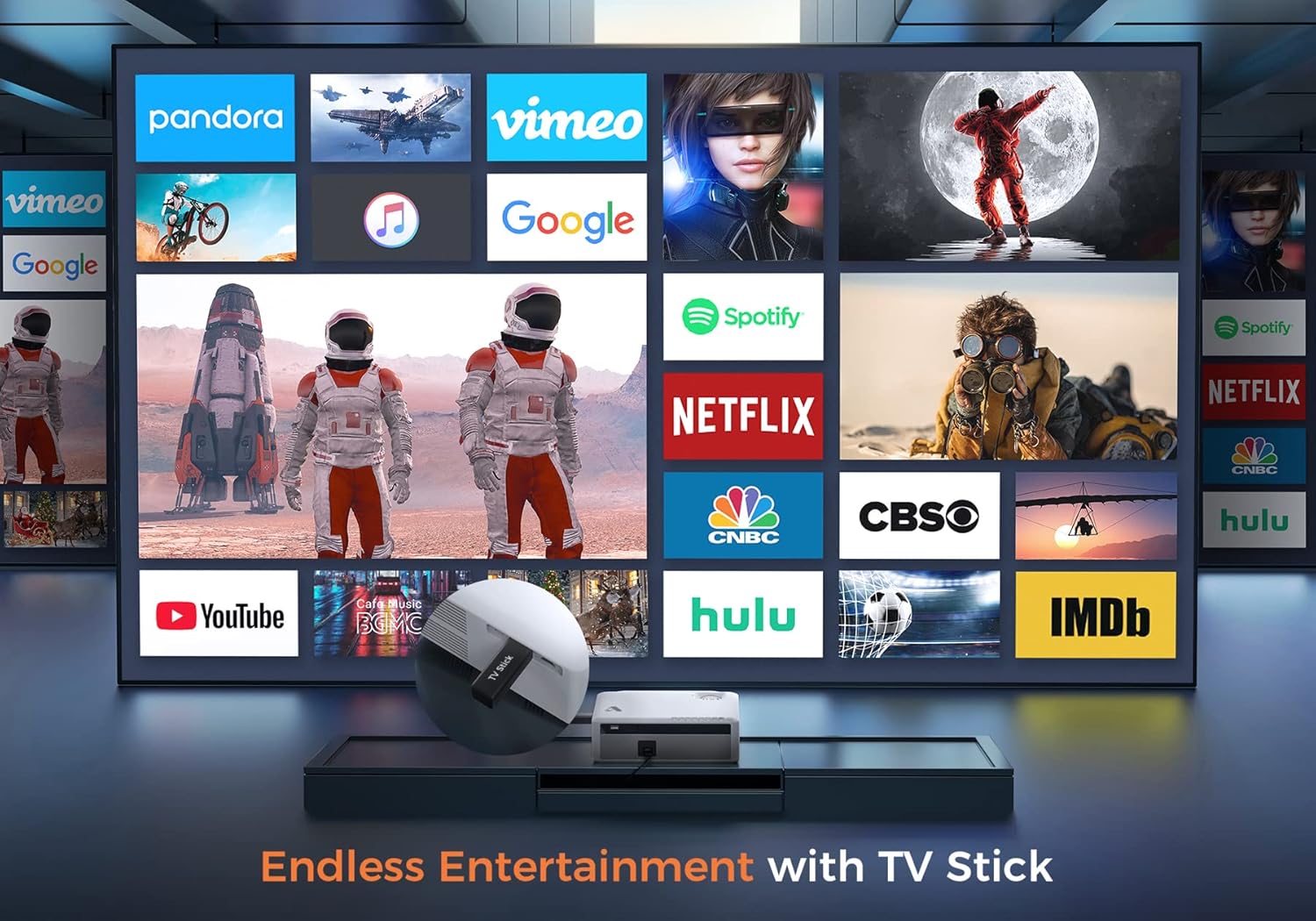
6.2 paveikslas: Illustrates how to access various entertainment apps like YouTube, Netflix, and Hulu by connecting a TV stick to the projector.
6.3.2 Bluetooth ryšys
Prijunkite išorinius „Bluetooth“ garsiakalbius arba ausines, kad garsas būtų geresnis.
- Įjunkite „Bluetooth“ savo išoriniame garso įrenginyje ir nustatykite jį į susiejimo režimą.
- On the projector's menu, navigate to 'Bluetooth Settings'.
- Pasirinkite įrenginį iš sąrašo, kad jį susietumėte.
The projector also features a built-in Hi-Fi speaker for direct audio output.
6.4 Mastelio keitimo funkcija
Adjust the image size without moving the projector using the 50%-100% zoom function, typically found in the projector's display settings menu.
7. Priežiūra
- Objektyvo valymas: Use the provided cleaning kit or a soft, lint-free cloth specifically designed for optical lenses. Do not use abrasive cleaners.
- Dulkių šalinimas: Regularly clean the projector's exterior with a soft, dry cloth. Use a small brush or compressed air to gently clear dust from ventilation openings.
- Saugykla: When not in use, store the projector in a cool, dry place, protected from dust and direct sunlight. Always replace the lens cover.
8. Problemų sprendimas
- Nėra galios: Įsitikinkite, kad maitinimo laidas yra tvirtai prijungtas prie projektoriaus ir maitinimo lizdo. Išbandykite kitą lizdą.
- Nėra paveiksliuko: Check the input source selection. Ensure the connected device is powered on and sending a signal. Verify HDMI/USB cable connections.
- Neryškus vaizdas: Adjust the focus ring. Ensure the projection distance is within the recommended range.
- Vaizdas yra trapecijos formos: Sureguliuokite trapecijos korekciją.
- Nėra garso: Check the volume settings on both the projector and the source device. If using external speakers, ensure they are properly connected or paired via Bluetooth.
- WiFi Mirroring Issues: Ensure both devices are on the same WiFi network. Some copyrighted content cannot be mirrored wirelessly.
9. Specifikacijos
| Prekės ženklas | Acrojoy |
| Modelio numeris | D501 |
| Gimtoji raiška | 1920 x 1080 (Full HD) |
| Maksimali palaikoma skiriamoji geba | 3840 x 2160 (4K) |
| Ryškumas | 5500 liumenų |
| Kontrasto santykis | 12000:1 |
| Ekrano tipas | LCD |
| Ryšys | 5G+2.4G WiFi, Bluetooth 5.1 |
| Įvesties prievadai | 2x HDMI, 1x USB, AV |
| Išvesties prievadai | 3.5 mm garso išvestis |
| Projekcijos dydis | 35 colio – 400 colio |
| Projekcijos atstumas | 4–40 m |
| Krašto santykis | 4:3 / 16:9 |
| Keystone Korekcija | ±15 laipsnių |
| Mastelio funkcija | 50 % – 100 % |
| Gaminio matmenys | 22.86 x 17.75 x 7.62 cm |
| Prekės svoris | 3.19 kg |
| Maitinimo šaltinis | Laidinis elektrinis (120 voltų, 600 vatų) |
10. Garantija ir palaikymas
ACROJOY provides comprehensive support for your projector:
- Garantija: A 3-year warranty covers manufacturing defects and malfunctions.
- Techninė pagalba: Lifetime professional technical support is available.
- Susisiekite: For any questions or assistance, please refer to the contact information provided in your Quick Start Guide or Warranty Information document.