1. Įvadas
This manual provides comprehensive instructions for the safe and efficient use of your Grundig 10000 mAh Powerbank. Please read this manual thoroughly before operating the device and retain it for future reference.
The Grundig 10000 mAh Powerbank is a portable charging device designed to provide power to your electronic devices on the go. It features a high-capacity battery and multiple USB ports for versatile charging of smartphones, tablets, smartwatches, and other USB-powered devices.
2. Pakuotės turinys
Atidarę pakuotę, patikrinkite, ar visos dalys yra pakuotėje ir geros būklės:
- 1 x Grundig 10000 mAh Powerbank
- 1 x Micro USB to USB-C Cable
3. Produktas baigtasview
The Grundig 10000 mAh Powerbank is designed for portability and efficiency. It features a compact form factor and essential ports for charging and recharging.
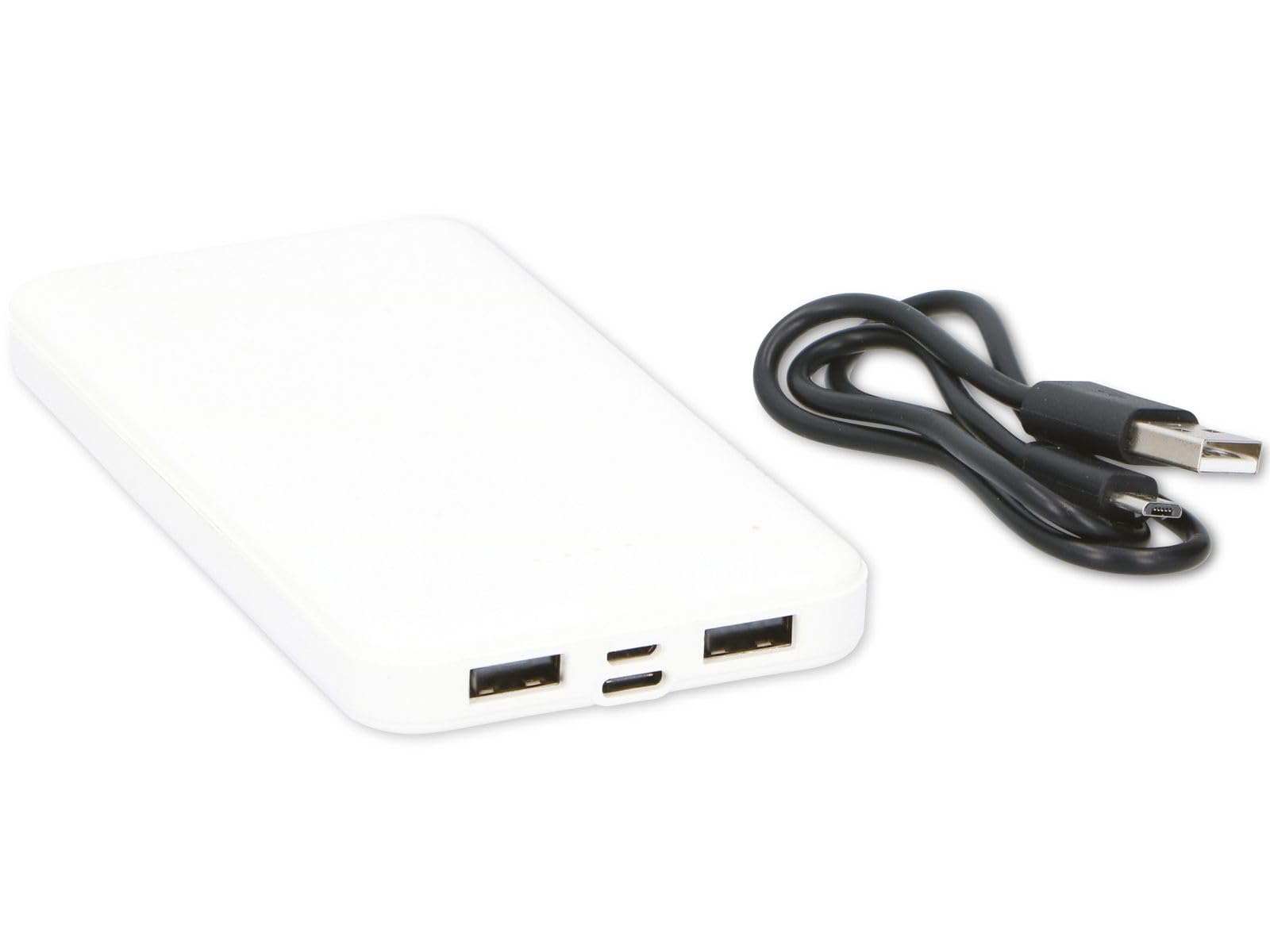
Figure 1: Grundig 10000 mAh Powerbank. This image displays the Grundig 10000 mAh Powerbank, highlighting its sleek white casing and the various input/output ports located on its side.
Pagrindinės funkcijos:
- Didelė talpa: 10000 mAh battery for extended power.
- Dvi įvesties prievadai: Micro USB and USB-C for recharging the power bank.
- Dvi išvesties prievadai: Two standard USB-A ports for charging devices.
- Kompaktiškas dizainas: Plonas ir lengvas, kad būtų lengva nešiotis.
4. Sąranka
4.1 Pradinis išorinės baterijos įkrovimas
Before first use, fully charge the Grundig Powerbank. This ensures optimal battery performance and longevity.
- Connect the included Micro USB to USB-C cable to either the Micro USB input port or the USB-C input port on the power bank.
- Connect the other end of the cable to a compatible USB power adapter (e.g., a smartphone charger, not included) or a computer's USB port.
- The power bank's indicator lights will illuminate to show the charging status. Allow the power bank to charge until all indicator lights are solid, indicating a full charge.
Note: Charging times may vary depending on the power source.
5. Naudojimo instrukcijos
5.1 Išorinių įrenginių įkrovimas
The Grundig Powerbank can charge a wide range of USB-powered devices.
- Įsitikinkite, kad išorinė baterija yra pakankamai įkrauta.
- Connect your device's charging cable (e.g., USB-A to Lightning, USB-A to USB-C, etc.) to one of the two USB output ports on the power bank.
- Connect the other end of the cable to your smartphone, tablet, smartwatch, or other compatible device.
- The power bank will automatically begin charging your device. The indicator lights on the power bank will show its remaining charge level.
You can charge two devices simultaneously using both USB output ports.
5.2 Baterijos lygio tikrinimas
Press the power button (if present, or observe automatic indication) to check the remaining battery level of the power bank via the LED indicator lights.
6. Priežiūra ir priežiūra
- Valymas: Išorinę bateriją valykite minkštu, sausu skudurėliu. Nenaudokite stiprių cheminių medžiagų ar abrazyvinių medžiagų.
- Saugykla: Nešiojamą nešiojamąją bateriją laikykite vėsioje, sausoje vietoje, toliau nuo tiesioginių saulės spindulių ir ekstremalių temperatūrų.
- Baterijos būklė: If storing for extended periods, recharge the power bank every 3-6 months to prevent deep discharge and maintain battery health.
- Venkite drėgmės: Saugokite įrenginį nuo vandens ir didelės drėgmės.
7. Problemų sprendimas
| Problema | Galima priežastis | Sprendimas |
|---|---|---|
| Įrenginys neįkraunamas iš išorinės baterijos. | Išsikrovusi išorinės baterijos baterija. Sugedęs įkrovimo laidas. Įrenginys nesuderinamas. | Įkraukite maitinimo bloką. Išbandykite kitą įkrovimo laidą. Ensure your device is USB-powered. |
| Nesikrauna išorinė baterija. | Sugedęs įkrovimo laidas arba adapteris. Input port issue. | Try a different Micro USB/USB-C cable and a different USB power adapter. Ensure the cable is fully inserted into the input port. |
| Lėtas įkrovimas. | Low power adapter used for recharging. Kabelio varža. | Naudokite didesnę vatątage USB power adapter (e.g., 5V/2A). Use a high-quality charging cable. |
8. Specifikacijos
| Prekės ženklas | Žalgiris |
| Modelis | 10000 mAh maitinimo blokas |
| Baterijos talpa | 10000 mAh |
| Įvesties prievadai | Mikro USB, USB-C |
| Išvesties prievadai | 2 x USB-A |
| Matmenys (I x P x A) | 13.9 x 6.8 x 1.2 cm |
| Svoris | 165 gramų |
| Spalva | Baltas |
| Suderinami įrenginiai | Smartphone, Smartwatch, Tablet |
| Kilmės šalis | Kinija |
9. Saugos informacija
Kad nesugadintumėte įrenginio ar nesusižalotumėte, laikykitės šių saugos priemonių:
- Neardykite, nemodifikuokite ir nebandykite taisyti išorinės baterijos.
- Avoid dropping, puncturing, or subjecting the power bank to strong impacts.
- Keep the power bank away from fire, high temperatures, and direct sunlight.
- Saugokite maitinimo bloką nuo vandens ar kitų skysčių.
- Laikyti vaikams nepasiekiamoje vietoje.
- Atsakingai išmeskite išorinę bateriją pagal vietinius elektroninių atliekų tvarkymo reikalavimus.
10. Garantija ir palaikymas
For warranty information, technical support, or service inquiries, please contact your retailer or refer to the official Grundig websvetainę. Kreipdamiesi į palaikymo tarnybą, turėkite po ranka pirkimo įrodymą ir produkto modelio informaciją.
Pastaba: konkrečios garantijos sąlygos gali skirtis priklausomai nuo regiono ir mažmenininko.


