Įvadas
Thank you for choosing the LAMAX BCool Smart Watch. This manual provides essential information for setting up, operating, and maintaining your device. Please read it thoroughly to ensure proper use and to maximize the watch's features.

Image: The LAMAX BCool Smart Watch, featuring a black body and a blue patterned strap, displays the current time and step count on its screen.
Pakuotės turinys
- LAMAX BCool Smart Watch
- Multi-coloured strap (pre-attached or included)
- Single-colour strap (matching watch body)
- Charging cable (magnetic)
- Vartotojo vadovas (šis dokumentas)

Image: An illustrative diagram highlighting key features of the LAMAX BCool Smart Watch, including notifications, touch display, pedometer, educational games, music control, interchangeable straps, long battery life, heart rate monitoring, sports tracking, and IP68 water resistance.
Sąranka
1. Įrenginio įkrovimas
Before first use, fully charge your LAMAX BCool Smart Watch.
- Prijunkite magnetinį įkrovimo laidą prie įkrovimo taškų laikrodžio gale.
- Prijunkite laido USB galą prie standartinio USB maitinimo adapterio (nepridedamas) arba kompiuterio USB prievado.
- The watch display will indicate charging status. A full charge typically takes a few hours.

Paveikslėlis: detalus view of the LAMAX BCool Smart Watch, showing its front and back. Callouts indicate features such as its light weight (34g), app connectivity, customizable watch faces, durable glass, multi-function crown, slim design, magnetic charging connector, and use of phthalate-free materials.
2. Susiejimas su išmaniuoju telefonu
The LAMAX BCool Smart Watch is compatible with both Android and iOS devices.
- Download the official LAMAX BCool app from your smartphone's app store (Google Play Store for Android, Apple App Store for iOS).
- Įsitikinkite, kad jūsų išmaniajame telefone įjungtas „Bluetooth“.
- Open the LAMAX BCool app and follow the on-screen instructions to create an account or log in.
- Select "Add Device" or similar option within the app and choose the LAMAX BCool from the list of available devices.
- Patvirtinkite susiejimo užklausą ir laikrodyje, ir išmaniajame telefone.
Susiejus laikrodį, jis sinchronizuos laiką ir duomenis su jūsų išmaniuoju telefonu.
Naudojimo instrukcijos
Pagrindinė navigacija
- Jutiklinis ekranas: Braukite kairėn / dešinėn arba aukštyn / žemyn, kad naršytumėte meniu ir funkcijas. Palieskite, kad pasirinktumėte parinktį.
- Šoninis mygtukas: Press to wake the screen, return to the home screen, or go back in menus.
Pagrindinės funkcijos baigtosview
Pranešimai
Receive alerts for incoming calls, SMS messages, and app notifications (e.g., TikTok) directly on your watch. The watch will vibrate to alert you.
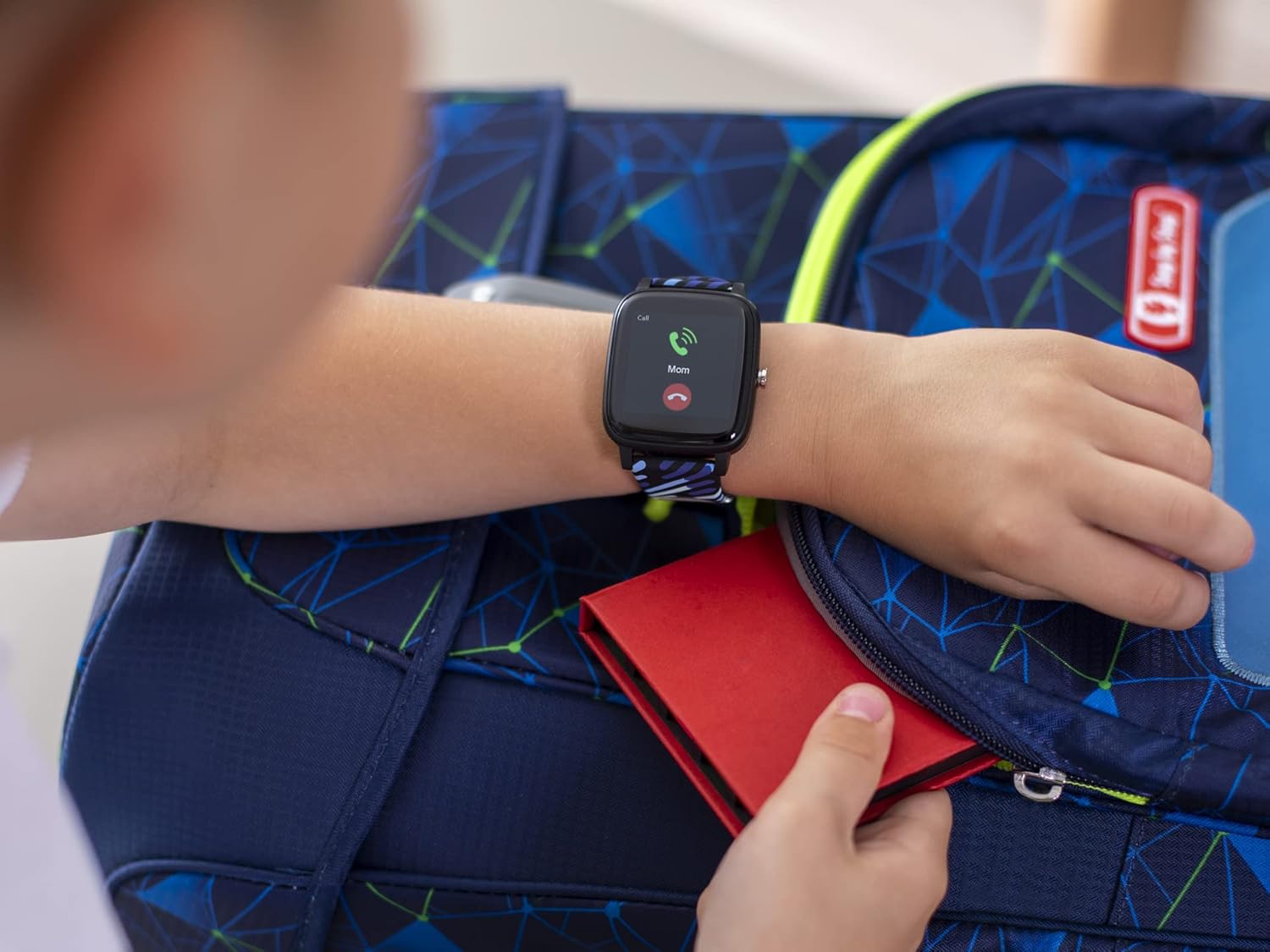
Image: A child's hand wearing the LAMAX BCool Smart Watch, which is displaying an incoming call notification from "Mom". A backpack is visible in the background.
Veiklos stebėjimas
The watch automatically tracks steps, distance, and calories burned. It also monitors heart rate throughout the day and sleep quality at night.
- Veiksmai: View your daily step count on the main watch face or in the activity menu.
- Širdies ritmas: Access the heart rate monitor from the watch menu to see your current heart rate.
- Miego analizė: Wear the watch to bed for automatic sleep tracking. Detailed sleep data is available in the companion app.

Image: The LAMAX BCool Smart Watch displaying an incoming call, positioned next to a smartphone screen that shows the companion app's dashboard with daily steps (7,830), sleep duration (8:40), heart rate (89 BPM), and current weather (29°C).
Sporto režimai
Select from various sports modes to track specific activities like cycling, hiking, or running.
- Navigate to the "Sports" menu on the watch.
- Pasirinkite norimą veiklą.
- The watch will begin tracking duration, distance, and other relevant metrics.

Image: Two LAMAX BCool Smart Watches. One watch displays a menu of sports activities including Basketball, Tourism, and Cycling. The other watch shows active tracking data, including elapsed time (00:58:30), distance (0.750 Km), calories burned (483 Kcal), and heart rate (68 BPM).
Mokomieji žaidimai
The watch includes four educational games designed to hone logic, math, and perception skills.
- Access the "Games" menu from the watch.
- Select the game you wish to play.

Image: A screenshot of one of the educational games available on the LAMAX BCool Smart Watch, featuring a grid-based puzzle with numbers.
Tinkinimas
Change watch faces to personalize your device. The watch comes with numerous pre-installed watch faces.
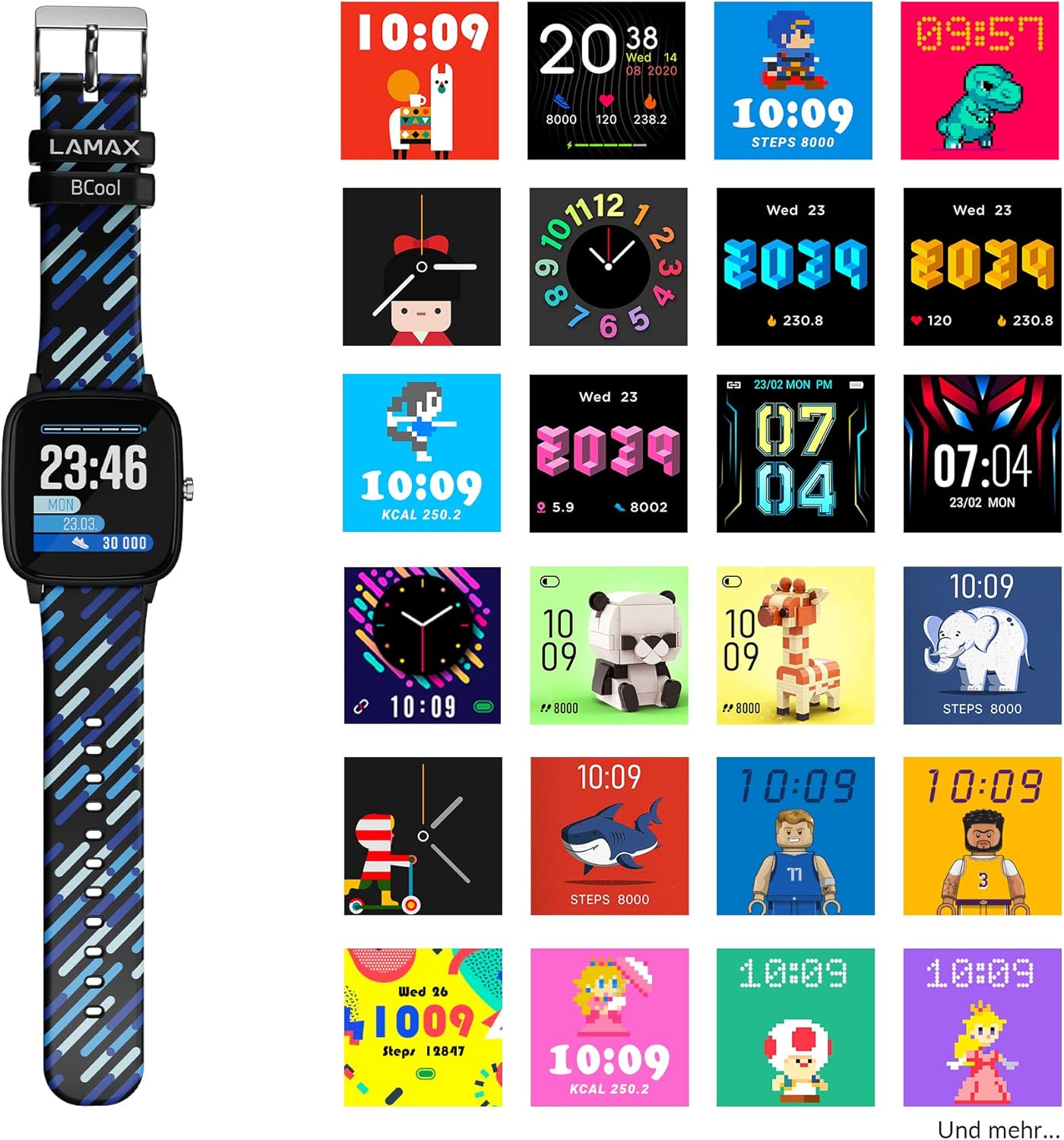
Image: The LAMAX BCool Smart Watch positioned next to a grid of various digital and analog watch face designs, showcasing galimas tinkinimo parinktis.
Priežiūra
Valymas
- Wipe the watch and straps with a soft, damp audinys.
- Nenaudokite stiprių chemikalų ar abrazyvinių valiklių.
- Prieš įkrovimą įsitikinkite, kad įkrovimo kontaktai yra švarūs ir sausi.
Atsparumas vandeniui (IP68)
The LAMAX BCool Smart Watch has an IP68 rating, meaning it is resistant to dust and can withstand immersion in water up to 1.5 meters for up to 30 minutes.
- It is suitable for everyday use, including hand washing and light rain.
- Avoid prolonged immersion, hot water, or exposure to high-pressure water jets.
- Do not press buttons while the watch is submerged.
Dirželio keitimas
The watch comes with two interchangeable straps. To replace a strap:
- Dirželio apačioje, kur jis jungiasi prie laikrodžio korpuso, raskite greito atleidimo kaiščius.
- Norėdami atjungti dirželį, pastumkite kaištį į vidų.
- Align the new strap with the watch body and insert one end of the pin into the lug hole.
- Slide the quick-release pin inwards and guide the other end into the opposite lug hole. Release the pin to secure the strap.
Trikčių šalinimas
| Problema | Galima priežastis | Sprendimas |
|---|---|---|
| Laikrodis neįsijungia | Senka baterija | Įkraukite laikrodį mažiausiai 30 minučių. |
| Laikrodis nesusiejamas su telefonu | „Bluetooth“ išjungtas, programėlės problema, laikrodis neaptinkamas | Ensure Bluetooth is on. Restart both watch and phone. Reinstall the app. |
| Pranešimai nerodomi | Programėlių leidimai, pranešimų nustatymai | Check app notification permissions on your phone. Ensure notifications are enabled in the LAMAX BCool app. |
| Netikslūs veiklos duomenys | Improper wear, software glitch | Ensure the watch is worn snugly on the wrist. Restart the watch. |
| Trumpas baterijos veikimo laikas | Frequent use of features, old battery | Reduce screen brightness. Limit continuous heart rate monitoring. Ensure full charge cycles. |
Specifikacijos
| Funkcija | Detalė |
|---|---|
| Modelio pavadinimas | BCool |
| Prekės ženklas | LAMAX |
| Ekranas | 1.4 colių jutiklinis ekranas |
| Baterijos veikimo laikas | Up to 5-7 days (typical usage) |
| Atsparumas vandeniui | IP68 (iki 1.5 m gylyje 30 minučių) |
| Ryšys | Bluetooth (Android & iOS compatible) |
| Jutikliai | Heart Rate Monitor, Pedometer |
| Mokomieji žaidimai | 4 pre-installed games |
| Matmenys | 22.3 x 3.65 x 1.1 cm |
| Svoris | 34 g |
| Baterijos tipas | 1 ličio jonų baterija |
Garantija ir palaikymas
LAMAX products are covered by a manufacturer's warranty. For detailed warranty information, please refer to the warranty card included in your product packaging or visit the official LAMAX websvetainę.
For technical support, troubleshooting assistance, or to inquire about replacement parts, please contact LAMAX customer service through their official websvetainėje arba kontaktinę informaciją, pateiktą jūsų produkto dokumentuose.
Official LAMAX Websvetainė: www.lamax.eu


