1. Įvadas
This manual provides detailed instructions for the installation, operation, and maintenance of your Hombli Smart Doorbell 2 and Chime 2. Please read this guide thoroughly before using the product to ensure proper functionality and safety. The Hombli Smart Doorbell 2 allows you to see, hear, and speak to visitors from anywhere, while the Chime 2 provides an audible alert inside your home.
2. Saugos informacija
- Prieš montuodami ar atlikdami techninę priežiūrą, įsitikinkite, kad visas maitinimas yra atjungtas, kad išvengtumėte elektros smūgio.
- Do not expose the doorbell to extreme temperatures, direct sunlight for prolonged periods, or excessive moisture.
- Use only the provided or recommended accessories and power sources.
- Prietaisą laikykite vaikams nepasiekiamoje vietoje.
- Do not attempt to disassemble or repair the device yourself. Contact Hombli support for assistance.
3. Pakuotės turinys
Verify that all items are present in your Hombli Smart Doorbell 2 Promo Pack:
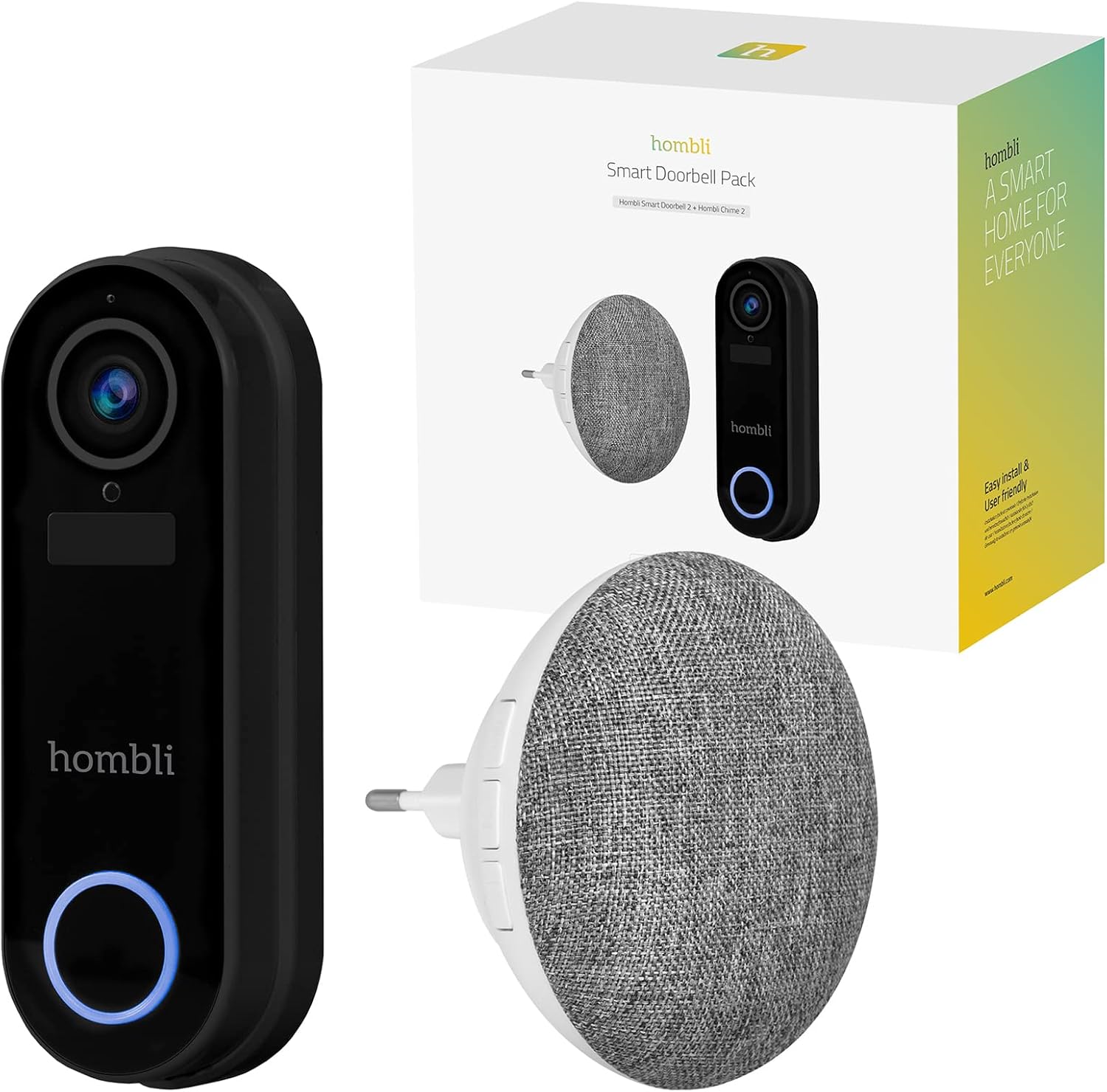
Image: The retail box for the Hombli Smart Doorbell 2 and Chime 2, showing both devices and the packaging.

Image: All components included in the Hombli Smart Doorbell 2 package, including the doorbell unit, mounting bracket, screws, wall anchors, wiring harness, USB charging cable, and adhesive pads.
- Hombli Smart Doorbell 2 (Black)
- Hombli Chime 2
- Mounting Bracket
- Installation Screws and Wall Anchors
- USB įkrovimo laidas
- Wiring Harness (for optional wired installation)
- Lipniosios pagalvėlės
- Vartotojo vadovas (šis dokumentas)
4. Produktas baigtasview
Familiarize yourself with the components of your Hombli Smart Doorbell 2 and Chime 2.
4.1 Hombli Smart Doorbell 2
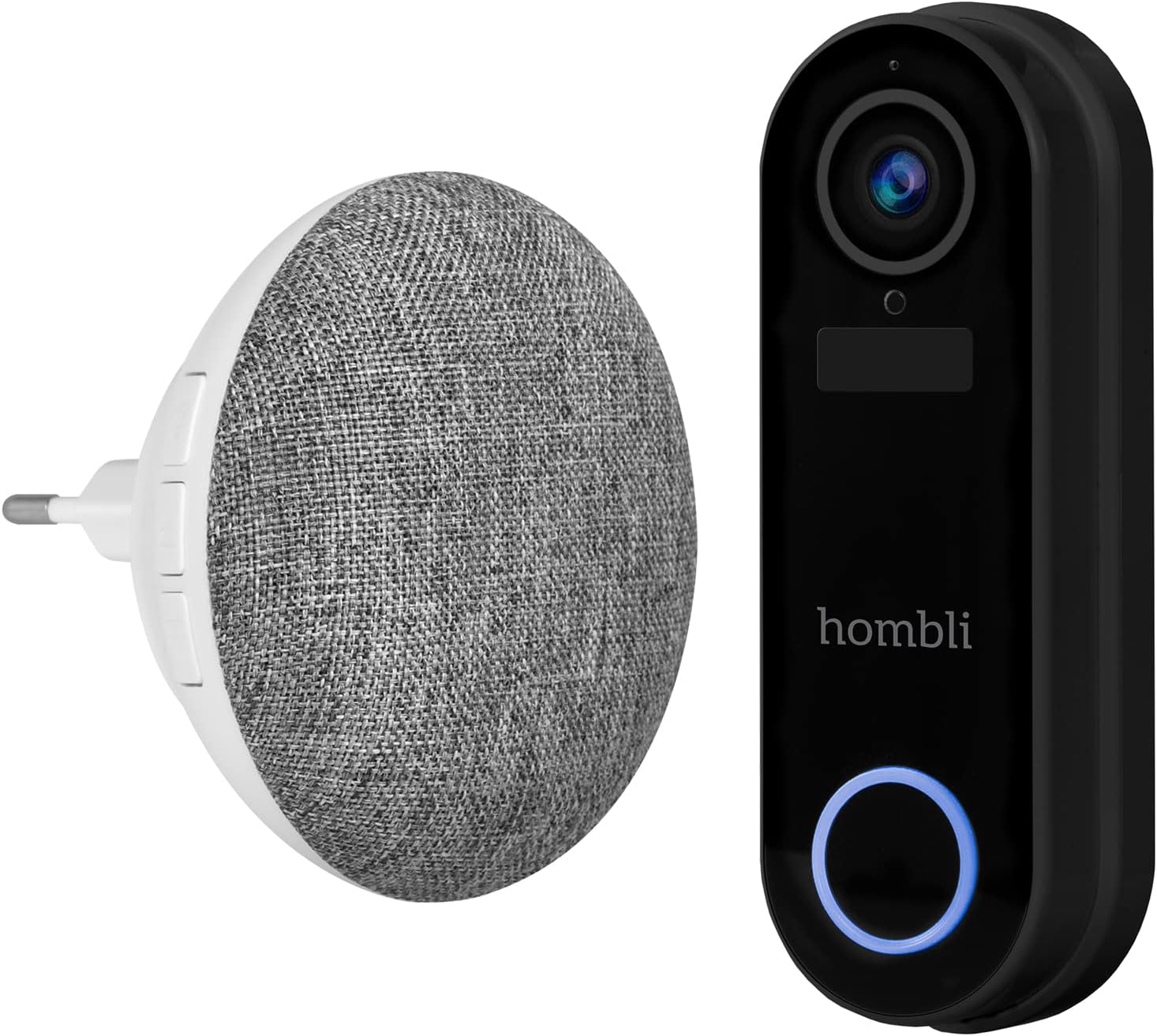
Image: The Hombli Smart Doorbell 2 and the Hombli Chime 2 displayed side-by-side.

Image: A visual representation of the Hombli Smart Doorbell 2 with icons and text highlighting its key features.
- Kamera: 140 ° plataus kampo view, Full HD 1080p resolution at 15 frames per second.
- Judesio aptikimas: Alerts you to activity at your door.
- Integruota baterija: 5000mAh capacity for wireless operation.
- Saugojimo parinktys: Supports optional cloud storage and a Micro SD card slot (up to 128GB).
- Dvipusis garsas: Speak and listen to visitors remotely.
- Infraraudonųjų spindulių nakties vizija: Aiškus matomumas esant prastam apšvietimui.
- Atsparus oro sąlygoms: IP65 rating ensures protection against dust and water splashes.
- GDPR Compliant: Designed with data privacy in mind.
4.2 Hombli Chime 2
The Hombli Chime 2 is a wireless indoor chime that pairs with your Smart Doorbell 2 to provide an audible alert when the doorbell is pressed. It plugs directly into a standard wall outlet.
5. Sąranka
5.1 Durų skambučio įkrovimas
Before installation, fully charge the Hombli Smart Doorbell 2 using the provided USB cable. Connect the USB cable to the doorbell's charging port and a standard USB power adapter (not included). The indicator light will show charging status.
5.2 Installing the Hombli Smart Doorbell 2
The doorbell can be installed wirelessly using adhesive pads or permanently mounted with screws. For wired installation, connect to existing doorbell wiring (5V AC).

Image: The Hombli Smart Doorbell 2 securely mounted on an exterior wall next to a door frame.
- Pasirinkite vietą: Pasirinkite tinkamą vietą prie lauko durų, užtikrindami, kad view ir geras „Wi-Fi“ signalas.
- Montavimas:
- Klijai: Clean the surface, apply the adhesive pads to the back of the mounting bracket, and firmly press the bracket onto the desired location.
- Varžtai: Use the mounting bracket as a template to mark drill holes. Drill holes, insert wall anchors if necessary, and secure the bracket with screws.
- Wired (Optional): If connecting to existing doorbell wiring, ensure power is off. Connect the doorbell's wiring harness to your existing doorbell wires (5V AC).
- Pritvirtinkite durų skambutį: Slide the Hombli Smart Doorbell 2 onto the mounted bracket until it clicks into place.
5.3 Installing the Hombli Chime 2

Image: The Hombli Chime 2 plugged into a standard electrical wall outlet, ready for use.
- Prijunkite: Plug the Hombli Chime 2 into a standard electrical outlet in a central location within your home.
- Poravimas: Follow the instructions in the Hombli app to pair the Chime 2 with your Smart Doorbell 2.
5.4 Hombli App Setup
The Hombli app is essential for controlling and managing your Smart Doorbell 2 and Chime 2.
- Atsisiųsti programą: Atsisiųskite „Hombli“ programėlę iš „App Store“ („iOS“) arba „Google Play Store“ („Android“).
- Sukurti paskyrą: Atidarykite programą ir susikurkite naują paskyrą arba prisijunkite, jei ją jau turite.
- Pridėti įrenginį: Tap the '+' icon to add a new device. Select 'Smart Doorbell' from the list.
- Vykdykite ekrane pateikiamus nurodymus: The app will guide you through connecting the doorbell to your Wi-Fi network and pairing the chime. Ensure your Wi-Fi network is 2.4GHz.
6. Operacinis
Once set up, you can use your Hombli Smart Doorbell 2 and Chime 2 to monitor your entrance and communicate with visitors.

Image: A smartphone displaying the Hombli app interface for the Smart Doorbell 2, showing live video feed and control options like screenshot, speak, record, playback, cloud storage, and buzzer.
6.1 Doorbell Functions
- Tiesiogiai View: Open the Hombli app to view live video from your doorbell camera at any time.
- Dvipusis garsas: When a visitor presses the doorbell or motion is detected, you will receive a notification. Tap the notification to answer and speak to the visitor using the app's microphone and speaker functions.
- Judesio aptikimas: The doorbell will send notifications to your phone when motion is detected. You can adjust sensitivity settings in the app.
- Įrašas: Video footage can be recorded manually or automatically upon motion detection/doorbell press. Recordings are stored on a Micro SD card (if inserted) or in optional cloud storage.
- Atkūrimas: Access recorded events through the app's playback feature.
6.2 Chime Functions
- Garsinis įspėjimas: When the doorbell button is pressed, the Chime 2 will sound an alert inside your home.
- Volume and Tone: Adjust the chime volume and select different melodies through the Hombli app.
7. Priežiūra
- Akumuliatoriaus įkrovimas: The Smart Doorbell 2's battery life depends on usage. When the battery is low, you will receive a notification. Remove the doorbell from its bracket and charge it using the USB cable.
- Valymas: Wipe the doorbell and chime with a soft, damp audinys. Nenaudokite stiprių cheminių medžiagų ar abrazyvinių valiklių.
- Firmware atnaujinimai: Periodically check the Hombli app for available firmware updates to ensure optimal performance and security. Follow the app's instructions for updating.
8. Problemų sprendimas
8.1 Bendrosios problemos ir sprendimai
- Durų skambutis neprisijungia prie „Wi-Fi“:
- Įsitikinkite, kad jūsų „Wi-Fi“ tinklas yra 2.4 GHz dažnio.
- Patikrinkite „Wi-Fi“ signalo stiprumą durų skambučio vietoje.
- Iš naujo paleiskite maršrutizatorių ir durų skambutį.
- Ensure correct Wi-Fi password is entered in the app.
- Skambutis neskamba:
- Ensure the Chime 2 is plugged in and powered on.
- Verify that the Chime 2 is successfully paired with the doorbell in the Hombli app.
- Check the volume settings for the chime in the app.
- Prasta vaizdo kokybė:
- Check your Wi-Fi signal strength. A weak signal can affect video streaming.
- Įsitikinkite, kad kameros objektyvas yra švarus ir be jokių kliūčių.
- Judesio aptikimas neveikia:
- Adjust motion detection sensitivity in the Hombli app.
- Įsitikinkite, kad nėra jokių fizinių kliūčių, blokuojančių jutiklio veikimą view.
- Doorbell battery draining quickly:
- Frequent motion detection events or live view access can consume battery faster. Adjust settings if needed.
- Ensure the doorbell is fully charged after each charging cycle.
9. Specifikacijos
9.1 Hombli Smart Doorbell 2

Image: Detailed measurements of the Hombli Smart Doorbell 2, showing its height, width, and depth in centimeters.
| Modelio numeris | HBDP-0100 |
| Matmenys (I x P x A) | 7.28 x 3.94 x 6.81 colio (18.5 x 10 x 17.3 cm) |
| Svoris | 1.61 svaro (0.73 kg) |
| Kameros raiška | Full HD 1080p |
| Laukas View | 140° platus kampas |
| Baterijos talpa | 5000 mAh |
| Atsparumas oro sąlygoms | IP65 |
| Sandėliavimas | Micro SD (up to 128GB), Cloud Storage (optional) |
| Ryšys | „Wi-Fi“ (2.4 GHz) |
9.2 Hombli Chime 2

Image: Detailed measurements of the Hombli Chime 2, showing its diameter and depth in centimeters.
| Matmenys (skersmuo x gylis) | 9.3 cm x 8.5 cm (plug part 4.9 cm width) |
| Maitinimo įvestis | 5 voltai (kintamoji srovė) |
| Ryšys | Wireless (paired with Doorbell 2) |
10. Garantija ir palaikymas
Hombli products come with a standard manufacturer's warranty. For specific warranty terms and conditions, please refer to the warranty card included with your product or visit the official Hombli website. If you encounter any issues or require technical assistance, please contact Hombli customer support through their website or the Hombli app.


