1. Įvadas
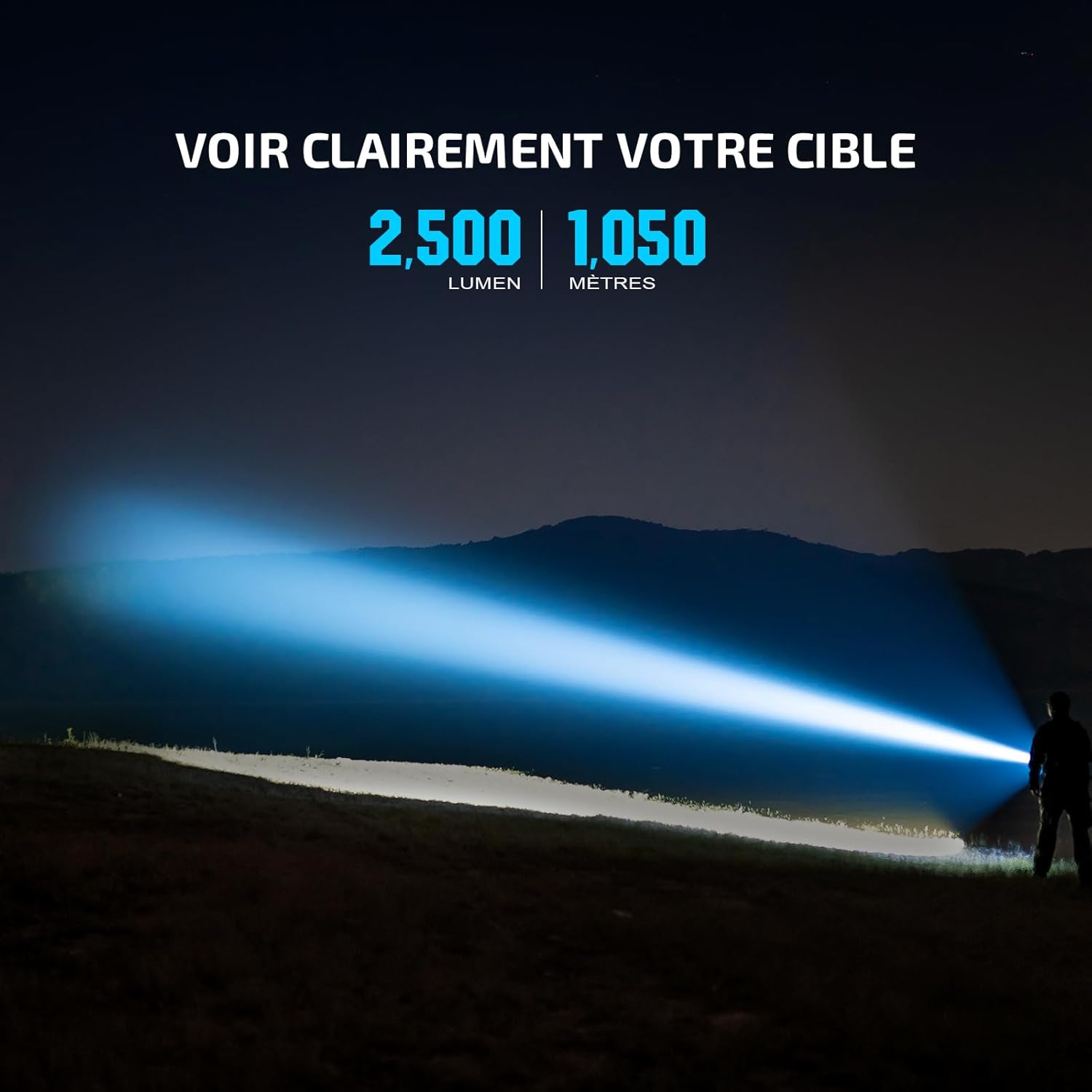
The OLIGHT Javelot Pro 2 is a high-performance LED flashlight engineered for long-range illumination. It delivers an impressive output of up to 2500 lumens and a beam distance of up to 1050 meters. This robust and rechargeable flashlight is designed for demanding applications such as hunting, camping, and search and rescue operations, providing reliable and powerful lighting when needed.

Image: The Javelot Pro 2 demonstrating its long-range beam, reaching up to 1050 meters with 2500 lumens output.
2. Produktas baigtasview
Familiarize yourself with the components of your Javelot Pro 2 flashlight:
Vaizdas: Išsprogdintas view of the Javelot Pro 2, detailing its internal and external parts.
- Tailcap: Located at the rear, houses the magnetic charging port and tail switch.
- Body/Battery Compartment: The main housing for the battery pack.
- Šoninio jungiklio mygtukas: Controls brightness levels and provides visual indicators.
- LED Housing: Contains the light-emitting diode.
- PCB Part: Printed Circuit Board, managing the flashlight's electronics.
- Atšvaitas: Directs and focuses the light beam.
- Lens Protection Ring: Secures the lens.
- Stiklo objektyvas: Transparent cover protecting the LED and reflector.
- Strike Bezel: Front ring, often used for self-defense or breaking glass.
3. Sąranka
3.1 Akumuliatoriaus įdėjimas
The Javelot Pro 2 utilizes a separable battery pack. To install or replace the battery, unscrew the tailcap and insert the battery pack with the positive (+) end facing towards the head of the flashlight. Securely re-attach the tailcap.
3.2 Įkrovimas
The flashlight is equipped with a magnetic USB charging cable (MCC3). To charge, attach the magnetic end of the charging cable to the tailcap of the flashlight. Connect the USB end to a compatible power source. The charging indicator on the cable will show the charging status. A full charge provides extended runtime.

Image: The Javelot Pro 2 connected to a power bank for magnetic USB charging.
4. Operacija
4.1 Dual Switch System
The Javelot Pro 2 features a dual switch system for versatile control:
- Šoninis jungiklis: Used to access and cycle through different brightness levels during general use.
- Uodegos jungiklis: Provides direct access to high or low modes for tactical applications.

Image: Illustration of the dual switch system on the Javelot Pro 2, showing the side and tail switches.
4.2 Režimo pasirinkimas
Refer to the detailed instructions in the included quick start guide for specific sequences to activate and cycle through the various brightness modes and special functions.
5. Visual Indicators
The side switch integrates visual indicators for both battery level and brightness. These 4-level indicators provide real-time status updates, allowing you to monitor the flashlight's battery charge and current brightness setting at a glance.
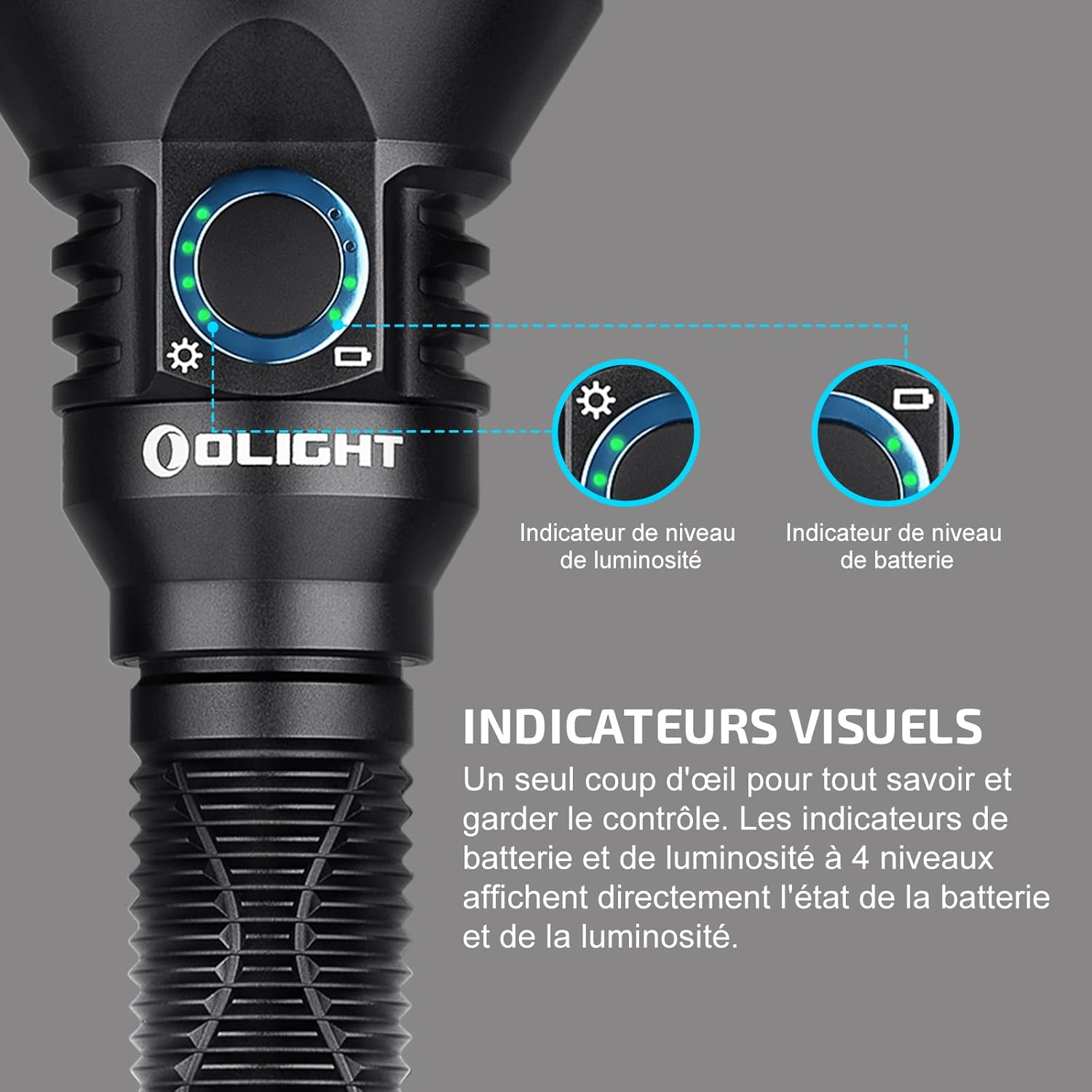
Vaizdas: Išsamus view of the visual indicators on the side switch, displaying battery and brightness levels.
6. Priežiūra
To ensure optimal performance and longevity of your Javelot Pro 2 flashlight, follow these maintenance guidelines:
- Valymas: Regularly clean the lens and body with a soft, damp cloth. Avoid abrasive materials that could scratch the surface.
- Tepimas: Apply a thin layer of silicone grease to the O-rings periodically to maintain water resistance.
- Akumuliatoriaus priežiūra: Recharge the battery regularly, especially if the flashlight will be stored for an extended period. Avoid fully discharging the battery to prolong its lifespan.
- Saugykla: Žibintuvėlį laikykite vėsioje, sausoje vietoje, apsaugotoje nuo tiesioginių saulės spindulių ir ekstremalių temperatūrų.
7. Problemų sprendimas
If you encounter issues with your Javelot Pro 2, consider the following common troubleshooting steps:
- Žibintuvėlis neįsijungia:
- Patikrinkite, ar akumuliatorius tinkamai įdėtas ir visiškai įkrautas.
- Ensure the tailcap is tightened securely to establish electrical contact.
- Pritemdyta arba mirganti šviesa:
- Įkraukite akumuliatorių.
- Clean the battery contacts and threads with a clean cloth.
- Magnetic Charging Not Working:
- Ensure the magnetic charging cable is clean and free of debris.
- Verify the USB power source is functioning correctly.
For persistent issues, please contact OLIGHT customer support.
8. Specifikacijos
| Funkcija | Detalė |
|---|---|
| Gamintojas | TOLIAU |
| Gaminio matmenys (I x P x A) | 29.1 x 29.1 x 20.8 cm |
| Svoris | 423 gramų |
| Baterijos tipas | 1 ličio jonų (į komplektą įeina) |
| Modelio nuoroda | O-JavelotPro2Black#-GD-DE-FBA |
| Spalva | Juoda |
| Medžiaga | Aliuminis |
| Maitinimo šaltinis | Maitinamas baterijomis |
| ttage | 3.6 voltų |
| Lemputės tipas | LED |
| Ryškumas | 2500 liumenų |
| Ypatingos savybės | Įkraunamas |
| Sertifikavimas | CE |
9. Garantija ir palaikymas
OLIGHT offers a Visą gyvenimą trunkanti garantija on the Javelot Pro 2, reflecting their commitment to quality and durability. For any product inquiries, technical assistance, or warranty claims, please refer to the official OLIGHT websvetainėje arba susisiekite tiesiogiai su jų klientų aptarnavimo tarnyba. Išsaugokite pirkimo kvitą, kad galėtumėte patvirtinti garantiją.


