Įvadas
The Crosley Voyager Record Player is designed to combine classic vinyl listening with modern audio technology. This portable turntable supports multiple record speeds and features built-in speakers, Bluetooth connectivity for both input and output, and various audio ports for versatile use. This manual provides essential information for setting up, operating, and maintaining your record player.
Kas yra dėžutėje
- CR8017B-BK Turntable Unit
- 45 RPM adapteris
- Maitinimo adapteris
Produkto savybės
- Three-Speed Belt-Drive Turntable: Groja 33 1/3, 45 ir 78 aps./min. plokšteles.
- Reguliuojamas aukščio valdymas: Fine-tune playback speed.
- Sulenkimo svirtis: Gently lowers and raises the needle.
- Bluetooth In: Stream digital music from your device to the turntable's built-in speakers.
- „Bluetooth“ išvestis: Connect the turntable wirelessly to external Bluetooth speakers.
- Built-in Dynamic Full-Range Stereo Speakers: Integruota garso išvestis.
- Pagalbinė įvestis: Prijunkite išorinius garso šaltinius 3.5 mm garso kabeliu.
- RCA išvestis: Connect to an external stereo system for enhanced audio.
- Ausinių lizdas: Privačiam pasiklausymui.
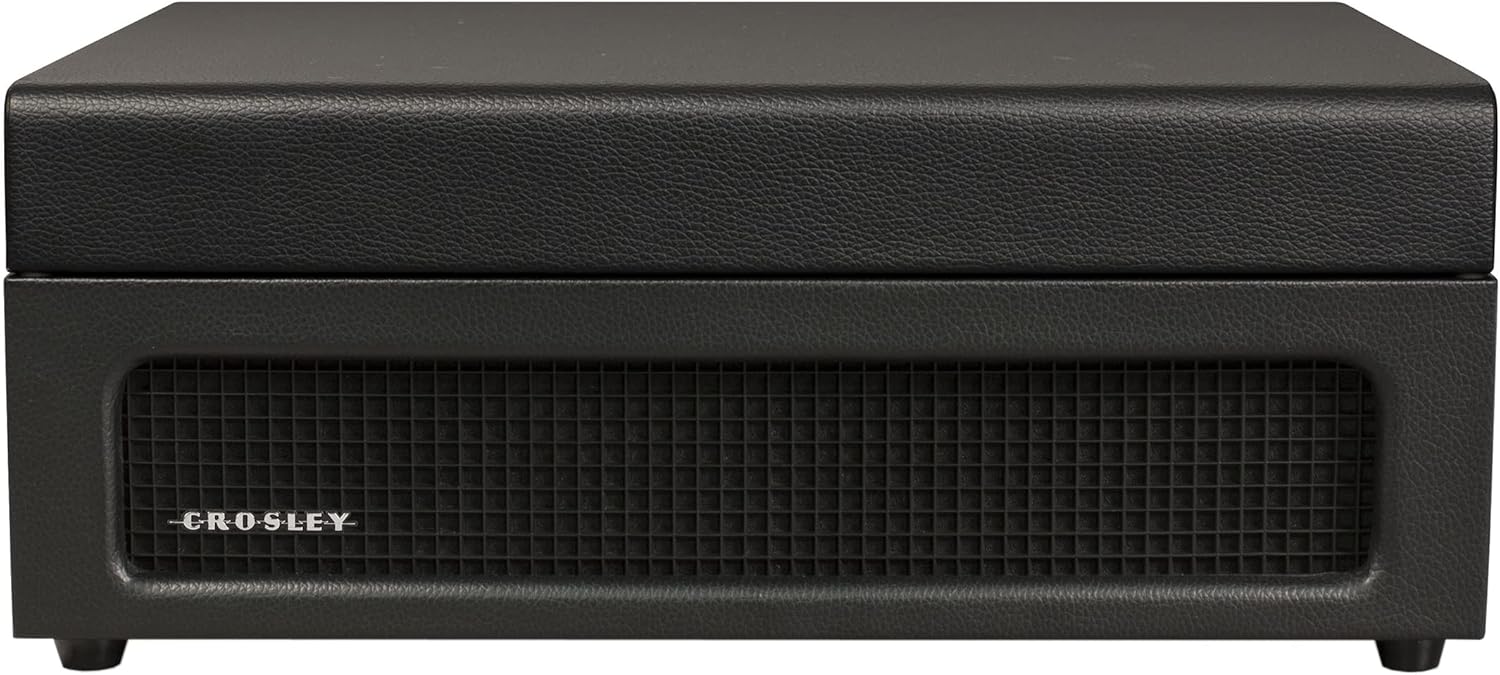
- Nešiojamo lagamino dizainas: Compact and easy to transport with a carry handle.

Image: Key features of the Crosley Voyager turntable, highlighting the 3-speed selector, compact and portable design, and built-in stereo speakers.
Sąranka
- Išpakuokite patefoną: Carefully remove all components from the packaging. Ensure all packing materials are removed from the turntable platter and tonearm.
- Patefono įdėjimas: Position the turntable on a flat, stable surface away from direct sunlight, heat sources, or excessive vibration.
- Prijunkite maitinimą: Insert the power adaptor into the DC 12V input jack on the back of the turntable, then plug the adaptor into a wall outlet.
- Nuimkite rašiklio apsaugą: Gently remove the white plastic stylus protector from the needle.
- Pradinis įjungimas: Pasukite MAITINIMO/GARSUMO rankenėlę pagal laikrodžio rodyklę, kad įjungtumėte įrenginį. Užsidegs maitinimo indikatoriaus lemputė.

Image: Rear panel of the turntable, displaying the DC 12V power input, RCA Line Out, and Aux In ports for external connections.
Naudojimo instrukcijos
Groja įrašus
- Pasirinkite greitį: Set the speed selector switch (33, 45, or 78 RPM) to match the record you are playing. Use the included 45 RPM adapter for 7-inch records with large center holes.
- Vietos įrašas: Padėkite įrašą ant patefono lėkštės.
- Atrakinti tonarmą: Atleiskite tonarmo spaustuką.
- Raise Tonearm: Lift the cueing lever to raise the tonearm.
- Tonarmo padėtis: Manually move the tonearm over the desired track of the record.
- Apatinis tonarmas: Gently lower the cueing lever to place the stylus on the record. The platter will begin to spin.
- Reguliuoti garsumą: Norėdami reguliuoti garso lygį, pasukite MAITINIMO/GARSUMO rankenėlę.
- Tono reguliavimas: Use the PITCH control knob to fine-tune the playback speed if needed.
- Atkūrimo pabaiga: When the record finishes, the tonearm will automatically return to its rest position (if auto-stop is enabled). Lift the tonearm, return it to the rest, and secure the clip.
Vaizdas: Iš viršaus į apačią view of the turntable with a record spinning, illustrating the tonearm in position and the control panel.
„Bluetooth“ įvestis (transliacija į patefoną)
- Pasirinkite Bluetooth režimą: Slide the PHONO/BT switch to the BT position. The Bluetooth indicator light will flash blue.
- Suporuoti įrenginį: On your Bluetooth-enabled device (e.g., smartphone, tablet), search for "Crosley Voyager" in the Bluetooth settings and pair. Once connected, the indicator light will glow solid blue.
- Groti muziką: Start playing music on your device. The audio will stream through the turntable's built-in speakers.
- Reguliuoti garsumą: Control the volume using both your device and the turntable's POWER/VOLUME knob.
Image: The turntable with a smartphone icon and Bluetooth logo, indicating the ability to stream digital music through its built-in speakers.
„Bluetooth“ išvestis (transliacija iš patefono)
- Įjungti susiejimą išoriniame garsiakalbyje: Įjunkite išorinį „Bluetooth“ garsiakalbį susiejimo režimą.
- Pasirinkite „Bluetooth“ išvesties režimą: Slide the PHONO/BT switch to the BT position. The Bluetooth indicator light will flash blue.
- Pradėti poravimą: The turntable will automatically search for and connect to the nearest Bluetooth speaker in pairing mode. Once connected, the indicator light will glow solid blue.
- Įrašo atkūrimas: Place a record and begin playback as described above. The audio will now stream to your external Bluetooth speaker.

Image: The turntable with a Bluetooth logo, illustrating its capability to stream vinyl audio to external Bluetooth speakers (speaker not included).
Using Aux Input or Headphone Jack
- Pagalbinė įvestis: Connect an external audio device (e.g., MP3 player) to the AUX IN port on the back of the turntable using a 3.5mm audio cable. The audio will play through the turntable's speakers.
- Ausinių lizdas: For private listening, plug headphones into the headphone jack on the front panel. The built-in speakers will be muted.
Priežiūra
- Rašiklio valymas: Use a soft brush to gently clean the stylus (needle) from back to front. Avoid touching the stylus with your fingers.
- Patefono valymas: Wipe the turntable cabinet with a soft, dry cloth. Do not use harsh chemicals or abrasive cleaners.
- Įrašų priežiūra: Laikykite plokšteles švarias ir be dulkių. Laikykite jas vertikaliai įmautėse, kad jos nedeformuotųsi.
- Rašiklio keitimas: The stylus has a limited lifespan. If sound quality deteriorates, replace the stylus. Consult Crosley support for compatible replacement styli.
Trikčių šalinimas
If you experience issues with your Crosley Voyager turntable, please refer to the following common solutions:
- Nėra galios: Ensure the power adaptor is securely connected to both the turntable and a working wall outlet. Check if the POWER/VOLUME knob is turned on.
- Nėra garso:
- Check the POWER/VOLUME knob and turn it up.
- If using Bluetooth output, ensure the external speaker is powered on and paired correctly.
- If using RCA output, verify connections to your stereo system and its input selection.
- Jei naudojate ausines, įsitikinkite, kad jos yra visiškai įjungtos.
- Ensure the stylus protector has been removed.
- Skipping or Distorted Sound:
- Nuvalykite plokštelę ir rašiklį.
- Įsitikinkite, kad patefonas stovi ant stabilaus, lygaus paviršiaus.
- Check if the record is warped or damaged.
- Verify the correct speed setting (33 1/3, 45, or 78 RPM) is selected.
- „Bluetooth“ poravimo problemos:
- Ensure the turntable is in the correct Bluetooth mode (input or output).
- Make sure your device or external speaker is in pairing mode and within range.
- Try restarting both the turntable and the Bluetooth device.
Specifikacijos
| Gaminio matmenys: | 12 x 14.5 x 6 colio |
| Prekės svoris: | 7.25 svaro |
| Maksimalus sukimosi greitis: | 78 aps./min |
| Medžiaga: | Plastikiniai |
| Stilius: | Bluetooth In/Out |
| Spalva: | Juoda |
| Modelio pavadinimas: | Keliautojas |
| Suderinami įrenginiai: | Garsiakalbis, Ausinės |

Image: Detailed diagram illustrating the overall dimensions of the Crosley Voyager turntable.
Oficialus produkto vaizdo įrašas
Vaizdo įrašas: oficialus produkto vaizdo įrašasasing the Crosley CR8017B-BK Voyager Record Player, highlighting its design and features.
Garantija ir palaikymas
Crosley products are proudly designed in the USA and come with USA-based customer support. For warranty information, technical assistance, or replacement parts, please visit the official Crosley websvetainėje arba susisiekite su jų klientų aptarnavimo skyriumi. Išsaugokite pirkimo kvitą, jei prireiktų pateikti pretenziją dėl garantijos.
65 pasiūlymas Įspėjimas: Šiame produkte gali būti cheminių medžiagų, kurios, kaip žinoma Kalifornijos valstijoje, sukelia vėžį, apsigimimus ar kitokią reprodukcinę žalą. Daugiau informacijos rasite adresu www.P65Warnings.ca.gov.


