Įvadas
The Cellularline Keen True Wireless Stereo (TWS) earbuds are designed for an optimal audio experience, whether for calls or music. Featuring a soft-touch finish and intuitive touch controls, these earbuds offer convenience and high-quality sound for everyday use. The Keen earbuds provide up to 6 hours of playback on a single charge, with the included charging case extending total battery life to over 24 hours.

This image shows the Cellularline Keen True Wireless Stereo (TWS) earbuds. The earbuds are black with a soft-touch finish, and one earbud is visible resting in its open charging case. The charging case is also black with a silver interior, designed to store and charge the earbuds.
Pakuotės turinys
Prieš pradėdami, įsitikinkite, kad pakuotėje yra visi reikalingi daiktai:
- Cellularline Keen TWS Earbuds (Left and Right)
- Įkrovimo dėklas
- Įkrovimo kabelis
- Eartips in 3 Sizes (Small, Medium, Large)
- Vartotojo vadovas
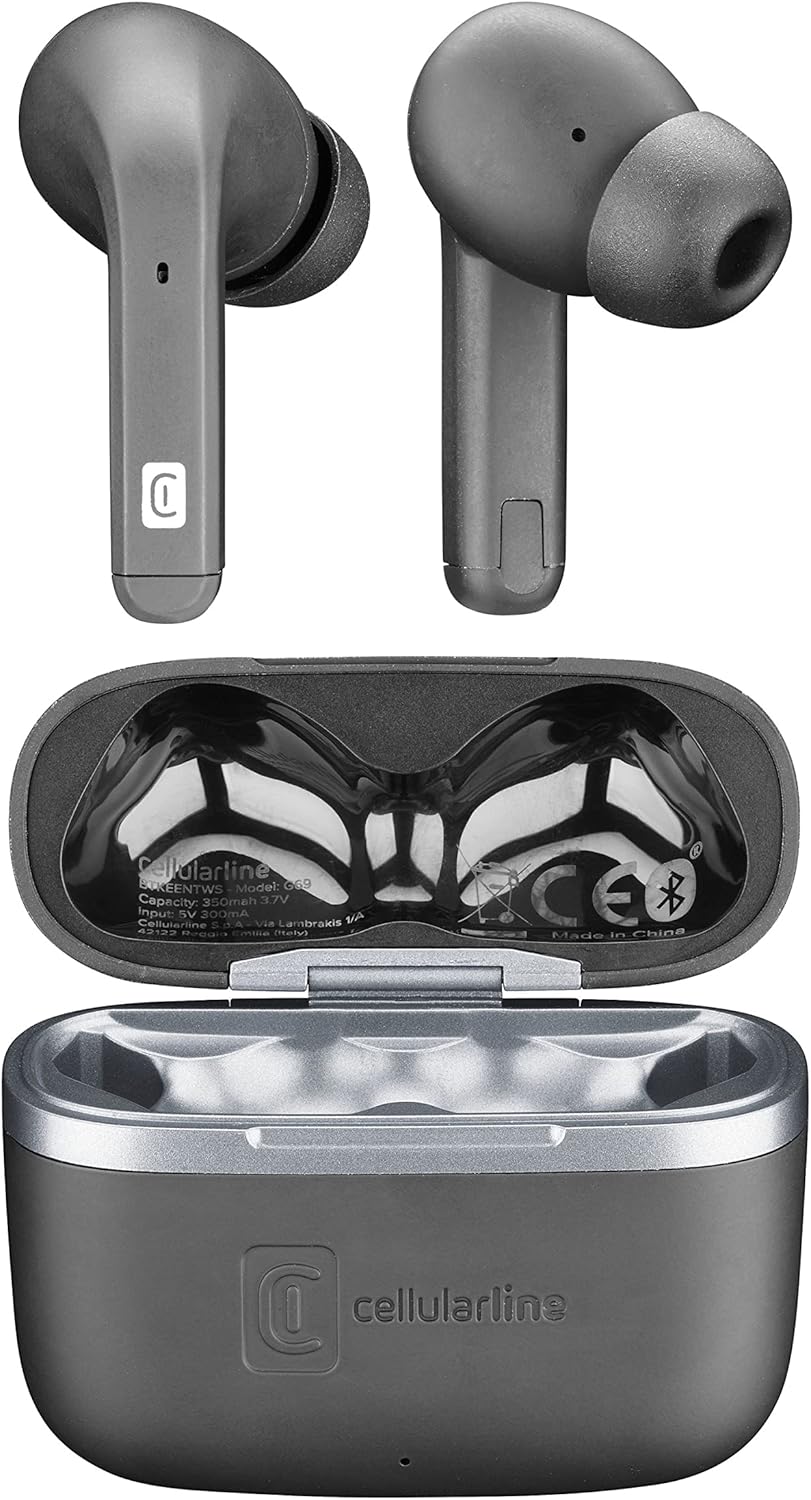
Šis paveikslėlis pateikia vaizdą iš viršaus į apačią view of the Cellularline Keen earbuds and their charging case. Both earbuds are shown outside the case, highlighting their design. The open charging case reveals the charging cradles and internal markings, including the Cellularline logo and regulatory information.
Sąranka
1. Pradinis įkrovimas
Before first use, it is recommended to fully charge the earbuds and the charging case. Connect the provided charging cable to the charging case and a compatible USB power source. The charging indicators on the case will show the charging status. A full charge provides up to 6 hours of earbud playtime, with the case offering an additional 24 hours of battery life.
2. Susiejimas su jūsų įrenginiu
The Cellularline Keen earbuds are designed for easy pairing with any Bluetooth-enabled device (smartphones, tablets, laptops, etc.).
- Įsitikinkite, kad ausinės yra įkrovimo dėkle ir dėklo dangtelis atidarytas.
- Įrenginyje eikite į „Bluetooth“ nustatymus.
- Activate Bluetooth if it is not already enabled.
- Ieškokite new devices. You should see "Cellularline Keen" or a similar name appear in the list of available devices.
- Select "Cellularline Keen" to initiate the pairing process.
- Once paired, your device will confirm the connection, and the earbuds are ready for use.
The earbuds will automatically connect to the last paired device when removed from the case, provided Bluetooth is active on the device.
Naudojimo instrukcijos
The Keen earbuds feature intuitive touch controls for managing audio playback and calls.
Muzikos atkūrimas
- Leisti / pristabdyti: Vieną kartą bakstelėkite bet kurią ausinę.
- Kitas takelis: Dukart palieskite dešinįjį ausinės antgalį.
- Ankstesnis takelis: Dukart palieskite kairįjį ausinės antgalį.
- Pagarsink: Tris kartus palieskite dešinįjį ausinės antgalį.
- Patildyti: Tris kartus palieskite kairįjį ausinės antgalį.
Skambučių valdymas
- Atsiliepti / Baigti skambutį: Vieną kartą bakstelėkite bet kurią ausinę.
- Atmesti skambutį: Paspauskite ir 2 sekundes palaikykite bet kurią ausinę.
Balso asistentas
- Suaktyvinti „Voice Assistant“: Paspauskite ir palaikykite bet kurią ausinę 3 sekundes (pvz., „Siri“, „Google Assistant“).
Priežiūra
Proper maintenance ensures the longevity and optimal performance of your Cellularline Keen earbuds.
- Valymas: Regularly clean the earbuds and charging case with a soft, dry, lint-free cloth. Do not use abrasive cleaners or solvents. For eartips, remove them and clean with a damp audiniu ir prieš pritvirtindami įsitikinkite, kad jie yra visiškai sausi.
- Atsparumas vandeniui: The earbuds are rated as waterproof. However, this does not mean they are suitable for prolonged submersion or use during swimming. Avoid exposing them to strong jets of water or saltwater. Always ensure the charging port is dry before charging.
- Saugykla: Kai nenaudojate, laikykite ausines įkrovimo dėkle, kad apsaugotumėte jas nuo dulkių ir pažeidimų. Laikykite vėsioje, sausoje vietoje, toliau nuo tiesioginių saulės spindulių ir ekstremalių temperatūrų.
- Akumuliatoriaus priežiūra: Norėdami taupyti akumuliatoriaus veikimo laiką, venkite dažnai visiškai iškrauti ausines ir dėklą. Reguliariai juos įkraukite, net jei nenaudojate nuolat.
Trikčių šalinimas
If you encounter any issues with your Cellularline Keen earbuds, refer to the following common solutions:
| Problema | Galimas sprendimas |
|---|---|
| Ausinės nesusijungia / nesusijungia |
|
| Nėra garso iš vienos arba abiejų ausinių |
|
| Įkrovimo dėklas neįkraunamas |
|
| Jutikliniai valdikliai nereaguoja |
|
Specifikacijos
| Funkcija | Detalė |
|---|---|
| Modelio pavadinimas | BTKEENTWSK |
| Prekės ženklas | korinio ryšio |
| Ryšio technologija | Belaidis ryšys („Bluetooth“) |
| Formos faktorius | Į ausis |
| Valdymo tipas | Palieskite valdymą |
| Ausinių grojimo laikas | Iki 6 valandų |
| Bendras grojimo laikas (su dėklu) | Over 24 hours (up to 30 hours) |
| Baterijos sudėtis | Ličio polimeras (2 komplekte) |
| Ypatingos savybės | Fast Charging, Wireless |
| Atsparumo vandeniui lygis | Atsparus vandeniui |
| Dažnių diapazonas | 20 Hz–20 000 Hz |
| Medžiaga | Plastikiniai |
| Prekės svoris | 40 gramų |
| Spalva | Juoda |
Garantija ir palaikymas
For warranty information, technical support, or service inquiries regarding your Cellularline Keen earbuds, please refer to the warranty card included in your package or visit the official Cellularline websvetainėje. Informacija apie atsarginių dalių prieinamumą ir programinės įrangos atnaujinimus šiame vadove nepateikiama.
You can also contact Cellularline customer support directly for assistance.


