1. Įvadas
The Logitech Signature M650 for Business is a versatile wireless mouse designed to enhance productivity and comfort. It offers dual connectivity options, a SmartWheel for adaptive scrolling, and SilentTouch technology for quiet operation. Available in two sizes, it caters to various hand sizes for optimal ergonomic support.
Pagrindinės funkcijos:
- Dvigubas ryšys: Connect via Logi Bolt USB receiver for secure connections or directly via Bluetooth Low Energy.
- „SmartWheel“ slinktis: Automatically switches between line-by-line precision and free-spin mode.
- „SilentTouch“ technologija: Sumažina spragtelėjimo triukšmą 90 %, kad darbo aplinka būtų tylesnė.
- Ergonomiškas dizainas: Contoured shape and soft thumb area for comfort, available in two sizes (M650 and M650 L).
- Pritaikomi mygtukai: Side buttons can be customized for various functions.
- Ilgas baterijos veikimo laikas: Iki 24 mėnesių su viena AA baterija.
- Kelių platformų suderinamumas: Works seamlessly with Windows, macOS, Linux, Chrome OS, iPadOS, and Android.

Image: Logitech Signature M650 for Business Wireless Mouse and its packaging, showcasing the product and its box.
2. Sąranka
2.1. Kas yra dėžutėje
Prieš pradėdami, įsitikinkite, kad yra visi komponentai:
- „Logitech Signature M650“ belaidė pelė
- Logi Bolt USB imtuvas
- 1 AA baterija (iš anksto įdiegta)

Image: The Logitech M650 mouse, a Logi Bolt USB receiver, and a 1-meter USB cable, representing the items included in the product packaging.
2.2. Akumuliatoriaus įdėjimas
The mouse comes with one AA battery pre-installed. If you need to replace it:
- Atidarykite baterijų skyriaus dangtelį, esantį pelės apačioje.
- Įdėkite naują AA bateriją, užtikrindami teisingą poliškumą (+/-).
- Saugiai uždarykite akumuliatoriaus skyriaus dangtelį.
2.3. Pelės prijungimas
The Signature M650 offers two connection methods: Logi Bolt USB Receiver or Bluetooth Low Energy.
Option 1: Logi Bolt USB Receiver (Recommended for Secure Connections)
- Locate the Logi Bolt USB receiver, typically found inside the mouse's battery compartment or packaged separately.
- Prijunkite „Logi Bolt“ USB imtuvą prie laisvo kompiuterio USB prievado.
- Turn on the mouse using the power switch on its underside. The mouse should automatically connect.

Image: The Logi Bolt USB receiver securely plugged into a laptop's USB port, demonstrating its compact size and integration.
2 variantas: „Bluetooth“ mažai energijos naudojantis
- Įjunkite pelę naudodami maitinimo jungiklį, esantį jos apačioje.
- Press and hold the connect button on the underside of the mouse until the LED indicator starts blinking rapidly, indicating pairing mode.
- Kompiuteryje arba įrenginyje atidarykite „Bluetooth“ nustatymus.
- Iš galimų įrenginių sąrašo pasirinkite „Logitech M650“ ir vykdykite ekrane pateikiamus nurodymus, kad užbaigtumėte susiejimą.

Image: The Logitech M650 mouse positioned on a mousepad, with visual cues for both Bluetooth and Logi Bolt connectivity options.
3. Pelės valdymas
3.1. Slinkimas išmaniuoju ratuku
The SmartWheel automatically adapts to your scrolling needs:
- Tikslumo režimas: For detailed, line-by-line scrolling, gently scroll the wheel.
- Free-Spin Mode: For rapid, long document or web page navigation, give the wheel a quick flick. It will spin freely.
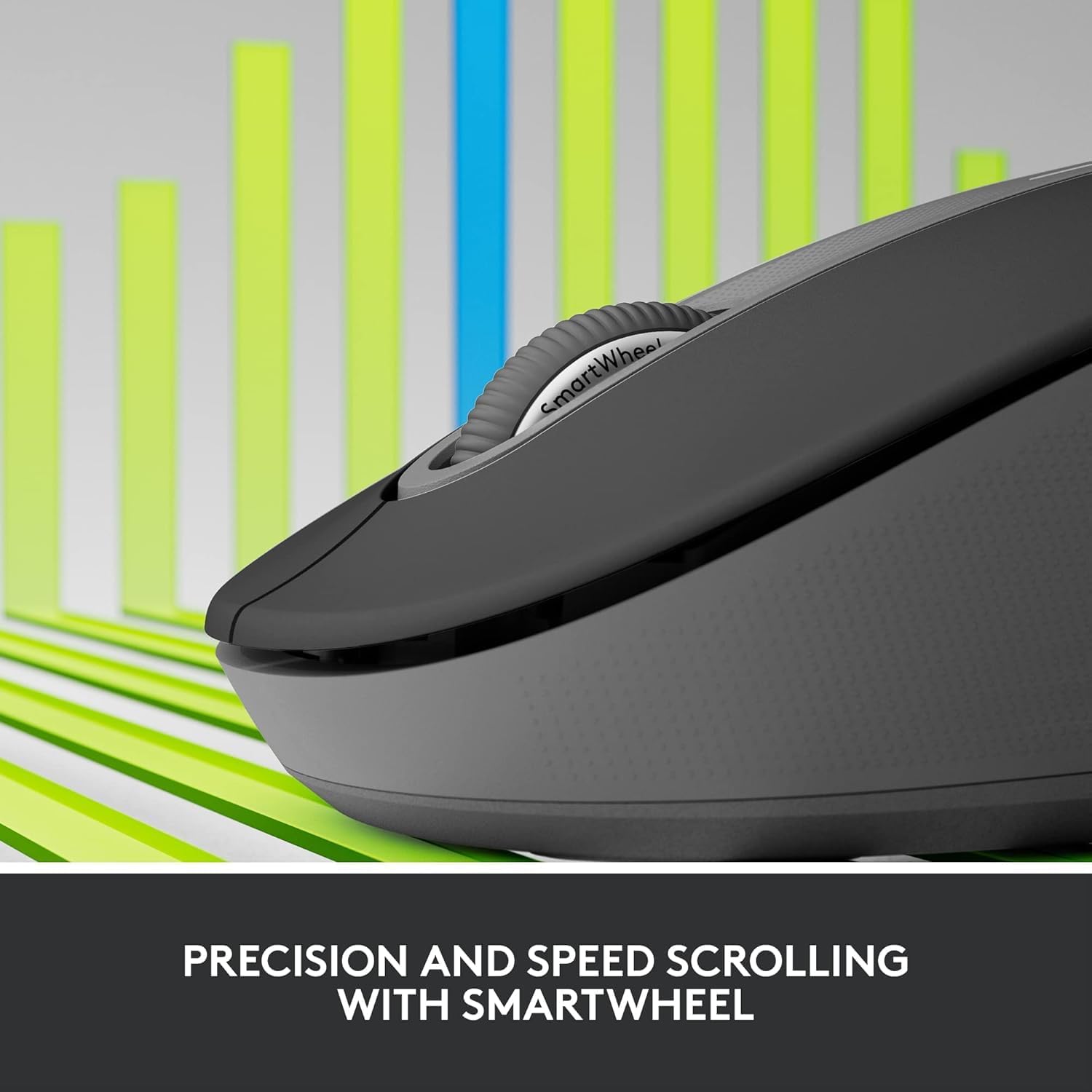
Image: A detailed close-up of the Logitech M650 mouse's SmartWheel, emphasizing its design for both precision and speed scrolling.
3.2. Pritaikomi šoniniai mygtukai
The Signature M650 features two customizable side buttons. By default, these buttons may perform forward/back navigation in web browsers. To customize their functions, download and install the Logitech Options+ software from the official Logitech websvetainę.
3.3. SilentTouch Technology
Experience a quieter workspace with SilentTouch technology, which significantly reduces the sound of clicks without compromising the tactile feel.
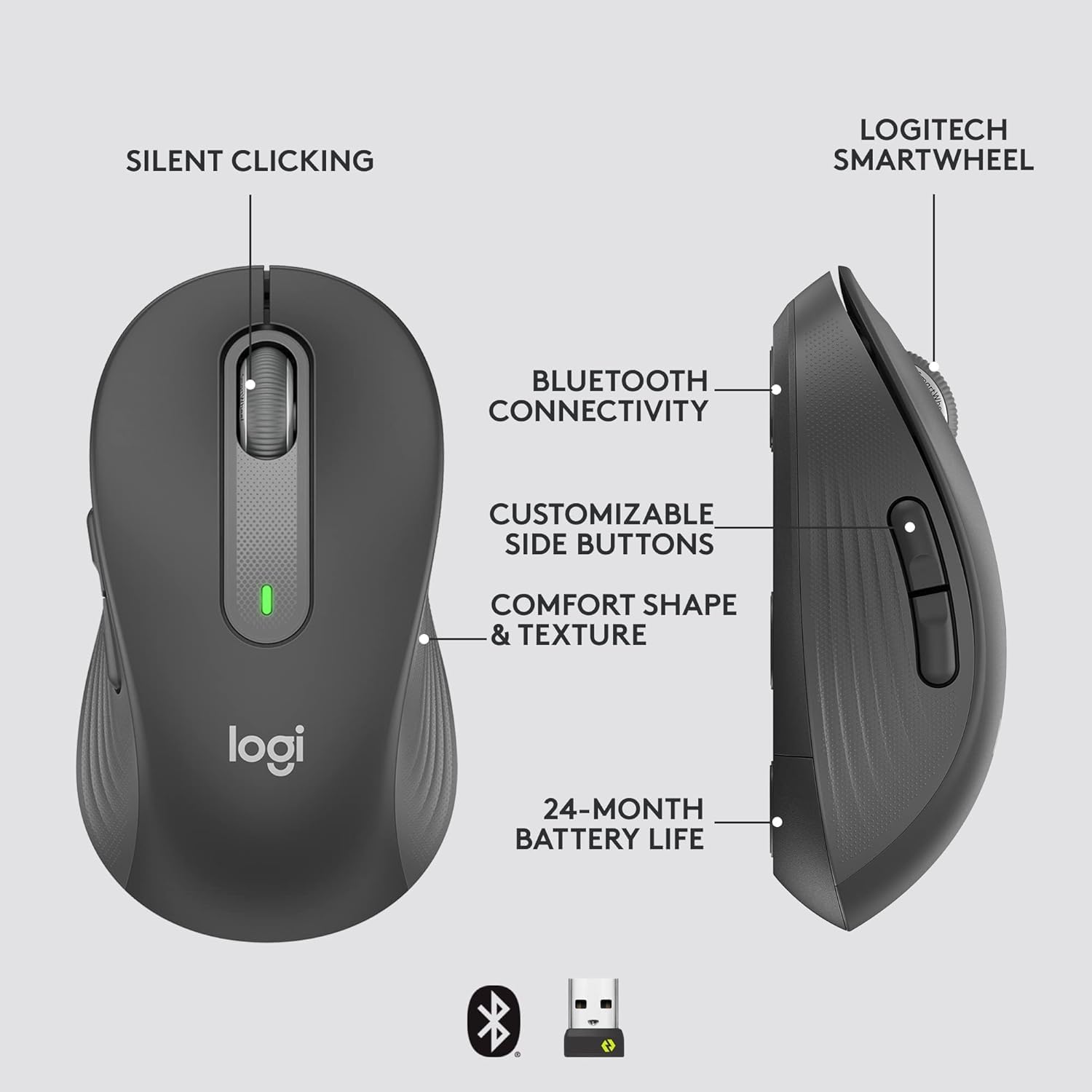
Image: An annotated diagram of the Logitech M650 mouse, highlighting key features such as Silent Clicking, Bluetooth Connectivity, Customizable Side Buttons, Comfort Shape & Texture, 24-Month Battery Life, and the Logitech SmartWheel.
4. Priežiūra
4.1. Baterijos keitimas
The mouse uses one AA battery. When the battery is low, the LED indicator on the mouse may flash. Replace the battery as described in Section 2.2.
4.2. Valymas
Pelę valykite minkšta, nepūkuota šluoste. Įsisenėjusius nešvarumus šiek tiek nuvalykite.ampNuvalykite šluostę vandeniu. Venkite naudoti stiprias chemines medžiagas ar abrazyvines medžiagas.
5. Problemų sprendimas
5.1. Pelė nereaguoja
- Patikrinkite akumuliatorių: Įsitikinkite, kad akumuliatorius tinkamai įdėtas ir yra pakankamai įkrautas. Jei reikia, pakeiskite.
- Maitinimas: Verify the mouse is turned on using the power switch.
- Atkurti ryšį:
- Logi Bolt: Try plugging the receiver into a different USB port. Ensure no obstructions are between the mouse and receiver.
- Bluetooth: Go to your device's Bluetooth settings, remove the mouse, and re-pair it.
- Trikdžiai: Move the mouse closer to the receiver or device. Avoid using the mouse near other wireless devices that might cause interference.
5.2. Nereguliarus žymeklio judėjimas
- Švarus jutiklis: Įsitikinkite, kad pelės apačioje esantis optinis jutiklis yra švarus ir be šiukšlių.
- Paviršius: Pelę naudokite ant švaraus, neatspindinčio ir lygaus paviršiaus. Rekomenduojama naudoti pelės kilimėlį.
6. Techninės specifikacijos
| Funkcija | Specifikacija |
|---|---|
| Modelio numeris | 910-006272 |
| Ryšys | Logi Bolt USB Receiver, Bluetooth Low Energy |
| Jutiklio technologija | Optinis |
| Baterijos tipas | 1 x AA baterija (pridedama) |
| Baterijos veikimo laikas | Iki 24 mėnesių |
| Dimensions (M650) | 4.22 x 2.43 x 1.49 colio (10.7 x 6.17 x 3.78 cm) |
| Svoris | 3.57 uncijos (101.2 g) |
| Spalva | Grafitas |
| Operacinės sistemos suderinamumas | „Windows“, „MacOS“, „Linux“, „Chrome“ OS, „iPadOS“, „Android“. |

Image: A visual comparison of the Logitech M650 and M650 L mouse sizes, indicating their respective lengths of 10.5cm and 11.5cm.
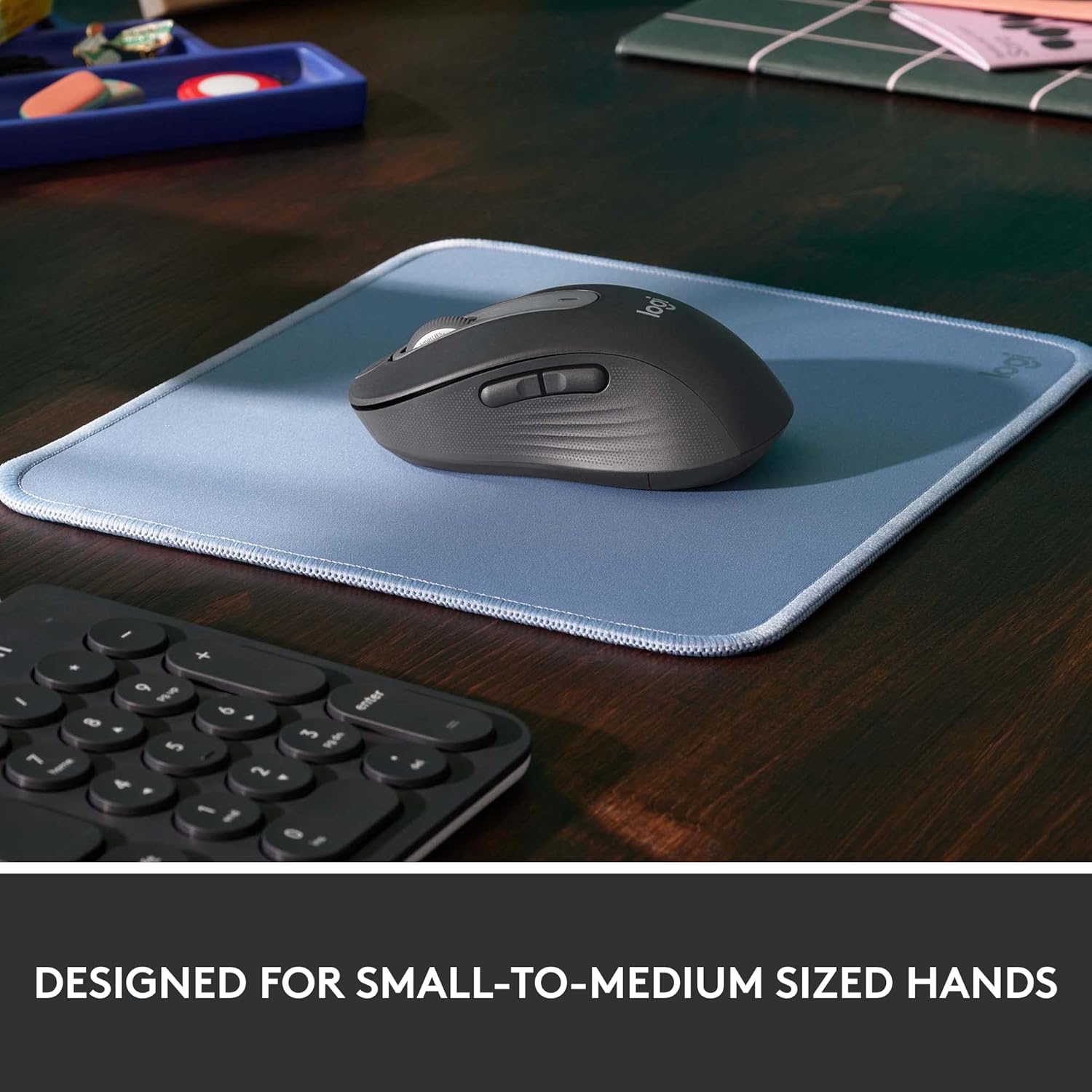
Image: The Logitech M650 mouse resting on a light blue mousepad, illustrating its ergonomic shape designed to fit comfortably in small to medium-sized hands.
7. Garantija ir palaikymas
„Logitech“ produktai gaminami laikantis aukščiausių kokybės standartų. Išsamesnės informacijos apie garantiją ieškokite prie gaminio pridėtoje garantijos kortelėje arba apsilankykite oficialioje „Logitech“ pagalbos svetainėje. websvetainę.
For technical assistance, troubleshooting, or to download the latest software and drivers, please visit the Logitech Support page:


