1. Įvadas
Ačiū, kad pirkoteasing the VILINICE 120W TV Sound Bar, Model SD04. This sound bar is designed to enhance your audio experience with powerful sound, built-in subwoofers, and versatile connectivity options. Please read this manual carefully before use to ensure proper operation and to maximize the product's performance.
2. Svarbios saugos instrukcijos
- Nelaikykite šio prietaiso nuo lietaus ar drėgmės.
- Neužblokuokite jokių ventiliacijos angų. Montuokite pagal gamintojo instrukcijas.
- Nemontuokite šalia jokių šilumos šaltinių, pvz., radiatorių, šilumokaičių, viryklių ar kitų įrenginių (įskaitant ampkeltuvai), kurie gamina šilumą.
- Saugokite, kad maitinimo laidas nebūtų užeinamas ar užspaudžiamas, ypač prie kištukų, patogių talpyklų ir vietų, kur jie išeina iš prietaiso.
- Naudokite tik gamintojo nurodytus priedus/priedus.
- Atjunkite šį prietaisą iš elektros lizdo žaibuojant arba kai jis nenaudojamas ilgą laiką.
- Visus techninės priežiūros darbus patikėkite kvalifikuotam techninės priežiūros personalui. Techninė priežiūra reikalinga, kai aparatas buvo kaip nors pažeistas, pvz., pažeistas maitinimo laidas arba kištukas, į aparatą išsiliejo skystis ar įkrito daiktai, aparatas buvo paveiktas lietaus ar drėgmės, neveikia normaliai. , arba buvo numestas.
3. Pakuotės turinys
Patikrinkite, ar pakuotėje yra visi reikalingi daiktai:
- VILINICE 120W TV Sound Bar
- Nuotolinio valdymo pultas
- 3.5 mm iki RCA kabelio
- Maitinimo adapteris
- HDMI kabelis
- Vartotojo vadovas

Image: Contents of the VILINICE Sound Bar package, including the sound bar, remote control, 3.5mm to RCA cable, power adapter, HDMI cable, and user manual.
4. Produktas baigtasview
4.1. Savybės
- 120W strong output power with built-in 2 subwoofers and 4 full-range speakers.
- Built-in DSP technology for accurate sound field positioning and clear vocals.
- Three Equalizer (EQ) Modes: Movie, Music, Dialog.
- Adjustable Bass and Treble.
- LED display for mode and volume indication.
- Wireless Bluetooth 5.0 connectivity.
- Multiple input options: HDMI-ARC, AUX/RCA, Optical, USB.
- Ultra-slim 39-inch design.
4.2. Garso juostos komponentai

Paveikslėlis: sprogęs view of the VILINICE Sound Bar, showing the internal full-range drivers and subwoofers that contribute to the 3D surround sound system.
4.3. Galinio skydelio jungtys

Image: Close-up of the rear panel of the VILINICE Sound Bar, displaying various input ports including DC power, BASS, USB, AUX, RCA, Optical, COA, and HDMI-ARC.
5. Sąranka ir jungtys
Prieš prijungdami, įsitikinkite, kad visi įrenginiai yra išjungti.
5.1. Prisijungimas prie maitinimo
- Connect the power adapter to the DC input port on the sound bar.
- Įkiškite maitinimo adapterį į sieninį lizdą.
5.2. Connecting to a TV or Other Devices
Pasirinkite vieną iš šių prisijungimo būdų:
- HDMI-ARC (Recommended): Connect an HDMI cable from the HDMI-ARC port on the sound bar to the HDMI-ARC port on your TV. This allows for audio return channel functionality.
- Optinis: Connect an optical cable from the OPTICAL port on the sound bar to the optical output port on your TV or audio source.
- AUX/RCA: Use the provided 3.5mm to RCA cable to connect the AUX port on the sound bar to the RCA audio output ports (red and white) on your TV or device. Alternatively, use a 3.5mm audio cable for direct AUX connection.
- USB: Įkiškite USB atmintinę į USB prievadą, kad galėtumėte leisti garsą files tiesiai iš disko.
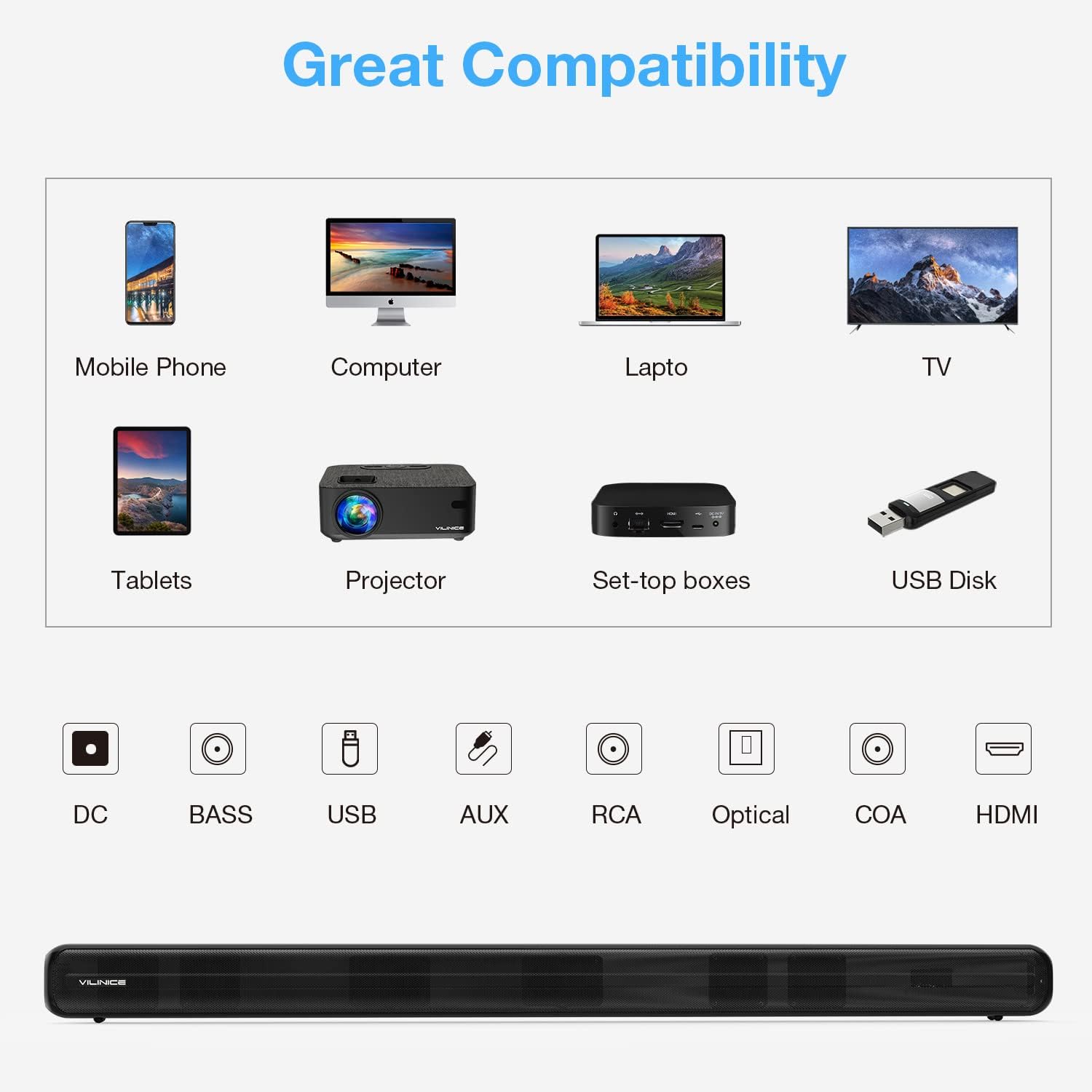
Image: Diagram illustrating the compatibility of the VILINICE Sound Bar with various devices (mobile phone, computer, laptop, TV, tablets, projector, set-top boxes, USB disk) and its available input ports (DC, BASS, USB, AUX, RCA, Optical, COA, HDMI).
6. Naudojimo instrukcijos
6.1. Maitinimo įjungimas/išjungimas
Norėdami įjungti arba išjungti įrenginį, paspauskite maitinimo mygtuką nuotolinio valdymo pulte arba garso juostoje.
6.2. Įvesties režimo pasirinkimas
Paspauskite REŽIMAS button on the remote control or on the sound bar to cycle through the available input modes: HDMI-ARC, OPTICAL, AUX, USB, and Bluetooth. The LED display will indicate the current mode.
6.3. Garsumo valdymas
- Paspauskite Tomas + garsumui padidinti.
- Paspauskite Apimtis - norėdami sumažinti garsumą.
- Paspauskite Nutildyti nutildyti arba įjungti garsą.
6.4. Ekvalaizerio (EQ) režimai
The sound bar features three preset EQ modes to optimize audio for different content types:
- FILMAS: Pagerina dialogus ir garso efektus filmuose.
- MUZIKA: Suteikia profesionalų subalansuotą garsąfile muzikos atkūrimui.
- DIALOGAS: Optimizes vocal clarity for news, podcasts, or speech-heavy content.
Paspauskite atitinkamą FILMAS, MUZIKA, arba NAUJIENOS (Dialog) button on the remote control to select an EQ mode.

Image: Illustration of the VILINICE Sound Bar's DSP technology and three EQ modes (Music, Movie, News/Dialog) with corresponding visual examples.
6.5. Bass and Treble Adjustment
Naudokite BASS + / BOSAS- buttons on the remote control to adjust the bass level. Similarly, use the TREBLE+ / TREBLE- mygtukai aukštųjų dažnių lygiui reguliuoti.

Image: Close-up of the VILINICE Sound Bar's remote control, highlighting the MODE, BASS+, BASS-, MOVIE, MUSIC, and NEWS buttons for audio adjustments.
6.6. „Bluetooth“ poravimas
- Turn on the sound bar and switch to Bluetooth mode using the REŽIMAS button. The LED display will show "BT" and flash, indicating it's in pairing mode.
- Savo mobiliajame įrenginyje įjunkite Bluetooth ir ieškokite galimų įrenginių.
- Select "SD04" from the list of devices.
- Once connected, the LED display will stop flashing and remain solid "BT".
- To disconnect, turn off Bluetooth on your device or press and hold the Bluetooth button on the sound bar.
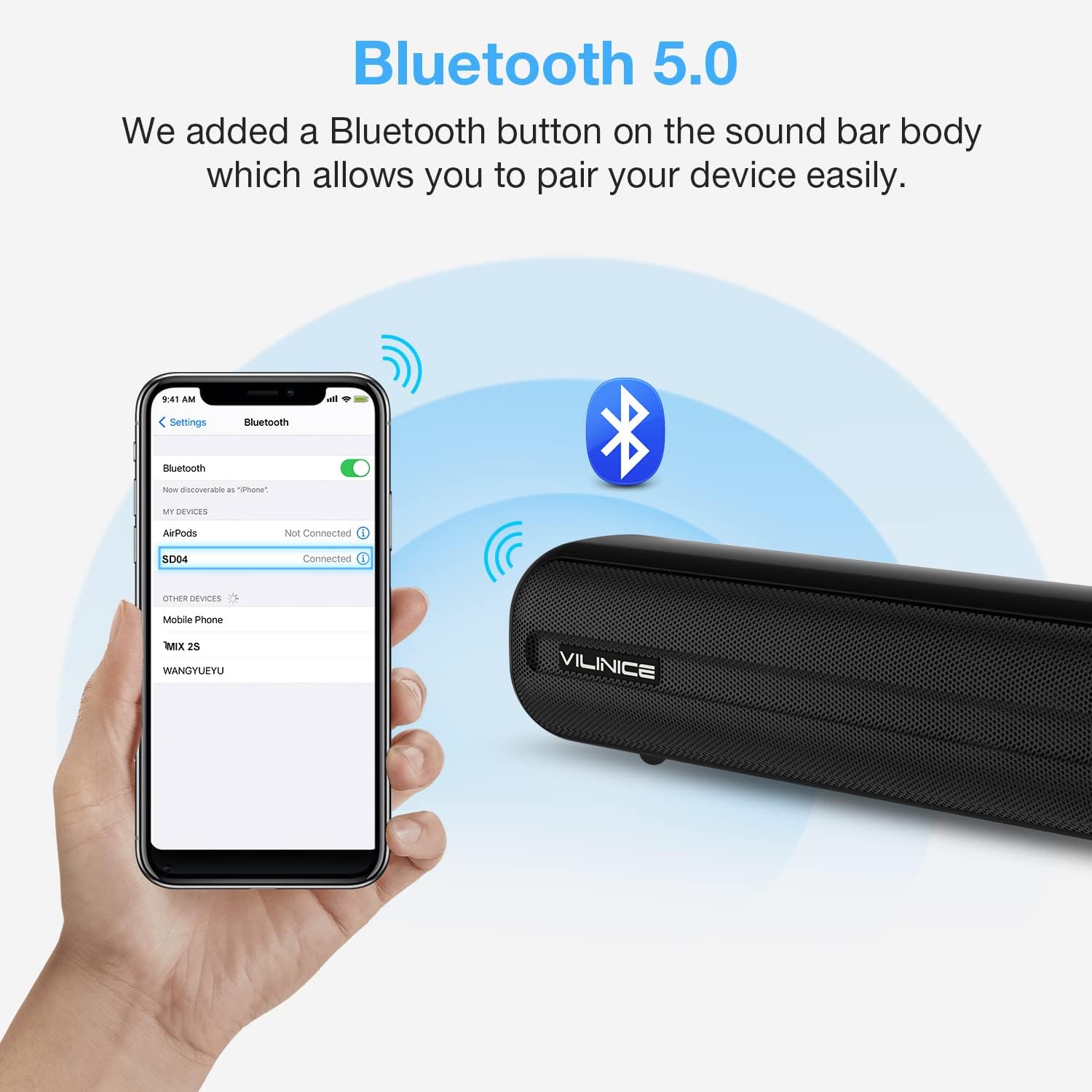
Image: A smartphone screen showing the Bluetooth settings with "SD04" selected for pairing, next to the VILINICE Sound Bar emitting Bluetooth signals.
7. Priežiūra
- Valymas: Garso juostos paviršių valykite minkštu, sausu skudurėliu. Nenaudokite skystų valiklių ar abrazyvinių medžiagų.
- Saugykla: Jei garso juostą ilgesnį laiką nenaudosite, atjunkite ją nuo maitinimo lizdo ir laikykite vėsioje, sausoje vietoje.
- Vėdinimas: Įsitikinkite, kad garso juosta yra tinkamai vėdinama ir nėra uždengta, kad neperkaistų.
8. Problemų sprendimas
| Problema | Galima priežastis | Sprendimas |
|---|---|---|
| Nėra galios | Neprijungtas maitinimo laidas arba neveikia maitinimo lizdas. | Ensure the power cord is securely connected to the sound bar and a working power outlet. |
| Nėra garso | Incorrect input mode selected; volume too low; cables not connected properly. |
|
| Nuotolinio valdymo pultas neveikia | Batteries are dead or incorrectly inserted; obstacle between remote and sound bar. |
|
| Bluetooth poravimo problemos | Garso juosta neįjungta susiejimo režimu; įrenginys per toli; trukdžiai. |
|
9. Specifikacijos
| Modelio numeris | SD04 |
| Garsiakalbio tipas | Surround, Soundbar |
| Didžiausia garsiakalbio išėjimo galia | 120 vatų |
| Ryšio technologija | Auxiliary, Optical, HDMI-ARC, USB, Bluetooth 5.0 |
| Garso išvesties režimas | Aplink |
| Gaminio matmenys (D x P x A) | 2.7" x 38.8" x 2.8" |
| Prekės svoris | 6.78 svaro |
| Kontrolės metodas | Nuotolinis |
| Maitinimo šaltinis | DC |
| Ypatinga funkcija | Equalizer (3 Modes), Built-in DSP |
10. Garantija ir palaikymas
VILINICE provides lifetime technical support for this product. If you encounter any issues or have questions regarding your sound bar, please contact our customer support team. Refer to the contact information provided with your purchase or visit the official VILINICE webpagalbos svetainę.


