1. Įvadas
This manual provides instructions for the safe and efficient operation of your MIFA S2118 WildRod Portable Bluetooth Speaker. Please read this manual thoroughly before using the product and retain it for future reference.
2. Pakuotės turinys
Patikrinkite, ar pakuotėje yra visi reikalingi daiktai:
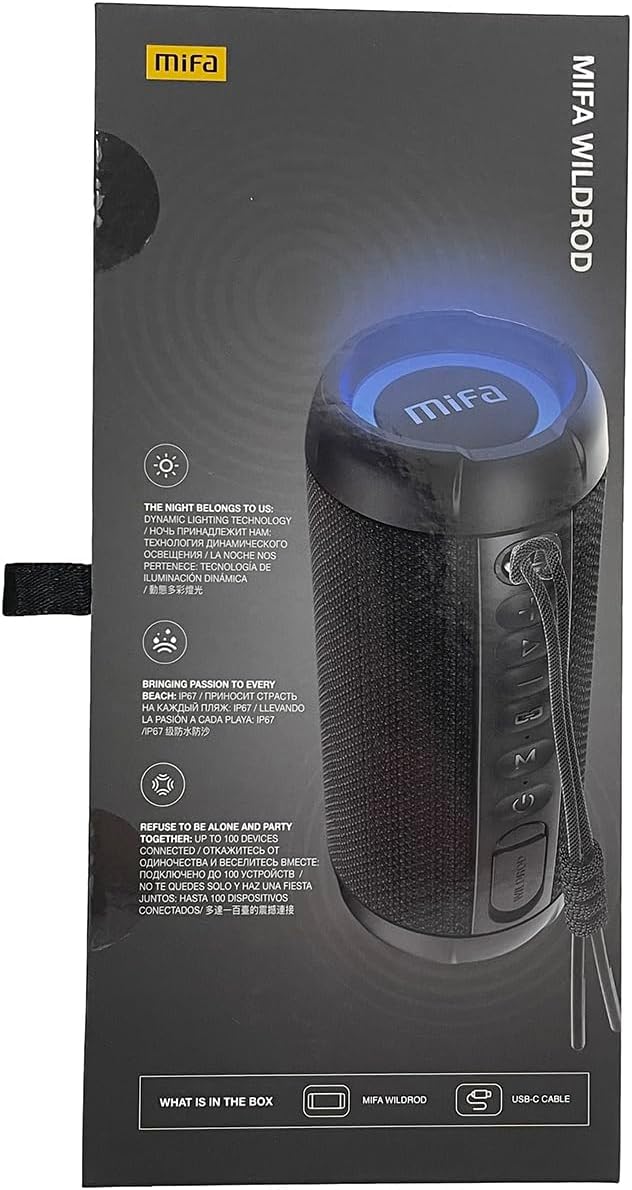
- MIFA WildRod Speaker
- USB-C kabelis
- Vartotojo vadovas (šis dokumentas)
3. Produktas baigtasview
The MIFA S2118 WildRod is a portable Bluetooth speaker designed for outdoor use, featuring robust construction and dynamic audio capabilities.
Pagrindinės funkcijos:
- IP67 Atsparus vandeniui ir dulkėms: Designed to withstand immersion in water up to 1 meter for 30 minutes and protected against dust ingress.
- 30 W išėjimo galia: Delivers clear and powerful sound with a 2-way speaker system, including a racetrack-shaped woofer and a separate tweeter.
- Dinaminis LED apšvietimas: Features 16.8 million Aurora colors and 36 mixed color flashing lights that synchronize with music.
- "Bluetooth 5.3": Stabiliam belaidžiam ryšiui.
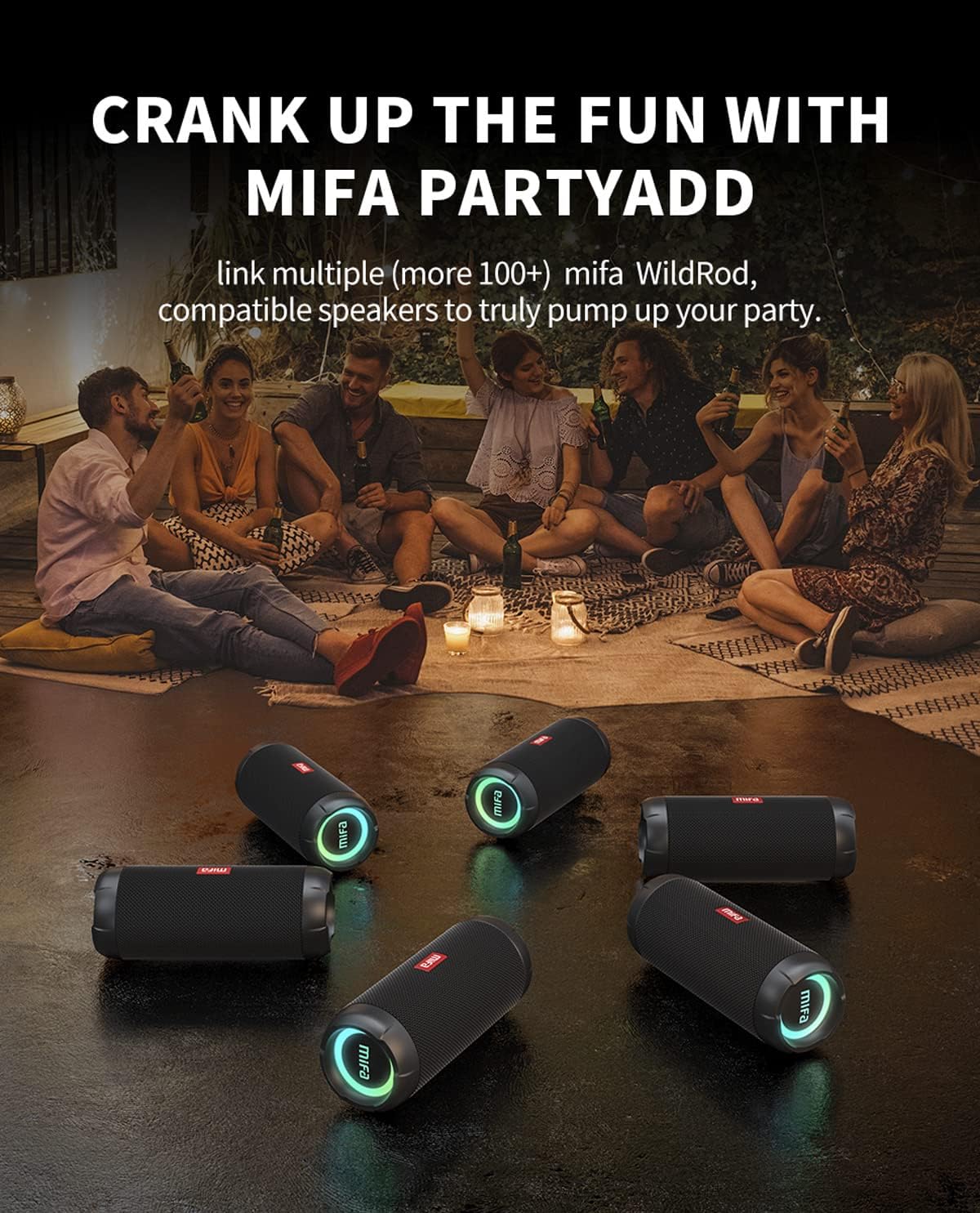
- MIFA PartyAdd: Allows linking multiple (100+) compatible speakers for synchronized audio.
- 12 valandų žaidimo laikas: Įrengtas 5000 mAh ličio jonų akumuliatorius.
- Kelios įvesties parinktys: Supports Bluetooth and Micro SD card playback.


4. Sąranka
4.1 Pradinis įkrovimas
- Before first use, fully charge the speaker using the provided USB-C cable.
- Connect the USB-C cable to the charging port on the speaker and the other end to a compatible USB power adapter (not included).
- LED indikatorius rodys įkrovimo būseną ir užges arba pakeis spalvą, kai bus visiškai įkrautas.

5. Naudojimo instrukcijos
5.1 Maitinimo įjungimas/išjungimas
- Norėdami įjungti, paspauskite ir palaikykite maitinimo mygtuką, kol užsidegs indikatoriaus lemputė.
- Norėdami išjungti, paspauskite ir palaikykite maitinimo mygtuką, kol užges indikatoriaus lemputė.
5.2 Bluetooth poravimas
- Įsitikinkite, kad garsiakalbis įjungtas ir veikia „Bluetooth“ susiejimo režimu (indikatoriaus lemputė mirksės).
- Savo įrenginyje (išmaniajame telefone, planšetiniame kompiuteryje ir kt.) įjunkite „Bluetooth“ ir ieškokite galimų įrenginių.
- Select "MIFA S2118" or "MIFA WildRod" from the list of devices.
- Kai garsiakalbis bus susietas, jis rodys sėkmingą ryšį, o indikatoriaus lemputė ims šviesti nuolat.
5.3 Atkūrimo valdikliai
- Leisti / pristabdyti: Paspauskite paleidimo/pauzės mygtuką.
- Pagarsink: Paspauskite garsumo + mygtuką.
- Patildyti: Paspauskite garsumo mygtuką.
- Kitas takelis: Paspauskite ir palaikykite nuspaudę garsumo didinimo mygtuką.
- Ankstesnis takelis: Paspauskite ir palaikykite nuspaudę garsumo mygtuką.
5.4 LED šviesos režimų
The speaker features dynamic LED lights. Refer to the specific button on your speaker (often marked with a light icon) to cycle through different light modes or turn them off.
5.5 MIFA PartyAdd (True Wireless Stereo Pairing)
To connect multiple MIFA WildRod speakers for a synchronized audio experience:
- Įsitikinkite, kad abu garsiakalbiai įjungti ir neprijungti prie jokio „Bluetooth“ įrenginio.
- On one speaker, press the PartyAdd button (or designated TWS button). It will enter pairing mode.
- Pakartokite procesą su antruoju garsiakalbiu.
- Once connected, the speakers will indicate successful pairing. You can then connect your device to one of the speakers via Bluetooth.

5.6 Atkūrimas iš „Micro SD“ kortelės
Įdėkite „Micro SD“ kortelę su garso įrašu files into the designated slot. The speaker will automatically switch to Micro SD card playback mode. Use the playback controls to manage your music.
6. Priežiūra
- Valymas: Naudokite minkštą, damp garsiakalbio išorę valykite šluoste. Nenaudokite stiprių cheminių medžiagų ar abrazyvinių valiklių.
- Saugykla: Garsiakalbį laikykite vėsioje, sausoje vietoje, toliau nuo tiesioginių saulės spindulių ir ekstremalių temperatūrų.
- Akumuliatoriaus priežiūra: Norėdami pailginti baterijos veikimo laiką, prieš ilgą nenaudojimo laikotarpį visiškai įkraukite garsiakalbį. Venkite dažnai visiškai iškrauti bateriją.
7. Problemų sprendimas
| Problema | Galima priežastis | Sprendimas |
|---|---|---|
| Garsiakalbis neįsijungia. | Senka baterija. | Visiškai įkraukite garsiakalbį. |
| Nepavyksta susieti per „Bluetooth“. | Garsiakalbis neįjungtas susiejimo režimu; įrenginio „Bluetooth“ išjungtas; per toli nuo garsiakalbio. | Ensure speaker is in pairing mode. Turn device Bluetooth off and on. Move device closer to speaker. |
| Nėra garso. | Volume too low; device not connected; incorrect input source. | Increase volume on both speaker and device. Re-pair Bluetooth. Check if Micro SD card is inserted. |
| Garso iškraipymas. | Per didelis garsumas; išsikrovęs akumuliatorius. | Sumažinkite garsumą. Įkraukite garsiakalbį. |
8. Specifikacijos
- Modelio pavadinimas: LaukinisRodas
- Prekės modelio numeris: S2118
- Prekinis ženklas: MIFA
- Didžiausia garsiakalbio išėjimo galia: 30 vatų
- Dažnio atsakas: 20000 Hz
- Ryšio technologija: USB (for charging), Bluetooth 5.3
- Garso išvesties režimas: Stereo
- Įvesties tomastage: 5 voltų
- Montavimo tipas: Stalviršis
- Medžiaga: Waterproof and dustproof plastic with LED lights
- Garsiakalbio tipas: Lauke
- Baterijos: 1 ličio jonų baterija (pridedama)
- Gaminio matmenys: 7 x 7 x 19 cm
- Svoris: 600 g
- Atsparumo vandeniui įvertinimas: IP67
- Atsparumo dulkėms įvertinimas: IP6X
- Žaidimo laikas: Iki 12 valandų
9. Saugos informacija
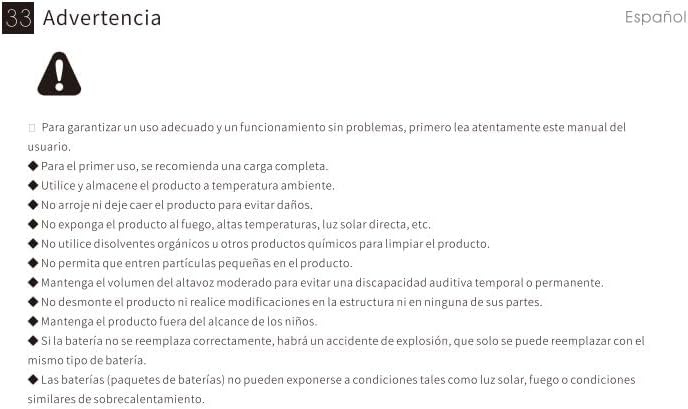
⚠ Įspėjimas: For proper use and trouble-free operation, please read this user manual carefully first.
- For first use, a full charge is recommended.
- Naudokite ir laikykite gaminį kambario temperatūroje.
- Nenumeskite gaminio, kad nesugadintumėte.
- Nelaikykite gaminio nuo ugnies, aukštos temperatūros, tiesioginių saulės spindulių ir pan.
- Do not use organic solvents or other chemical products to clean the product.
- Neleiskite, kad į gaminį patektų smulkios dalelės.
- Maintain moderate speaker volume to avoid temporary or permanent hearing impairment.
- Do not disassemble the product or make modifications to the structure or any of its parts.
- Laikykite gaminį vaikams nepasiekiamoje vietoje.
- If the battery is not replaced correctly, there will be an explosion accident, and it can only be replaced with the same type of battery.
- Batteries (battery packs) cannot be exposed to conditions such as light, fire, or overheating.
10. Garantija ir palaikymas
MIFA products are covered by a limited warranty. For detailed warranty information and support, please visit the official MIFA websvetainėje arba susisiekite su klientų aptarnavimo tarnyba.
- Gamintojas: UAB „MIFA INNOVATIONS“
- Websvetainė: www.mifa.net
- Susisiekite: 4007-881-899


