1. Įvadas
Thank you for choosing the MageGee GT860 Wired Keyboard. This manual provides detailed instructions for setting up, operating, and maintaining your new keyboard. The GT860 is a 96-key compact layout keyboard designed for gaming and daily use, featuring RGB backlighting and an ergonomic design.

Image: The MageGee GT860 wired keyboard showcasing its compact 96-key layout and vibrant RGB backlighting.
2. Savybės
- 92% Compact Minimalism Layout: Retains all commonly used keys in a space-saving design.
- Membrane with Mechanical Feeling: Utilizes advanced imitation mechanical technology for a tactile typing experience.
- Ergonomiškas dizainas: Key layout is engineered for comfortable use, reducing fatigue during long sessions.
- Upgrade RGB Backlit Lighting Effect: Features a variety of light colors and modes, with adjustable brightness and breathing speed. Letters on keys are illuminated.
- High Quality and Reliable Performance: Plug and play functionality, compatible with Windows 10/8/7/XP/VISTA and Mac OS.

Image: Visual representation of the keyboard's ergonomic design, RGB lighting effects, and adjustable foot support for improved performance.

Vaizdas: Stambus planas view of the keyboard with some keycaps removed, illustrating the underlying membrane switch mechanism that provides a mechanical-like feel.
3. Sąrankos vadovas
- Išpakuokite klaviatūrą: Atsargiai išimkite klaviatūrą iš pakuotės.
- Prisijunkite prie kompiuterio: Locate an available USB port on your computer. Insert the USB cable from the MageGee GT860 keyboard into the USB port.
- Tvarkyklės diegimas: Klaviatūra yra „plug-and-play“ tipo. Jūsų operacinė sistema („Windows“, „Mac OS“) automatiškai aptiks ir įdiegs reikiamas tvarkykles. Nereikia diegti jokios papildomos programinės įrangos.
- Vieta: Place the keyboard on a stable, flat surface. Adjust the integrated feet on the underside of the keyboard for your preferred typing angle.
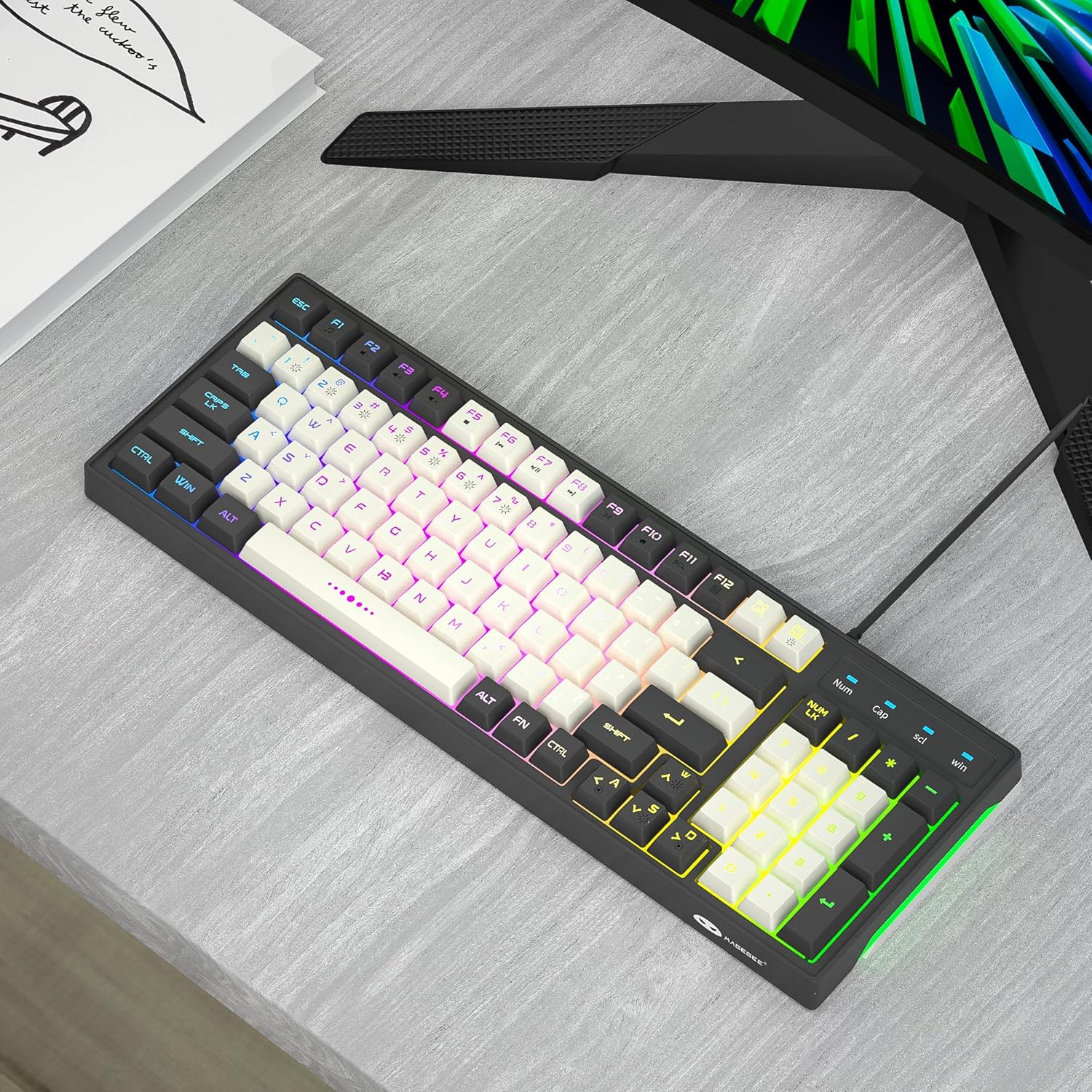
Image: The MageGee GT860 keyboard positioned on a desk, ready for use with a computer monitor, demonstrating a typical setup.
4. Naudojimo instrukcijos
4.1 RGB foninio apšvietimo valdymas
The MageGee GT860 keyboard features multiple RGB lighting modes. Use the Function (Fn) key in combination with other keys to control the backlight:
- Fn + Scroll Lock (SCL): Perjunkite skirtingus RGB apšvietimo režimus.
- Fn + Page Up (PGUP): Padidinkite foninio apšvietimo ryškumą.
- Fn + Page Down (PGDN): Sumažinkite foninio apšvietimo ryškumą.
- Fn + Arrow Keys (Left/Right): Adjust lighting effect speed (for dynamic modes).

Image: The MageGee GT860 keyboard showcasing its 18 distinct RGB lighting modes, illustrating the variety of visual effects available.

Image: A detailed diagram illustrating the various Function (Fn) key combinations for controlling RGB backlight effects and accessing multimedia functions on the MageGee GT860 keyboard.
4.2 Multimedijos funkcijos
Access multimedia controls by holding the Fn key and pressing the corresponding F-keys:
- Fn + F1: Media Player
- Fn + F2: Sumažinti garsumą
- Fn + F3: Padidinti garsumą
- Fn + F4: Nutildyti
- Fn + F5: Ankstesnis takelis
- Fn + F6: Kitas takelis
- Fn + F7: Leisti / pristabdyti
- Fn + F8: Sustok
- Fn + F9: El. paštas
- Fn + F10: Pagrindinis puslapis
- Fn + F11: Slinkties užraktas
- Fn + F12: Skaičiuoklė
5. Priežiūra
To ensure the longevity and optimal performance of your MageGee GT860 keyboard, follow these maintenance guidelines:
- Valymas: Regularly clean the keyboard with a soft, dry cloth. For dust and debris between keys, use compressed air. For stubborn dirt, a slightly damp Galima naudoti šluostę su švelniu muilu, užtikrinant, kad į klaviatūrą nepatektų skysčio.
- Venkite skysčių: Nepilkite skysčių ant klaviatūros. Jei išsiliejo, nedelsdami atjunkite klaviatūrą nuo kompiuterio ir leiskite jai visiškai išdžiūti prieš vėl prijungdami.
- Saugykla: Kai klaviatūra ilgesnį laiką nenaudojama, laikykite ją švarioje, sausoje vietoje, apsaugotoje nuo tiesioginių saulės spindulių ir ekstremalių temperatūrų.
- Elkitės atsargiai: Venkite klaviatūros numetimo ir stiprių smūgių.
6. Problemų sprendimas
If you encounter issues with your MageGee GT860 keyboard, refer to the following common problems and solutions:
| Problema | Galimas sprendimas |
|---|---|
| Klaviatūra nereaguoja. |
|
| Foninis apšvietimas neveikia arba yra pritemdytas. |
|
| Kai kurie klavišai neveikia. |
|
7. Specifikacijos
| Funkcija | Detalė |
|---|---|
| Modelis | GT860 |
| Ryšio technologija | USB laidinis |
| Raktų skaičius | 96 |
| Klaviatūros aprašymas | Žaidimas |
| Ypatingos savybės | RGB Backlit, Ergonomic Design, Anti-Ghosting |
| Suderinami įrenginiai | Kompiuteris, žaidimų konsolė (per USB) |
| Operacinės sistemos suderinamumas | Windows 10, Windows 8, Windows 7, Windows XP, Windows VISTA, Mac OS |
| Gaminio matmenys | 14 x 6 x 2 colio (35.56 x 15.24 x 5.08 cm) |
| Prekės svoris | 1.63 svaro (0.74 kg) |
| Spalva | Grey White Keycaps |
8. Garantija ir palaikymas
MageGee products are designed for reliability and performance. For any product inquiries, technical support, or warranty claims, please refer to the contact information provided with your purchase or visit the official MageGee websvetainėje. Prašome išsaugoti pirkimo įrodymą garantijos tikslais.
For further assistance, you may visit the MageGee store on Amazon: MageGee Amazon Store


