Įvadas
Thank you for choosing the MageGee GT860 96-Key Wired RGB Backlit Gaming Keyboard. This keyboard is designed for both gaming and daily use, featuring a compact layout, ergonomic design, and customizable RGB backlighting. This manual will guide you through the setup, operation, and maintenance of your new keyboard to ensure optimal performance and user experience.
Pakuotės turinys
- MageGee GT860 96-Key Wired RGB Backlit Gaming Keyboard
- Vartotojo vadovas
Produktas baigtasview
Klaviatūros išdėstymas
The MageGee GT860 features a 92% compact layout, retaining essential keys while offering a space-saving design. It includes a full numeric keypad and function keys.

Image: The MageGee GT860 keyboard showcasing its 96-key layout with RGB backlighting and black and yellow keycaps.

Paveikslėlis: detalus view of the standard 96-key layout with full RGB backlighting, highlighting the compact yet functional design.
Pagrindinės savybės
- 92 % kompaktiškas išdėstymas: Offers a balance between full functionality and a space-saving design.
- Membrana su mechaniniu pojūčiu: Utilizes advanced imitation mechanical technology for a tactile typing experience.
- Ergonomiškas dizainas: Key layout is engineered for comfortable use during extended periods, reducing fatigue.
- RGB foninis apšvietimas: Features multiple lighting modes and colors, with adjustable brightness and breathing speed.
- Plug and Play: No drivers required for basic functionality.
- Platus suderinamumas: Supports Windows 10, 8, 7, XP, VISTA, and Mac OS.
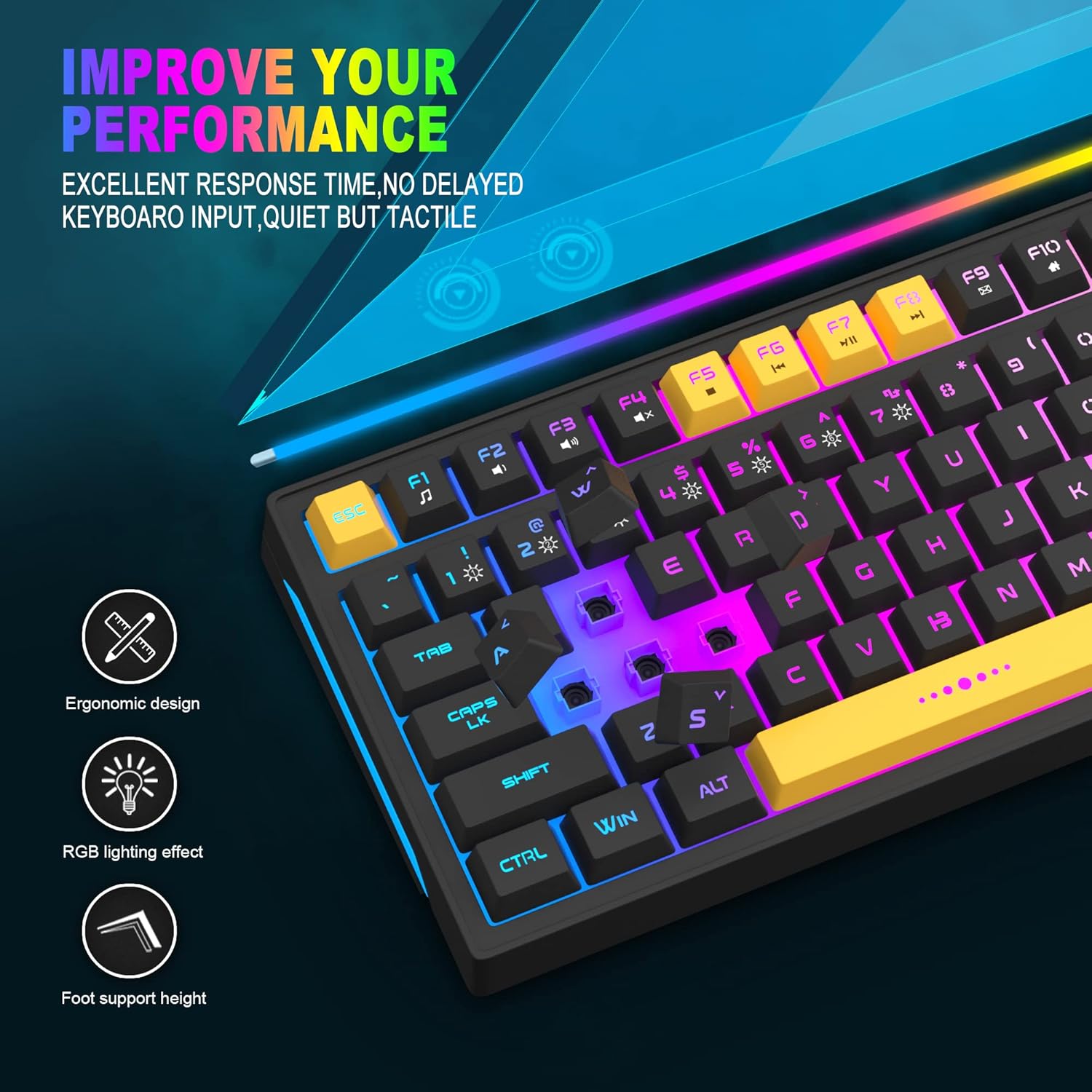
Image: Close-up showing the ergonomic design and RGB lighting effect of the keyboard, emphasizing comfort and visual appeal.

Paveikslėlis: Šoninė pusė view of the keyboard illustrating its thoughtful ergonomic design with a 7-degree tilt for improved typing posture.
Sąrankos instrukcijos
- Unpack the keyboard and ensure all package contents are present.
- Connect the USB cable from the keyboard to an available USB port on your computer.
- The keyboard is plug-and-play and should be automatically recognized by your operating system (Windows, Mac OS). No additional drivers are typically required for basic functionality.
- Once connected, the RGB backlighting will illuminate, indicating the keyboard is powered on and ready for use.
Naudojimo instrukcijos
RGB foninio apšvietimo valdymas
The MageGee GT860 keyboard features customizable RGB backlighting with various modes and effects.
- Apšvietimo režimų keitimas: Paspauskite FN key combined with keys 1 per 6 to cycle through different RGB lighting effects and colors.
- Ryškumo reguliavimas: Use specific key combinations (refer to keyboard legends or experiment with FN + Arrow keys if not explicitly labeled) to increase or decrease backlight brightness.
- Adjusting Breathing Speed: Some modes allow adjustment of the breathing or animation speed.

Image: The keyboard displaying various RGB backlit lighting modes, illustrating the range of color options available.

Vaizdas: Dinamiškas view klaviatūros šouasing its 18 RGB LED light effects, highlighting the vibrant backlighting.
Multimedijos ir funkciniai klavišai
The keyboard includes dedicated function keys (F1-F12) that can be accessed by pressing the FN klavišą vienu metu su norimu F klavišu.
| Raktų derinys | Funkcija |
|---|---|
| FN + F1 | Media Player |
| FN + F2 | Sumažinti garsumą |
| FN + F3 | Padidinti garsumą |
| FN + F4 | Nutildyti |
| FN + F5 | Ankstesnis takelis |
| FN + F6 | Kitas takelis |
| FN + F7 | Leisti / pristabdyti |
| FN + F8 | Sustok |
| FN + F9 | El. paštas |
| FN + F10 | Pagrindinis puslapis |
| FN + F11 | Slinkties užraktas |
| FN + F12 | Skaičiuoklė |

Image: Diagram illustrating the various multimedia and function key combinations using the FN key (FN + F1-F12).
Priežiūra
To ensure the longevity and optimal performance of your MageGee GT860 keyboard, follow these maintenance guidelines:
- Valymas: Regularly clean the keyboard with a soft, dry cloth. For deeper cleaning, use compressed air to remove dust and debris from between the keys. A slightly damp cloth (not wet) can be used for keycap surfaces.
- Venkite skysčių: Nepilkite skysčių ant klaviatūros. Jei išsiliejo, nedelsdami atjunkite klaviatūrą nuo kompiuterio ir leiskite jai visiškai išdžiūti prieš vėl prijungdami.
- Saugykla: Ilgą laiką nenaudojant klaviatūros, ją laikykite vėsioje, sausoje vietoje, toliau nuo tiesioginių saulės spindulių ir ekstremalių temperatūrų.
- Kabelio priežiūra: Kad nepažeistumėte USB kabelio viduje, per daug nelenkite ir nesukite jo.

Vaizdas: Stambus planas view of the keyboard with some keycaps removed, showing the underlying switches. This illustrates the internal structure for cleaning purposes.
Trikčių šalinimas
If you encounter issues with your MageGee GT860 keyboard, please refer to the following common troubleshooting steps:
- Klaviatūra nereaguoja:
- Ensure the USB cable is securely connected to both the keyboard and your computer's USB port.
- Pabandykite prijungti klaviatūrą prie kito kompiuterio USB prievado.
- Išbandykite klaviatūrą kitame kompiuteryje, kad nustatytumėte, ar problema susijusi su klaviatūra, ar su jūsų sistema.
- Foninis apšvietimas neveikia arba yra netinkamas:
- Verify that the keyboard is properly connected and receiving power.
- Cycle through the RGB lighting modes using FN + 1-6 to ensure a mode is selected.
- Sureguliuokite ryškumo nustatymus.
- Neregistruojami raktai:
- Clean the affected keys to remove any debris that might be obstructing the switch.
- Ensure no software conflicts are present (e.g., other keyboard drivers or gaming software).
- Netikėtas elgesys:
- Iš naujo paleiskite kompiuterį.
- If the issue persists, contact MageGee customer support for further assistance.
Specifikacijos
| Funkcija | Detalė |
|---|---|
| Prekės ženklas | MageGee |
| Modelis | GT860 |
| Išdėstymas | 96 Keys (92% Compact) |
| Ryšys | Laidinis USB |
| Foninis apšvietimas | RGB Backlit (Multiple modes) |
| Rakto tipas | Membrane with Mechanical Feeling |
| Ergonomika | Ergonomiškas dizainas |
| Suderinama OS | Windows 10, 8, 7, XP, VISTA, Mac OS |
| Gaminio matmenys | 35.56 x 10.16 x 5.08 cm (14 x 4 x 2 colio) |
| Svoris | 744 g (1.64 svaro) |
| ttage | 5 voltų |
| Spalva | Juoda Geltona |
Garantija ir palaikymas
For warranty information or technical support, please refer to the documentation provided with your purchase or contact MageGee customer service directly. Contact details can typically be found on the manufacturer's official websvetainėje arba ant produkto pakuotės.
Prašome išsaugoti pirkimo įrodymą bet kokiems garantiniams reikalavimams.


