1. Įvadas
This manual provides essential information for setting up, operating, and maintaining your Acer Nitro ED270 X0 27-inch Full HD Curved Gaming Monitor. Please read these instructions carefully before using the product to ensure optimal performance and safety.
1.1 pav.: priekis view of the Acer Nitro ED270 X0 Curved Gaming Monitor.
2. Pakuotės turinys
Verify that all items listed below are included in your package. If any items are missing or damaged, please contact your retailer or Acer customer support.
- Acer Nitro ED270 X0 Monitor
- Monitoriaus stovas (pagrindas ir kaklelis)
- Maitinimo laidas
- HDMI kabelis
- Vartotojo vadovas (šis dokumentas)
3. Surinkimas
Follow these steps to assemble the monitor stand and prepare your monitor for use.
- Pritvirtinkite stovo pagrindą: Carefully place the monitor face down on a soft, clean surface to prevent scratches. Align the stand neck with the mounting slot on the back of the monitor and secure it.
- Attach the Stand Neck: Connect the stand base to the stand neck. Ensure it clicks into place or is secured with the provided screw.
- Monitoriaus padėtis: Švelniai pakelkite surinktą monitorių ir padėkite jį ant stabilaus, lygaus paviršiaus.

3.1 pav.: šonas view of the monitor, illustrating the stand attachment.

3.2 paveikslas: viršuje view of the monitor, showing its curved design.
4. Jungtys
Prijunkite monitorių prie kompiuterio ar kitų įrenginių naudodami atitinkamus kabelius.
- Maitinimo jungtis: Prijunkite maitinimo laidą prie monitoriaus maitinimo įvesties, o tada – prie maitinimo lizdo.
- Vaizdo jungtis: Use the provided HDMI cable or a DisplayPort cable to connect your computer's video output to one of the monitor's input ports. The monitor features 2 HDMI 2.0 ports and 1 DisplayPort 1.4.

4.1 pav.: galinis view of the monitor, highlighting the HDMI and DisplayPort connections.
5. Pradinė sąranka ir įjungimas
After connecting all cables, follow these steps to power on and perform initial setup.
- Maitinimas: Press the power button, usually located on the bottom right side of the monitor, to turn it on.
- Įvesties šaltinio pasirinkimas: The monitor should automatically detect the active input source. If not, use the OSD menu buttons to manually select the correct input (HDMI 1, HDMI 2, or DisplayPort).
6. Monitoriaus valdymas
6.1 Ekrano meniu (OSD) naršymas
The monitor's settings can be adjusted using the buttons located on the bottom side of the monitor. These buttons allow you to navigate through the OSD menu to customize various display parameters.
6.2 Ekrano nustatymai
Optimaliai pakoreguokite vizualinius parametrus viewpatirtį.
- Ryškumas ir kontrastas: Modify these settings to suit your environment and preference.
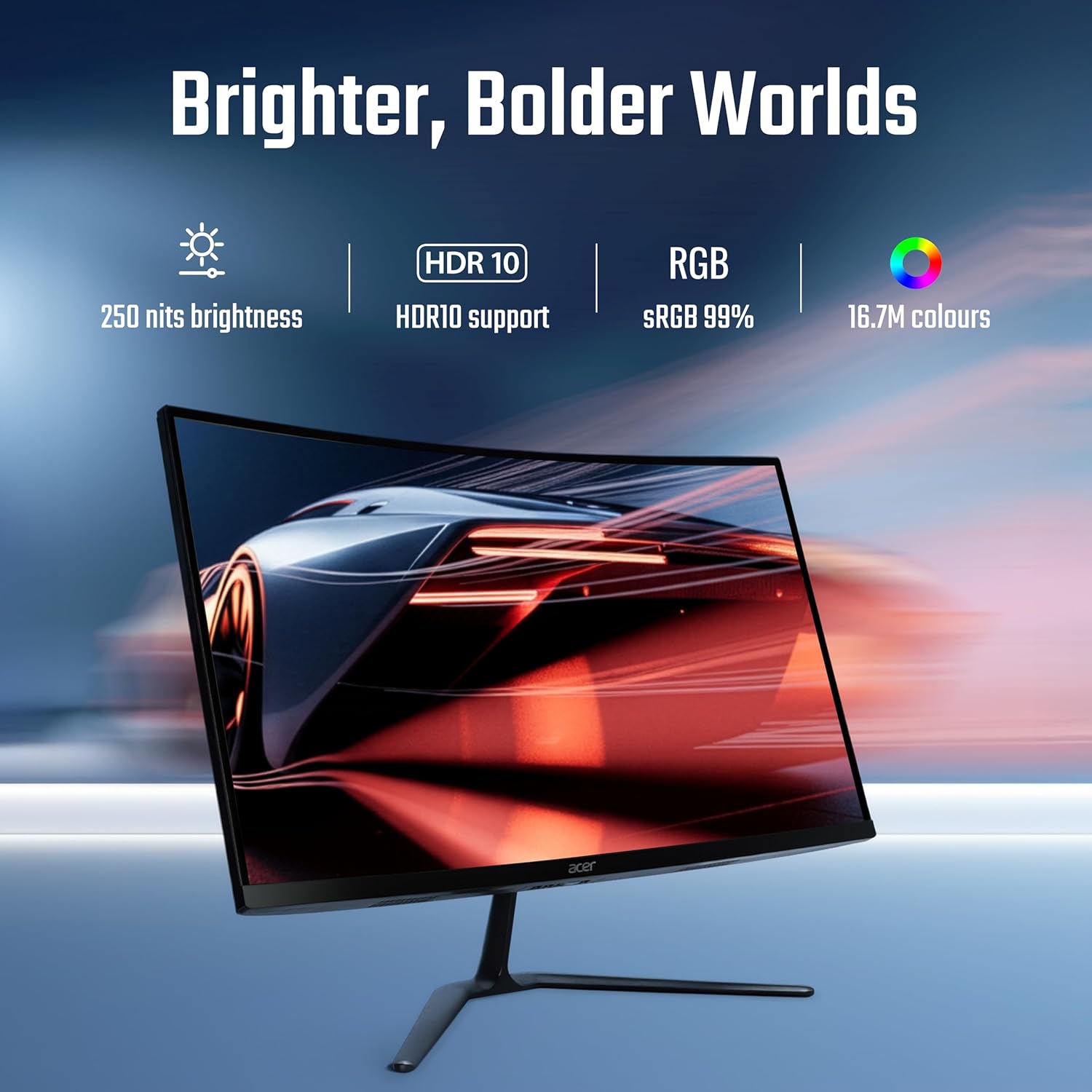
- Spalvų nustatymai: Adjust color temperature, gamma, and other color-related options. The monitor supports HDR10 and offers sRGB 99% color accuracy with 16.7 million colors.

Figure 6.1: Visual representation of the monitor's display capabilities, including brightness and color support.
6.3 Performance Settings
Optimize your monitor for gaming and fast-paced content.
- Atnaujinimo dažnis: The monitor supports up to a 200 Hz refresh rate for smooth motion. Ensure your graphics card settings are configured to utilize this rate.
- Response Time (VRB): The 1 ms Visual Response Boost (VRB) technology reduces motion blur. This can be enabled or adjusted via the OSD.
- AMD FreeSync Premium: This technology synchronizes the monitor's refresh rate with your GPU's frame rate, eliminating screen tearing and stuttering. Enable FreeSync Premium in both the monitor's OSD and your graphics card control panel.

Figure 6.2: Demonstration of motion clarity with 1ms VRB and AMD FreeSync Premium technology.
6.4 Ergonomics and Eye Comfort
Adjust the monitor for comfortable viewing and reduce eye strain.
- Pakreipimo reguliavimas: The monitor stand allows for tilt adjustment from -5° to 20° to find your preferred viewing kampas.
- Acer VisionCare: Features like Flicker-less, BlueLightShield, and ComfyView are integrated to reduce eye fatigue during extended use. These settings can be managed through the OSD.

Figure 6.3: Monitor setup designed for extended use, emphasizing eye comfort technologies.
7. Priežiūra
Tinkama priežiūra užtikrina jūsų monitoriaus ilgaamžiškumą ir veikimą.
- Ekrano valymas: Lengvai naudokite minkštą, nepūkuotą audinį dampnuplaukite vandeniu arba specializuotu ekrano valikliu. Nepurkškite valiklio tiesiai ant ekrano.
- C valymasasing: Nuvalykite monitorių casinminkštu, sausu skudurėliu. Venkite naudoti abrazyvinius valiklius ar tirpiklius.
- Vėdinimas: Įsitikinkite, kad monitoriaus ventiliacijos angos nėra užblokuotos, kad jis neperkaistų.
8. Problemų sprendimas
Jei kyla problemų dėl monitoriaus, žr. toliau pateiktas dažniausiai pasitaikančias problemas ir sprendimus.
| Problema | Galimas sprendimas |
|---|---|
| Ekrane nėra vaizdo |
|
| Vaizdas neryškus arba iškraipytas |
|
| Ekrano mirgėjimas |
|
If the problem persists, please contact Acer customer support.
9. Specifikacijos
Key technical specifications for the Acer Nitro ED270 X0 monitor.
| Funkcija | Specifikacija |
|---|---|
| Modelio numeris | UM.HE0SI.001 |
| Ekrano dydis | 27 colių |
| Skydelio tipas | VA Curved (1500R) |
| Rezoliucija | 1920 x 1080 (Full HD) |
| Atnaujinimo dažnis | Iki 200 Hz |
| Reagavimo laikas | 1 ms (VRB) |
| Ryškumas | 250 nitų |
| Spalvų gama | 99% sRGB |
| Spalvų palaikymas | 16.7 mln |
| HDR palaikymas | HDR10 |
| Viewing kampas | 178° (H/V) |
| Vaizdo įrašų įėjimai | 2 x HDMI 2.0, 1 x DisplayPort 1.4 |
| Ergonomika | Pakreipimas (nuo -5° iki 20°) |
| Matmenys (IxPxH) | 19.9 x 61.1 x 45.6 cm |
| Prekės svoris | 3.9 kg |
| Įtraukti komponentai | Monitor, Stand, Power cord, Manual, HDMI Cable |
10. Informacija apie garantiją
Acer products are manufactured to high-quality standards and are covered by a limited warranty. Please refer to the warranty card included in your package or visit the official Acer webIšsamias garantijos sąlygas, taikomas jūsų regionui, rasite svetainėje. Išsaugokite pirkimo kvitą kaip pirkimo įrodymą garantijos pretenzijoms.
11. Pagalba klientams
For service-related queries, technical assistance, or further information, please contact Acer customer support using the details below:
- Nemokamas numeris: 1800-11-4100
- Telefonas: 6366800400
- El. paštas: acersupport@in.startek.com
- Palaikymas internetu: https://acer1.in/swdlo
- Live agent support available from Monday to Saturday, 9 AM to 6 PM (Public Holidays excluded).

Figure 11.1: Acer Customer Support contact details.


