1. Įvadas ir sistemos perjungimasview
This manual provides detailed instructions for the installation, operation, and maintenance of your Yeewise 2K Wi-Fi 6 Wireless Security Camera System. This all-in-one kit is designed for easy setup and reliable 24/7 surveillance, featuring dual-lens cameras, AI auto-tracking, and a built-in 12-inch HD monitor with NVR.
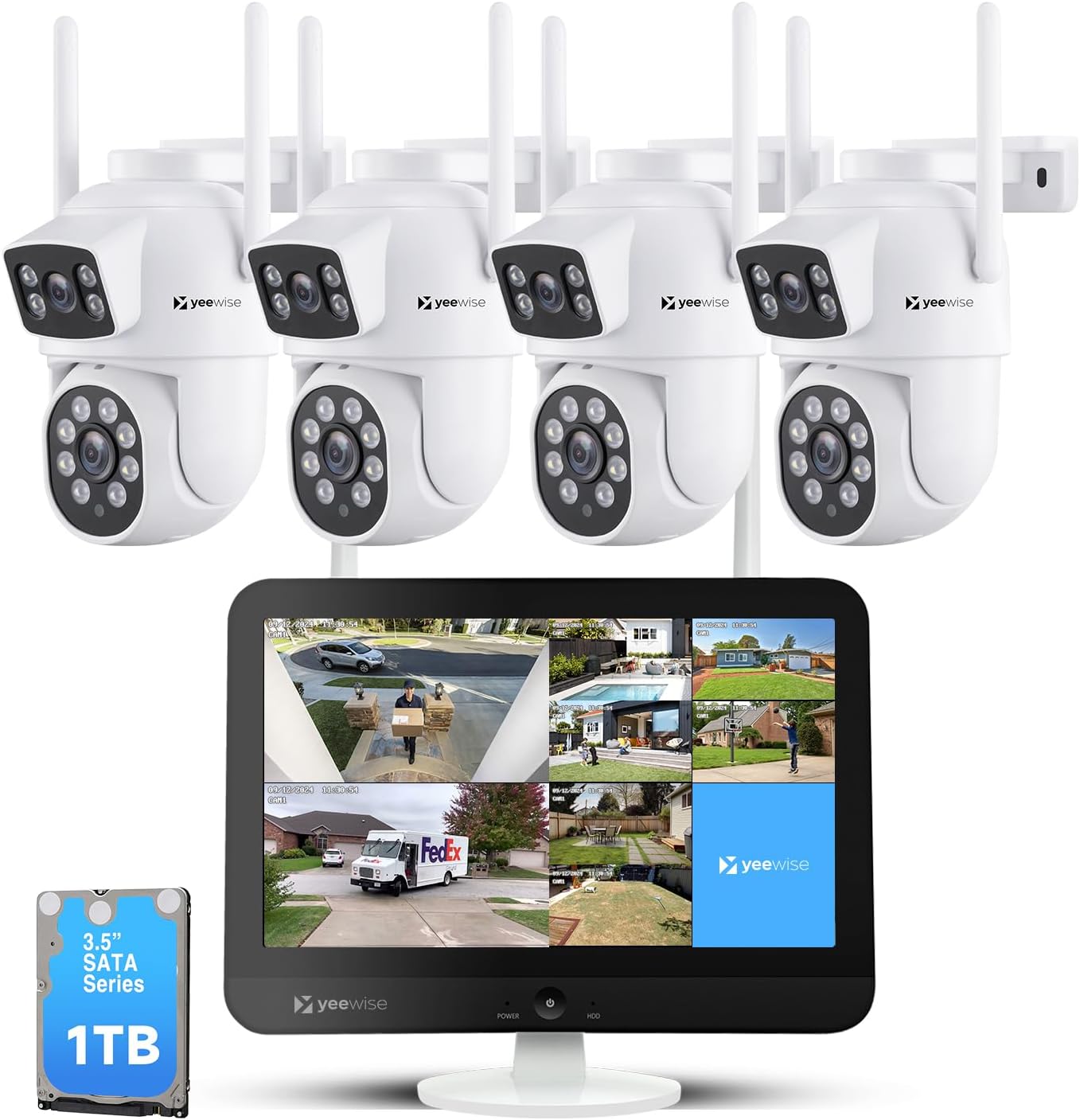
Figure 1.1: Yeewise 2K Wi-Fi 6 Wireless Security Camera System Components
2. Pakuotės turinys
Patikrinkite, ar pakuotėje yra visi toliau išvardyti daiktai. Jei kurių nors daiktų trūksta arba jie pažeisti, susisiekite su klientų aptarnavimo tarnyba.

2.1 pav.: Pakuotės turinys
- 16 Channel WiFi NVR Built-in Monitor (with 1TB Hard Drive pre-installed)
- 4 x Dual Lens Auto Tracking WiFi Security Cameras
- Maitinimo adapteris NVR
- 4 x maitinimo adapteriai fotoaparatams
- HDMI kabelis
- Tinklo kabelis
- USB pelė
- Mounting Accessories (screws for cameras)
3. Sistemos sąranka
The Yeewise security camera system is designed for plug-and-play operation, making setup quick and straightforward.
3.1 Pradinis prisijungimas
- Power on the Monitor: Connect the NVR monitor to a power outlet using its dedicated power adapter.
- Įjunkite kameras: Connect each camera to a power outlet using its dedicated power adapter.
- View Cameras (Locally): Once powered on, the cameras will automatically connect to the NVR. You should see the camera feeds displayed on the monitor within minutes.

Figure 3.1: Plug and Play Setup Steps
3.2 Camera Placement and Wi-Fi Coverage
Kad našumas būtų optimalus, atsižvelkite į šiuos dalykus:
- Cameras can be installed up to 330 ft away from the NVR in open areas.
- The system features Auto WiFi Relay, allowing a closer camera to act as a Wi-Fi repeater for a further camera, boosting its range.
- The system supports Wi-Fi 6 and dual-band (2.4GHz/5GHz) for stable and fast connections.

Figure 3.2: Stable and Long Range Wi-Fi Connection
4. Naudojimo instrukcijos
4.1 Dual Lens and Dual View Operacija
Each camera features a dual-lens design: a stationary lens for wide-area monitoring and a PTZ (pan-tilt-zoom) tracking lens. This allows for simultaneous monitoring and recording of two different areas or perspectives.
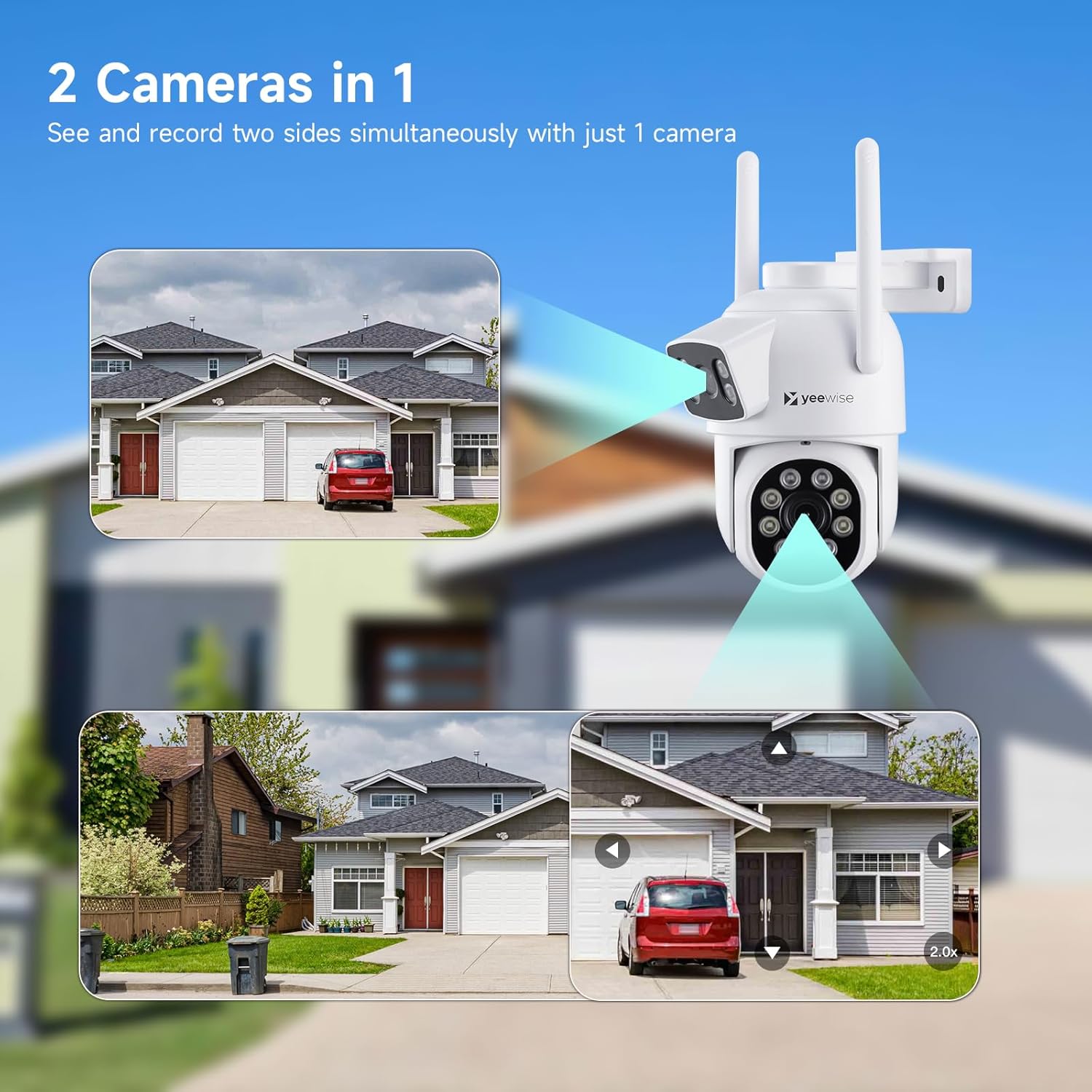
Figure 4.1: Two Cameras in One
To achieve the optimal monitoring view with the dual-lens cameras, you can customize the split-screen view modes on the NVR monitor:
- Right-click the mouse on the monitor to open the main menu.
- Eikite į Padalintas ekranas > Pasirinktinis View.
- Pasirinkite Dviejų objektyvų kamera to enable the customized split-screen display for dual-lens cameras.

Figure 4.2: Optimal Monitoring View Konfigūracija
4.2 Automatinis DI sekimas
The lower PTZ lens can actively follow a moving subject, while the upper stationary lens maintains a fixed, wide view. This ensures continuous coverage and minimizes blind spots.

Figure 4.3: AI Auto Tracking in Action
4.3 Naktinio matymo režimai
The cameras offer three night vision modes for clear visibility in low-light conditions:
- Infraraudonųjų spindulių nakties vizija: Standard black and white view using IR illumination.
- Spalvotas naktinis matymas: Provides full-color images in low light.
- Išmanusis naktinis matymas: Automatically switches between IR and color based on detected motion or light conditions.
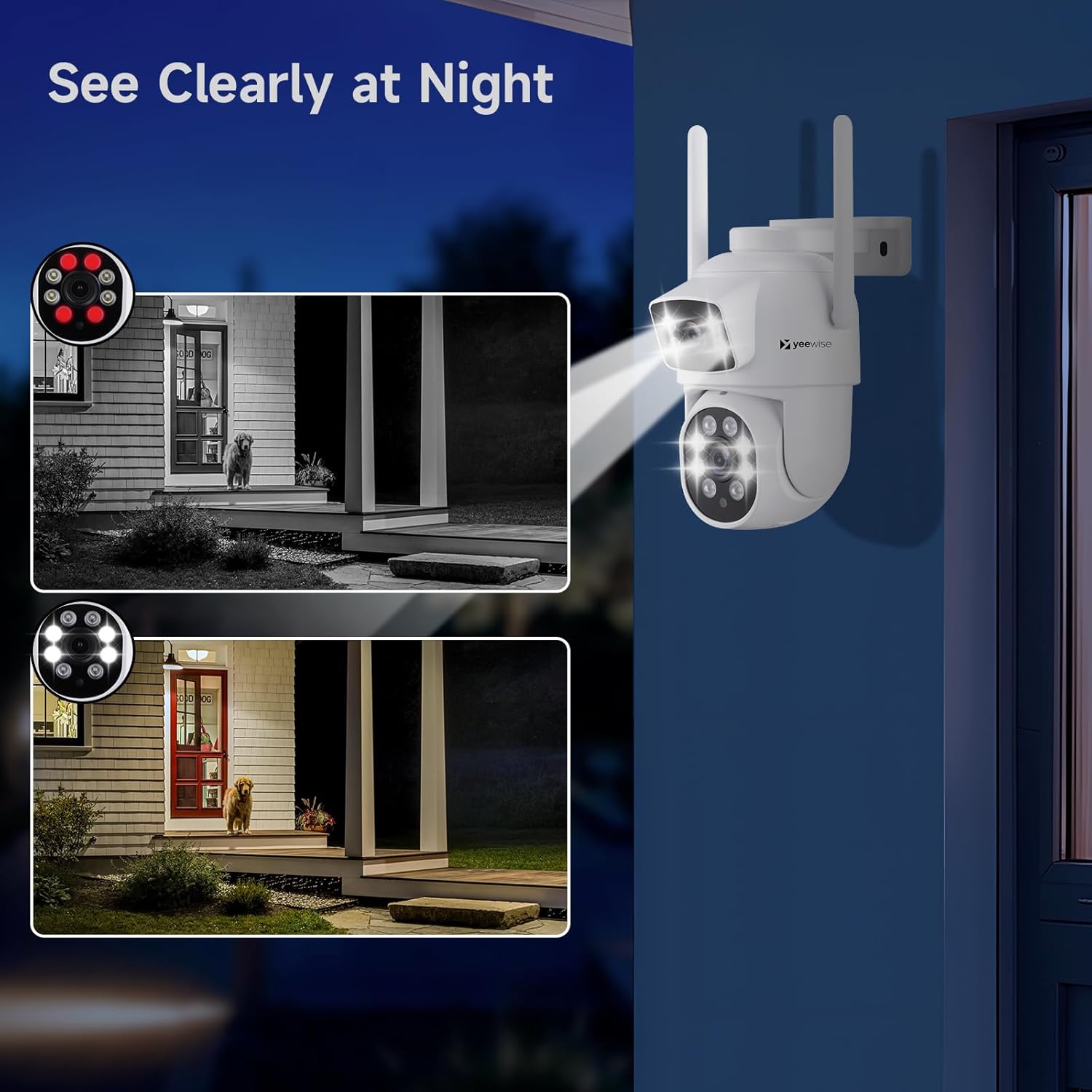
Figure 4.4: Night Vision Capabilities
4.4 24/7 Recording and Smart Alerts
With a pre-installed 1TB HDD, the system provides continuous 24/7 recording. You will receive alerts only when a person or motion is detected.
- Pranešimai: Receive push notifications, emails, loud siren alarms from cameras, or buzzer alarms from the NVR upon detection.
- Nuotolinė prieiga: Use the free mobile app to access live views and playbacks remotely from your smartphone or tablet via Wi-Fi or 3G/4G connection.

Figure 4.5: All-in-One App for Remote Access
5. Priežiūra
To ensure the longevity and optimal performance of your security system, regular maintenance is recommended.
- Švarūs lęšiai: Periodically clean camera lenses with a soft, dry cloth to prevent dust and smudges from affecting image clarity.
- Patikrinkite jungtis: Ensure all power and network cables are securely connected to prevent interruptions.
- Programinės įrangos atnaujinimai: Keep your system's firmware updated to benefit from improved features, performance enhancements, and security patches.
5.1 Programinės įrangos atnaujinimo procedūra
A new firmware version may be available online to improve your viewing experience. Follow these steps to upgrade:
- Right-click the mouse on the monitor to open the main menu.
- Spustelėkite Sistemos nustatymas > Bendras nustatymas.
- Spustelėkite Programinės įrangos atnaujinimas.
- Spustelėkite Internetinis atnaujinimas.

5.1 pav.: Programinės įrangos atnaujinimo sąsaja
6. Problemų sprendimas
If you encounter issues with your Yeewise security camera system, refer to the common problems and solutions below.
| Problema | Galima priežastis | Sprendimas |
|---|---|---|
| Nėra vaizdo monitoriuje | NVR or camera not powered on; loose cable connections. | Check power adapters for NVR and cameras. Ensure all cables are securely connected. |
| Camera not connecting to NVR | Out of Wi-Fi range; interference; camera not paired. | Relocate camera closer to NVR or use Auto WiFi Relay feature. Reduce interference from other wireless devices. Refer to manual for re-pairing instructions if needed. |
| Prasta vaizdo kokybė | Nešvarus objektyvas; prastas apšvietimas; tinklo pralaidumas. | Clean camera lens. Ensure adequate lighting or switch to appropriate night vision mode. Check network stability. |
| Jokių įspėjimų apie judėjimą | Motion detection settings incorrect; app notifications disabled. | Verify motion detection settings in NVR and mobile app. Ensure app notifications are enabled on your smart device. |
| Cannot access remotely | Internet connection issue; app not configured correctly. | Ensure NVR is connected to the internet. Check mobile app settings and ensure proper network configuration. |
7. Specifikacijos
| Funkcija | Specifikacija |
|---|---|
| Prekės ženklas | taip |
| Modelio numeris | KNMBD4 |
| Ryšio technologija | Bevielis |
| Vaizdo įrašymo raiška | 2K |
| Ypatingos savybės | Dual Lens WiFi Cameras, AI Auto Tracking, NVR Built-in 12" HD Monitor |
| Kanalų skaičius | 16 (išplečiamas) |
| Atminties talpa | 1 TB HDD (pre-installed, supports up to 6TB) |
| Spalva | Baltas |
| Maitinimo šaltinis | Su laidu elektra |
| Prekės matmenys (I x P x A) | 13 x 7 x 7 colio |
| Rekomenduojami naudojimo būdai | Indoor Outdoor Security and Surveillance |
| Suderinami įrenginiai | Apple iPhones, Android Phones, Apple iPad, Android Tablet, Personal Computers |
| Signalo formatas | Skaitmeninis |
| Kitos kameros funkcijos | Dual Lens Pan Tilt Zoom WiFi Security Camera |
| Silpnos šviesos technologija | Three Night Vision Modes: Infrared Night Vision, Color Night Vision, Intelligent |
| Naktinio matymo diapazonas | 80 pėdų |
| Kadrų dažnis | 30+ FPS |
| Įrašymo režimas | Multiple Recording Modes: Continuous, Motion Detection and Time-Scheduled Recording |
| Optinių jutiklių technologija | CMOS |
| Iš viso USB prievadų | 2 |
| Techninės įrangos sąsaja | 802.11 ac/b/g/n |
| Objektyvo tipas | Dvigubas objektyvas |
| Vaizdo įvestis | HDMI, Ethernet (RJ45) |
| Viewing kampas | 360 laipsnių (PTZ) |
| Prekės svoris | 9.22 svaro |
| UPC | 655887707346 |
| Kilmės šalis | Kinija |
8. Garantija ir palaikymas
Yeewise is committed to providing reliable products and excellent customer service.
- Vienerių metų garantija: Your product is covered by a one-year warranty for replacement only, no repair.
- Visą gyvenimą trunkanti techninė pagalba: Yeewise offers lifetime technical support for your security camera system.
- 30 dienų grąžinimo politika: Enjoy a 30-day worry-free return period.
- Free Local Storage: You own your recordings with no mandatory subscription fees.


For further assistance or technical support, please refer to the official user guide PDF available on the product page or contact Yeewise customer service directly.
