1. Produktas baigtasview
The tectake Zola Electric Height-Adjustable Desk is designed to provide a dynamic and ergonomic workspace. Featuring continuous electric height adjustment, a robust particle board tabletop, and a solid steel frame, this desk offers stability and comfort. Its powerful motor ensures smooth transitions between sitting and standing positions, while the flexible frame design maximizes legroom. The integrated touchpad allows for easy height adjustments and memory function for preferred settings. An anti-collision system enhances safety during operation.

Image 1.1: The tectake Zola Electric Height-Adjustable Desk, showcasing its sleek black design and sturdy construction.
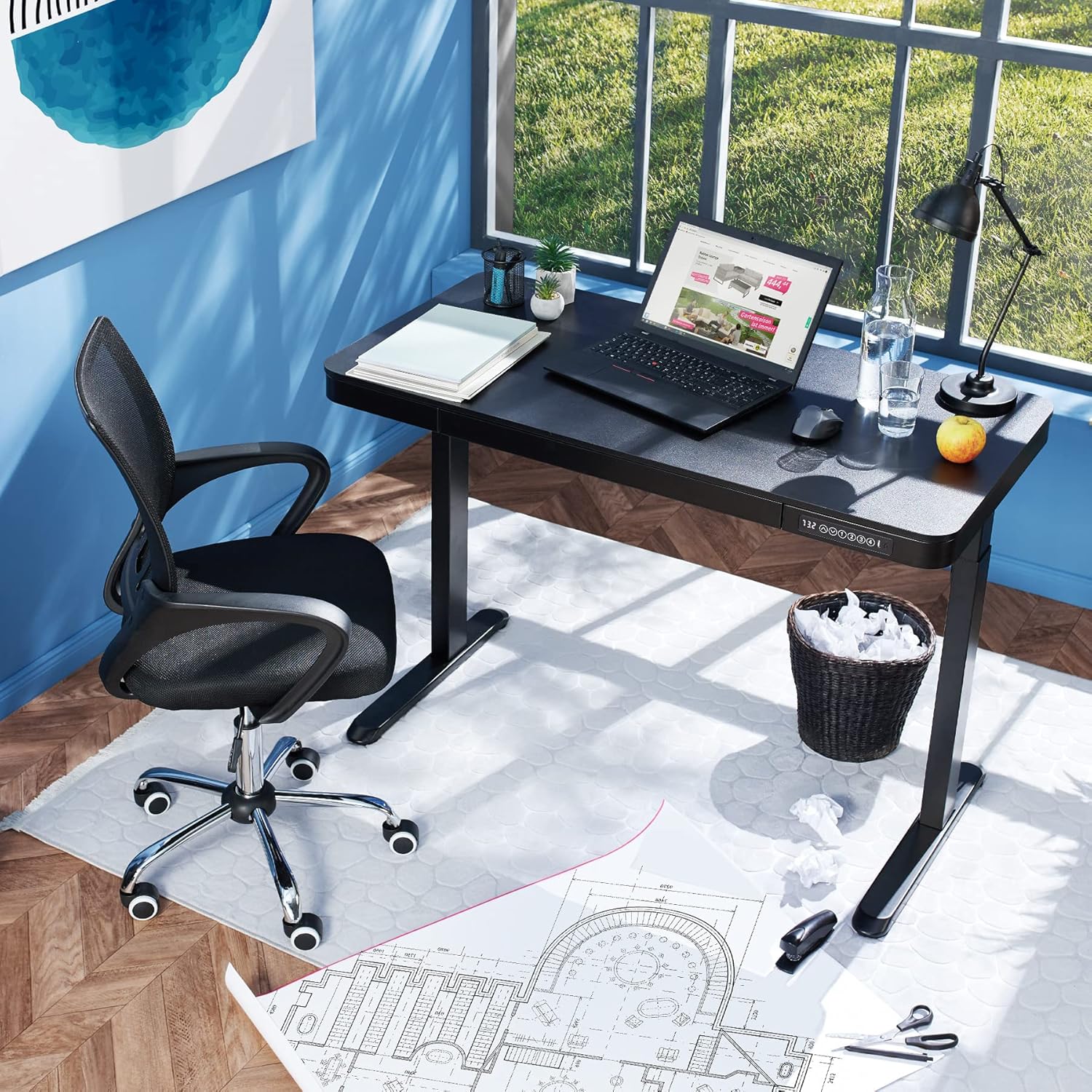
Image 1.2: The desk integrated into a modern office environment, demonstrating its practical use.
2. Saugos instrukcijos
- Prieš surinkdami ir naudodami atidžiai perskaitykite visas instrukcijas.
- Darbo metu laikykite vaikus ir naminius gyvūnus atokiau nuo stalo.
- Prieš naudodami įsitikinkite, kad visi varžtai ir veržlės yra tvirtai priveržtos. Periodiškai patikrinkite ir prireikus priveržkite.
- Neperkraukite stalo. Didžiausia apkrova yra 45 kg.
- Keep hands and fingers clear of moving parts during height adjustment. The desk is equipped with an anti-collision system, but caution is still advised.
- Naudokite tik pateiktą maitinimo adapterį.
- Do not disassemble or modify the motor or control unit. Contact qualified personnel for repairs.
- Place the desk on a level surface. Adjustable feet can compensate for minor unevenness.
3. Pakuotės turinys
Prieš pradėdami surinkimą, patikrinkite, ar yra visi komponentai ir ar jie nepažeisti. Jei trūksta kokių nors dalių arba jos pažeistos, susisiekite su klientų aptarnavimo tarnyba.
- Tabletop with integrated drawer and control panel
- Kairiosios kojos surinkimas
- Dešinės kojos surinkimas
- Pėdos (2x)
- Maitinimo adapteris ir laidas
- Assembly Hardware (screws, Allen key, etc.)
- Instrukcijų vadovas (šis dokumentas)
4. Surinkimo vadovas
Assembly is required for this product. It is recommended to have two people for easier and safer assembly. Clear a spacious area for assembly and lay out all components.
Žingsnis po žingsnio surinkimas:
- Attach Leg Assemblies to Tabletop: Carefully place the tabletop upside down on a soft, clean surface to prevent scratches. Align the left and right leg assemblies with the pre-drilled holes on the underside of the tabletop. Secure them using the provided screws and Allen key. Ensure the motor cables are not pinched.
- Attach Feet to Leg Assemblies: Slide the feet onto the bottom of each leg assembly. Secure them with the appropriate screws.
- Prijunkite maitinimo kabelį: Locate the power input port on the control unit (usually on the underside of the tabletop near the control panel). Connect the power cable firmly.
- Padėkite stalą: With assistance, carefully flip the desk upright and move it to its desired location. Adjust the plastic feet at the bottom of the legs to ensure the desk is stable and level on uneven floors.
- Pradinis įjungimas: Plug the power adapter into a wall outlet. The control panel display should light up.

Image 4.1: Dimensional drawing of the desk, useful for planning space and assembly.

4.2 paveikslėlis: Šonas view illustrating the robust leg structure and height adjustment mechanism.
5. Naudojimo vadovas
The tectake Zola desk features an intuitive control panel for easy height adjustment and memory functions.
Valdymo skydelio funkcijos:

Image 5.1: The control panel, showing the digital height display and control buttons.
- Skaitmeninis ekranas: Rodo dabartinį stalo aukštį centimetrais.
- Up/Down Arrows (↑ / ↓): Press and hold to continuously adjust the desk height upwards or downwards. Release the button to stop at the desired height.
- Atminties mygtukai (1, 2, 3, 4): Šie mygtukai leidžia išsaugoti ir atkurti iki keturių pageidaujamų aukščio nustatymų.
- Norėdami išsaugoti aukštį: Adjust the desk to your desired height using the up/down arrows. Press and hold one of the memory buttons (1-4) until the display flashes or beeps, indicating the height has been saved.
- Norėdami prisiminti aukštį: Simply press the corresponding memory button (1-4). The desk will automatically move to the saved height.
- Apsaugos nuo susidūrimo sistema: The desk is equipped with a sensitive anti-collision system. If the desk encounters an obstruction during height adjustment, it will stop and slightly reverse direction to prevent damage.
- USB-A and USB-C Ports: Located on the control panel, these ports can be used to charge small electronic devices.

Image 5.2: Detail of the USB-A and USB-C charging ports for convenient device charging.

Image 5.3: Visual representation of the desk's adjustable height range.
Integruotas stalčius:
The desk includes a convenient integrated drawer for storing small office supplies, helping to keep your workspace tidy.

Image 5.4: The desk's integrated drawer, providing discreet storage.

Image 5.5: Detail of the drawer's smooth-gliding mechanism.
6. Priežiūra ir priežiūra
- Valymas: Stalo paviršių ir kojas nuvalykite minkšta,amp šluoste. Venkite naudoti stiprias chemines medžiagas ar abrazyvinius valiklius, nes jie gali pažeisti apdailą.
- Reguliarūs patikrinimai: Periodiškai patikrinkite visus varžtus ir jungtis, kad jie būtų tvirtai priveržti. Jei reikia, priveržkite.
- Kabelių valdymas: Ensure power cables are not tangled or pinched, which could lead to damage or malfunction.
7. Problemų sprendimas
| Problema | Galima priežastis | Sprendimas |
|---|---|---|
| Stalas nejuda. | No power; cable disconnected; motor error. | Check power connection to wall outlet and desk. Ensure all cables are securely connected. Unplug and replug the power cable to reset the system. |
| Stalas juda netolygiai arba skleidžia neįprastus garsus. | Loose connections; obstruction; uneven load. | Check all assembly screws for tightness. Ensure there are no obstructions under or around the desk. Distribute weight evenly on the tabletop. |
| Anti-collision system frequently activates. | Obstruction; sensitive setting. | Ensure the path of movement is clear. If the issue persists without clear obstruction, consult customer support. |
| Atminties funkcija neveikia. | Neteisinga išsaugojimo procedūra. | Refer to 'Operation Guide' section 5 for correct saving procedure (press and hold memory button until confirmation). |
8. Techninės specifikacijos
| Funkcija | Specifikacija |
|---|---|
| Modelio numeris | 404316 |
| Bendri matmenys (I x P x A) | Approx. 1204 x 604 x 720 - 1220 mm |
| Tabletop Dimensions (L x W x H) | Apytiksliai 1204 x 604 x 64.5 mm |
| Vidinių stalčių matmenys (I x P x A) | Apytiksl. 60 x 29 x 5 cm |
| Lifting Columns per Side | 2 main columns (approx. 4.5 x 7.5 cm) |
| Adjustable Feet Range | apytiksliai 1.2 cm |
| Variklio triukšmo lygis | <50 dB |
| Kėlimo greitis | 25 mm/s |
| Variklio galia | 52.2 W |
| Įvesties tomastage | 100-240 V |
| Kabelio ilgis | apytiksliai 310 cm |
| Apkrova | 45 kg |
| Produkto svoris | apytiksliai 32 kg |
| Medžiagos | Powder-coated steel, particle board, polychloride, ABS plastic |
9. Garantija ir palaikymas
For information regarding warranty terms and conditions, please refer to the purchase documentation or contact your retailer. For technical support or inquiries about replacement parts, please visit the official tectake websvetainėje arba susisiekite su jų klientų aptarnavimo skyriumi. Išsaugokite pirkimo kvitą kaip pirkimo įrodymą.
Gamintojas: tectake
Prekinis ženklas: TecTake


