1. Produktas baigtasview
The Oladance OWS1 Open Ear Headphones offer a unique open-ear design for comfort and situational awareness. These wireless Bluetooth 5.2 headphones feature dual 16.5mm drivers for high-quality sound and extended battery life, making them suitable for various activities.
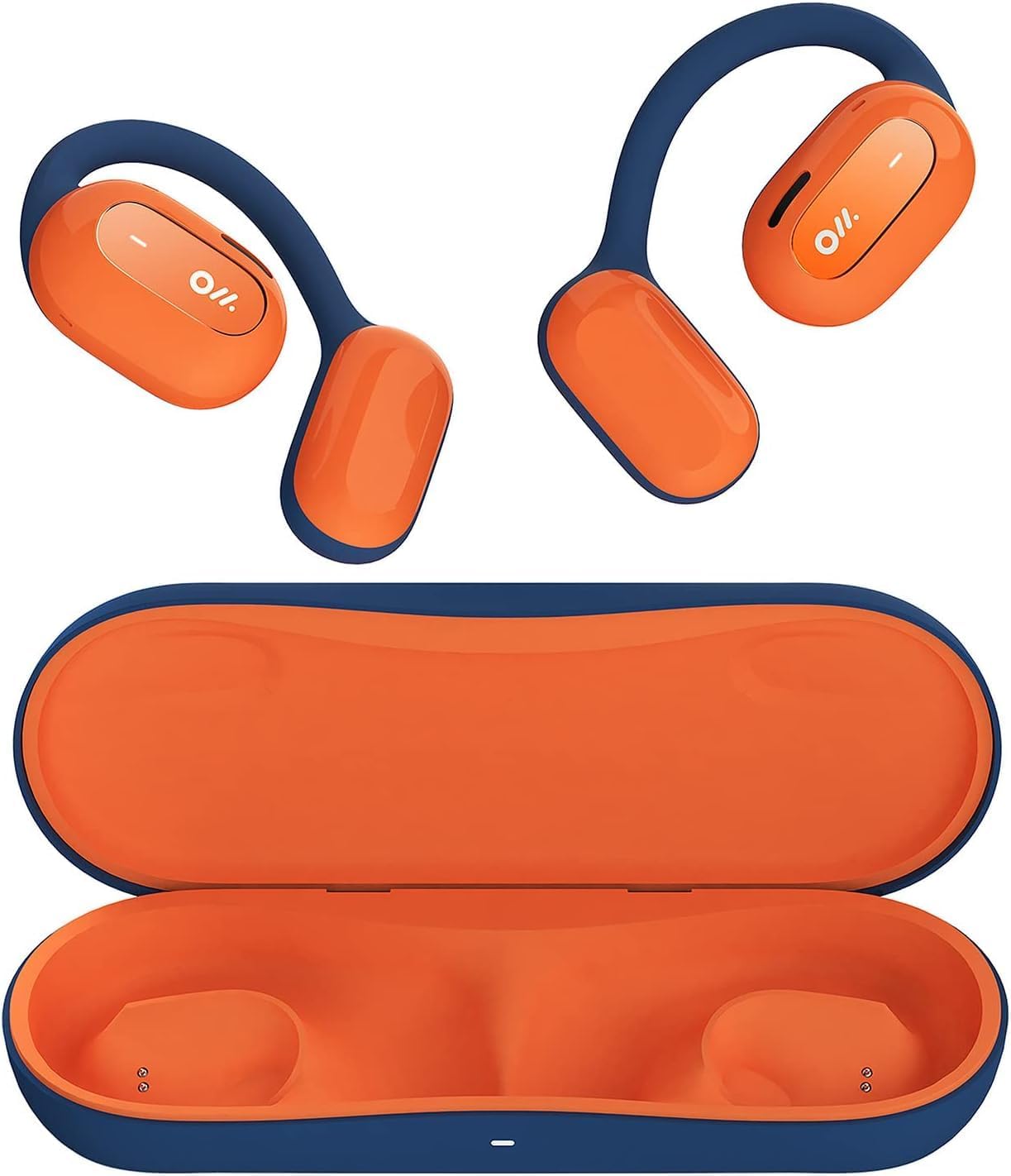
Image 1: Oladance OWS1 Open Ear Headphones and their carry case.
2. Kas yra dėžutėje
- 1 × Oladance Wearable Stereo (Pair of Open Ear Headphones)
- 1 × Non-charging Carry Case
- 1 × C tipo kabelis
- 1 × Vartotojo vadovas
3. Pagrindinės savybės
- Tikras atvirų ausų dizainas: Earbuds rest gently on top of the ear, avoiding insertion into the ear canal for enhanced comfort and situational awareness.
- 360° Superior Sound: Equipped with dual powerful 16.5mm dynamic drivers and bio-diaphragm technology for rich, clear audio across all volume levels.
- Anti-Hearing Loss Focus: Designed to prevent common health issues associated with traditional earbuds by not blocking the ear canal, reducing pressure and potential hearing damage.
- Extended 16-Hour Playtime: Features a built-in 160mAh battery and low-consumption algorithms, providing up to 16 hours of continuous playback on a single charge. Note: A separate charging case is required for extended playtime beyond the included carry case.
- Saugus ir patogus prigludimas: Multi-point support system distributes weight evenly across the ear, ensuring a stable and comfortable fit for various activities.

Image 2: The Oladance OWS1 headphones are designed for a secure and comfortable fit, ideal for activities like yoga.
4. Sąrankos vadovas
4.1 Pradinis įkrovimas
Before first use, fully charge your Oladance OWS1 headphones. Connect the provided Type-C cable to the charging port on the headphones and a compatible USB power source. The LED indicator will show charging status.
4.2 Įjungimas / išjungimas
- Norėdami įjungti: Press and hold the power button (location typically on one of the earbud units) for approximately 2-3 seconds until you hear an audible prompt or see an LED indicator light up.
- Norėdami išjungti: Press and hold the power button for approximately 3-5 seconds until you hear an audible prompt or the LED indicator turns off.
4.3 Bluetooth poravimas
- Įsitikinkite, kad ausinės yra išjungtos.
- Press and hold the power button for approximately 5-7 seconds until the LED indicator flashes red and blue alternately. This indicates the headphones are in pairing mode.
- Savo įrenginyje (išmaniajame telefone, planšetiniame kompiuteryje, kompiuteryje) eikite į „Bluetooth“ nustatymus.
- Ieškokite "Oladance OWS1" in the list of available devices.
- Select "Oladance OWS1" to connect. Once connected, the LED indicator will typically flash blue slowly or turn off, and you will hear a confirmation tone.

Image 3: The Oladance OWS1 headphones are designed for an ergonomic and stable fit during various activities.
5. Naudojimo instrukcijos
5.1 Pagrindiniai valdikliai
| Funkcija | Veiksmas |
|---|---|
| Leisti / pristabdyti muziką | Vieną kartą paspauskite daugiafunkcį mygtuką. |
| Kitas takelis | Dukart paspauskite daugiafunkcį mygtuką. |
| Ankstesnis takelis | Tris kartus paspauskite daugiafunkcį mygtuką. |
| Padidinti garsumą | Single press the Volume + button. |
| Sumažinti garsumą | Single press the Volume - button. |
| Atsiliepti / Baigti skambutį | Vieną kartą paspauskite daugiafunkcį mygtuką įeinančio arba aktyvaus skambučio metu. |
| Atmesti skambutį | Įeinančio skambučio metu 2 sekundes palaikykite nuspaudę daugiafunkcį mygtuką. |
| Suaktyvinkite balso padėjėją | Paspauskite ir 2 sekundes palaikykite daugiafunkcį mygtuką. |
5.2 Kelių taškų ryšys
The Oladance OWS1 headphones support multi-point connection, allowing them to be connected to two Bluetooth devices simultaneously. This enables seamless switching between devices without re-pairing.
- Ensure the headphones are paired with the first device.
- Put the headphones into pairing mode again (usually by holding the power button until the LED flashes red and blue).
- On the second device, search for "Oladance OWS1" in the Bluetooth settings and connect.
- The headphones should now be connected to both devices. Audio will automatically switch to the device playing content or receiving a call.

Image 4: The open-ear design allows for comfortable extended wear, even during work or calls.
6. Priežiūra ir priežiūra
- Valymas: Ausinėms valyti naudokite minkštą, sausą šluostę. Venkite naudoti stiprias chemines medžiagas ar abrazyvines medžiagas.
- Saugykla: Store the headphones in their provided non-charging carry case when not in use to protect them from dust and damage.
- Atsparumas vandeniui: The headphones are water-resistant (IPX4 rated). Avoid submerging them in water or exposing them to high-pressure water jets. Dry thoroughly if they get wet.
- Temperatūra: Venkite ausinių laikymo ekstremaliose temperatūrose (karštyje arba šaltyje) arba didelėje drėgmėje.

Image 5: The included carry case protects your Oladance OWS1 headphones during transport and storage.
7. Problemų sprendimas
- Neįmanoma įjungti
- Įsitikinkite, kad ausinės yra visiškai įkrautos. Prijunkite jas prie maitinimo šaltinio naudodami C tipo laidą.
- Negalima susieti su įrenginiu
- Įsitikinkite, kad ausinės yra susiejimo režime (LED mirksi raudonai ir mėlynai).
- Išjunkite ir įjunkite savo įrenginio „Bluetooth“.
- Ištrinkite ankstesnius „Bluetooth“ ryšius savo įrenginyje.
- Perkelkite ausines arčiau savo įrenginio.
- Nėra garso arba mažas garsas
- Patikrinkite garsumo lygius tiek ausinėse, tiek prijungtame įrenginyje.
- Įsitikinkite, kad ausinės tinkamai prijungtos prie jūsų įrenginio.
- Pabandykite leisti garsą iš kitos programos ar šaltinio.
- Pertraukiamas ryšys
- Įsitikinkite, kad tarp ausinių ir jūsų įrenginio nėra jokių kliūčių.
- Venkite stiprių elektromagnetinių trukdžių.
- Keep the headphones within the effective Bluetooth range (typically 10 meters).
8. Gaminio specifikacijos
| Funkcija | Detalė |
|---|---|
| Modelio numeris | OLA02 |
| Prekės ženklas | Oladance |
| Ryšio technologija | Belaidis ryšys („Bluetooth 5.2“) |
| Ausų išdėstymas | Atidarykite ausį |
| Formos faktorius | Atidarykite ausį |
| Vairuotojo dydis | Dvigubi 16.5 mm dinaminiai garsiakalbiai |
| Baterijos veikimo laikas (vidutinis) | Iki 16 valandų |
| Įkrovimo laikas | Maždaug 2 valandos |
| Atsparumo vandeniui lygis | Atsparus vandeniui (IPX4) |
| Mikrofono formatas | Įmontuotas |
| Valdymo tipas | Media Control (Buttons) |
| Medžiaga | Plastikiniai |
| Gaminio matmenys | 13 x 11 x 457.2 cm |
| Prekės svoris | 260 g |

Image 6: A close-up of the Oladance OWS1 headphones, highlighting their design and color.
9. Garantija ir palaikymas
Oladance products are covered by a limited warranty. For detailed warranty information, product support, or service inquiries, please refer to the official Oladance websvetainėje arba susisiekite tiesiogiai su jų klientų aptarnavimo tarnyba. Išsaugokite pirkimo įrodymą garantiniams reikalavimams.
Jei reikia daugiau pagalbos, apsilankykite: www.oladance.com


