1. Įvadas
The Ring Battery Doorbell Plus provides advanced home security with Head-to-Toe HD+ Video, motion detection, and two-way talk capabilities. This manual provides essential information for setting up, operating, and maintaining your device.
1.1 Kas yra dėžutėje
- Ring Battery Doorbell Plus
- Greito atpalaidavimo baterijų paketas
- Mounting Bracket
- Installation Tools and Screws
- USB įkrovimo laidas
- Vartotojo vadovas (šis dokumentas)

Image: The Ring Battery Doorbell Plus, highlighting its key features including Head-to-Toe HD+ Video, motion detection, and two-way talk.
2. Saugos informacija
Please read all safety instructions before using your Ring Battery Doorbell Plus to prevent injury or damage.
- Nelaikykite prietaiso ekstremaliose temperatūrose.
- Use only the specified charging cable and battery pack.
- Saugokite prietaisą nuo vandens ir drėgmės.
- Ensure proper installation to prevent the device from falling.
- Nebandykite patys išardyti ar taisyti įrenginio. Kreipkitės pagalbos į klientų aptarnavimo tarnybą.
3. Sąranka ir diegimas
3.1 Akumuliatoriaus įkrovimas
Before installation, fully charge the Quick Release Battery Pack using the provided USB charging cable. The battery indicator light will change when fully charged.

Image: The Quick Release Battery Pack being inserted into the Ring Battery Doorbell Plus. The doorbell also supports hardwiring for continuous charging.
3.2 Durų skambučio montavimas
Select a suitable location near your front door. Use the included mounting bracket as a template to mark drill holes. Secure the bracket to the wall using the provided screws and anchors. Attach the doorbell to the mounting bracket.
Pastaba: If replacing an existing wired doorbell, you can connect the Ring Battery Doorbell Plus to your existing doorbell wiring to provide continuous power and trigger your indoor chime.
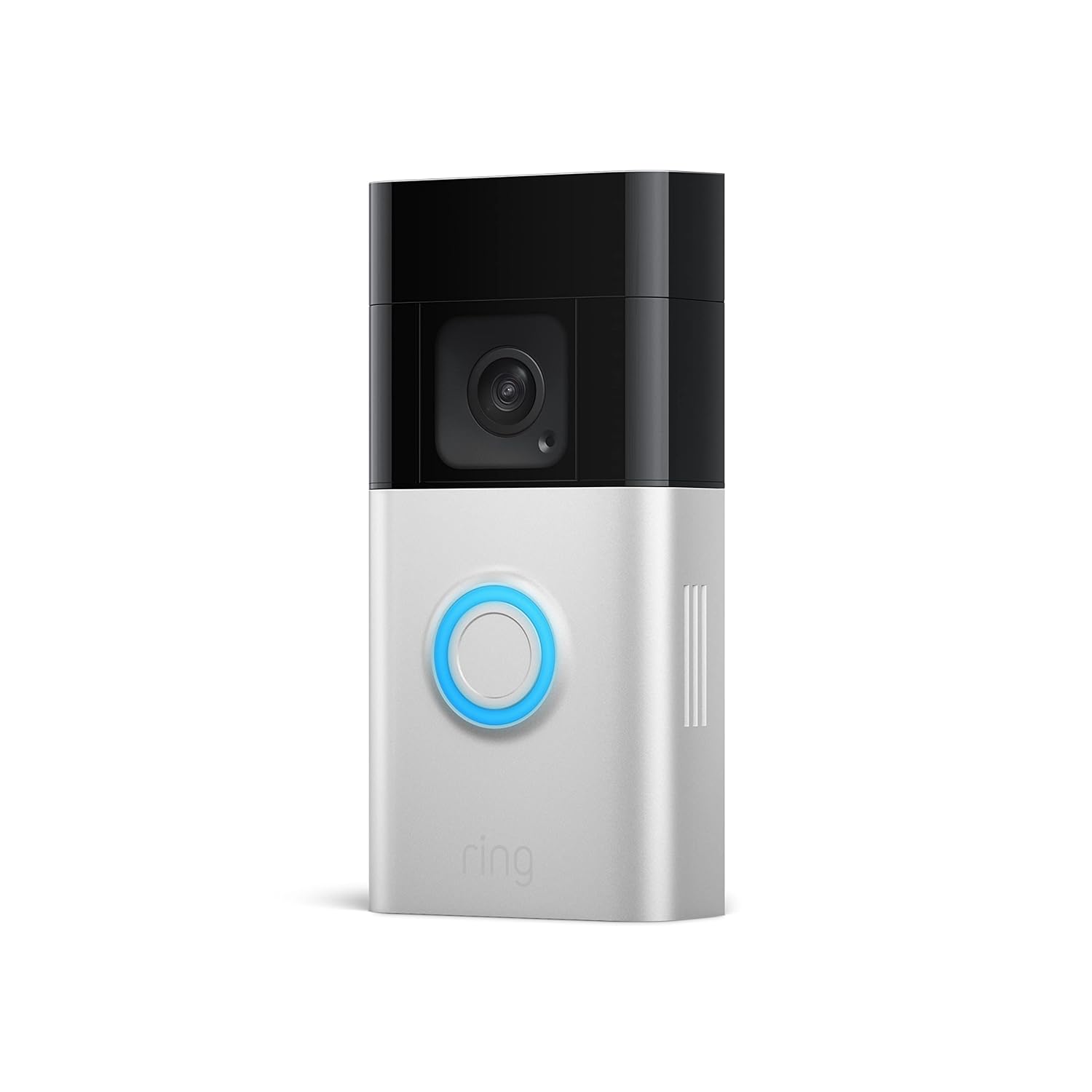
Paveikslėlis: Skaidrus frontas view of the Ring Battery Doorbell Plus, showing its sleek design and central button.
3.3 Ring App Setup and Wi-Fi Connection
- Download the Ring app from your mobile device's app store.
- Susikurkite žiedo paskyrą arba prisijunkite, jei ją jau turite.
- Tap "Set Up a Device" and select "Doorbells."
- Follow the in-app instructions to scan the QR code on your doorbell or packaging.
- Connect your doorbell to your home Wi-Fi network. Ensure a strong Wi-Fi signal at the installation location for optimal performance.
4. Operating Your Ring Doorbell
4.1 Tiesiogiai View
Access a real-time video feed from your doorbell at any time through the Ring app. This allows you to see what is happening at your door on demand.

Vaizdas: išmanusis telefonas, rodantis tiesioginį vaizdą view from the Ring Battery Doorbell Plus, showing two individuals at the door. This feature allows users to see, hear, and speak to anyone on camera.
4.2 Judesio aptikimas ir įspėjimai
Your doorbell is equipped with advanced motion detection. You will receive alerts on your mobile device when motion is detected. Customize motion zones and sensitivity settings within the Ring app to reduce unwanted alerts. The Head-to-Toe HD+ Video provides an expanded field of view, allowing you to see more of your property.
4.3 Dvipusis pokalbis
Communicate with visitors at your door from anywhere using the two-way talk feature in the Ring app.
4.4 Spalvotas naktinis matymas
The doorbell provides color night vision, allowing for clearer visibility and detail even in low-light conditions.
4.5 Person and Package Alerts (Ring Protect Subscription Required)
With a Ring Protect subscription (sold separately), you can receive specific alerts for people and packages detected within your specified zones. This feature enhances monitoring by distinguishing between general motion and specific events.

Image: A Ring app notification indicating a package has been detected in the front door package zone. This feature requires a Ring Home subscription.
4.6 „Alexa“ integracija
The Ring Battery Doorbell Plus can be integrated with Amazon Alexa. You can receive motion alerts on compatible Echo devices, view live feeds on Echo Show, Fire TV, or Fire Tablet, and communicate with visitors using voice commands like, "Alexa, talk to the front door."

Image: An Amazon Echo Show device displaying a live feed from the Ring doorbell, showing a delivery person at the door. This demonstrates the doorbell's compatibility with Alexa.
5. Priežiūra
5.1 Akumuliatoriaus įkrovimas
The Quick Release Battery Pack can be easily removed for recharging. Battery life varies based on usage and settings. Recharge the battery when the Ring app indicates a low battery level.
5.2 Valymas
Wipe the doorbell's exterior with a soft, damp cloth as needed to remove dust and dirt. Do not use harsh chemicals or abrasive cleaners. Ensure the camera lens is clean for optimal video quality.
6. Problemų sprendimas
| problema | Galima priežastis / sprendimas |
|---|---|
| Durų skambutis neprisijungia prie „Wi-Fi“ |
|
| Prasta vaizdo kokybė arba naktinis matymas |
|
| Baterija greitai išsikrauna |
|
| Motion alerts are too frequent or not detecting |
|
7. Specifikacijos
- Vaizdo įrašas: Head-to-Toe HD+ Video, Color Night Vision
- Laukas View: Expanded vertical field of view (1536p)
- Garsas: Dvipusis pokalbis su triukšmo slopinimu
- Galia: Quick Release Battery Pack (rechargeable), optional hardwired for continuous charging
- Ryšys: 802.11 b/g/n Wi-Fi @ 2.4GHz
- Darbinė temperatūra: -5°F iki 120°F (nuo -20.5°C iki 48.5°C)
- Matmenys: Approximately 5.1 in. x 2.4 in. x 1.1 in. (12.9 cm x 6.2 cm x 2.8 cm)
8. Garantija ir palaikymas
For warranty information and technical support, please visit the official Ring support websvetainėje arba susisiekite su „Ring“ klientų aptarnavimo tarnyba. Išsamesnės informacijos paprastai galite rasti „Ring“ svetainėje. website or within the Ring app's help section.
Žiedo palaikymas Websvetainė: support.ring.com


