1. Įvadas
This manual provides comprehensive instructions for the proper setup, operation, maintenance, and troubleshooting of your U.S. Solid Digital Precision Lab Scale, Model USS-DBS00059. This electronic balance is designed for accurate weighing in various applications, offering a maximum capacity of 15KG with a readability of 0.1g. It features a durable stainless steel weighing pan, multiple measurement units, AC/DC power options, and essential functions such as counting and tare.
Please read this manual thoroughly before using the scale to ensure correct operation and to maximize its lifespan.
2. Saugos priemonės
- Operate the scale on a stable, level, and vibration-free surface.
- Avoid placing the scale near strong electromagnetic fields, heat sources, or direct sunlight.
- Nelaikykite svarstyklių ekstremalioje temperatūroje ar drėgmėje.
- Use only the provided AC adapter or specified DC batteries.
- Keep the weighing pan and surrounding area clean and free from debris.
- Do not overload the scale beyond its maximum capacity of 15KG.
- Disconnect power before cleaning or if the scale will not be used for an extended period.
3. Produktas baigtasview
The U.S. Solid Digital Precision Lab Scale (USS-DBS00059) is equipped with features designed for reliable and precise measurements.
Pagrindinės funkcijos:
- Talpa: 15KG with 0.1g readability.
- Svėrimo lėkštė: 150x180 mm stainless steel for corrosion resistance.
- Ekranas: Backlit LCD for clear readings.
- Galia: AC (100-240V) and DC (9V battery) operation.
- Vienetai: 11 selectable measurement units (g, ct, oz, ozt, lb, GN, t, dwt, kg, dr, tlT, N, %).
- Funkcijos: Weighing, parts counting, tare, unit conversion, manual calibration, and fault alerts.
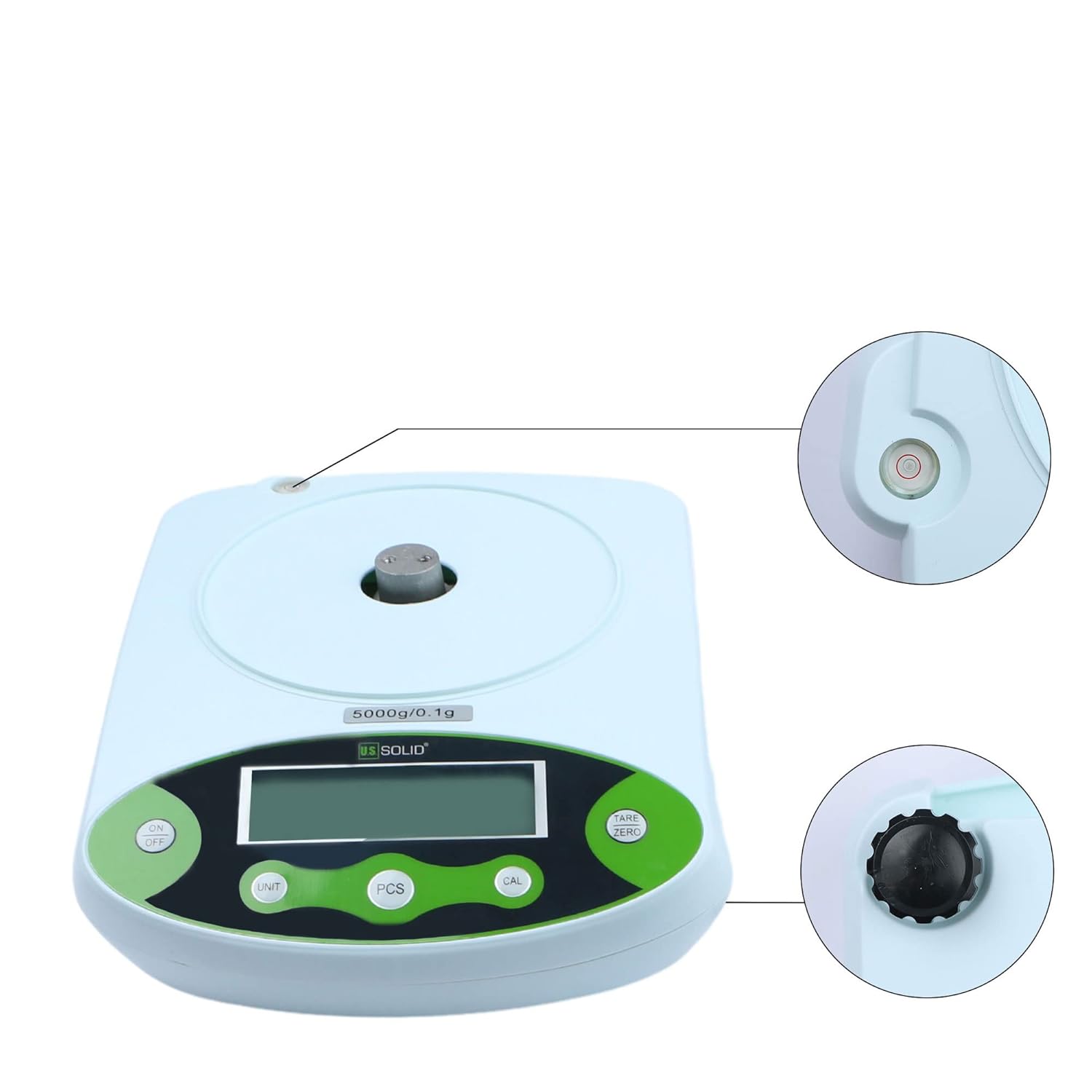
- Konstrukcija: Durable ABS housing with height-adjustable feet and a level bubble.
Komponentai:


4. Sąranka
4.1 Išpakavimas
Carefully remove all components from the packaging. Verify that all items listed in Figure 3.2 are present and undamaged. Retain the packaging for future transport or storage.
4.2 Įdėjimas
Place the scale on a firm, level, and stable surface. Ensure the location is free from vibrations, drafts, direct sunlight, and rapid temperature changes, which can affect measurement accuracy.
4.3 Skalės išlyginimas
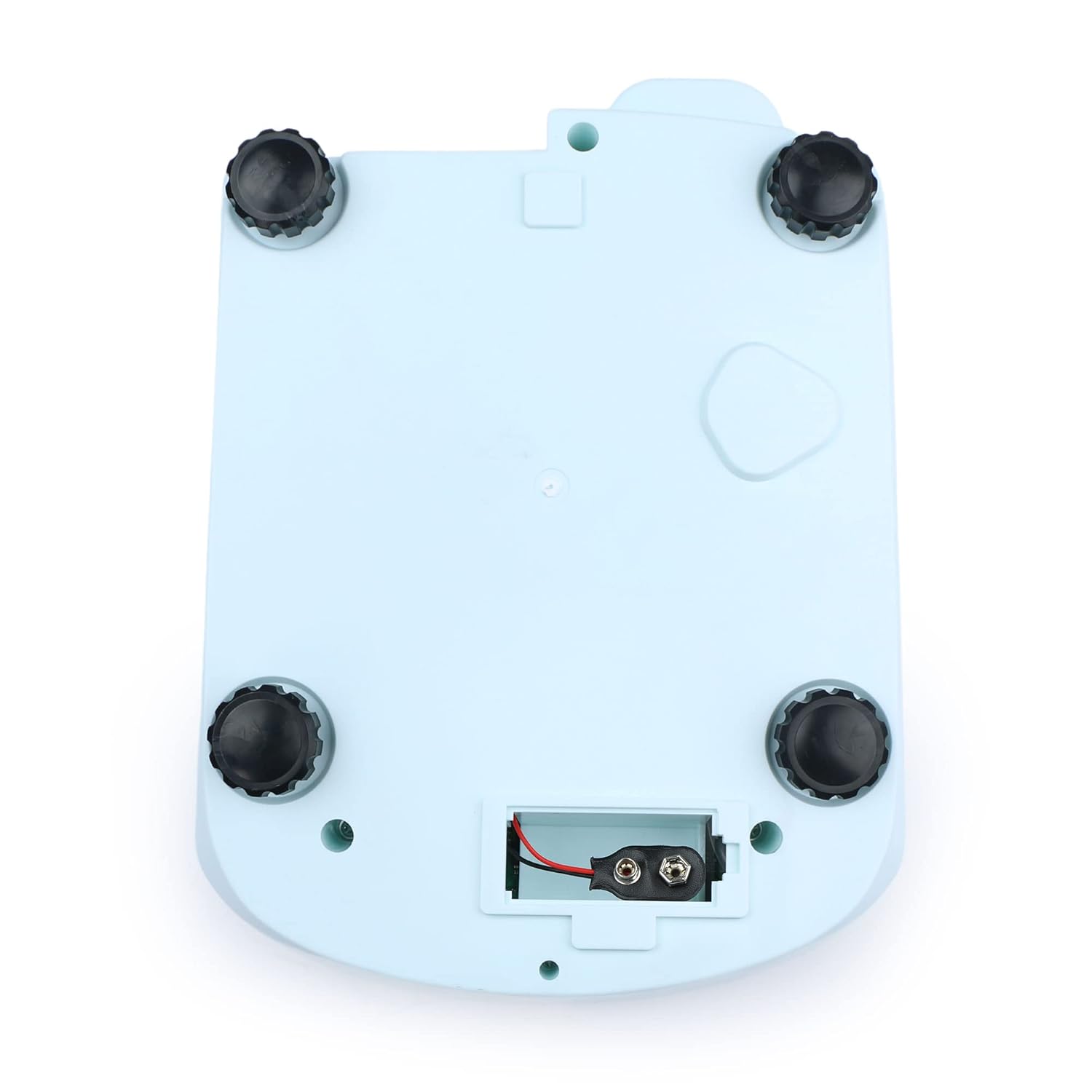
The scale must be perfectly level for accurate readings. Adjust the four height-adjustable feet located on the bottom of the scale until the bubble in the built-in level indicator is centered within the red circle.

4.4 Maitinimo jungtis
- Kintamosios srovės maitinimas: Connect the provided AC adapter to the power input port on the rear of the scale, then plug it into a suitable electrical outlet (100-240V).
- DC Power (Battery): For portable use, open the battery compartment on the bottom of the scale (Figure 4.3) and insert a 9V DC battery, ensuring correct polarity.
4.5 Pradinis apšilimas
After connecting power, allow the scale to warm up for at least 30 minutes before performing critical measurements. This stabilizes the internal components and ensures optimal accuracy.

5. Naudojimo instrukcijos
5.1 Valdymo skydas baigtasview


5.2 Maitinimo įjungimas/išjungimas
- Paspauskite ĮJUNGTA/IŠJUNGTA mygtuką, kad įjungtumėte svarstykles.
- Paspauskite ir palaikykite ĮJUNGTA/IŠJUNGTA mygtuką, kad išjungtumėte svarstykles.
5.3 Pagrindinis svėrimas
- Ensure the scale is level and powered on.
- Wait for the display to show "0.0" or "0.00" (depending on the unit).
- Atsargiai padėkite sveriamą daiktą ant nerūdijančio plieno svėrimo lėkštės centro.
- Nuskaitykite stabilų svorį, rodomą LCD ekrane.
5.4 Taros funkcija
Taros funkcija leidžia atimti konteinerio svorį, kad būtų matuojamas tik grynasis turinio svoris.
- Ant svėrimo padėklo uždėkite tuščią indą.
- Paspauskite TARE/NULL mygtuką. Ekrane bus nustatyta „0.0“ arba „0.00“.
- Į indą įberkite sveriamą medžiagą. Ekrane bus rodomas grynasis medžiagos svoris.
5.5 Vieneto konvertavimas
The scale supports 11 different measurement units.
- Paspauskite VIENETAS button repeatedly to cycle through the available units: g, ct, oz, ozt, lb, GN, t, dwt, kg, dr, tlT, N, and %.
- The selected unit will be indicated on the LCD.

5.6 Parts Counting (PCS)
This function allows you to count a large number of identical items by weight.
- Place a known quantity of items (e.g., 10, 20, 50, 100) on the pan.
- Paspauskite PCS button. The display will show a prompt for sample size (e.g., "P-10").
- Paspauskite VIENETAS mygtuką, kad pasirinktumėteample size that matches the number of items you placed on the pan.
- Paspauskite PCS button again to confirm. The scale is now in counting mode.
- Add more items of the same type to the pan, and the display will show the total count.

5.7 Kalibravimas
Regular calibration ensures the accuracy of your scale. It is recommended to calibrate the scale after initial setup, if it has been moved, or if you suspect inaccurate readings. A calibration weight (not included) is required.
- Ensure the scale is powered on and the pan is empty.
- Paspauskite ir palaikykite CAL mygtuką, kol ekrane pasirodys „CAL“.
- Tada ekrane bus rodomas reikiamas kalibravimo svoris (pvz., „100 000 g“).
- Carefully place the specified calibration weight onto the center of the weighing pan.
- Wait for the display to show "PASS" or return to normal weighing mode, indicating successful calibration.
- Nuimkite kalibravimo svorį.
6. Priežiūra
6.1 Valymas
- Prieš valydami visada atjunkite maitinimą.
- Wipe the scale's housing with a soft, damp audinys. Nenaudokite abrazyvinių valiklių ar tirpiklių.
- The stainless steel weighing pan can be removed and cleaned with mild soap and water, then dried thoroughly before reattaching.
- Ensure no liquids enter the internal components of the scale.
6.2 Saugykla
When not in use for extended periods, store the scale in a dry, dust-free environment at room temperature. If using battery power, remove the battery to prevent leakage.
7. Problemų sprendimas
| Problema | Galima priežastis | Sprendimas |
|---|---|---|
| Svarstyklės neįsijungia | No power supply; AC adapter unplugged; Dead battery. | Check AC adapter connection; Replace 9V battery. |
| Netikslūs rodmenys | Scale not level; Drafts or vibrations; Needs calibration; Overloaded. | Adjust leveling feet; Move to a stable environment; Perform calibration; Do not exceed 15KG. |
| Display shows "OUE" or "EEEE" | Perkrovos klaida. | Remove excess weight from the pan. |
| Display shows "UNST" | Nestabilus skaitymas. | Ensure scale is on a stable surface, free from vibrations or air currents. |
| Ekrane rodoma „LO“ | Senka baterija. | Replace the 9V battery or use AC power. |
8. Specifikacijos

| Specifikacija | Vertė |
|---|---|
| Modelio numeris | USS-DBS00059 |
| Prekės ženklas | JAV solidus |
| Talpa | 15 Kilograms (15KG) |
| Readability / Accuracy | 0.1 gramų |
| Svėrimo lėkštės medžiaga | Nerūdijantis plienas |
| Svėrimo lėkštės matmenys | 150 x 180 mm |
| Ekrano tipas | LCD apšvietimas |
| Maitinimo šaltinis | AC 100-240V; DC 9V Battery |
| Matavimo vienetai | g, ct, oz, ozt, lb, GN, t, dwt, kg, dr, tlT, N, % |
| Funkcijos | Weighing, Counting, Tare, Unit Conversion, Calibration |
| Prekės svoris | 4.33 svaro |
| Pakuotės matmenys | 11.61 x 9.37 x 5.55 colio |
9. Garantija ir palaikymas
U.S. Solid products are manufactured to high-quality standards. For information regarding warranty coverage, please refer to the warranty card included with your product or visit the official U.S. Solid websvetainę.
If you encounter any issues or require technical assistance, please contact U.S. Solid customer support. Contact details can typically be found on the product packaging, the official websvetainėje arba per savo pirkimo platformą.


