1. Įvadas
This manual provides detailed instructions for the installation, operation, and maintenance of your Podofo 2+64G Car Stereo. This Android 13 head unit is designed specifically for Honda CRV models from 2007 to 2011, offering a 9-inch touch screen with advanced features including GPS navigation, Wi-Fi, Bluetooth, Mirror Link, and support for an AHD backup camera. Please read this manual thoroughly before using the product to ensure proper functionality and safety.
2. Pakuotės turinys
Patikrinkite, ar pakuotėje yra visi toliau išvardyti daiktai:
- Podofo 2+64G Car Stereo Head Unit
- Atsarginė kamera
- GPS antena
- Maitinimo kabelis
- RCA kabelis
- USB kabeliai (2)
- Vartotojo vadovas

Figure 2.1: Included accessories with the Podofo Car Stereo.
3. Montavimas
The Podofo car stereo is designed for a direct fit in Honda CRV 2007-2011 models. Professional installation is recommended. Ensure the vehicle's power is disconnected before beginning installation.
3.1 Removing the Factory Unit
Carefully remove the existing factory stereo system from your Honda CRV dashboard. This typically involves unscrewing two screws located above the unit and gently prying off the surrounding trim. Disconnect all existing wiring harnesses from the factory unit.
3.2 Laidų jungtys
Connect the provided wiring harnesses to the corresponding ports on the new Podofo head unit and the vehicle's wiring. Ensure all connections are secure. The unit comes with all necessary accessories for setup, including USB cables for wired connections.

Figure 3.1: Product size and wiring diagram for the Podofo Car Stereo.
3.3 Mounting the New Unit
Once wiring is complete, carefully slide the new Podofo head unit into the dashboard opening. Secure it using the original screws or provided mounting hardware. Reattach the dashboard trim. The unit is designed to seamlessly integrate into your Honda CRV's interior.
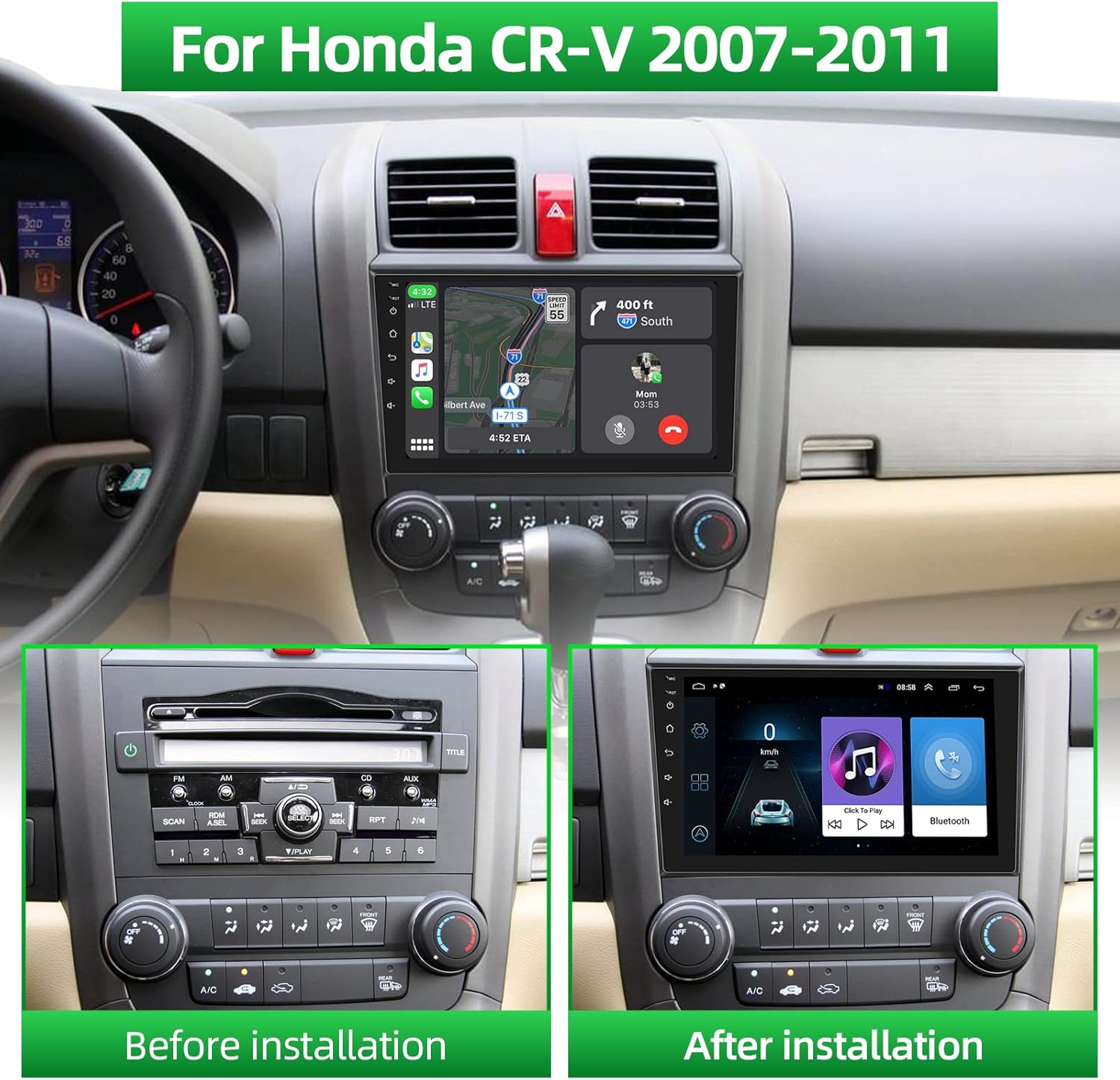
Figure 3.2: Before and after installation of the Podofo Car Stereo in a Honda CRV.
3.4 Įrengimo vaizdo vadovas
Video 3.1: Detailed installation process for the Podofo Car Stereo in a Honda CRV 2007-2011. This video demonstrates the steps for removing the old unit, connecting wires, and installing the new head unit.
4. Pagrindinė operacija
4.1 Maitinimo įjungimas/išjungimas
The unit powers on automatically with the vehicle's ignition. To manually power off or restart, press and hold the power button located on the left side of the unit.
4.2 Jutiklinio ekrano sąsaja
The 9-inch HD touch screen provides intuitive control over all functions. Navigate through menus, select applications, and adjust settings by tapping or swiping. The interface is designed for responsiveness and ease of use.
4.3 Garsumo valdymas
Adjust the volume using the dedicated volume buttons on the left side of the unit or through the on-screen controls.
5. Ryšys
5.1 Bluetooth ryšys
Pair your mobile phone via Bluetooth to enable hands-free calling and audio streaming. Access the Bluetooth settings on the head unit, search for your device, and connect. An external microphone is included for clear call quality.
5.2 „Wi-Fi“ ryšys
Connect the head unit to a Wi-Fi network (e.g., mobile hotspot) to access online maps, download apps from the app store, and browse the internet.

Figure 5.1: GPS Navigation and Wi-Fi Connection interface.
5.3 Veidrodinio ryšio funkcionalumas
The Mirror Link feature allows you to display your smartphone's screen on the car stereo. Wired connection is supported for Android phones via USB cable, enabling touch control from the MP5 screen. iOS phones can mirror their screen but cannot be controlled via touch from the MP5 screen.
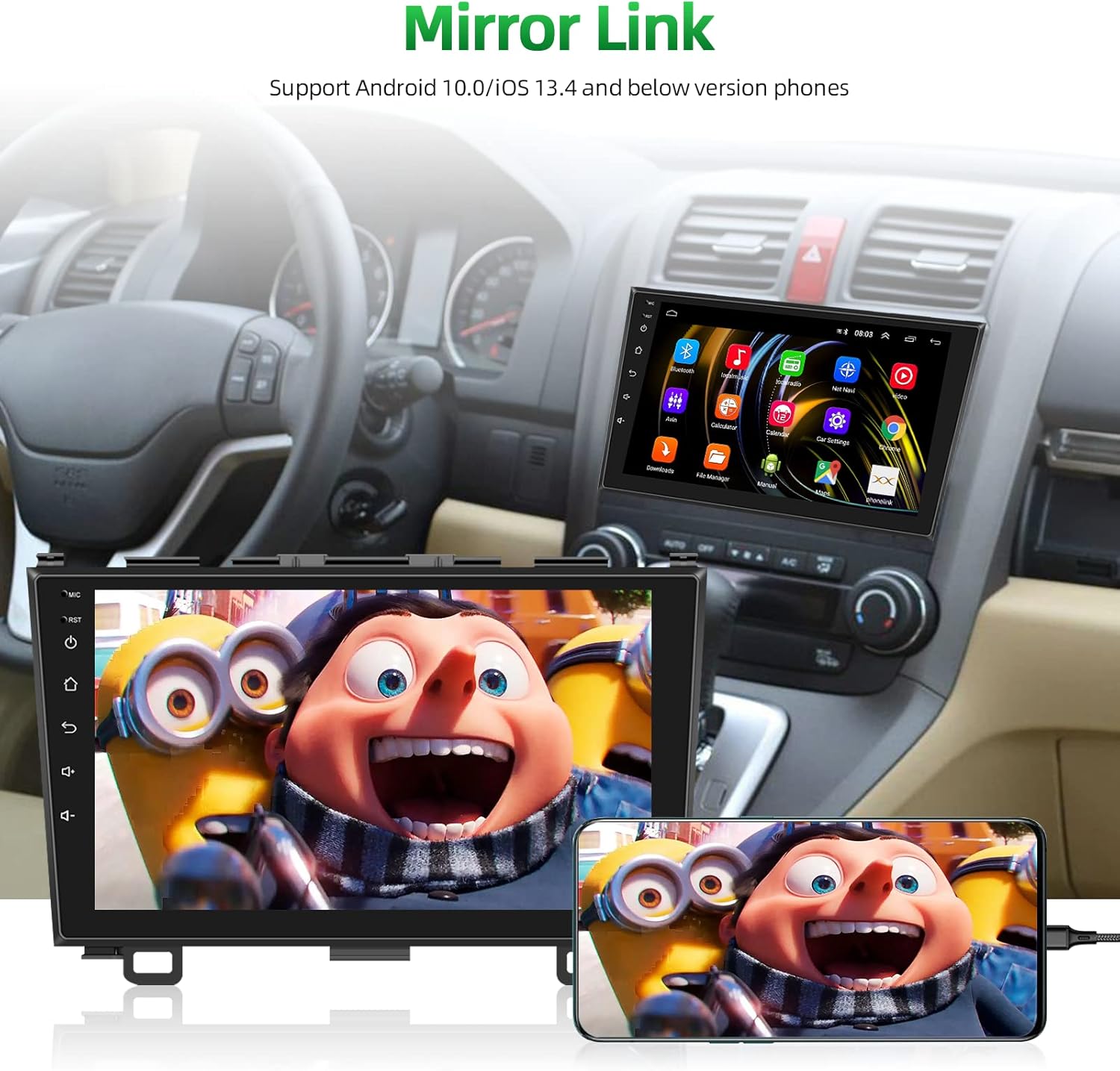
Figure 5.2: Mirror Link in action, displaying a smartphone's content on the car stereo.
5.4 Wireless CarPlay and Android Auto Connection Steps
Video 5.1: This video provides a step-by-step guide on how to connect your smartphone to the car stereo using Wireless CarPlay and Android Auto, including Bluetooth and Wi-Fi setup.
7. Garso funkcijos
7.1 FM/RDS radijas
Enjoy FM radio with 18 preset stations. RDS (Radio Data System) provides additional information such as station name, song title, and traffic updates where available.
7.2 HIFI Sound Quality
The system is equipped with HIFI restored vocal quality processing, ensuring clear and realistic sound for your music and calls.
8. Galinio vaizdo kamera
An AHD waterproof and dustproof backup camera is included. When the vehicle is shifted into reverse, the screen automatically displays the rear view, providing assistance for safe parking and maneuvering.
Video 8.1: This video demonstrates the reversing connection for the backup camera, showing how to wire it to the head unit and the car's reversing light for automatic display.
9. Vairo valdymas (SWC)
The car radio supports the original vehicle's steering wheel controls. After installation, you can configure the steering wheel buttons to control various functions of the head unit, such as volume, track changes, and call management.

9.1 pav. Baigtaview of key features including Steering Wheel Control setup.
10. Specifikacijos
| Funkcija | Detalė |
|---|---|
| Prekės svoris | 2.99 svaro |
| Gaminio matmenys | 7.09 x 1.97 x 5.12 colio |
| Ekrano dydis | 9 colių |
| Balso komanda | Jutiklinis ekranas |
| Ekrano raiška | 1024*600 HD (1080p support) |
| Operacinė sistema | Android 13 |
| Atmintis | 2 GB RAM + 32 GB saugykla |
| Ryšio technologija | „Bluetooth“, „Wi-Fi“ |
| Ypatingos savybės | FM/RDS/HIFI, Bluetooth, GPS, Wi-Fi, Steering Wheel Control, Mirror Link, AHD Backup Camera |
| Transporto priemonės paslaugos tipas | Car (Honda CRV 2007-2011) |
| Montavimo tipas | Prietaisų skydelio laikiklis |
11. Problemų sprendimas
- Nėra galios: Patikrinkite visas maitinimo jungtis ir įsitikinkite, kad transporto priemonės uždegimas įjungtas. Patikrinkite saugiklį.
- Nėra garso: Check speaker connections, volume levels, and audio settings. Ensure the correct audio source is selected.
- „Bluetooth“ ryšio problemos: Ensure Bluetooth is enabled on both the head unit and your phone. Delete previous pairings and try reconnecting. Restarting the head unit or phone may resolve the issue.
- GPS signalo praradimas: Įsitikinkite, kad GPS antena tinkamai sumontuota ir turi laisvą view dangaus. Patikrinkite, ar nėra jokių kliūčių.
- Galinio vaizdo kamera nerodoma: Verify the camera's power and video signal connections. Ensure the reverse trigger wire is correctly connected to the vehicle's reversing light circuit.
- Jutiklinis ekranas nereaguoja: Pabandykite paleisti įrenginį iš naujo. Jei problema išlieka, susisiekite su klientų aptarnavimo tarnyba.
12. Garantija ir palaikymas
Your Podofo Car Stereo is backed by comprehensive support and warranty options:
- Garantija: The product includes a 24-month replacement policy for eligible issues.
- Grąžinimai: Mėgaukitės 60 dienų grąžinimo laikotarpiu be jokių rūpesčių.
- Techninė pagalba: Lifetime after-sales consultation and technical support are available.
- Atsakymo laikas: Customer service aims for quick replies, typically within 18 hours.
Dėl papildomos apsaugos apsvarstykite galimybę įsigytiasing a 2-Year or 3-Year Protection Plan, or a Complete Protect monthly plan, available at the time of purchase.
For support, please contact the seller, Car-life Expert-US, or refer to the contact information provided with your purchase.


