Įvadas
Thank you for choosing Link Dream Kids Bluetooth Headphones. This manual provides detailed instructions for setting up, operating, and maintaining your headphones to ensure optimal performance and longevity. Please read this manual thoroughly before use.
Produktas baigtasview

Image: Link Dream Kids Bluetooth Headphones in Pink, showcasing the overall design and LED light feature.
Pagrindinės funkcijos:
- HD Clear Sound: Equipped with a built-in noise reduction card for clearer audio.
- Itin ilgas baterijos veikimo laikas: Up to 32 hours of playtime (without lights) with a 500mAh lithium battery, 2 hours charging time.
- 3 Modes RGB Lights: Choose between Blue Light, Green Light, and Alternately Flashing modes.
- Patogus dėvėjimas: Earpads made of Protein leather and soft foam for extended comfort.
- Platus suderinamumas: Supports both Bluetooth and wired modes, compatible with cellphones, computers, tablets, and iPads.
Komponentai ir valdikliai:

Vaizdas: Išsamus view of the headphone's right earcup, highlighting the Volume +/-, Multifunctional Button, Bluetooth LED Indicator, Type-C Charging Port, 3.5mm Audio Jack, and Microphone.
The headphones feature an adjustable headband and a foldable design for portability. The earpads are crafted from protein leather and soft foam for maximum comfort during prolonged use.

Image: Visual representation of the adjustable headband, foldable design, and soft protein leather earpads, emphasizing comfort and durability.
Sąranka
1. Ausinių įkrovimas:
Before first use, fully charge the headphones. Connect the supplied USB-C charging cable to the Type-C Charging Port on the headphone and the other end to a USB power source (e.g., computer, wall adapter). A full charge takes approximately 2 hours. The LED indicator will show charging status.
Video: An official product video demonstrating the features and usage of the KH22B Kids Headphones, including charging and LED light functions. This video is provided by the seller, yaanl.
2. Bluetooth poravimas:
- Įsitikinkite, kad ausinės yra įkrautos ir išjungtos.
- Press and hold the Multifunctional Button (Power button) for 3 seconds until the red and blue lights flash alternately. This indicates pairing mode.
- On your device (cellphone, computer, tablet, iPad), enable Bluetooth and search for "KH22B" or "Link Dream Headphones" in the list of available devices.
- Select the headphones to connect. Once successfully paired, the blue LED indicator will flash slowly or remain solid blue.
- The headphones will automatically reconnect to the last paired device when turned on, if Bluetooth is enabled on the device.

Image: Illustration of the headphones establishing a stable Bluetooth 5.0 connection with a mobile device, highlighting the 15-meter connection distance.
3. Laidinis režimas:
To use the headphones in wired mode, simply connect a 3.5mm audio cable (not included) to the 3.5mm Audio Jack on the headphone and the other end to your audio source. This mode does not require battery power.

Image: Demonstrates the "Super Long Working Time" of the headphones, showing infinite playtime in wired mode and 32 hours (light off) / 22 hours (light on) in Bluetooth mode.
Naudojimo instrukcijos
Maitinimo įjungimas/išjungimas:
- To turn on the headphone: Press the Multifunctional Button for 3 seconds.
- To turn off the headphone: Press the Multifunctional Button for 3 seconds.
Garsumo valdymas:
- Volume +: Press the '+' button.
- Volume -: Press the '-' button.
Trasos valdymas:
- Next Track: Long press the '+' button.
- Previous Track: Long press the '-' button.
Skambučių valdymas:
- Answer/End Call: Press the Multifunctional Button once.
- Reject Call: Long press the Multifunctional Button.
LED šviesos valdymas:
- To turn on/off the LED lights: Press the dedicated LED Light Control Button for 1 second.
- To change light mode: Press the dedicated LED Light Control Button for 1 second repeatedly to cycle through Blue Light, Green Light, and Alternately Flashing modes.
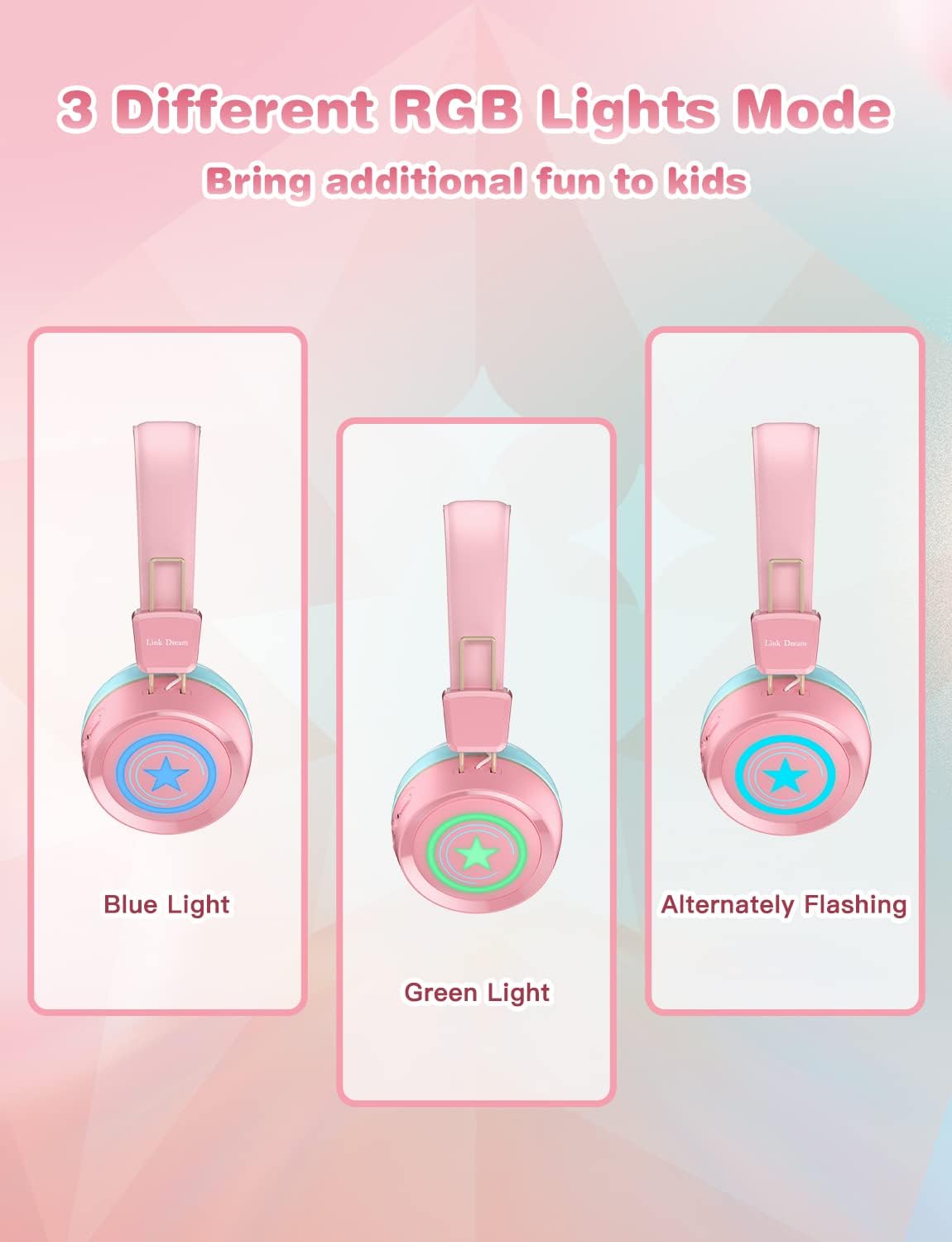
Image: Visual demonstration of the three distinct RGB light modes available on the headphones: Blue Light, Green Light, and Alternately Flashing, adding a fun element for kids.
Priežiūra
- Reguliariai valykite ausines minkštu, sausu skudurėliu. Nenaudokite stiprių cheminių medžiagų ar abrazyvinių medžiagų.
- Venkite ausinių laikymo ekstremaliose temperatūrose, drėgmėje ar tiesioginiuose saulės spinduliuose.
- Nenaudojamas ausines laikykite vėsioje, sausoje vietoje, geriausia originalioje pakuotėje arba apsauginiame dėkle.
- Nebandykite patys ardyti ar taisyti ausinių, nes tai panaikins garantiją.
- Laikykite įkrovimo prievadą švarų nuo dulkių ir šiukšlių.
Trikčių šalinimas
| Problema | Galimas sprendimas |
|---|---|
| Ausinės neįsijungia. | Įsitikinkite, kad ausinės yra visiškai įkrautos. Prijunkite prie maitinimo šaltinio ir bandykite dar kartą. |
| Nepavyksta susieti su įrenginiu. |
|
| Nėra garso arba garsas per mažas. |
|
| Neveikia LED lemputės. | Press the LED Light Control Button to cycle through modes or turn them on/off. Ensure battery is not critically low. |
| Prasta garso kokybė. |
|
Specifikacijos
| Funkcija | Detalė |
|---|---|
| Modelio pavadinimas | KH22B |
| Ryšio technologija | Belaidis („Bluetooth“), laidinis (3.5 mm lizdas) |
| Belaidžio ryšio technologija | Bluetooth 5.0 |
| Bluetooth diapazonas | 10 metrų (apie 33 pėdas) |
| Baterijos veikimo laikas | Up to 32 Hours (lights off) |
| Įkrovimo laikas | 2 valandų |
| Ausinės forma | Ant ausies |
| Medžiaga | Protein Leather (earpads) |
| Ypatinga funkcija | Microphone Included, LED Lights |
| Amžiaus diapazonas (aprašas) | 3-15 metų amžiaus |
| Prekės svoris | 10.2 uncijos |
| Gamintojas | Link Dream |
Garantija ir palaikymas
Link Dream products typically come with a manufacturer's warranty. For specific warranty details, returns, or technical support, please refer to the warranty card included with your product or contact Link Dream customer service directly through their official websvetainėje arba mažmenininke, iš kurio įsigijote gaminį. Išsaugokite pirkimo kvitą kaip pirkimo įrodymą.
Dėl papildomos pagalbos galite apsilankyti Link Dream Store on Amazon.


