1. Įvadas
The HyperX DuoCast is a versatile USB condenser microphone designed for clear audio capture across various applications, including gaming, streaming, podcasting, and voiceovers. It features customizable RGB lighting, multiple polar patterns, and convenient controls for an optimized user experience.

1.1 vaizdas: priekis view of the HyperX DuoCast microphone with its integrated stand and RGB light ring.
2. Pakuotės turinys
Patikrinkite, ar pakuotėje yra visi reikalingi daiktai:
- HyperX DuoCast USB Condenser Microphone
- USB tipo C į A tipo USB laidas
- Greitos pradžios vadovas

Image 2.1: Contents of the HyperX DuoCast retail package, including the microphone, USB cable, and documentation.
3. Sąrankos instrukcijos
3.1 Mikrofono prijungimas
- Connect the USB Type-C end of the provided cable to the USB-C port on the back of the HyperX DuoCast microphone.
- Connect the USB Type-A end of the cable to an available USB port on your PC, PS5, PS4, or Mac.
- The microphone will automatically be detected by your operating system.
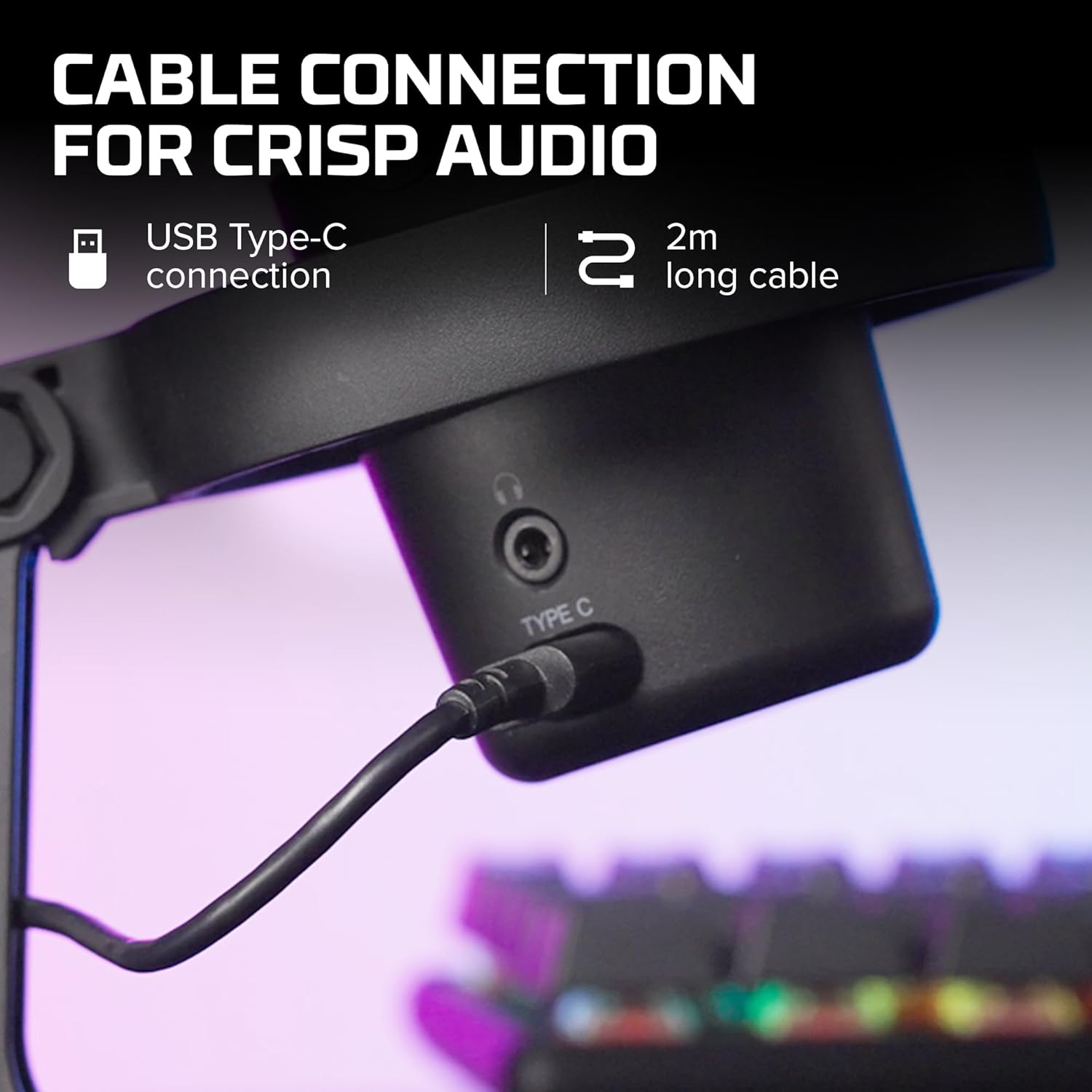
3.1 paveikslėlis: Stambus planas view of the USB Type-C connection port on the HyperX DuoCast microphone.
3.2 Positioning the Microphone
The DuoCast features a low-profile shock mount to reduce unwanted vibrations. For optimal audio quality, position the microphone directly in front of you, approximately 6-12 inches (15-30 cm) from your mouth.

Image 3.2: HyperX DuoCast microphone positioned on a boom arm for optimal recording, with a user wearing headphones.
3.3 Programinės įrangos diegimas (neprivaloma)
For advanced customization of RGB lighting and other settings, download and install the HyperX NGENUITY Software from the official HyperX websvetainė. Ši programinė įranga suderinama su „Windows“ operacinėmis sistemomis.

Image 3.3: User customizing the RGB lighting of the HyperX DuoCast microphone using the HyperX NGENUITY software interface on a computer screen.
4. Mikrofono valdymas
4.1 Polar Patterns
The DuoCast offers two selectable polar patterns: Cardioid and Omnidirectional. Switch between these patterns using the button located on the microphone.
- Kardioidas: Ideal for single-person recording, such as streaming, podcasts, and voiceovers. It captures sound primarily from the front, reducing background noise.
- Visos krypties: Suitable for multi-person recordings, conference calls, or capturing ambient sounds, as it picks up sound equally from all directions.

Image 4.1: Diagram illustrating the Cardioid and Omnidirectional polar patterns and their recommended use cases.
4.2 Tap-to-Mute Sensor
The microphone features a convenient tap-to-mute sensor on the top. Tapping the top of the microphone will instantly mute or unmute your audio. The RGB light ring will change color to indicate the mute status.

Image 4.2: Close-up of the microphone's top showing the tap-to-mute sensor and the gain control knob.
4.3 Gain Control Adjustment
Adjust the microphone's input sensitivity (gain) using the control knob located on the microphone. Rotate the knob to increase or decrease the gain to achieve optimal audio levels and prevent distortion.
4.4 RGB apšvietimas
The DuoCast features a customizable RGB light ring with two zones. The lighting can be personalized using the HyperX NGENUITY Software (Windows only) to match your setup or preference.
4.5 Ausinių išvestis
A 3.5mm headphone jack is integrated into the microphone for direct monitoring of your audio output. Connect your headphones to this port to hear your voice in real-time.
5. Priežiūra
To ensure the longevity and optimal performance of your HyperX DuoCast microphone, follow these maintenance guidelines:
- Valymas: Use a soft, dry cloth to clean the microphone's exterior. Avoid using harsh chemicals, solvents, or abrasive materials.
- Saugykla: Kai nenaudojate mikrofono, laikykite jį švarioje, sausoje vietoje, toliau nuo ekstremalių temperatūrų ir drėgmės.
- Tvarkymas: Elkitės su mikrofonu atsargiai. Venkite jo numesti ir stipriai sutrenkti, nes tai gali pažeisti vidinius komponentus.
6. Problemų sprendimas
If you encounter issues with your HyperX DuoCast microphone, refer to the following common solutions:
| Problema | Galima priežastis | Sprendimas |
|---|---|---|
| Nėra garso įvesties | Mikrofonas netinkamai prijungtas Pasirinktas neteisingas įvesties įrenginys Mikrofonas nutildytas | Įsitikinkite, kad USB kabelis yra tvirtai prijungtas. Verify the DuoCast is selected as the default input device in your system settings. Tap the top of the microphone to unmute. |
| Žemas garso garsumas | Per mažas stiprinimo nustatymas System input volume too low | Adjust the gain control knob on the microphone. Increase the microphone input volume in your system's sound settings. |
| Iškreiptas garsas | Per didelis stiprinimo nustatymas Mikrofonas per arti garso šaltinio | Decrease the gain control knob on the microphone. Perkelkite mikrofoną toliau nuo garso šaltinio. |
| Per didelis foninis triukšmas | Incorrect polar pattern selected High gain setting | Switch to Cardioid polar pattern for single-person use. Sumažinkite stiprinimo nustatymą. Įsitikinkite, kad esate ramioje aplinkoje. |
| RGB apšvietimas neveikia | Programinės įrangos problema USB connection problem | Ensure HyperX NGENUITY Software is installed and updated (Windows only). Vėl prijunkite USB kabelį. |
7. Specifikacijos
| Funkcija | Detalė |
|---|---|
| Mikrofono tipas | USB kondensatorius |
| Poliariniai raštai | Kardioidinis, įvairiakryptis |
| Garso jautrumas | 6 decibelų |
| Signalo ir triukšmo santykis | 70 dB |
| Dažnio atsakas | 20 Hz–20 kHz |
| Įrašymo raiška | 24 bitų / 96 kHz |
| Ryšys | USB (Type-C to Type-A) |
| Suderinami įrenginiai | PC, PS5, PS4, Mac |
| Ypatingos savybės | Customizable RGB Light Ring, Tap-to-Mute Sensor, Gain Control, Low-profile Shock Mount, Internal Pop Filter, 3.5mm Headphone Output |
| Matmenys (I x P x A) | 5.5 x 9.3 x 5 colio (140 x 236 x 127 mm) |
| Prekės svoris | 8.6 uncijos (243.2 gramų) |
| Modelio numeris | 4P5E2AA |

Image 7.1: Diagram showing the physical dimensions (width, height, depth) and weight of the HyperX DuoCast microphone.
8. Garantija ir palaikymas
For warranty information and technical support, please visit the official HyperX websvetainėje arba susisiekite su „HyperX“ klientų aptarnavimo tarnyba. Išsaugokite pirkimo įrodymą garantiniams reikalavimams.
Palaikymas internetu: www.hyperx.com/support