Įvadas
This manual provides detailed instructions for the operation and maintenance of your Kuephom Portable Bluetooth CD Walkman. Designed for versatility, this device supports CD, Bluetooth, USB, and AUX playback, featuring anti-skip protection and a built-in speaker. Please read this manual thoroughly before use to ensure proper functionality and longevity of your device.
Pakuotės turinys
Patikrinkite, ar pakuotėje yra visi toliau išvardyti daiktai:
- CD player X 1
- Ausinės X 1
- Garso kabelis X 1
- Įkrovimo laidas X 1
- Pouch X 1
Produktas baigtasview

Figure 1: Kuephom Portable Bluetooth CD Walkman and its accessories, including earbuds, audio cable, charging cable, and pouch.

Figure 2: Detailed diagram illustrating the various buttons and ports on the Kuephom Portable CD Walkman, including volume controls, playback buttons, mode selection, Bluetooth transmit, USB slot, AUX in jack, earphone jack, and speaker.
Sąranka
Įrenginio įkrovimas
The CD player has a built-in rechargeable lithium battery. Before first use, fully charge the device.
- Connect the provided USB charging cable to the charging port (DC 5V) on the device.
- Connect the other end of the USB cable to a compatible USB power source (e.g., wall charger, power bank, car charger, or computer USB port).
- Įkrovimo indikatoriaus lemputė šviečia įkrovimo metu ir užgęsta, kai visiškai įkraunama. Pilnas įkrovimas trunka maždaug 4 valandas.

Figure 3: The portable CD player connected to a power source via its USB charging cable, demonstrating various charging options.
Maitinimo įjungimas/išjungimas
Stumkite ĮJUNGTA/IŠJUNGTA switch located on the side of the device to turn it on or off.
Įdėkite kompaktinį diską
- Stumkite ATIDARYTI switch to open the CD compartment cover.
- Carefully place a CD (CD, CD-R, CD-RW, MP3, WMA, WAV formats supported) onto the spindle with the label side facing up.
- Gently press the center of the CD until it clicks into place.
- Close the CD compartment cover firmly until it latches.
Video 1: Demonstration of inserting a CD into the Kuephom Portable CD Player and closing the compartment. This video also shows the supported disc formats.
Connecting Headphones or External Speakers (AUX)
For private listening or connecting to non-Bluetooth devices:
- Insert the 3.5mm jack of your headphones into the Ausinių lizdas.
- To connect to external speakers or a car audio system, use the provided 3.5mm audio cable. Insert one end into the AUX lizde on the CD player and the other end into the AUX input of your external device.

Figure 4: The portable CD player connected to a car's audio system via an AUX cable, demonstrating its use in a vehicle with anti-shock protection for uninterrupted playback.
Naudojimo instrukcijos
Pagrindinis atkūrimas
- Paspauskite Leisti / pristabdyti button (►▮▮) to start or pause playback.
- Paspauskite Kitas button (►►) to skip to the next track.
- Paspauskite Ankstesnis button (◄◄) to go to the beginning of the current track or the previous track.
- Paspauskite Sustok mygtuką (■), kad sustabdytumėte atkūrimą.
- Reguliuokite garsumą naudodami Vol+ ir Vol. mygtukai.
Bluetooth funkcija
The device supports two-way Bluetooth connection:
Bluetooth Transmitting (Connecting to Bluetooth Headphones/Speakers)
- Ensure the CD player is powered on and a CD is inserted.
- Paspauskite Bluetooth perdavimas button (labeled "TRANSMIT" or "BT" on some models) to enter Bluetooth transmitting mode. The Bluetooth icon on the display will flash.
- Įjunkite „Bluetooth“ ausines arba garsiakalbį susiejimo režimą.
- The CD player will automatically search for and connect to nearby Bluetooth devices. Once connected, the Bluetooth icon will stop flashing.

Figure 5: The portable CD player actively transmitting audio via Bluetooth to both headphones and a separate Bluetooth speaker, illustrating its wireless output capability.
Bluetooth Receiving (Connecting to Smartphone/Laptop)
- Paspauskite BT režimas button (labeled "BT" or "MODE" on some models) to switch the CD player into Bluetooth receiving mode.
- Išmaniajame telefone, planšetiniame kompiuteryje arba nešiojamajame kompiuteryje įjunkite „Bluetooth“ ir ieškokite galimų įrenginių.
- Select "Kuephom CD Player" (or similar name) from the list of devices to pair.
- Once connected, you can play audio from your smart device through the CD player's built-in speaker.
Video 2: This video demonstrates the Bluetooth playback feature, showing the CD player connecting to a smartphone to stream audio, highlighting its versatility as a Bluetooth speaker.
Other Playback Modes
- USB atkūrimas: Įdėkite USB atmintinę į USB lizdas. The player will automatically switch to USB mode and begin playing compatible audio files.
- Pakartojimo funkcija: Paspauskite Pakartokite mygtuką, kad perjungtumėte kartojimo režimus (pvz., kartoti vieną, kartoti visus).
- A-B Repeating: Paspauskite AB button to set a starting point (A) and an ending point (B) for a section of audio to repeat. Press again to clear.
- Greičio reguliavimas: Naudokite Greičio reguliavimas buttons (labeled "SPEED" or "SPEED +/-") to increase or decrease the playback speed. This feature is particularly useful for language learning.
- Atkūrimo programavimas: Refer to the detailed product diagram (Figure 2) for the "PROG." button if available on your model for custom track sequencing.
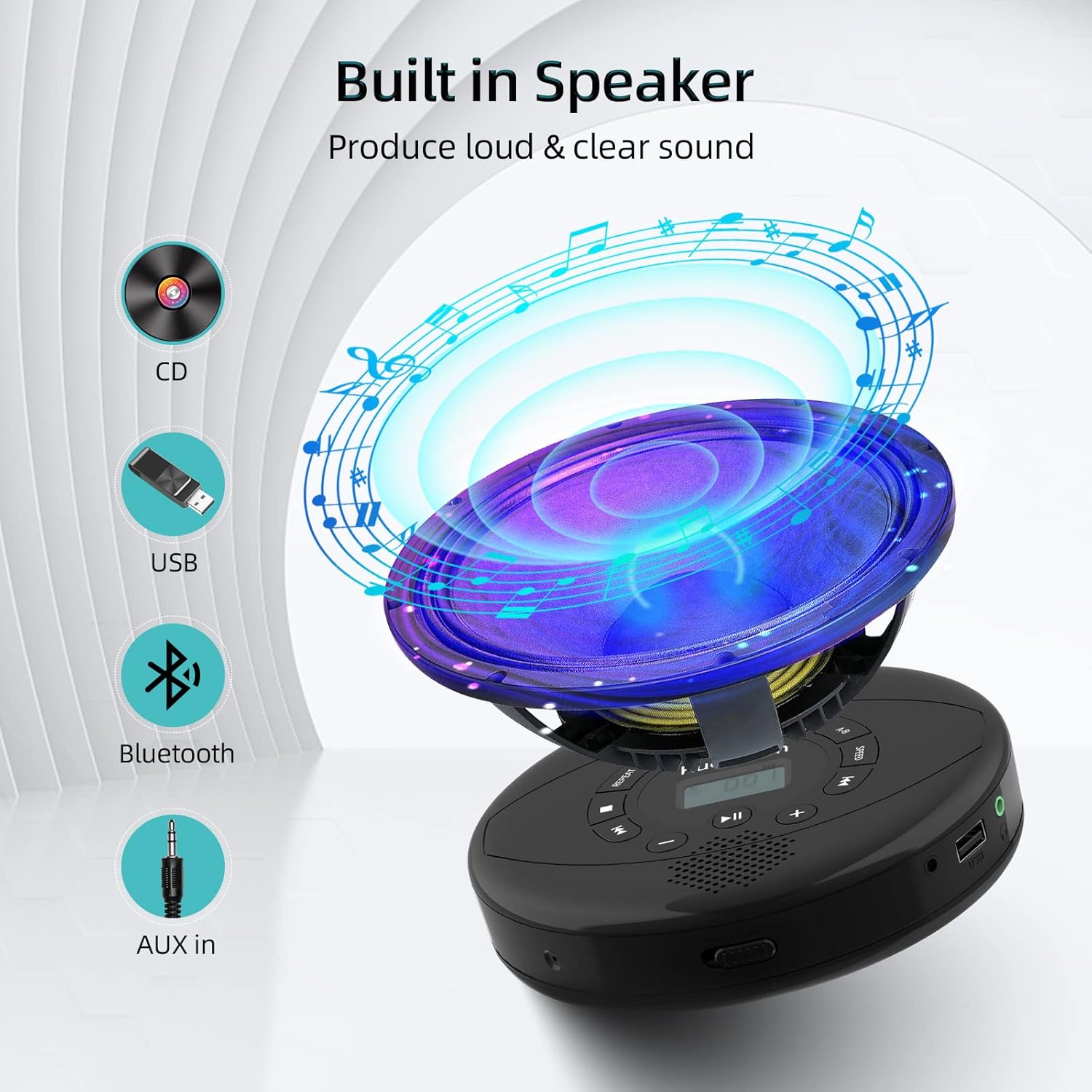
Figure 6: Illustration of the built-in speaker and the various audio input options supported by the device, including CD, USB, Bluetooth, and AUX in.
Priežiūra
- Įrenginį valykite minkštu, sausu skudurėliu. Venkite naudoti abrazyvinius valiklius ar tirpiklius.
- Nelaikykite prietaiso ekstremaliose temperatūrose, tiesioginiuose saulės spinduliuose ar didelėje drėgmėje.
- Handle CDs by their edges to prevent scratches and smudges. Clean CDs with a soft, lint-free cloth, wiping from the center outwards.
- Kai prietaisas ilgesnį laiką nenaudojamas, laikykite jį vėsioje, sausoje vietoje.
Trikčių šalinimas
| Problema | Galima priežastis | Sprendimas |
|---|---|---|
| Įrenginys neįsijungia. | Baterija išsikrovusi arba išsikrovusi. Maitinimo jungiklis išjungtas. | Charge the device fully. Ensure the ON/OFF switch is in the "ON" position. |
| Kompaktinis diskas praleidžia arba negroja. | CD is dirty, scratched, or damaged. Device is unstable. | Clean the CD. Try another CD. Ensure the device is on a stable surface or utilize its anti-skip protection during movement. |
| Nėra garso iš ausinių / garsiakalbių. | Volume is too low. Headphones/speakers not properly connected. Incorrect mode selected. | Increase volume. Re-insert headphone/AUX cable firmly. Ensure correct mode (CD, Bluetooth, USB, AUX) is selected. |
| „Bluetooth“ susiejimas nepavyksta. | Device not in pairing mode. Bluetooth device too far. Interference. | Ensure the CD player is in Bluetooth transmitting/receiving mode. Move devices closer. Turn off other Bluetooth devices to reduce interference. |
Specifikacijos
| Funkcija | Detalė |
|---|---|
| Gaminio matmenys | 5.7 x 5.7 x 1.2 colio |
| Prekės svoris | 1.21 svaro |
| Modelio numeris | PM10-Black |
| Baterija | 1 ličio polimero baterija (pridedama) |
| Prekės ženklas | Kuefomas |
| Ryšio technologija | Bluetooth, pagalbinis, USB |
| Palaikomi formatai | CD, CD-R, CD-RW, MP3, WMA, WAV |
| Ypatinga funkcija | Portable, Anti-Skip, Built-in Speakers |
Garantija ir palaikymas
For warranty information or technical support, please refer to the contact details provided with your purchase or visit the official Kuephom websvetainėje. Išsaugokite pirkimo kvitą kaip pirkimo įrodymą bet kokiems garantiniams prašymams.


