Įvadas
This manual provides detailed instructions for the installation, operation, and maintenance of your Antec P10C Mid Tower ATX PC Case. The P10C is designed for optimal airflow and quiet operation, featuring sound-dampening materials and efficient cooling solutions. Please read this manual thoroughly before beginning assembly to ensure proper setup and functionality.

Vaizdas: Priekinis kairysis view of the Antec P10C Mid Tower PC Case, showcasing its sleek, brushed metal-like front panel and overall dark gray aesthetic.
Sąranka ir diegimas
Follow these steps to install your components into the Antec P10C PC case.
1. Bylos rengimas
- Padėkite dėklą ant stabilaus, lygaus paviršiaus.
- Remove the side panels by unscrewing the thumbscrews at the rear and sliding them backward.
- The front panel is reversible and swing-open. Gently open it to access the front fan mounts and dust filter.
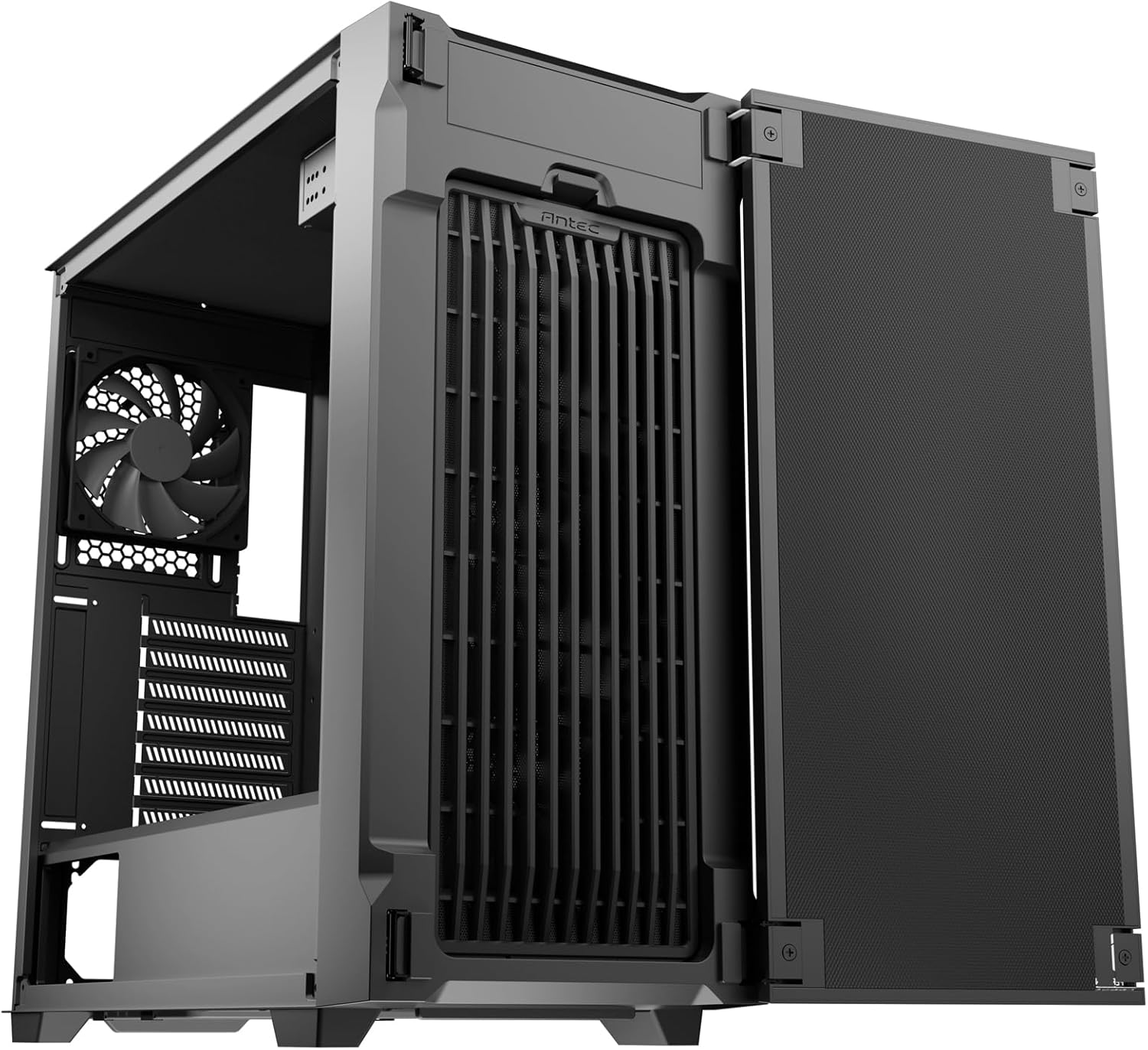
Image: The Antec P10C PC Case with its front panel swung open, revealing the internal fan mounts and the front dust filter for easy access.
2. Pagrindinės plokštės montavimas
- The P10C supports ATX, M-ATX, and ITX motherboards. Ensure the standoffs are correctly aligned for your motherboard size.
- Atsargiai uždėkite pagrindinę plokštę ant laikiklių ir pritvirtinkite varžtais.
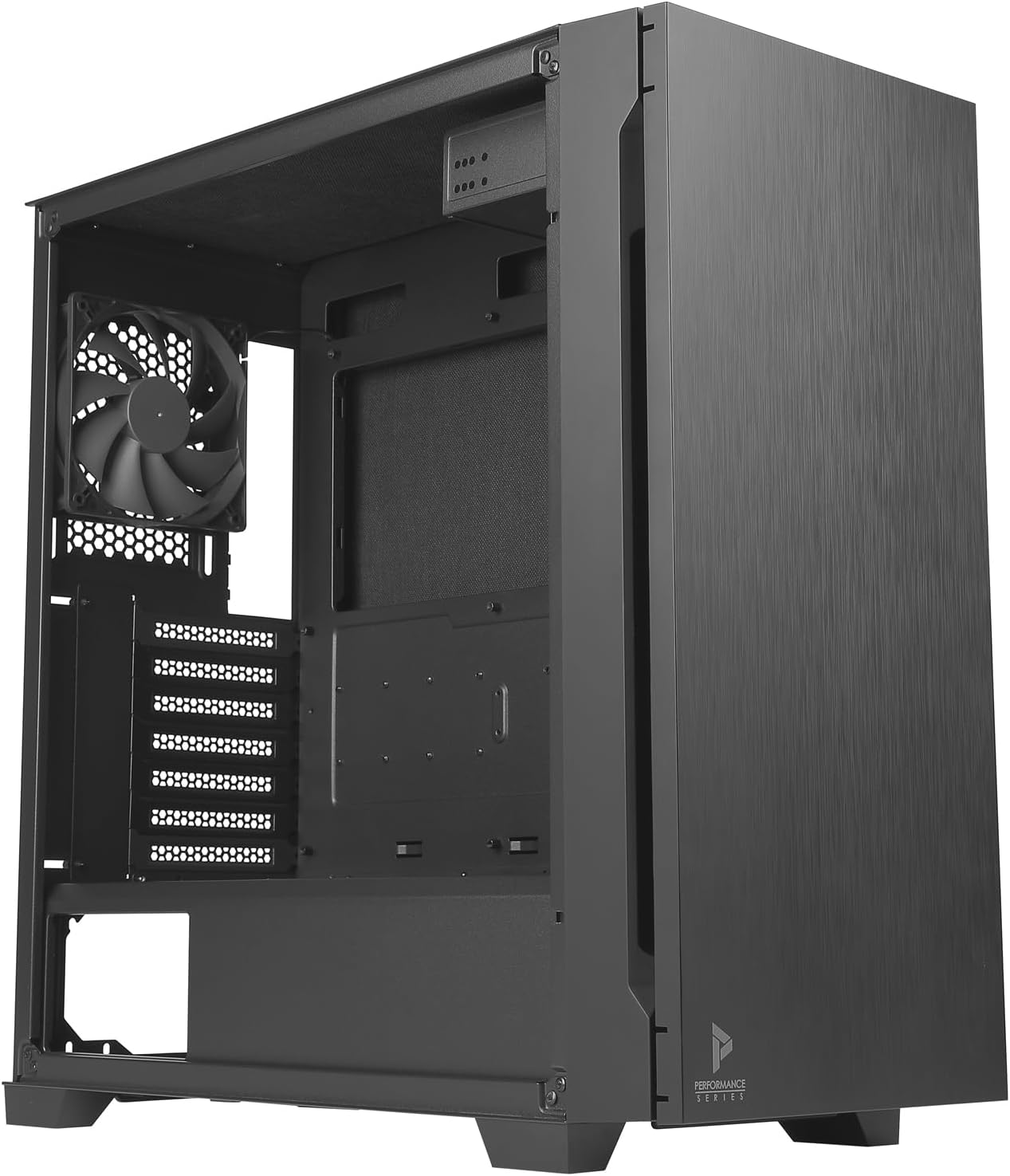
Vaizdas: Interjeras view of the Antec P10C PC Case, showing the spacious motherboard tray, rear exhaust fan, and expansion slots.
3. Pavaros įrengimas
- 3.5 colio kietieji diskai: The case provides three dedicated 3.5" drive bays. Slide the drives into the trays and secure them.
- 2.5 colio SSD diskai: Three 2.5" SSD mounting locations are available. Secure SSDs using screws.
- 5.25" ODD: A 5.25" optical drive bay is included for an optical disk drive or other compatible devices.
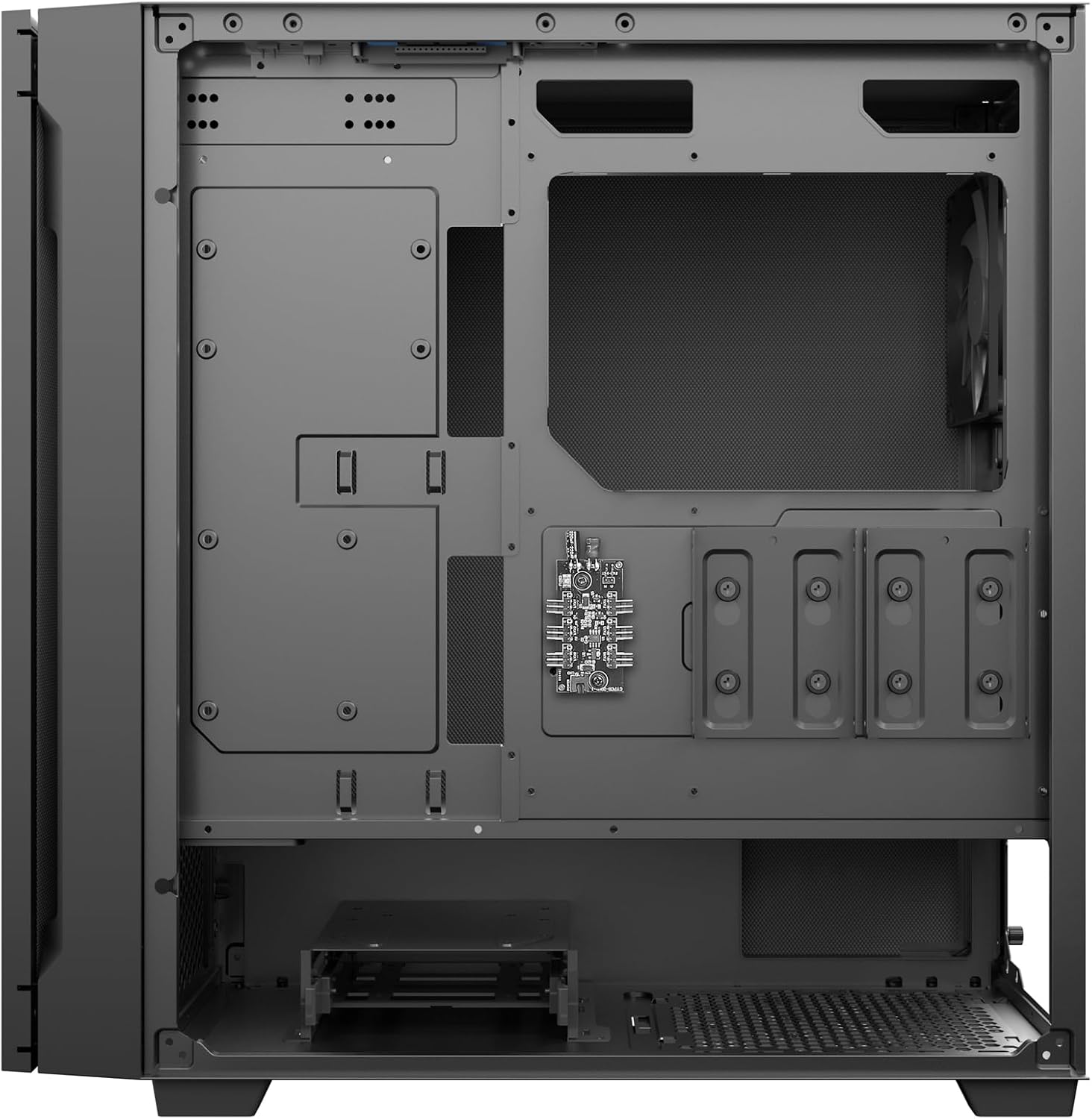
Paveikslėlis: Galinis salonas view of the Antec P10C PC Case, highlighting the cable management area and the mounting locations for 2.5-inch and 3.5-inch storage drives.
4. Ventiliatoriaus ir radiatoriaus montavimas
- The case comes with three 120mm fans pre-installed in the front and one 120mm fan in the rear for exhaust.
- For additional cooling, the front supports radiators up to 360mm, and the rear supports a 120mm radiator.
5. Kabelių valdymas
Pasinaudokite ample space behind the motherboard tray to route and secure cables, ensuring optimal airflow and a clean build.
Veikimo ypatybės
The Antec P10C is designed with several features to enhance user experience and system performance.
Priekinis I/O skydelis
The top-mounted I/O panel provides convenient access to essential ports:
- 2 x USB 3.0 prievadai
- 2 x USB 2.0 prievadai
- 1 x USB Type-C prievadas
- Garso įvesties / išvesties lizdai
- Maitinimo mygtukas
- Ventiliatoriaus greičio valdymo mygtukas

Vaizdas: Stambus planas view of the Antec P10C's top I/O panel, showing the power button, fan speed control, USB 3.0, USB 2.0, audio jacks, and a USB Type-C port.
Tylus veikimas
The P10C incorporates sound-dampening foam on the front door, side panels, and top panel to minimize noise output from your system components.
Optimizuotas oro srautas
The case features an air-concentrating front filter design that pulls air from multiple directions, enhancing cooling efficiency for your internal components.
Priežiūra
Reguliarus techninis aptarnavimas padeda užtikrinti optimalų kompiuterio korpuso veikimą ir ilgaamžiškumą.
Dulkių filtro valymas
- The P10C includes removable dust filters at the front and bottom (for the power supply unit).
- To clean, gently remove the filters. The front filter is accessible by opening the front panel. The bottom filter slides out from the rear.
- Filtrus valykite suslėgtu oru arba perplaukite vandeniu. Prieš įdėdami atgal, įsitikinkite, kad jie yra visiškai sausi.

Vaizdas: Interjeras view of the Antec P10C PC Case, showing the bottom dust filter removed from its slot, indicating ease of access for cleaning.
Trikčių šalinimas
Šiame skyriuje aptariamos dažniausiai pasitaikančios problemos, su kuriomis galite susidurti diegimo ar naudojimo metu.
- Nėra galios:
- Ensure all power cables (motherboard, CPU, GPU, drives) are securely connected.
- Verify the power supply unit (PSU) is switched on.
- Patikrinkite priekinio skydelio maitinimo mygtuko jungtį su pagrindine plokšte.
- Nesisukantys ventiliatoriai:
- Įsitikinkite, kad ventiliatoriaus laidai tinkamai prijungti prie pagrindinės plokštės arba ventiliatoriaus valdiklio.
- Check fan speed settings via the front panel button or motherboard BIOS/software.
- Per didelis triukšmas:
- Ensure all components (fans, drives) are securely mounted to prevent vibration.
- Clean dust filters to maintain optimal airflow and reduce fan strain.
- Verify side panels are properly closed and secured.
- Neveikiantys USB prievadai:
- Check if the front panel USB headers are correctly connected to the motherboard.
- Įsitikinkite, kad pagrindinės plokštės tvarkyklės yra atnaujintos.
Specifikacijos
| Modelio pavadinimas | P10C |
| Dalies numeris | 0-761345-80102-7 |
| Atvejo tipas | Midi bokštas |
| Pagrindinės plokštės suderinamumas | ATX, M-ATX, ITX |
| Matmenys (IxPxH) | 18.78 x 8.66 x 19.13 colio (477 x 220 x 486 mm) |
| Svoris | 16.94 svaro (7.68 kg) |
| Medžiaga | Legiruotasis plienas, plastikas |
| Drive Bays | 3 x 3.5" HDD, 3 x 2.5" SSD, 1 x 5.25" ODD |
| Įtraukti gerbėjai | 3 x 120mm Front, 1 x 120mm Rear |
| Radiatoriaus palaikymas | Front: Up to 360mm; Rear: 120mm |
| Priekinės įvesties / išvesties prievadai | 2 x USB 3.0, 2 x USB 2.0, 1 x USB Type-C, Audio In/Out |
| Aušinimo būdas | Oras |
| Ypatingos savybės | Garsas-dampening foam, Reversible front panel, Removable dust filters |
Garantija ir palaikymas
Antec products are manufactured to high-quality standards. For specific warranty information regarding your P10C PC case, please refer to the warranty card included with your product or visit the official Antec website. For technical support or inquiries, please contact Antec customer service through their official channels.
Daugiau informacijos ir palaikymo išteklių galite rasti adresu „Antec“ parduotuvė „Amazon“ platformoje.


