1. Įvadas
This manual provides essential information for the safe and efficient operation of your Coocaa 43Y72 4K Ultra HD Smart IPS Google LED TV. Please read it thoroughly before using the television and retain it for future reference. This television features a 108 cm (43 inches) frameless 4K Ultra HD IPS display, powered by Google TV, offering a comprehensive entertainment experience.

Image: The Coocaa 43Y72 TV showcasing its Google TV interface with personalized content and app recommendations.
2. Kas yra dėžutėje
Išpakuodami įsitikinkite, kad yra visi šie daiktai:
- 1 x Coocaa 43Y72 LED TV
- 1x nuotolinio valdymo pultas
- 1 x maitinimo laidas
- 1 x Start Guide
- 1x garantinis talonas
- 2 x AAA baterijos (nuotolinio valdymo pultui)
- 1 x Set of Base Stands
- 4 x Screws (for base stands)
3. Sąranka
3.1 Fizinė konfigūracija
- Išpakavimas: Atsargiai išimkite televizorių iš pakuotės. Rekomenduojama, kad šį procesą atliktų du žmonės.
- Stovo montavimas: If using the included base stands, align them with the mounting holes on the bottom of the TV. Secure them using the provided screws. Ensure the TV is placed on a stable, flat surface.
- Tvirtinimas prie sienos (pasirinktinai): If wall mounting, refer to the instructions provided with your wall mount kit. Ensure the wall mount is compatible with VESA standards for your TV model and installed by a qualified professional.
- Maitinimo jungtis: Prijunkite maitinimo laidą prie televizoriaus maitinimo įvesties, o tada – prie tinkamo elektros lizdo.
3.2 Pradinis įjungimas
- Norėdami įjungti televizorių, paspauskite televizoriaus arba nuotolinio valdymo pulto maitinimo mygtuką.
- Vykdykite ekrane pateikiamus nurodymus, kad atliktumėte pradinę sąranką, įskaitant kalbos pasirinkimą, tinklo ryšį ir prisijungimą prie „Google“ paskyros.
4. Ryšys
Your Coocaa 43Y72 TV offers multiple connectivity options for various devices.

Paveikslėlis: detalus view of the TV's side panel, illustrating the arrangement of USB, Digital Audio, AV, HDMI, and LAN ports.
4.1 Laidinės jungtys
- HDMI prievadai (3): Prijunkite priedėlius, „Blu-ray“ grotuvus, žaidimų konsoles ar kitus įrenginius su HDMI jungtimi.
- USB prievadai (2): Prijunkite standžiuosius diskus, USB atmintines arba kitus USB įrenginius, kad galėtumėte atkurti medijos failus.
- LAN prievadas: Stabiliam laidiniam interneto ryšiui.
- Skaitmeninė garso išvestis: Prijunkite prie išorinių garso sistemų, kad garsas būtų geresnis.
- AV įvestis: Skirta senesniems įrenginiams prijungti naudojant kompozicinį vaizdo ir stereo garso kabelius.
- IR prievadas: To control connected devices like DVD/STB players.
4.2 Belaidės jungtys
- „Wi-Fi“ (dviejų dažnių juosta): Prisijunkite prie namų tinklo, kad galėtumėte naudotis internetu ir transliuoti.
- Bluetooth: Pair with compatible devices such as headphones, speakers, or game controllers.
5. Televizoriaus valdymas
5.1 Nuotolinis valdymas
The included remote control allows you to navigate the TV's features. It supports voice commands and has dedicated buttons for popular streaming services.

Image: The Coocaa remote control, highlighting its ergonomic design and dedicated buttons for smart features and streaming services.
- Maitinimo mygtukas: Įjungia arba išjungia televizorių.
- „Google“ asistento mygtukas: Įjungia balso valdymą turiniui ieškoti, išmaniųjų namų įrenginiams valdyti ir kt.
- Naršymo skydelis: Use the directional buttons and OK button to navigate menus.
- Garsumo / kanalo mygtukai: Reguliuokite garsumą ir keiskite kanalus.
- Greitos prieigos mygtukai: Direct access to Netflix, Prime Video, and YouTube.
5.2 „Google TV“ sąsaja
Google TV organizes movies, shows, live TV, and more from your apps and subscriptions into one personalized interface.
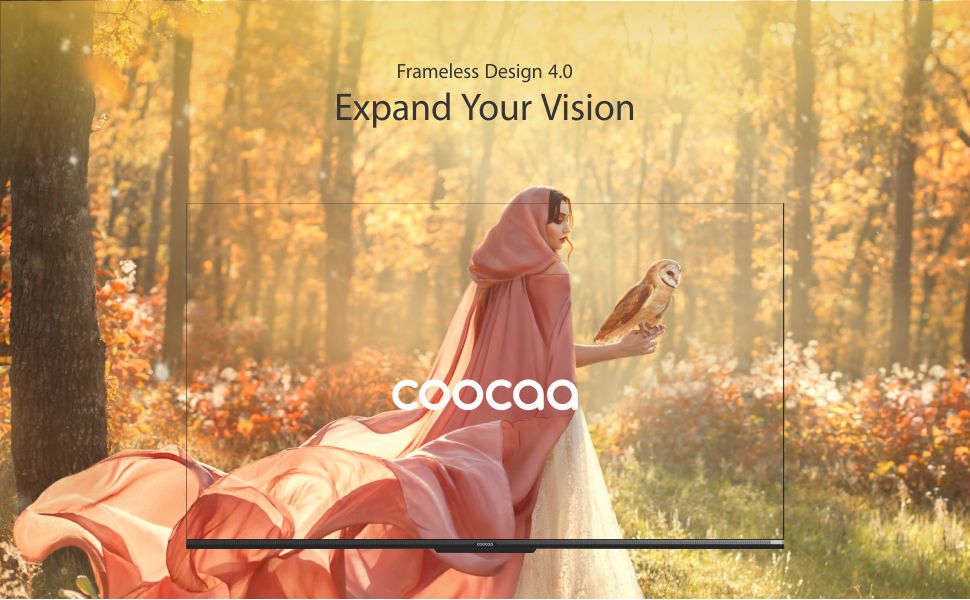
Image: The Google TV home screen, demonstrating personalized content suggestions and easy access to various applications.
- Personalized Homescreen: Content recommendations are tailored to your viewįpročius.
- Content Catalog: Access a vast library of movies and TV shows from services like Prime Video, Netflix, Hotstar, Zee5, Sony LIV, YouTube, and more.
- Google Duo Support: Engage in video calls directly from your TV (requires compatible camera, sold separately).
- Swaiot Home Feature: Integrate and control compatible smart home devices.
- Įtaisytasis „Chromecast“: Transliuokite turinį iš savo išmaniojo telefono ar planšetinio kompiuterio tiesiai į televizorių.
- „Google Voice“ asistentas: Use voice commands for navigation, search, and control.
6. Ekrano ir garso funkcijos
6.1 Ekrano technologija
- 4K HDR (3840 x 2160) Resolution: Delivers sharp, detailed images with vibrant colors.
- IPS ekranas: Suteikia platų viewing angles (178 degrees), ensuring consistent picture quality from various positions.
- Durable A+ Grade DLED Panel: Ensures reliability and consistent performance.
- Ultra Bright Screen: Maintains picture clarity even in well-lit rooms.
- Dizainas be rėmelio: Maksimaliai padidina ekrano erdvę, kad būtų užtikrintas įtraukiantis vaizdas viewpatirtį.
- Chameleon Extreme 2.0 Picture Engine: Enhances picture quality by optimizing color, contrast, and clarity.
- HDR 10 ir HLG: Supports high dynamic range content for improved contrast and color accuracy.

Image: The Coocaa TV featuring its frameless design, designed to provide an expansive visual experience.
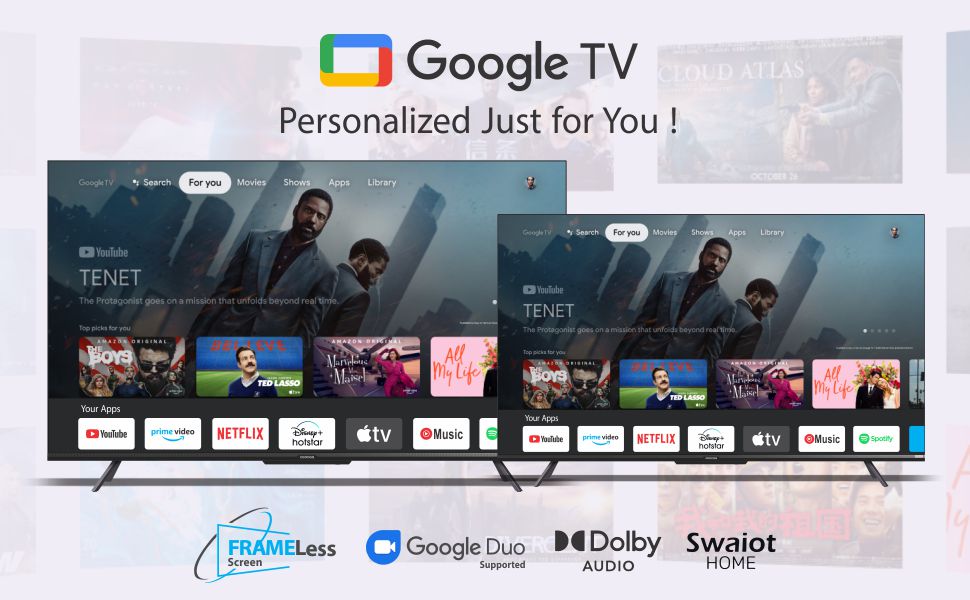
Image: Visual representation of the Chameleon Extreme 2.0 Picture Engine, highlighting its role in bringing out every detail.
6.2 Garso technologija
- 30 vatų išėjimo galia: Suteikia aiškų ir galingą garsą.
- Dolby Audio: Delivers rich, clear, and powerful sound for an immersive audio experience.
- DTS Tru Surround: Enhances audio with virtual surround sound for remarkable sound quality.
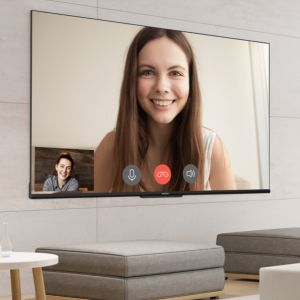
Image: Logos for Dolby Audio and DTS TruSurround, signifying advanced audio processing for superior sound.
7. Specifikacijos
Detailed technical specifications for the Coocaa 43Y72 TV:

Image: Technical drawing illustrating the precise dimensions of the Coocaa 43Y72 TV, including screen size, width, height, and depth.
| Funkcija | Detalė |
|---|---|
| Modelis | 43Y72 |
| Ekrano dydis | 108 cm (43 coliai) |
| Rezoliucija | 4K HDR (3840 x 2160) |
| Atnaujinimo dažnis | 60 hercų |
| Viewing kampas | 178 laipsnių |
| Ekrano tipas | IPS šviesos diodas |
| Garso išvestis | 30 vatų |
| Garso technologija | Dolby Audio, DTS Tru Surround |
| Operacinė sistema | „Google TV“ („Android“) |
| RAM | 2 GB |
| Sandėliavimas | 16 GB |
| HDMI prievadai | 3 |
| USB prievadai | 2 |
| Belaidis ryšys | Dual-band Wi-Fi, Bluetooth |
| Matmenys (IxPxH) | 95.07 x 19.09 x 56.06 cm |
| Prekės svoris | 6 kg |
| Maitinimo šaltinis | AC 200 Volts, 100 Watts |
8. Problemų sprendimas
Jei kyla problemų dėl televizoriaus, žr. toliau pateiktas dažniausiai pasitaikančias problemas ir sprendimus:
- Nėra galios:
- Ensure the power cord is securely connected to both the TV and the electrical outlet.
- Patikrinkite, ar maitinimo lizdas veikia, prijungdami kitą įrenginį.
- Paspauskite maitinimo mygtuką ant paties televizoriaus, o ne tik ant nuotolinio valdymo pulto.
- Nėra vaizdo, bet yra garsas:
- Patikrinkite, ar pasirinktas teisingas įvesties šaltinis (pvz., HDMI 1, AV).
- Patikrinkite kabelio jungtis tarp televizoriaus ir išorinių įrenginių.
- Nėra garso, bet yra vaizdas:
- Padidinkite garsumą.
- Patikrinkite, ar televizoriaus garsas nėra nutildytas.
- Jei naudojate išorinius garsiakalbius, įsitikinkite, kad garso kabeliai yra tinkamai prijungti.
- Patikrinkite garso išvesties nustatymus televizoriaus meniu.
- Nuotolinio valdymo pultas neveikia:
- Replace the batteries (2 AAA batteries).
- Įsitikinkite, kad tarp nuotolinio valdymo pulto ir televizoriaus IR jutiklio nėra jokių kliūčių.
- Re-pair the Bluetooth remote if it's a smart remote.
- „Wi-Fi“ ryšio problemos:
- Iš naujo paleiskite maršrutizatorių ir modemą.
- Patikrinkite „Wi-Fi“ slaptažodį.
- Įsitikinkite, kad televizorius yra jūsų „Wi-Fi“ maršrutizatoriaus veikimo diapazone.
For persistent issues, please contact Coocaa customer support.
9. Priežiūra
Tinkama priežiūra užtikrina jūsų televizoriaus ilgaamžiškumą ir optimalų veikimą:
- Ekrano valymas: Naudokite minkštą, nepūkuotą šluostę, specialiai skirtą elektronikai. Nenaudokite stiprių cheminių medžiagų ar abrazyvinių medžiagų. Lengvai nuvalykiteampJei reikia, sudrėkinkite šluostę vandeniu ir švelniai nuvalykite.
- Kūno valymas: Televizoriaus rėmą ir stovą nuvalykite minkšta, sausa šluoste.
- Vėdinimas: Užtikrinkite tinkamą oro cirkuliaciją aplink televizorių. Neužblokuokite ventiliacijos angų.
- Išjunkite, kai nenaudojate: Turn off the TV and unplug it during lightning storms or when leaving it unused for extended periods.
10. Garantija ir palaikymas
Your Coocaa 43Y72 TV comes with a standard brand warranty. Please refer to the included Warranty Card for specific terms, conditions, and duration of coverage.
- Garantijos aprėptis: Typically covers manufacturing defects and malfunctions under normal use.
- Susisiekite su palaikymo komanda: For warranty claims, technical assistance, or service requests, please refer to the contact information provided on your Warranty Card or the official Coocaa websvetainę.
- Pirkimo įrodymas: Always retain your purchase receipt as proof of purchase for warranty validation.