Įvadas
The Donner NEOTRACK-LX is a versatile RGB USB condenser microphone designed for high-quality audio capture across various platforms including PC, PS4, and Mac. Featuring a cardioid pickup pattern, quick mute function, mic monitoring, and gain control, it is ideal for streaming, podcasts, Twitch, YouTube, and Discord. Its plug-and-play design ensures ease of use without requiring additional drivers.
Savybės
- RGB apšvietimas: Dynamic dream lights with colorful ambient effects.
- Kardioidinio paėmimo modelis: Focuses on sound directly in front of the microphone, reducing background noise.
- Instant Touch Mute: Capacitive touch button on top for quick muting.
- Ausinių stebėjimas: 3.5mm jack for real-time audio monitoring.
- Gain Control: Adjustable knob for microphone input sensitivity.
- USB jungtis: Simple plug-and-play operation via USB-C.
- Platus suderinamumas: Works with PC, PS4, and Mac.
- Exceptional Anti-Vibration: Stable metal base and design to minimize vibrations.
Pakuotės turinys
Pažymėkite langelį prie šių elementų:
- Donner NEOTRACK-LX USB Condenser Microphone
- Detachable Metal Base
- USB-C į USB-A laidas
- USB-C į USB-A adapteris
- Lightning to USB-A Adapter
- Vartotojo vadovas

Image: The Donner NEOTRACK-LX microphone with its stand, USB-C to USB-A cable, USB-C to USB-A adapter, and Lightning to USB-A adapter.
Sąranka
- Surinkite mikrofoną: Attach the microphone to its metal base by aligning the mounting points and securing it. The microphone can also be mounted on a standard 5/8-inch threaded boom arm.
- Prisijunkite prie įrenginio:
- For PC/Mac: Connect the USB-C end of the provided cable to the microphone and the USB-A end to an available USB port on your computer.
- For PS4: Connect the USB-C end of the provided cable to the microphone and the USB-A end to an available USB port on your PS4 console.
- For compatible mobile devices (e.g., tablets, smartphones): Use the appropriate USB-C or Lightning adapter with the USB-A cable to connect the microphone.

Image: The microphone demonstrating compatibility with PC, laptop, tablets, and smartphones via USB-A, USB-C, and Lightning connections.
- Sistemos atpažinimas: The microphone is plug-and-play and should be automatically recognized by your operating system (Windows, macOS) or console (PS4). No additional drivers are typically required.
- Pasirinkite kaip įvesties įrenginį: Go to your device's sound settings and select the "Donner NEOTRACK-LX" as your default input (microphone) device.
Mikrofono valdymas
- Stiprumo reguliavimas: The gain knob on the back of the microphone controls the input sensitivity. Turn it clockwise to increase sensitivity (for quieter sources) and counter-clockwise to decrease sensitivity (for louder sources). Adjust this to prevent audio clipping or ensure sufficient volume.
- Ausinių garsumo valdymas: The volume knob on the front of the microphone controls the output volume for the connected headphones. Plug your 3.5mm headphones into the jack on the back of the microphone for real-time monitoring.

Image: A close-up of the microphone showing the headphone jack and USB port, with a headphone cable connected.
- Instant Mute Function: Tap the top of the microphone to instantly mute or unmute. When muted, the RGB lights will turn off, indicating that the microphone is not picking up sound.

Image: A hand touching the top of the microphone to activate the mute function, showing the RGB lights turning off when muted.
- RGB apšvietimas: The microphone features dynamic RGB lighting that cycles through various colors automatically. This provides an aesthetic enhancement to your setup. The lights cannot be manually changed or turned off, except by muting the microphone.
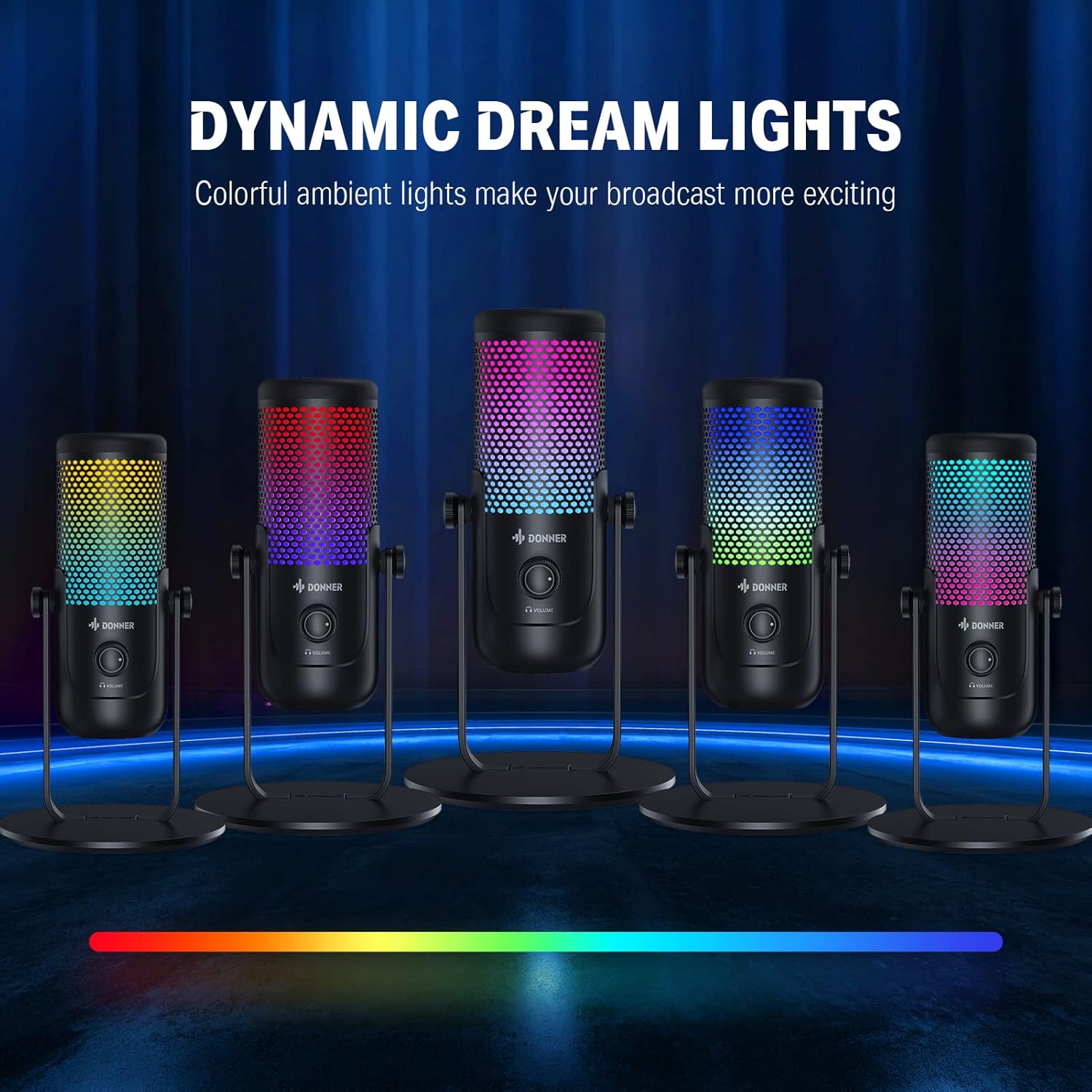
Image: Multiple Donner NEOTRACK-LX microphones showcasing the dynamic dream lights in different color combinations.
Priežiūra
- Valymas: Use a soft, dry cloth to clean the microphone's exterior. Avoid using harsh chemicals or abrasive materials.
- Saugykla: Mikrofoną laikykite vėsioje, sausoje vietoje, toliau nuo tiesioginių saulės spindulių ir ekstremalių temperatūrų.
- Tvarkymas: Handle the microphone with care to avoid dropping it or subjecting it to strong impacts, which could damage internal components.
Trikčių šalinimas
| Problema | Galima priežastis | Sprendimas |
|---|---|---|
| Nėra garso iš mikrofono | Mikrofonas netinkamai prijungtas Pasirinktas neteisingas įvesties įrenginys Mikrofonas nutildytas Gain is too low | Įsitikinkite, kad USB kabelis yra tvirtai prijungtas. Check system sound settings and select "Donner NEOTRACK-LX" as input. Tap the top of the microphone to unmute (RGB lights should turn on). Increase the gain knob on the microphone's back. |
| Iškraipytas arba neaiškus garsas | Gain is too high Mikrofonas per arti garso šaltinio Aplinkos triukšmas | Decrease the gain knob. Maintain an appropriate distance from the microphone (e.g., 6-12 inches). Įsitikinkite, kad esate ramioje aplinkoje. |
| RGB lights are off | Mikrofonas nutildytas Microphone not powered | Tap the top of the microphone to unmute. Ensure the microphone is properly connected to a powered USB port. |
| Iš ausinių nėra garso | Headphones not properly connected Headphone volume too low | Įsitikinkite, kad ausinės yra visiškai įjungtos į 3.5 mm lizdą. Increase the headphone volume knob on the microphone's front. |
Specifikacijos
- Mikrofono tipas: Kondensatorius
- Poliarinis modelis: Cardioid
- Ryšys: USB (USB-C port on microphone)
- Sample Įvertinkite: 24 bitų / 96 kHz

Image: The microphone with a graphic overlay indicating its 24-bit 96kHz sample greičio pajėgumas.
- Ausinių išvestis: 3.5 mm lizdas
- Valdikliai: Gain Knob, Headphone Volume Knob, Capacitive Mute Button
- Apšvietimas: Dinaminis RGB
- Suderinamumas: PC, PS4, Mac, compatible mobile devices
- Gamintojas: Donner
Garantija ir palaikymas
„Donner“ produktai sukurti patikimumui ir našumui užtikrinti. Dėl garantijos informacijos, techninės pagalbos ar paslaugų kreipkitės į oficialią „Donner“ svetainę. websvetainėje arba susisiekite tiesiogiai su jų klientų aptarnavimo tarnyba. Išsaugokite pirkimo kvitą kaip pirkimo įrodymą bet kokiems garantiniams prašymams.
Jei reikia daugiau pagalbos, apsilankykite: Oficiali „Donner“ parduotuvė „Amazon“ platformoje