1. Įvadas
This manual provides comprehensive instructions for the proper use, setup, and maintenance of your boAt Immortal IM 300 Over-Ear Wired Gaming Headphones. Please read this manual thoroughly before using the product to ensure optimal performance and longevity.

Image 1.1: The boAt Immortal IM 300 Over-Ear Wired Gaming Headphones, showcasindėl savo dizaino ir RGB apšvietimo.
2. Pakuotės turinys
Patikrinkite, ar jūsų gaminio pakuotėje yra visi toliau išvardyti daiktai:
- boAt Immortal IM-300 Gaming Headphones
- C tipo–A tipo kabelis
- C tipo–C tipo kabelis
- Vartotojo vadovas (šis dokumentas)
- Garantijos kortelė
3. Produktas baigtasview
The boAt Immortal IM 300 headphones are designed for an immersive audio experience, featuring advanced drivers, dual microphone options, and customizable settings.
3.1. Pagrindinės savybės
- 50 mm garsiakalbiai: Engineered for a powerful and immersive auditory experience.
- Dvigubi ekvalaizerio režimai: Switch between 3D Spatial Sound for gaming and boAt Signature Sound for music and movies.
- RGB šviesos diodai: Integrated RGB lighting for visual customization.
- Du mikrofonai: Includes a detachable boom mic for clear communication and a passive mic for general use.
- Tinkinimas: Audio and mic driver settings can be adjusted via boAt Plugin Labz software.
- Patogus dizainas: Lightweight, over-ear design with soft earmuffs for extended wear.
- Laidinis ryšys: USB Type-C connection for reliable audio transmission.
- Kelių platformų suderinamumas: Designed for use with PCs, laptops, smartphones, and gaming consoles.

3.1 paveikslėlis: sprogęs view illustrating the 50mm audio drivers within the headphone earcups.
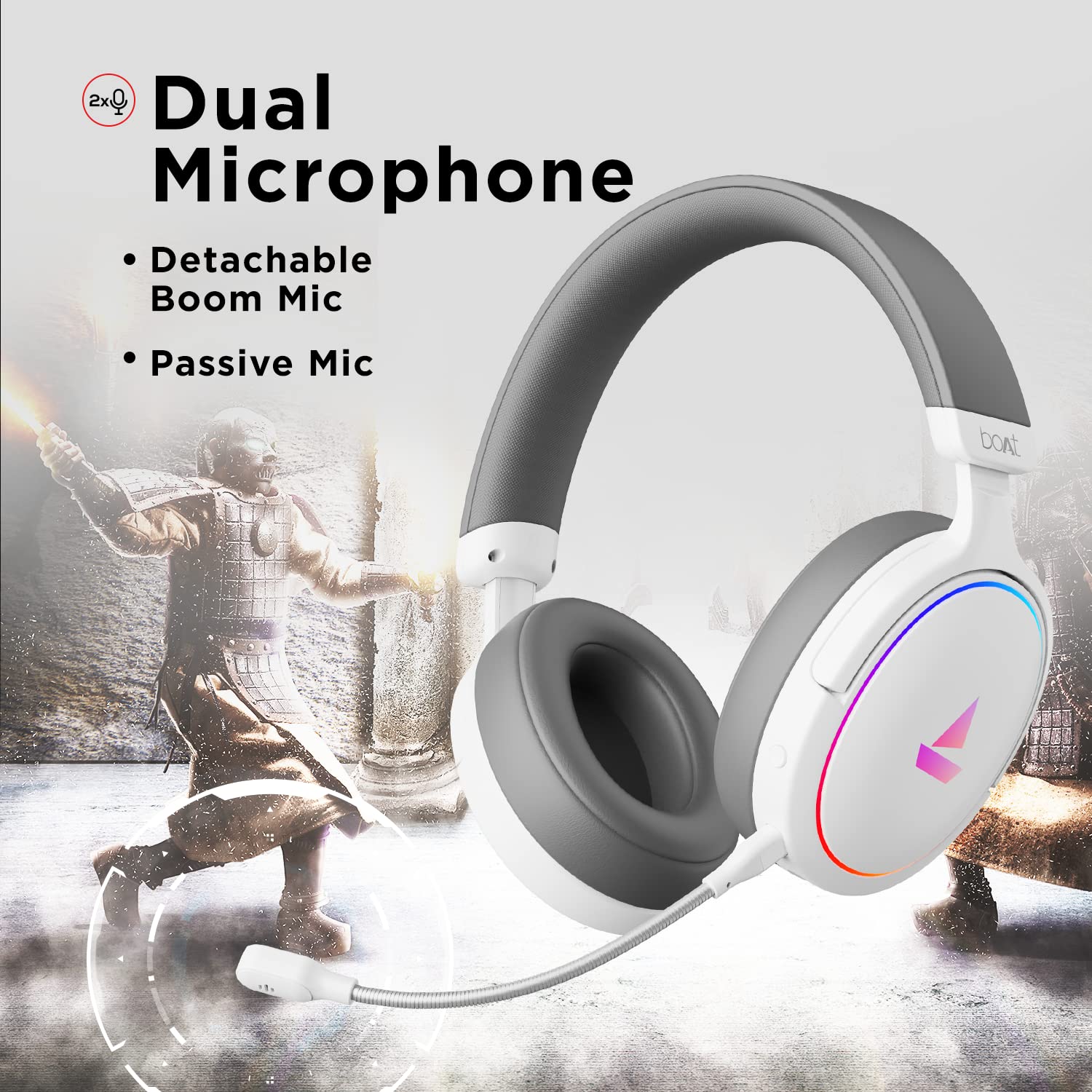
Image 3.2: The headphones featuring the detachable boom microphone, highlighting the dual microphone system.
4. Sąranka
4.1. Prisijungimas prie įrenginio
The Immortal IM 300 headphones connect via USB. Use the appropriate cable for your device:
- Kompiuteriniam / nešiojamam kompiuteriui: Use the provided Type-C to Type-A cable. Connect the Type-C end to the headphone and the Type-A end to an available USB port on your computer.
- For Smartphones/Other Type-C Devices: Use the provided Type-C to Type-C cable. Connect one end to the headphone and the other to your device's Type-C port.
Once connected, your device should automatically detect the headphones. You may need to select the "Immortal IM-300" as the audio output and input device in your system's sound settings.
4.2. Attaching the Boom Microphone
The boom microphone is detachable. To attach it, align the microphone's connector with the port on the left earcup and gently push until it clicks into place. Ensure it is securely connected for optimal voice pickup.
Norėdami atjungti, švelniai ištraukite mikrofoną tiesiai iš prievado.
5. Naudojimo instrukcijos
5.1. Audio Modes (Dual EQ)
The headphones feature two distinct audio equalization (EQ) modes:
- 3D Spatial Sound Mode: Optimized for gaming, providing enhanced directional audio cues.
- Music Mode (boAt Signature Sound): Subalansuotas garsas profesionalamsfile suitable for listening to music and watching movies.
Refer to the inline remote control or the boAt Plugin Labz software for instructions on switching between these modes.

Image 5.1: Illustration of the Dual EQ Modes, highlighting the 3D Spatial Audio and Music Mode functionalities.
5.2. RGB LED Control
The headphones are equipped with RGB LEDs. These lights can be customized or turned off. Specific controls for RGB lighting are typically located on the inline remote or accessible through the boAt Plugin Labz software.

Image 5.2: The headphones showcasing their RGB lighting, indicating customization options via boAt Plugin Labz.
5.3. Mikrofono naudojimas
The Immortal IM 300 offers two microphone options:
- Strėlės mikrofonas: For clear and focused voice communication, especially during gaming. Ensure it is positioned correctly near your mouth.
- Passive Microphone: An integrated microphone for casual use when the boom mic is detached.
Use the inline remote to mute/unmute the microphone as needed.
6. Customization via boAt Plugin Labz
For advanced audio and microphone settings, download and install the boAt Plugin Labz software. This application allows you to fine-tune your listening experience and microphone performance.
Please visit the official boAt website for download instructions and compatibility information for the Plugin Labz software.
7. Priežiūra
7.1. Valymas
- Ausines nuvalykite minkštu, sausu skudurėliu.
- Nenaudokite stiprių cheminių medžiagų, valymo tirpiklių ar stiprių ploviklių.
- Keep the earcups clean to prevent debris buildup.
7.2. Sandėliavimas
- Ausines laikykite vėsioje, sausoje vietoje, toliau nuo tiesioginių saulės spindulių ir ekstremalių temperatūrų.
- Venkite dėti sunkių daiktų ant ausinių.
- When not in use, consider storing them in a protective case to prevent damage.
8. Problemų sprendimas
| Problema | Galima priežastis | Sprendimas |
|---|---|---|
| Nėra garso iš ausinių. |
|
|
| Mikrofonas neveikia. |
|
|
| RGB LEDs are not lighting up. |
|
|
9. Specifikacijos
| Funkcija | Detalė |
|---|---|
| Modelio pavadinimas | Immortal IM-300 |
| Ryšio technologija | Laidinis (C tipo USB) |
| Garso tvarkyklės dydis | 50 mm |
| Ausinės forma | Už ausies uždedami kaušeliai |
| Mikrofono formatas | Boom (detachable) & Passive |
| Triukšmo valdymas | Pasyvus triukšmo slopinimas |
| Dažnių diapazonas | 50-10KHz |
| Prekės svoris | 260 gramų |
| Gaminio matmenys (IxPxH) | 20 x 18 x 8 cm |
| Suderinami įrenginiai | Smartphones, Laptops, Desktops, Gaming Consoles |
| Medžiaga | Plastikiniai |
| Kontrolės metodas | Nuotolinis |

9.1 vaizdas: Baigtaview of key features including multi-platform compatibility, lightweight construction, wired connection, and passive noise isolation.
10. Garantija ir palaikymas
Your boAt Immortal IM 300 headphones come with a 1 metų garantija nuo pirkimo datos. Prašome išsaugoti pirkimo kvitą garantiniams reikalavimams.
For technical support, warranty claims, or further assistance, please contact boAt customer service through their official websvetainėje arba kontaktinę informaciją, pateiktą jūsų garantijos kortelėje.
Norėdami gauti daugiau informacijos, apsilankykite oficialioje svetainėje boAt Store.


