1. Įvadas
Thank you for choosing the Roseland Boombox 20W TWS Bluetooth Speaker. This manual provides essential information for the safe and efficient operation of your device. Please read it thoroughly before use and retain it for future reference.
The Roseland Boombox 20W TWS Bluetooth Speaker delivers rich, powerful sound. Connect wirelessly via Bluetooth, or use AUX and USB inputs for versatile playback. Enjoy up to 5.5 hours of playtime on a single charge. The integrated color-changing light enhances your listening experience. This lightweight speaker features a convenient handle for portability and supports True Wireless Stereo (TWS) pairing for an expanded soundstage.
2. Pakuotės turinys
Įsitikinkite, kad pakuotėje yra visi daiktai:
- Roseland Boombox 20W TWS Bluetooth Speaker
- USB-C įkrovimo laidas
- Pagalbinis (AUX) kabelis
- Instrukcijų vadovas (šis dokumentas)
3. Produkto ypatybės
- Garso išvestis: 20 W galingam garsui.
- Tikrasis belaidis stereofoninis ryšys (TWS): Prijunkite du garsiakalbius belaidžiu būdu, kad gautumėte stereo garsą.
- Ryšys: Bluetooth, AUX Input, USB Port.
- Baterijos veikimo laikas: Iki 5.5 valandų grojimo.
- Įkrovimo laikas: Maždaug 2.5 valandos.
- Apšvietimas: Integrated color-changing light.
- Kontrolės metodas: Palieskite valdiklius.
- Perkeliamumas: Lightweight design with a convenient handle.
- Patvarumas: Neperšlampama konstrukcija.
4. Valdikliai ir indikatoriai
The control panel is located on the rear of the speaker. Specific button functions are detailed below. (Refer to the image for visual reference).
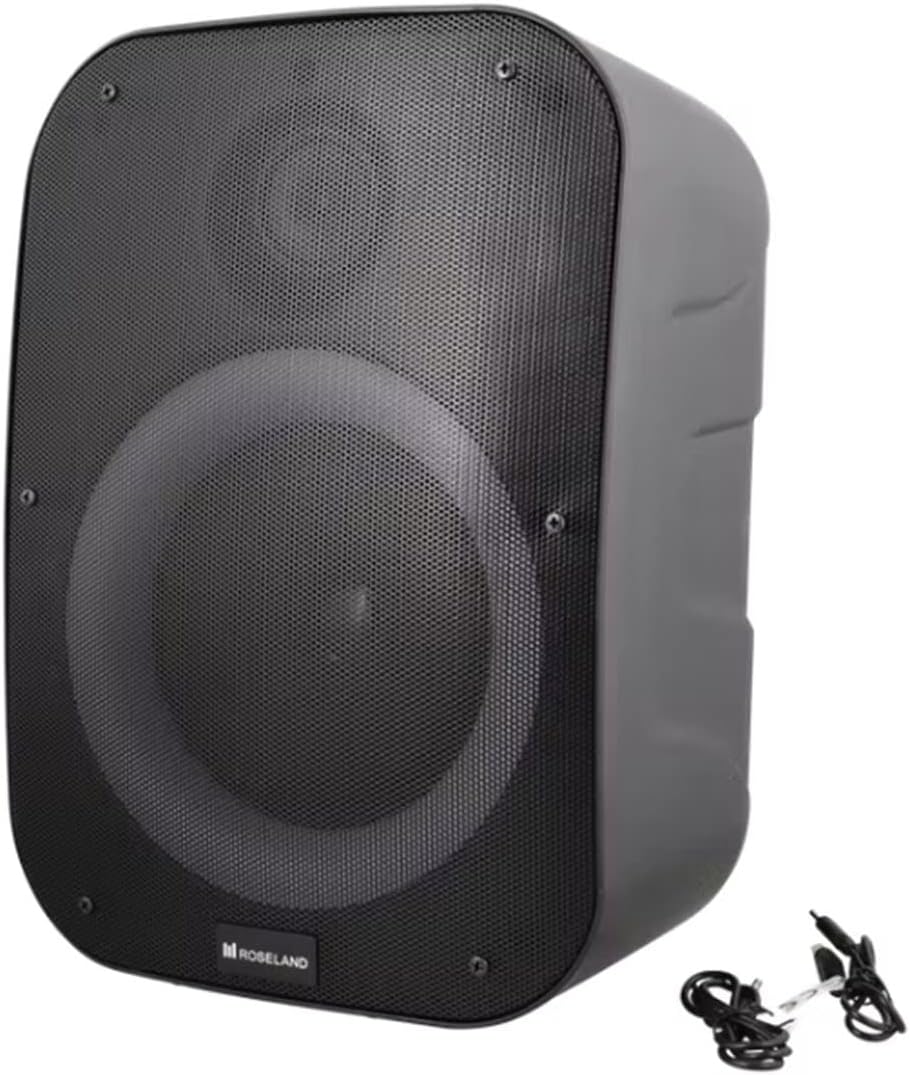
Vaizdas: Galinis view of the Roseland Boombox, highlighting the control panel and integrated handle for portability.
- Maitinimo mygtukas: Paspauskite ir palaikykite, kad įjungtumėte arba išjungtumėte garsiakalbį.
- Režimo mygtukas (M): Paspauskite, norėdami perjungti „Bluetooth“, AUX ir USB atkūrimo režimus.
- Play/Pause Button (▶❚❚): Paspauskite, kad paleistumėte arba pristabdytumėte garsą.
- Garsumo mažinimo / ankstesnio takelio mygtukas (-): Paspauskite, jei norite sumažinti garsumą. Paspauskite ir palaikykite, jei norite grįžti į ankstesnį takelį.
- Garsumo didinimo / kito takelio mygtukas (+): Paspauskite, jei norite padidinti garsumą. Paspauskite ir palaikykite, jei norite pereiti prie kito takelio.
- Šviesos režimo mygtukas: Press to cycle through different color-changing light modes or turn the lights off.
- TWS susiejimo mygtukas: Press to initiate True Wireless Stereo pairing (see Section 5.4).
- Įkrovimo prievadas (USB-C): Connect the USB-C cable for charging.
- AUX įvesties prievadas: Connect an external audio device using the auxiliary cable.
- USB prievadas: Įkiškite USB atmintinę garso atkūrimui.
5. Sąranka
5.1 Garsiakalbio įkrovimas
- Connect the supplied USB-C charging cable to the speaker's USB-C charging port.
- Kitą USB-C laido galą prijunkite prie suderinamo USB maitinimo adapterio (nepridedamas) arba kompiuterio USB prievado.
- Įkrovimo metu šviečia įkrovimo indikatoriaus lemputė, paprastai raudona. Kai visiškai įkraunama, ji užgęsta arba pakeičia spalvą (pvz., mėlyna).
- Pilnas įkrovimas trunka maždaug 2.5 valandų.
5.2 Įjungimas / išjungimas
- Norėdami įjungti: Press and hold the Power Button for a few seconds until you hear an audible prompt or see an indicator light.
- Norėdami išjungti: Press and hold the Power Button again for a few seconds until the speaker powers down.
5.3 Bluetooth poravimas
- Ensure the speaker is powered on and in Bluetooth mode. If not, press the Mode Button (M) until you hear a "Bluetooth mode" prompt or see a flashing blue indicator light.
- Įjunkite „Bluetooth“ savo išmaniajame telefone, planšetiniame kompiuteryje ar kitame įrenginyje su „Bluetooth“ palaikymu.
- Ieškokite "Roseland Boombox" in the list of available Bluetooth devices.
- Select "Roseland Boombox" to connect. Once connected, you will hear a confirmation sound, and the indicator light will become solid blue.
- Įjungus garsiakalbį, jis automatiškai bandys prisijungti prie paskutinio suporuoto įrenginio.
5.4 Tikrojo belaidžio stereo (TWS) susiejimas
TWS allows you to connect two Roseland Boombox speakers wirelessly for a stereo sound experience.
- Ensure both Roseland Boombox speakers are powered on and in Bluetooth mode, but not yet connected to any device.
- On one of the speakers (this will be the primary speaker), press the TWS Pairing Button. You will hear a prompt indicating it's searching for another speaker.
- Du garsiakalbiai automatiškai susijungs. Sėkmingai susiejus TWS, išgirsite patvirtinimo garsą.
- Now, connect your Bluetooth device to the primary speaker (the one you pressed the TWS button on) as described in Section 5.3. The audio will now play in stereo through both speakers.
5.5 AUX jungtis
- Connect one end of the supplied AUX cable to the AUX Input Port on the speaker.
- Kitą AUX kabelio galą prijunkite prie išorinio garso įrenginio ausinių lizdo arba garso išvesties.
- Press the Mode Button (M) on the speaker until you hear an "AUX mode" prompt.
- Valdykite atkūrimą ir garsumą tiesiai iš prijungto garso įrenginio.
5.6 USB atkūrimas
- Įdėkite USB atmintinę, kurioje yra MP3 garso įrašų files into the USB Port on the speaker.
- Press the Mode Button (M) on the speaker until you hear a "USB mode" prompt.
- Garsiakalbis automatiškai pradės leisti garsą files iš USB atmintinės.
- Use the Play/Pause, Volume Up/Down, and Next/Previous Track buttons on the speaker to control playback.
6. Naudojimo instrukcijos
6.1 Muzikos atkūrimas
- Leisti / pristabdyti: Paspauskite paleidimo/pauzės mygtuką.
- Kitas takelis: Paspauskite ir palaikykite garsumo didinimo (+) mygtuką.
- Ankstesnis takelis: Paspauskite ir palaikykite garsumo mažinimo (-) mygtuką.
- Garso reguliavimas: Norėdami reguliuoti garsumą, paspauskite garsumo didinimo (+) arba garsumo mažinimo (-) mygtukus.
6.2 šviesos režimai
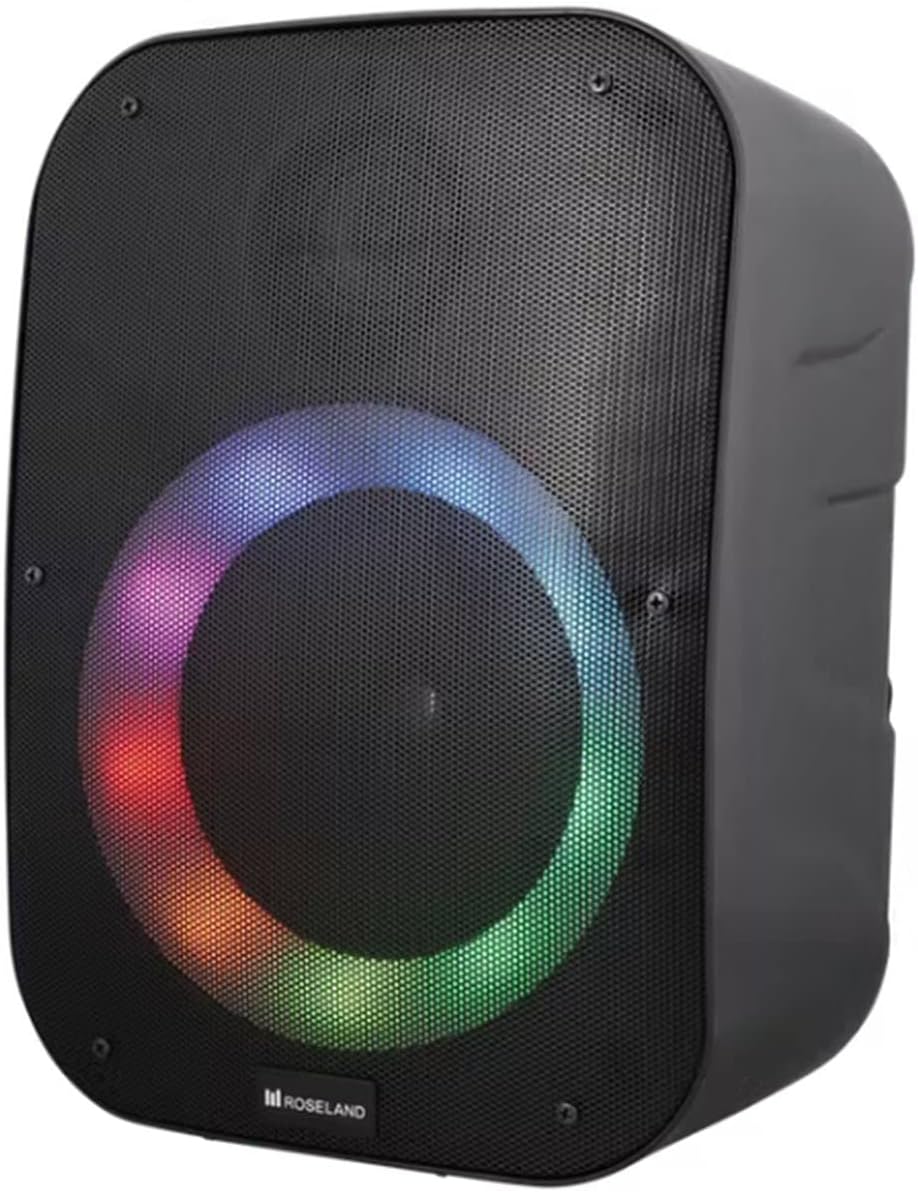
Vaizdas: priekis view of the Roseland Boombox showcasing its dynamic color-changing light feature.
Press the Light Mode Button on the control panel to cycle through various color-changing light patterns. Continue pressing to find your preferred mode or to turn the lights off.
7. Priežiūra
- Valymas: Garsiakalbio paviršių valykite minkštu, sausu skudurėliu. Nenaudokite abrazyvinių valiklių ar tirpiklių.
- Saugykla: Kai garsiakalbio nenaudojate ilgesnį laiką, laikykite jį vėsioje, sausoje vietoje, toliau nuo tiesioginių saulės spindulių ir ekstremalių temperatūrų.
- Akumuliatoriaus priežiūra: Norėdami pailginti baterijos veikimo laiką, prieš pirmą kartą naudodami garsiakalbį visiškai įkraukite jį ir, jei nenaudojate reguliariai, įkraukite jį bent kartą per tris mėnesius.
8. Problemų sprendimas
| Problema | Galima priežastis | Sprendimas |
|---|---|---|
| Garsiakalbis neįsijungia. | Senka baterija. | Charge the speaker using the supplied USB-C cable. |
| Nėra garso. | Per mažas garsumas; netinkamas režimas; įrenginys neprijungtas. | Increase volume; ensure correct mode (Bluetooth/AUX/USB); re-pair Bluetooth device or check AUX/USB connection. |
| „Bluetooth“ susiejimas nepavyksta. | Garsiakalbis neįjungtas susiejimo režimu; įrenginys per toli; trukdžiai. | Ensure speaker is in Bluetooth pairing mode; move device closer; turn off other Bluetooth devices. |
| TWS susiejimas nepavyko. | Garsiakalbiai per toli vienas nuo kito; vienas garsiakalbis jau susietas su įrenginiu. | Ensure both speakers are in TWS pairing mode and close to each other; disconnect any Bluetooth devices from both speakers before TWS pairing. |
9. Specifikacijos
| Funkcija | Detalė |
|---|---|
| Modelio pavadinimas | Roseland Boombox 20W TWS Bluetooth Speaker |
| Prekės ženklas | Rozlandas |
| Garsiakalbio išėjimo galia | 20 vatų |
| Ryšio technologija | Bluetooth, Auxiliary (AUX), USB |
| Belaidis ryšys | Bluetooth |
| Garso išvesties režimas | Stereo |
| Erdvinio garso kanalo konfigūracija | 2.0 |
| Kontrolės metodas | Palieskite |
| Maitinimo šaltinis | Wireless (Rechargeable Battery) |
| Baterijos veikimo laikas | Iki 5.5 valandų |
| Įkrovimo laikas | Maždaug 2.5 val |
| Ypatingos savybės | Bluetooth, USB Port, Color-changing Light, Waterproof |
| Rekomenduojamas naudojimas | Išmaniajam telefonui ar planšetiniam kompiuteriui |
| Suderinami įrenginiai | Personal Computer, Television, Tablet, Smartphone, Laptop |
| Montavimo tipas | Grindų kalnas |
| ASIN | B0B58VP4RH |
10. Informacija apie garantiją
This Roseland Boombox 20W TWS Bluetooth Speaker comes with a 1 metų gamintojo ribota garantija nuo įsigijimo datos. Ši garantija taikoma medžiagų ir gamybos defektams, atsiradusiems įprasto naudojimo sąlygomis. Ji netaikoma žalai, atsiradusiai dėl netinkamo naudojimo, nelaimingo atsitikimo, neleistinos modifikacijos ar išorinių priežasčių.
For warranty claims or support, please contact your retailer or the manufacturer's customer service with your proof of purchase.
11. Saugos informacija
- Nelaikykite garsiakalbio ekstremaliose temperatūrose, tiesioginiuose saulės spinduliuose ar atviroje liepsnoje.
- Do not disassemble, repair, or modify the speaker yourself. This may void the warranty and pose safety risks.
- Saugokite garsiakalbį nuo vaikų ir naminių gyvūnėlių.
- Use only the supplied charging cable. Using incompatible chargers may damage the device or cause fire.
- Venkite klausytis dideliu garsu ilgą laiką, kad nepažeistumėte klausos.
- Although waterproof, avoid submerging the speaker in water for prolonged periods or exposing it to high-pressure water jets.


