Įvadas
This manual provides essential information for the proper setup, operation, and maintenance of your AOC CU34V5C 34-inch Ultrawide QHD VA monitor. The CU34V5C features a curved panel with Ultrawide QHD 21:9 resolution, designed for an immersive viewing experience and enhanced productivity. It includes USB-C with Power Delivery up to 65W, multiple USB ports, and HDMI connectivity, along with Picture by Picture MultiView funkcionalumą.
Sąranka
1. Išpakavimas ir stovo surinkimas
Carefully remove the monitor and all components from the packaging. Place the monitor face down on a soft, clean surface to prevent scratches. Assemble the stand base to the stand column, then attach the assembled stand to the monitor. Ensure all screws are securely tightened.
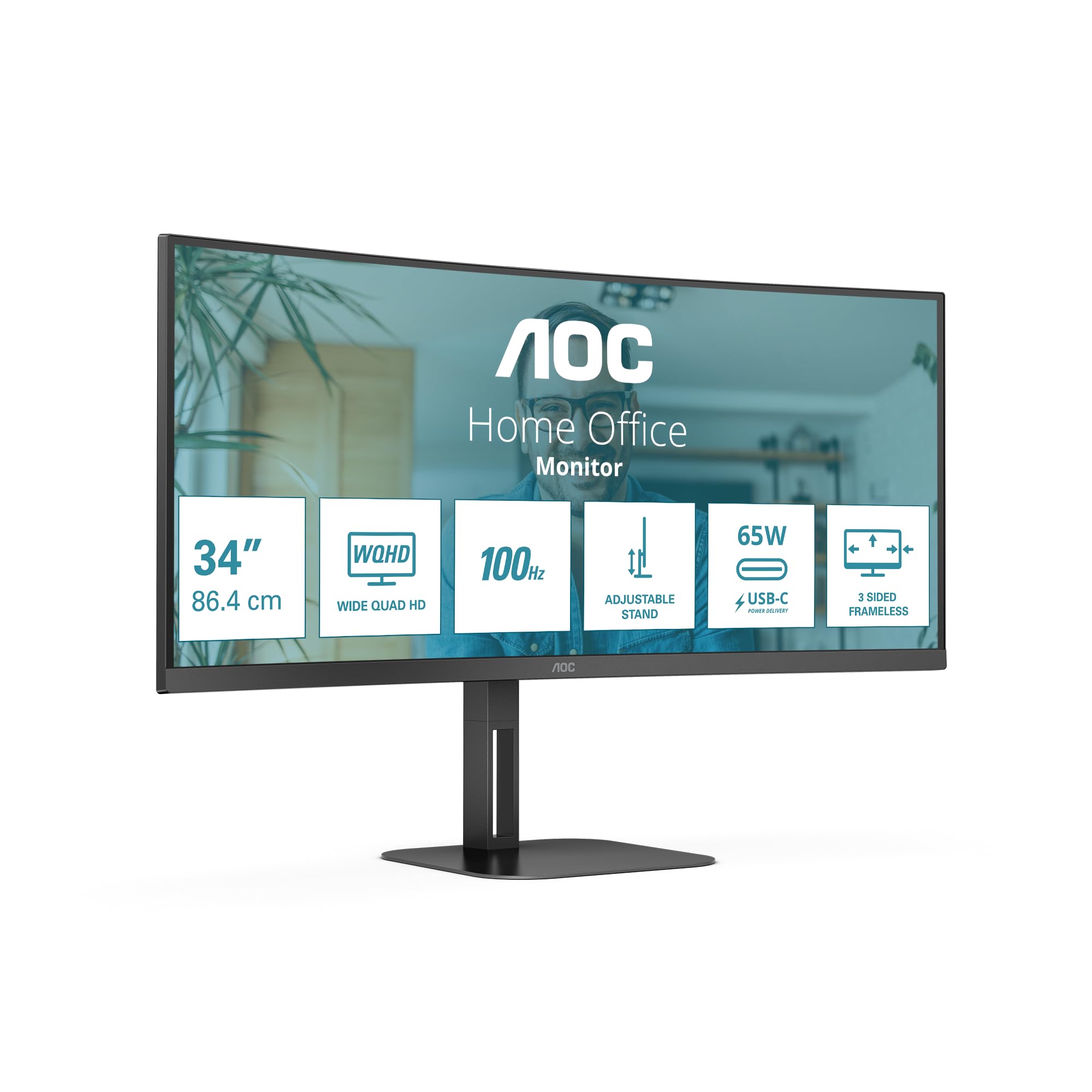
Vaizdas: priekis view of the AOC CU34V5C monitor, illustrating its curved screen and adjustable stand.
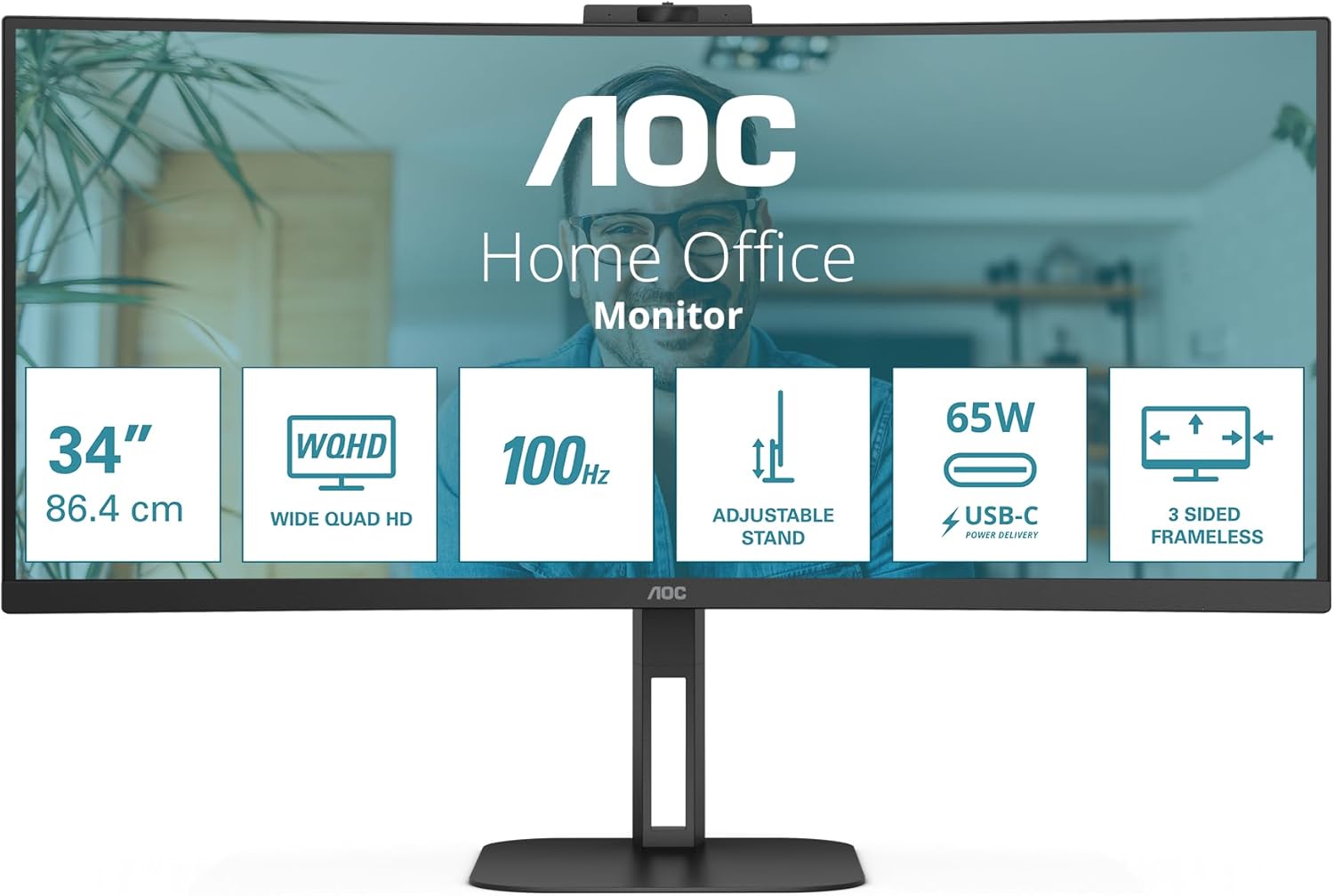
Vaizdas: Galinis view of the AOC CU34V5C monitor, showing the attachment point for the stand and the overall design.
2. Jungiamieji kabeliai
Connect the necessary cables to the monitor's input ports. The monitor supports various connections for versatility.
- Maitinimo kabelis: Connect the AC power cable to the monitor's power input and then to a power outlet.
- HDMI: Use an HDMI cable to connect your computer or other video source to the monitor's HDMI 1x2.0 port.
- DisplayPort: For optimal performance, connect your computer to the monitor using a DisplayPort cable.
- USB-C: Connect a USB-C cable from your compatible device to the monitor's USB-C port. This port supports video, data transfer, and Power Delivery up to 65W, allowing you to charge your device while displaying content.
- USB šakotuvas: Utilize the integrated USB hub by connecting the upstream USB cable (if not using USB-C for data) from your computer to the monitor. Then, connect your USB peripherals (keyboard, mouse, etc.) to the monitor's 4x USB 3.2 ports.
- Garso išvestis: Jei pageidaujate, prijunkite išorinius garsiakalbius arba ausines prie garso išvesties prievado.
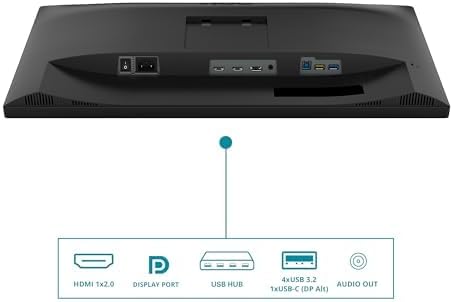
Image: Diagram illustrating the various input and output ports on the AOC CU34V5C monitor, including HDMI, DisplayPort, USB Hub, USB-C, and Audio Out.
3. Stovo reguliavimas
The monitor features an adjustable stand for ergonomic viewing. You can adjust the tilt and height of the display to suit your preference.
- Aukščio reguliavimas: Gently push or pull the monitor up or down to adjust its height. The stand allows for up to 130 mm of vertical adjustment.
- Pakreipimo reguliavimas: Tilt the screen forward or backward to find your optimal viewing kampas.

Vaizdas: Šoninė view of the AOC CU34V5C monitor, highlighting the range of height adjustment available with its stand.
Naudojimo instrukcijos
1. Maitinimo įjungimas/išjungimas
Press the power button, usually located on the bottom right or rear of the monitor, to turn the display on or off. The power indicator light will illuminate when the monitor is active.
2. Ekrano ekrano (OSD) meniu
The OSD menu allows you to configure various monitor settings. Use the control buttons (joystick or individual buttons) typically found on the bottom or rear of the monitor to navigate the menu.
- Vaizdo nustatymai: Adjust brightness, contrast, color temperature, and other image parameters.
- Įvesties pasirinkimas: Rankiniu būdu pasirinkite įvesties šaltinį (HDMI, DisplayPort, USB-C).
- Garso nustatymai: Control volume and other audio-related options for the built-in speakers or audio output.
- OSD nustatymai: Customize the OSD menu's language, transparency, and timeout.
3. KeliView (Picture by Picture)
The AOC CU34V5C supports MultiView, specifically Picture by Picture (PbP) mode. This feature allows you to display content from two different input sources simultaneously on the screen, side-by-side. Refer to the OSD menu for specific instructions on activating and configuring PbP mode.
4. USB-C funkcionalumas
The USB-C port provides a single-cable solution for compatible devices, offering:
- Vaizdo signalas: Display content from your device.
- Duomenų perdavimas: Access devices connected to the monitor's USB hub.
- Maitinimo tiekimas (65 W): Charge your connected laptop or device directly through the monitor.
Priežiūra
1. Ekrano valymas
Norėdami valyti monitoriaus ekraną, švelniai nuvalykite jį minkštu, nepūkuotu skudurėliu. Jei dėmės sunkiai pašalinamos, švelniai nuvalykiteampen the cloth with water or a non-abrasive, monitor-safe cleaning solution. Avoid using harsh chemicals, alcohol, or ammonia-based cleaners, as these can damage the screen surface.
2. Bendroji priežiūra
- Laikykite monitorių atokiau nuo tiesioginių saulės spindulių, per didelio karščio ir drėgmės.
- Užtikrinkite tinkamą vėdinimą aplink monitorių, kad jis neperkaistų.
- Venkite dėti sunkių daiktų ant monitoriaus ar jo laidų.
- Unplug the monitor from the power outlet during electrical storms or when not in use for extended periods.
Trikčių šalinimas
Jei kyla problemų dėl monitoriaus, žr. šiuos įprastus trikčių šalinimo veiksmus:
- Nėra galios: Įsitikinkite, kad maitinimo laidas yra tvirtai prijungtas prie monitoriaus ir maitinimo lizdo. Patikrinkite, ar maitinimo lizdas veikia.
- Nėra signalo: Verify that the video cable (HDMI, DisplayPort, or USB-C) is correctly connected to both the monitor and your computer. Ensure the correct input source is selected in the monitor's OSD menu.
- Mirgantis arba iškreiptas vaizdas: Check the video cable for damage. Try a different cable or input port. Ensure your computer's graphics drivers are up to date.
- Image Too Dark/Bright: Koreguokite ryškumo ir kontrasto nustatymus OSD meniu.
- USB prievadai neveikia: Ensure the USB upstream cable (or USB-C cable) is connected from the monitor to your computer. Check device manager on your computer for any USB driver issues.
If problems persist after trying these steps, contact AOC customer support for further assistance.
Specifikacijos
Key technical specifications for the AOC CU34V5C monitor:
| Funkcija | Specifikacija |
|---|---|
| Ekrano dydis | 34 colių (86.36 cm) |
| Skydelio tipas | VA |
| Rezoliucija | 3440 x 1440 Pixels (QHD Ultra Wide) |
| Krašto santykis | 21:9 |
| Ekrano paviršius | Išlenktas |
| Vaizdo ryškumas | 300 cd/m² |
| Atnaujinimo dažnis | 100 Hz |
| Iš viso USB prievadų | 4 3.2 (USB XNUMX) |
| USB-C maitinimo tiekimas | Iki 65W |
| Gaminio matmenys | 7.36 x 19.57 x 42.44 colio |
| Prekės svoris | 26.6 svaro |
| Gamintojas | AOC |
| Modelio numeris | CU34V5C/BK |
Informacija apie energiją
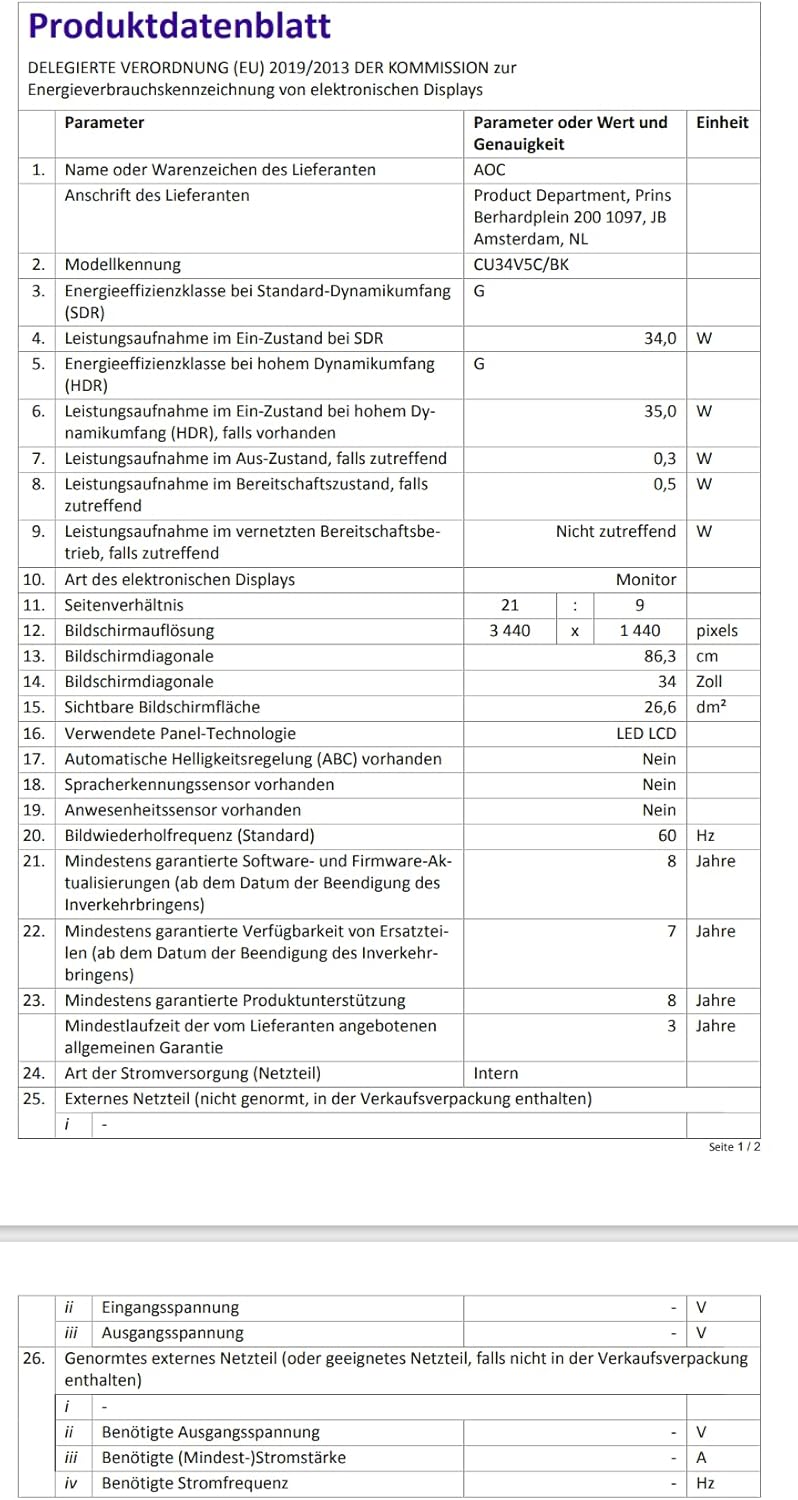
Image: EU Energy Label for the AOC CU34V5C monitor, indicating its energy efficiency class and consumption.
For detailed product information and energy efficiency data, please visit the EPREL database: https://eprel.ec.europa.eu/qr/1245431
Informacija apie garantiją
AOC monitors typically come with a limited warranty. The exact terms and duration of your warranty may vary by region and retailer. Please refer to the warranty card included with your purchase or visit the official AOC website for detailed warranty information specific to your product and location. Keep your proof of purchase for warranty claims.
Palaikymas
For technical assistance, troubleshooting beyond this manual, or warranty inquiries, please contact AOC customer support. You can usually find contact information, FAQs, and driver downloads on the official AOC websvetainę.
Thank you for choosing AOC.


