Įvadas
This manual provides instructions for the safe and efficient operation of your Alecto Smartbaby5 WiFi Baby Monitor. Please read this manual thoroughly before use and retain it for future reference.

The Alecto Smartbaby5 baby monitor, shown next to a smartphone displaying its live video feed.
Saugos informacija
- Ensure the device is placed out of reach of children.
- Naudokite tik pateiktą maitinimo adapterį.
- Saugokite prietaisą nuo vandens ar per didelės drėgmės.
- Nestatykite prietaiso šalia šilumos šaltinių arba tiesioginių saulės spindulių.
- The camera requires a 2.4 GHz Wi-Fi connection for operation.
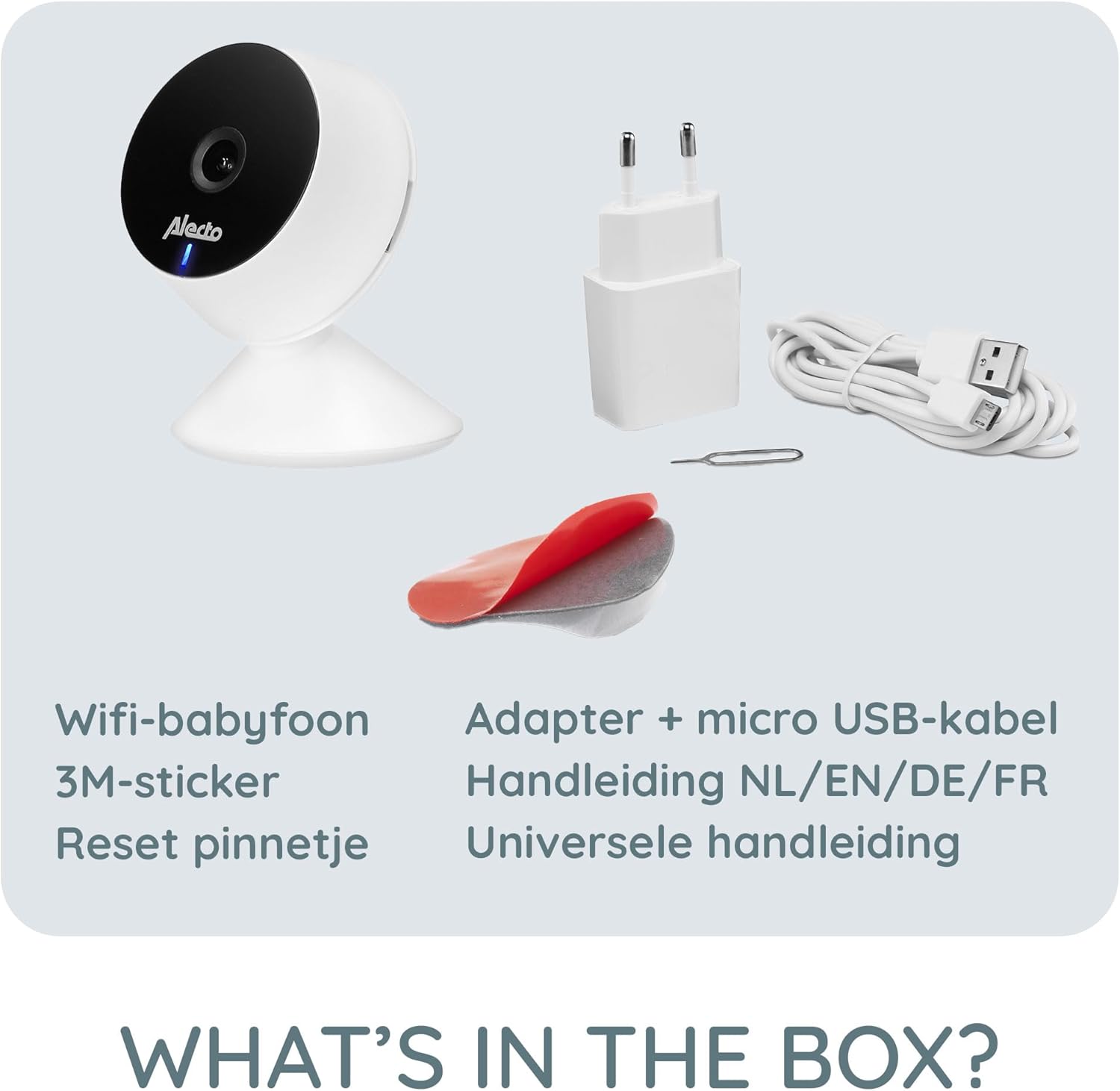
Pakuotės turinys
Patikrinkite, ar pakuotėje yra visi reikalingi daiktai:
- Alecto Smartbaby5 WiFi Baby Monitor Camera
- Maitinimo adapteris
- Mikro USB laidas
- 3M lipnus lipdukas
- Iš naujo nustatyti kaištį
- Naudotojo vadovas (daugiakalbis)

An illustration of the items included in the Alecto Smartbaby5 product box.
Sąranka
1. Fotoaparato maitinimo įjungimas
- Prijunkite mikro USB laidą prie fotoaparato maitinimo prievado.
- Įkiškite maitinimo adapterį į sieninį lizdą.
- The camera will power on, indicated by an LED light.
2. Programėlės diegimas ir prijungimas
The Alecto Smartbaby5 operates via the Smart Life application.
- Atsisiųskite Protingas gyvenimas programėlę iš „App Store“ („iOS“) arba „Google Play Store“ („Android“).
- Susikurkite paskyrą arba prisijunkite, jei ją jau turite.
- Vadovaukitės programėlėje pateiktomis instrukcijomis, kad pridėtumėte naują įrenginį. Įsitikinkite, kad jūsų išmanusis telefonas prijungtas prie 2.4 GHz Wi-Fi tinklas.
- The camera will guide you through the pairing process.

The Alecto Smartbaby5 requires a 2.4 GHz Wi-Fi connection for proper functionality.
3. Kameros išdėstymas
Padėkite kamerą tokioje vietoje, kurioje būtų aiškus vaizdas view of the desired area (e.g., crib). The camera can be placed on a flat surface or mounted.
- Paviršiaus išdėstymas: Padėkite fotoaparatą ant stabilaus, lygaus paviršiaus.
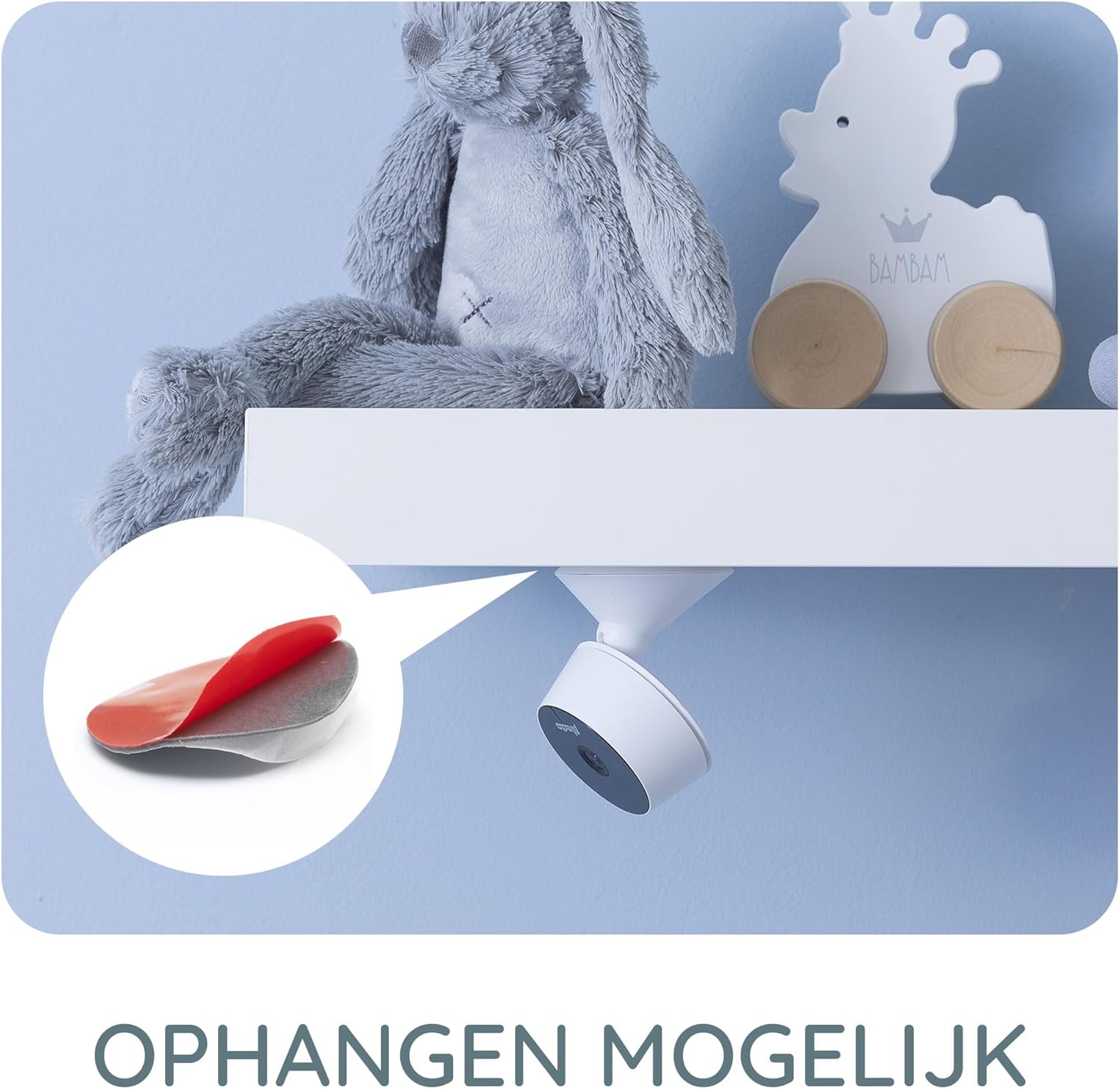
- Wall/Shelf Mounting: Use the provided 3M adhesive sticker to securely attach the camera to a wall or under a shelf. Ensure the surface is clean and dry before applying the adhesive.

The camera can be mounted under a shelf using the included 3M adhesive for optimal viewkampų.
Naudojimo instrukcijos
Tiesiogiai View ir Stebėsena
Once connected, open the Smart Life app on your smartphone or tablet to access the live video feed from the camera. The app provides a secure connection, ensuring only authorized users can view pašaras.
The Smart Life app interface showing various features like push notifications, recording, and MicroSD storage options.
Key Features via Smart Life App
- HD raiška: View live video in 1920 x 1080p HD resolution.
- Infraraudonųjų spindulių nakties vizija: The camera automatically switches to infrared night vision in low-light conditions, providing clear images in the dark.
- Judesio ir garso aptikimas: Receive push notifications on your smartphone when movement or sound is detected in the monitored area.
- Two-Way Intercom Function: Use the built-in speaker and microphone to listen to and speak with your child remotely through the app.
- Įrašas: Record images and videos directly to your smartphone or optionally to a MicroSD card (not included).
- Mobile Internet Access: Monitor your child via mobile internet (5G, 4G, or 3G) when away from your home Wi-Fi network.

The two-way intercom function allows remote communication with your child.
Priežiūra
- Valymas: Kameros objektyvą ir korpusą valykite minkštu, sausu audiniu. Nenaudokite skystų valiklių ar aerozolių.
- Saugykla: Jei prietaisą ilgesnį laiką sandėliuosite, atjunkite jį nuo maitinimo šaltinio ir laikykite vėsioje, sausoje vietoje.
- Programinės įrangos atnaujinimai: Regularly check the Smart Life app for available firmware updates for the camera to ensure optimal performance and security.
Trikčių šalinimas
| Problema | Galima priežastis | Sprendimas |
|---|---|---|
| Kamera neprisijungia prie „Wi-Fi“. | Neteisingas „Wi-Fi“ dažnis (ne 2.4 GHz), silpnas signalas, neteisingas slaptažodis. | Ensure your router is broadcasting a 2.4 GHz signal. Move the camera closer to the router. Re-enter Wi-Fi password carefully. |
| Programėlėje nėra vaizdo transliacijos. | Camera is offline, app issue, internet connectivity problem. | Check if the camera is powered on and connected to Wi-Fi. Restart the app. Verify your smartphone's internet connection. |
| Judesio / garso aptikimas neveikia. | Settings not enabled in the app, app notifications disabled. | Go to the camera settings in the Smart Life app and enable motion/sound detection. Check your phone's notification settings for the Smart Life app. |
| Intercom function not working. | Mikrofono / garsiakalbio problemos, programų leidimai. | Ensure the app has microphone permissions on your phone. Check volume settings in the app. |
| Camera falls off mounting surface. | Adhesive not strong enough, surface not clean. | Ensure the mounting surface is clean, dry, and smooth. Use a stronger adhesive if necessary, or consider screw mounting if available. |
Specifikacijos
- Modelio numeris: SMARTBABY5
- Pagrindinė medžiaga: Plastikiniai
- Ypatingos savybės: Motion Detector, Infrared Night Vision, Two-Way Intercom
- Įrenginio suderinamumas: Išmanusis telefonas („iOS“, „Android“)
- Belaidis ryšys: „Wi-Fi“ (tik 2.4 GHz)
- Maitinimo tipas: Maitinamas adapteriu
- Reikalingos baterijos: Nr
- Vaizdo įrašo raiška: 1920 x 1080p (HD)
- Matmenys (P x P x A): 8 x 6 x 7.2 cm
- Svoris: 143 gramų
- Gamintojas: Commaxx
Physical dimensions of the Alecto Smartbaby5 baby monitor camera.
Garantija ir palaikymas
For warranty information and technical support, please refer to the documentation provided with your product or visit the official Alecto website. Alecto Baby is committed to providing high-quality products and support.
Gamintojas: Commaxx