Įvadas
This manual provides instructions for the proper setup, operation, and maintenance of your Aureday 14-inch Selfie Ring Light with 62-inch Tripod Stand and Phone Holder. Please read this manual thoroughly before use to ensure optimal performance and safety.
Pakuotės turinys
Patikrinkite, ar pakuotėje yra visi toliau išvardyti daiktai:
- 1 x 14-inch Selfie Ring Light
- 1 x 62-inch Tripod Stand
- 1 x Wireless Remote Shutter
- 1 x telefono laikiklis
- 1 x Vartotojo vadovas

Image: All components of the Aureday 14-inch Selfie Ring Light kit.
Saugos informacija
- Ensure the tripod is placed on a stable, level surface to prevent tipping.
- Do not expose the ring light to water or excessive moisture.
- Use only a power supply that meets the specified requirements (5V/2A, minimum 10W).
- Laikyti vaikams nepasiekiamoje vietoje.
- Venkite ilgalaikio tiesioginio LED šviesos poveikio akims.
Sąrankos instrukcijos
1. Assemble the Tripod Stand
- Unfold the tripod legs outwards until they are fully extended and stable.
- Extend the tripod pole to your desired height by unlocking the section clamps and then re-locking them securely.

Image: The tripod stand with its dimensions, showing its stable base.
2. Attach the Ring Light
- Align the mounting screw on top of the tripod stand with the screw hole at the bottom of the ring light.
- Rotate the ring light clockwise to securely fasten it to the tripod stand.
3. Install the Phone Holder
- Insert the bottom of the phone holder into the slot located on the ring light.
- Screw the 1/4-inch screw on the tripod into the hole of the phone holder to secure it.
- Adjust the phone holder to your preferred angle and orientation (horizontal or vertical).
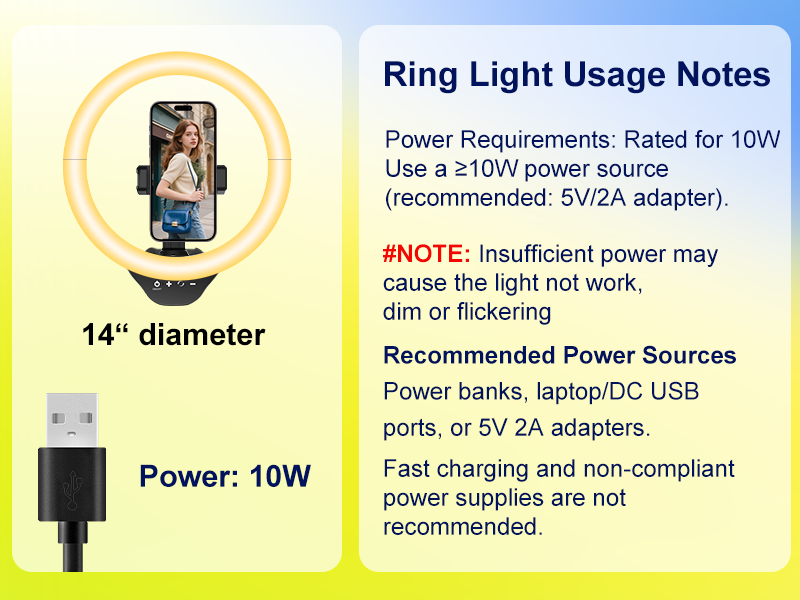
Image: Step-by-step guide for assembling the phone holder onto the ring light and tripod.
4. Maitinimo prijungimas
- Connect the USB cable from the ring light to a compatible power source (e.g., USB wall adapter, power bank, laptop USB port).
- Ensure the power source provides at least 10W (5V/2A) for optimal performance.
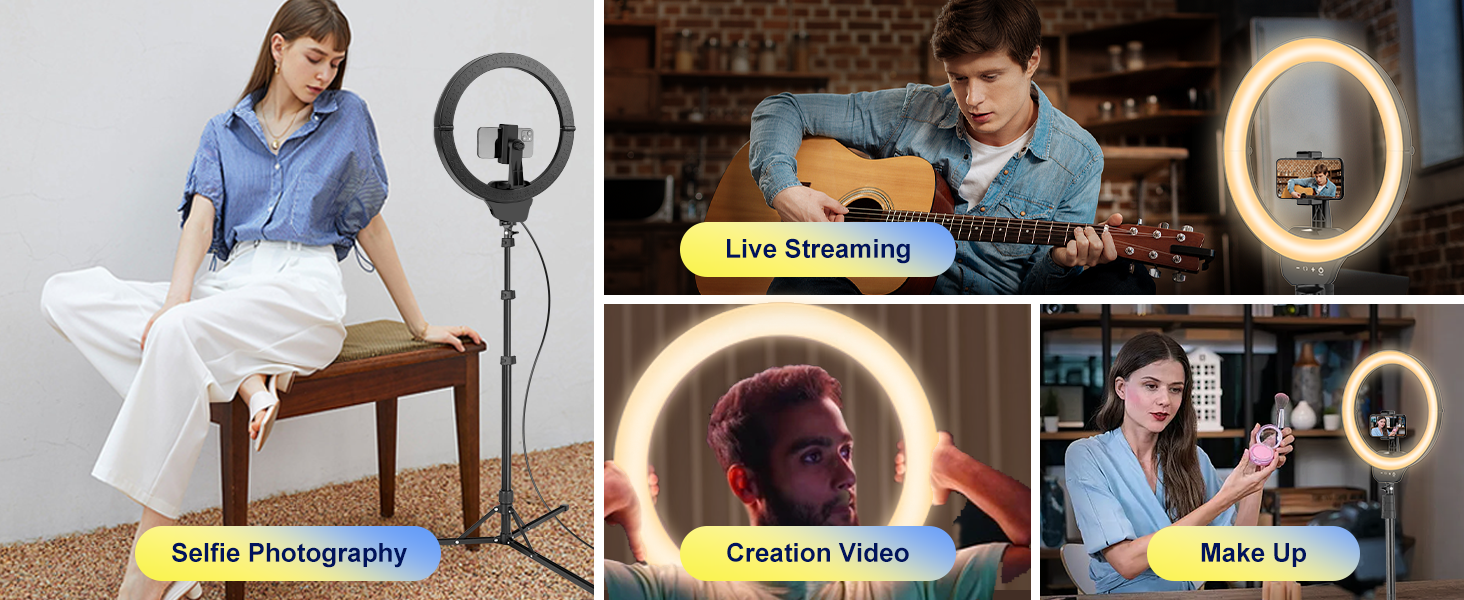
Image: Various compatible USB power sources for the ring light, including power banks, wall adapters, and laptops.
Naudojimo instrukcijos
1. Įjungimas / išjungimas ir ryškumo reguliavimas
- Locate the touchpad controls on the ring light.
- Tap the power symbol to turn the light on or off.
- Use the '+' and '-' symbols on the touchpad to increase or decrease the brightness level (10% to 100%).
2. Change Color Temperature
- Tap the color temperature symbol on the touchpad to cycle through the 5 available color modes: Warm, Warm White, Nature White, Sunlight, and Cold White.
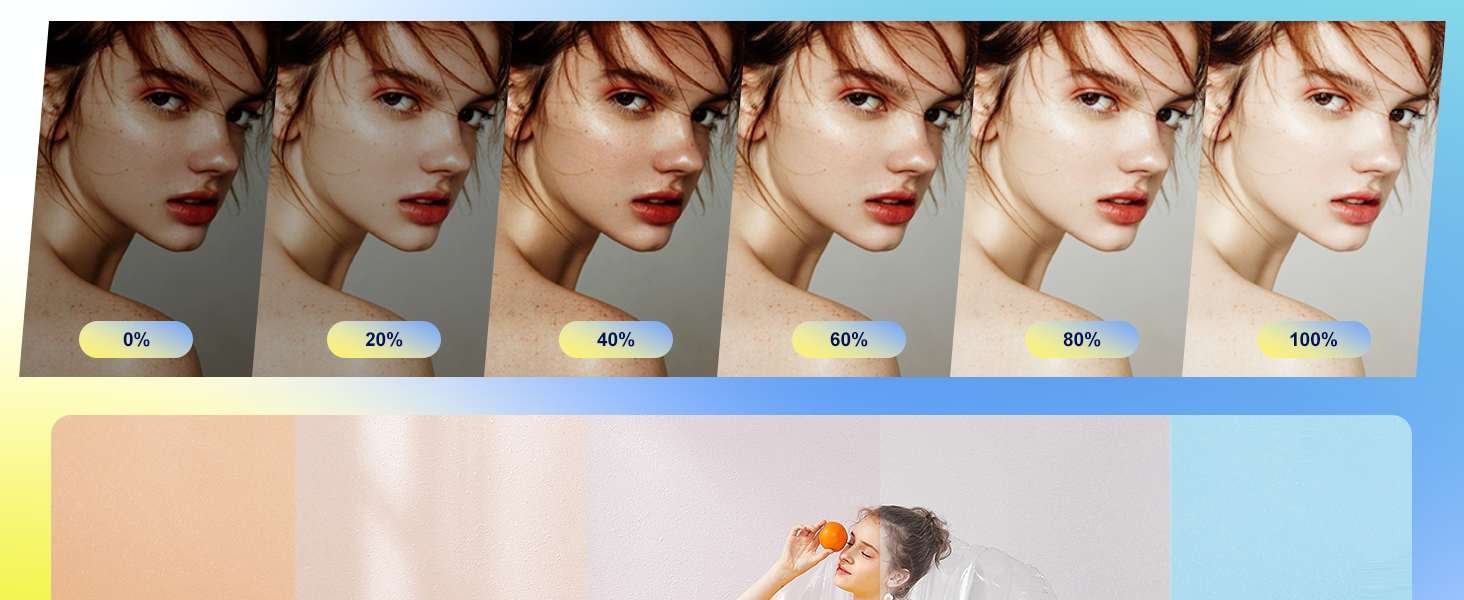
Image: Visual representation of the 5 color temperature modes (Warm, Warm White, Nature White, Sunlight, Cold White) and 10 brightness levels.
3. Using the Wireless Remote Shutter
- Ensure the remote shutter has a working battery (1 Lithium Metal battery included).
- Įjunkite nuotolinį užraktą.
- Įjunkite „Bluetooth“ savo išmaniajame telefone („iOS“ arba „Android“).
- Ieškokite and pair with 'AB Shutter3' or a similar device name.
- Once paired, open your phone's camera app. Press the corresponding button on the remote (iOS or Android) to take photos or start/stop video recording.

Image: Illustration of the Bluetooth remote shutter, showing compatibility with iOS and Android phones and its function for taking photos and recording videos.
4. Aukščio ir kampo reguliavimas
- The tripod stand can be adjusted from 16 to 62 inches using the section clamps.
- The ring light's angle can be adjusted by tilting the head where it connects to the tripod, allowing for perpendicular or parallel positioning.
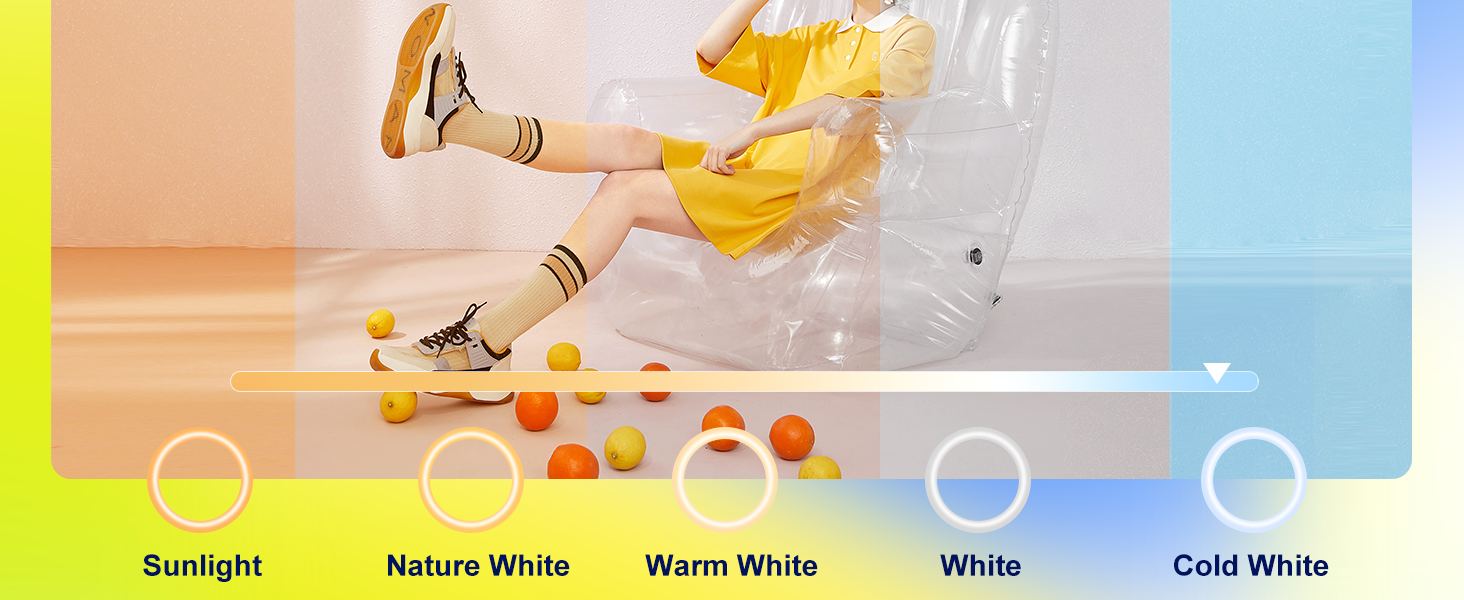
Image: The tripod stand shown at various adjustable heights, demonstrating its versatility for different uses with cameras and phones.
Priežiūra
- Valymas: Žiedinį žibintą ir trikojį nuvalykite minkšta, sausa šluoste. Nenaudokite abrazyvinių valiklių ar tirpiklių.
- Saugykla: When not in use, collapse the tripod and store the unit in a cool, dry place away from direct sunlight.
- Baterijos keitimas (nuotolinio valdymo pultas): If the remote shutter stops responding, replace the Lithium Metal battery.
Trikčių šalinimas
- Issue: Light is flickering or not bright enough.
- Sprendimas: Ensure your power supply provides at least 10W (5V/2A). Insufficient power can cause dimming or flickering. Fast charging adapters or non-compliant power supplies are not recommended.
- Issue: Remote shutter is not connecting to the phone.
- Sprendimas:
- Ensure the remote shutter is turned on and has a charged battery.
- Verify Bluetooth is enabled on your phone.
- Try unpairing and re-pairing the remote shutter in your phone's Bluetooth settings.
- Iš naujo paleiskite telefoną ir bandykite dar kartą.
- Issue: Phone holder is unstable.
- Sprendimas: Ensure the phone holder is securely screwed into the ring light and the tripod. Check that your phone is properly seated and clamped within the holder.
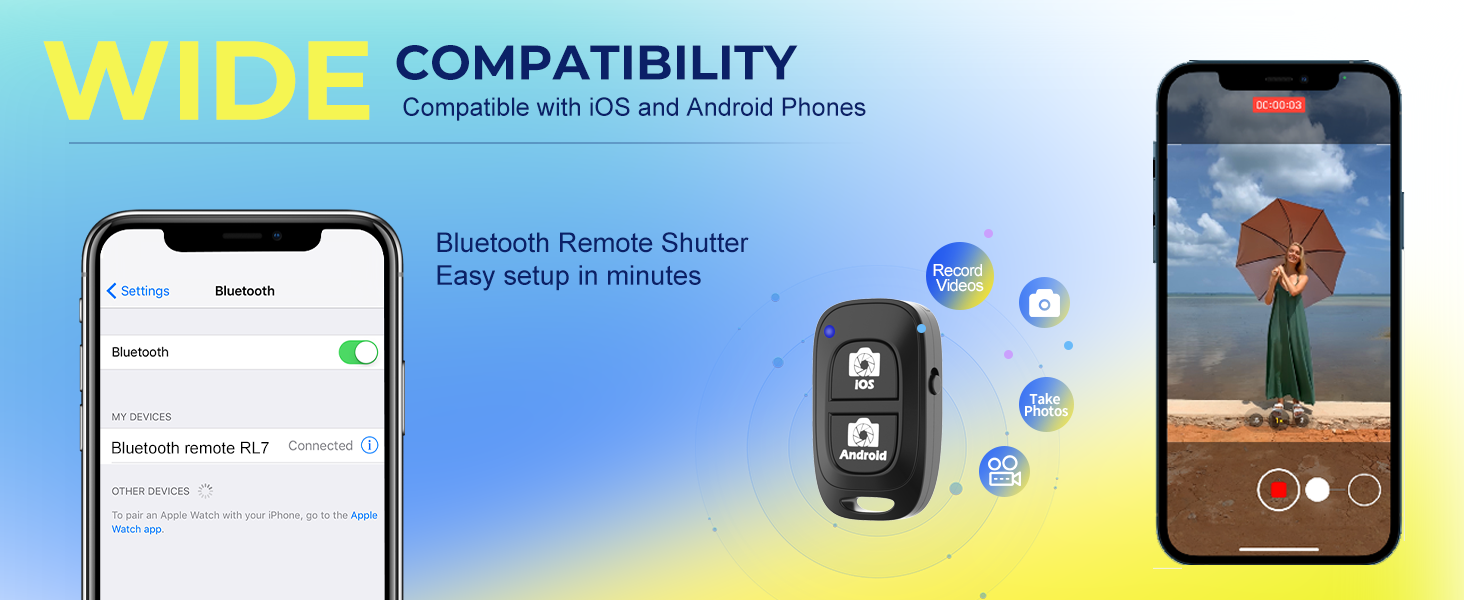
Image: Important notes regarding the 10W power requirement for the ring light to function correctly, recommending a 5V/2A adapter.
Specifikacijos
| Funkcija | Detalė |
|---|---|
| Žiedo šviesos skersmuo | 14 colių |
| Trikojo stovo aukštis | Reguliuojamas nuo 16 iki 62 colio |
| LED karoliukai | 288 high-density beads |
| Spalvų temperatūros | 5 modes (Warm, Warm White, Nature White, Sunlight, Cold White) |
| Ryškumo lygiai | 10 lygiai (10–100 %) |
| Kontrolės metodas | Jutiklinė dalis |
| Maitinimo įvestis | USB (Recommended: 5V/2A, minimum 10W) |
| Telefono laikiklių suderinamumas | 2.3-5.3 inches wide devices |
| Remote Shutter Connectivity | Bluetooth |
| Remote Shutter Model | AB Shutter3 |
| Prekės svoris | 3.12 svaro |
| Gaminio matmenys | 62.09 x 14 x 62.09 colio (pilnai išskleistas) |
| UPC | 760701966875 |
Garantija ir palaikymas
Aureday products are designed for reliability and performance. For warranty information or technical support, please refer to the contact details provided with your purchase documentation or visit the official Aureday websvetainėje. Prašome išsaugoti pirkimo įrodymą garantiniams reikalavimams.


