Įvadas
This manual provides detailed instructions for the setup, operation, maintenance, and troubleshooting of your NiPoGi AK1 PRO Mini PC. The AK1 PRO is a compact desktop computer powered by an 11th Generation Intel Celeron N5105 processor, designed for efficient daily tasks, multimedia playback, and business applications. It features 12GB DDR4 RAM, a 256GB M.2 SSD, 4K UHD video output, dual display support, Dual Band WiFi, and Bluetooth 4.2.
Kas yra dėžutėje
Please check the contents of your package upon arrival. The standard package includes:
- 1 x NiPoGi AK1 PRO Mini PC (12GB RAM, 256GB ROM)
- 1 x ES maitinimo adapteris
- 1x HDMI laidas
- 1 x VESA Bracket with Screws
- 1 x Vartotojo vadovas
Produktas baigtasview
The NiPoGi AK1 PRO Mini PC is designed with various ports for connectivity and expansion. Familiarize yourself with the layout below.
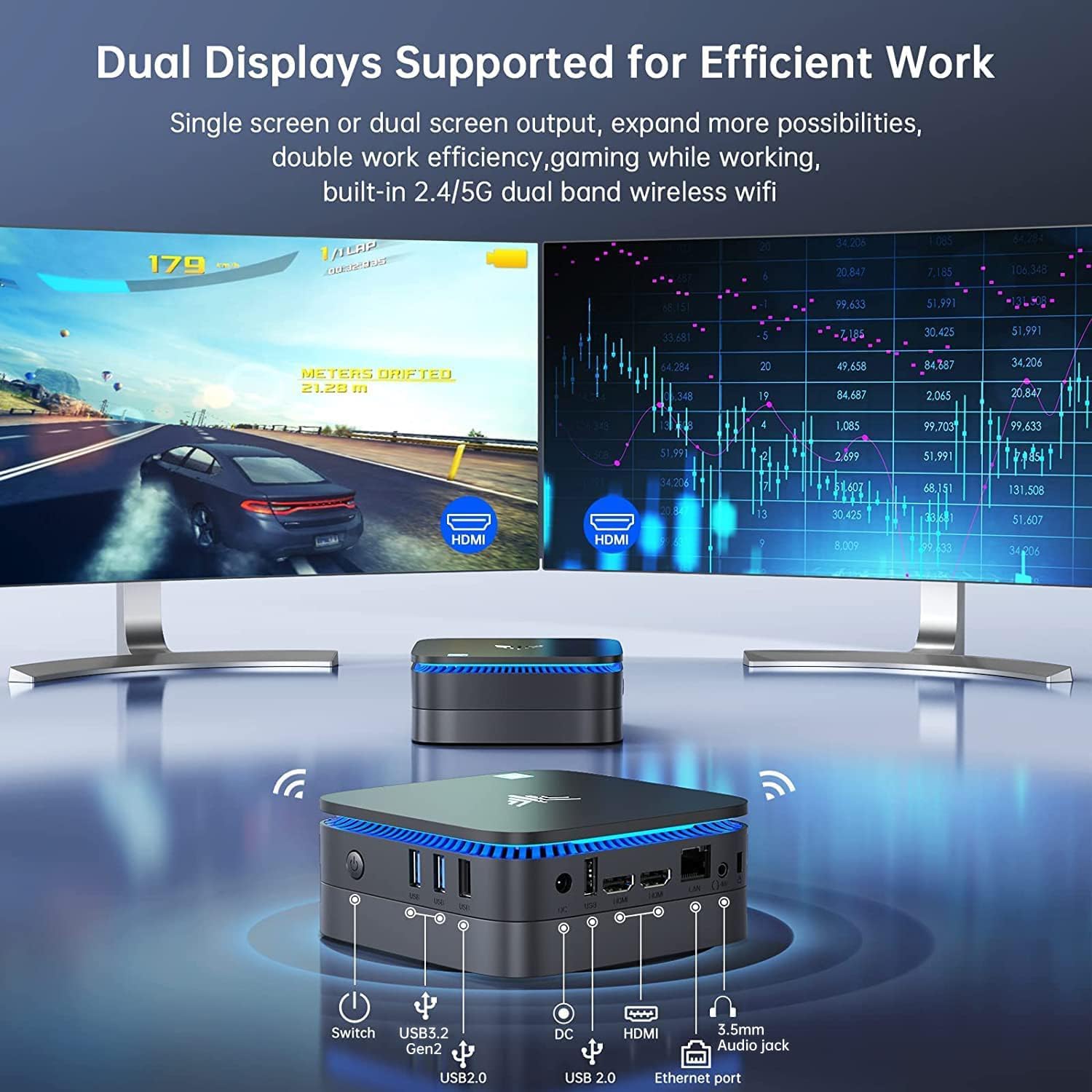
Vaizdas: Priekyje ir gale view of the NiPoGi AK1 PRO Mini PC, highlighting its various ports and compact design. The front features the power button and USB ports, while the rear includes HDMI, Ethernet, and additional USB ports.
Prievado išdėstymas:
- Priekyje: Power Button, 2 x USB 3.0 ports, 2 x USB 2.0 ports
- Galinis: DC Power Input, 2 x HDMI ports, 1 x RJ45 Gigabit Ethernet port, 1 x 3.5mm Audio Jack
Pagrindinės funkcijos:
- Procesorius: 11th Gen Intel Celeron N5105 Quad-Core (up to 2.9 GHz)
- Grafika: Intel UHD Graphics, supporting 4K UHD (4096x2160@60Hz)
- Atmintis: 12 GB DDR4 RAM
- Saugykla: 256GB M.2 SSD (expandable with 2.5-inch SSD/HDD up to 2TB)
- Ryšys: Dual Band 2.4GHz+5GHz WiFi, Gigabit Ethernet, Bluetooth 4.2
- Ekrano išvestis: Dual HDMI for dual screen setup
- Operacinė sistema: Iš anksto įdiegta OS
Sąrankos vadovas
Follow these steps to set up your NiPoGi AK1 PRO Mini PC for the first time.
- Prijunkite prie ekrano: Use the provided HDMI cable to connect the Mini PC to your monitor or TV. The AK1 PRO supports dual displays, so you can connect two monitors via the two HDMI ports.
- Prijunkite išorinius įrenginius: Prijunkite USB klaviatūrą ir pelę prie laisvų USB prievadų.
- Prijunkite prie maitinimo: Connect the EU power adapter to the DC input port on the Mini PC, then plug the adapter into a power outlet.
- Maitinimas: Press the power button located on the front of the Mini PC. The device will boot up, and the blue light will illuminate.
- Pradinė OS sąranka: Follow the on-screen instructions to complete the operating system setup, including language, region, and network configuration.
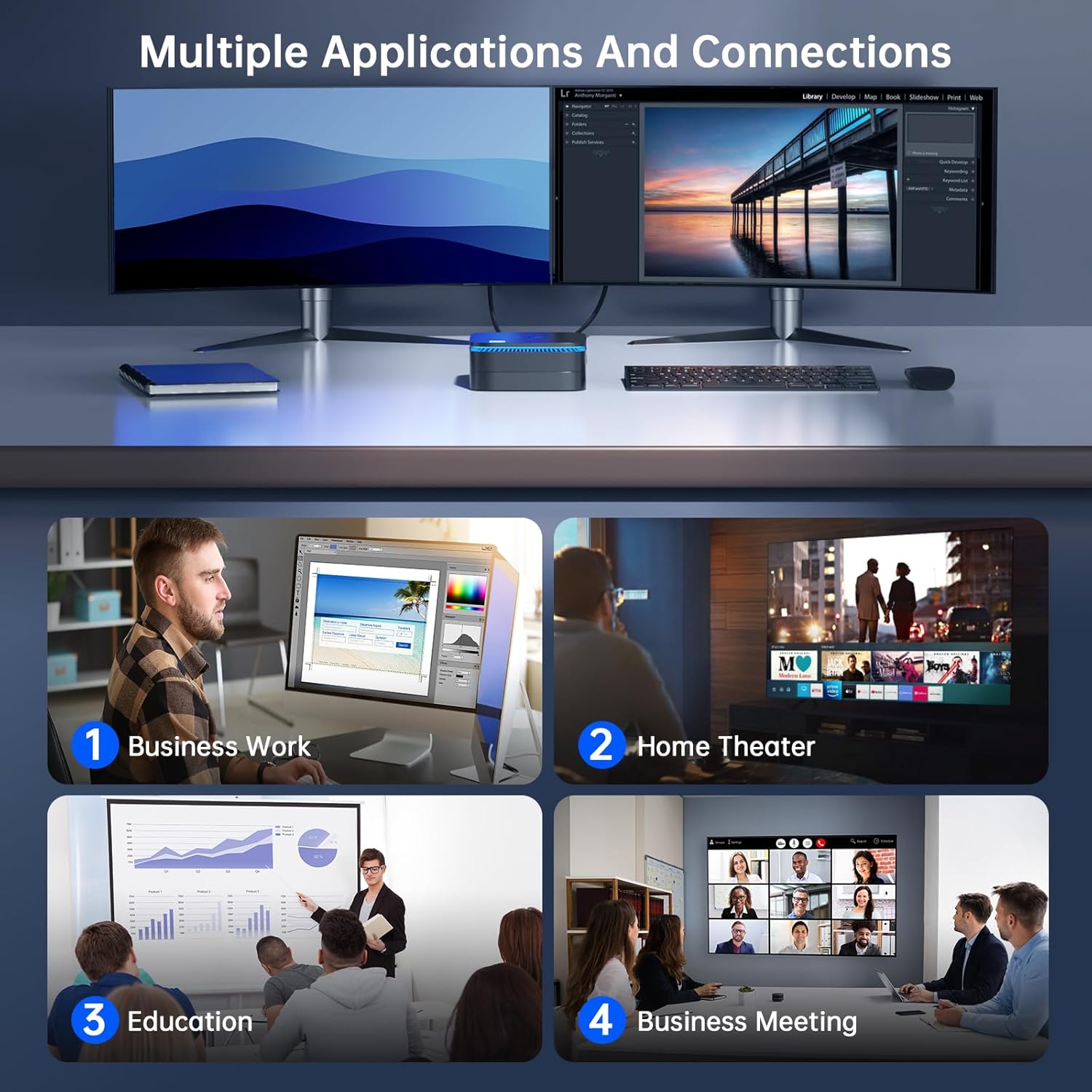
Vaizdas: The NiPoGi AK1 PRO Mini PC demonstrating multiple applications and connections, including business work, home theater, education, and business meetings, showcasing savo universalumu.
Naudojimo instrukcijos
Pagrindinė operacija:
- Maitinimo įjungimas/išjungimas: Press the front power button to turn the PC on. To turn off, use the operating system's shutdown function or press and hold the power button for a few seconds for a forced shutdown (not recommended for regular use).
- Paleisti iš naujo: Naudokite operacinės sistemos paleidimo iš naujo funkciją.
- Miegojimo rezimas: The PC can enter sleep mode to save power. Wake it up by moving the mouse or pressing a key on the keyboard.
4K UHD Video Playback:
The integrated Intel UHD Graphics supports 4K UHD resolution (4096x2160@60Hz), providing a clear visual experience for movies, streaming, and presentations.

Vaizdas: A person enjoying 4K HD video playback on a large display, powered by the NiPoGi AK1 PRO Mini PC, highlighting its multimedia capabilities and wireless Bluetooth support.
Dviejų ekranų konfigūracija:
Connect two monitors to the two HDMI ports for an extended desktop experience. This can enhance productivity for work or provide a more immersive entertainment setup. Configure display settings within your operating system.
Saugyklos išplėtimas
The NiPoGi AK1 PRO Mini PC comes with a 256GB M.2 SSD. For additional storage, you can install a 2.5-inch SSD or HDD (not included) in the removable base, supporting up to 2TB.
Diegimo žingsniai:
- Ensure the Mini PC is powered off and disconnected from the power adapter.
- Atsargiai atidarykite „Mini PC“ apatinį dangtelį.
- Insert your 2.5-inch SSD/HDD into the designated slot in the removable base.
- Secure the drive with screws if necessary (check the base for mounting points).
- Uždėkite apatinį dangtelį atgal.
- After powering on, you may need to initialize and format the new drive through your operating system's disk management tools.

Vaizdas: A visual tutorial demonstrating how to install a 2.5-inch SSD or HDD into the NiPoGi AK1 PRO Mini PC by opening the bottom cover and inserting the drive into the expansion bay.
VESA laikiklio montavimas
The included VESA bracket allows you to mount the Mini PC to the back of a compatible monitor or TV, saving desk space and creating an all-in-one computing solution.
Diegimo žingsniai:
- Attach the VESA bracket to the back of your monitor using the provided screws. Ensure your monitor has standard VESA mounting holes.
- Slide the NiPoGi AK1 PRO Mini PC onto the VESA bracket until it clicks securely into place.
- Connect all necessary cables (power, HDMI, peripherals) to the Mini PC.

Vaizdas: The NiPoGi AK1 PRO Mini PC shown mounted on the rear of a computer monitor using a VESA bracket, illustrating how it can transform into an all-in-one computer and save desk space.
Priežiūra
Tinkama priežiūra užtikrina jūsų mini kompiuterio ilgaamžiškumą ir optimalų veikimą.
- Valymas: Regularly clean the exterior of the Mini PC with a soft, dry cloth. Use compressed air to clear dust from ventilation openings to prevent overheating.
- Programinės įrangos atnaujinimai: Nuolat atnaujinkite savo operacinę sistemą ir tvarkykles, kad užtikrintumėte saugumą ir našumą.
- Aplinkos sąlygos: Mini kompiuterį naudokite gerai vėdinamoje vietoje, atokiau nuo tiesioginių saulės spindulių, per didelio karščio ir drėgmės.
- Galios valdymas: Use the provided power adapter. Avoid frequent abrupt power cuts.
Trikčių šalinimas
Jei kyla problemų dėl „Mini PC“, žr. toliau pateiktus įprastus trikčių šalinimo veiksmus.
- Nėra galios:
- Įsitikinkite, kad maitinimo adapteris yra tvirtai prijungtas tiek prie „Mini PC“, tiek prie veikiančio maitinimo lizdo.
- Patikrinkite, ar maitinimo lizdas veikia, prijungdami prie jo kitą įrenginį.
- Nėra ekrano:
- Patikrinkite, ar HDMI kabelis tvirtai prijungtas prie mini kompiuterio ir monitoriaus.
- Įsitikinkite, kad monitorius įjungtas ir nustatytas tinkamas įvesties šaltinis (HDMI 1, HDMI 2 ir kt.).
- Jei įmanoma, išbandykite kitą HDMI kabelį arba monitorių.
- No Internet Connection (Wi-Fi/Ethernet):
- Jei naudojate „Wi-Fi“, įsitikinkite, kad operacinėje sistemoje įjungtas „Wi-Fi“ adapteris ir esate prisijungę prie tinkamo tinklo su teisingu slaptažodžiu.
- For Ethernet, ensure the Ethernet cable is securely connected to both the Mini PC and your router/modem. Check router status.
- Iš naujo paleiskite maršrutizatorių / modemą ir „Mini PC“.
- Lėtas našumas:
- Uždarykite nereikalingas programas, veikiančias fone.
- Įsitikinkite, kad pagrindiniame diske yra pakankamai laisvos vietos.
- Check for and install any pending operating system updates.
- Monitor CPU and RAM usage through Task Manager (Windows) to identify resource-intensive processes.
Specifikacijos
Detailed technical specifications for the NiPoGi AK1 PRO Mini PC.
| Funkcija | Detalė |
|---|---|
| Prekės ženklas | NiPoGi |
| Modelių serija | AK1PRO N5105/12GB RAM+256GB ROM |
| Procesorius | Intel Celeron N5105 (11th Gen, Quad-Core, up to 2.9 GHz) |
| Grafikos koprocesorius | Intel UHD grafika |
| RAM | 12GB DDR4 |
| Sandėliavimas | 256GB M.2 SSD (Expandable with 2.5" SSD/HDD up to 2TB) |
| Operacinė sistema | OS |
| Ryšys | Dual Band Wi-Fi (802.11a/b/g/n/ac), Bluetooth 4.2, Gigabit Ethernet |
| USB prievadai | 2x USB 3.0, 2x USB 2.0 |
| HDMI prievadai | 2 (supports dual display, 4K UHD resolution) |
| Garsas | 1 x 3.5 mm garso lizdas |
| Matmenys | 12.8 x 12.8 x 5.15 cm (apytiksliai 5.04 x 5.04 x 2.05 colio) |
| Svoris | 274 gramų |
| Spalva | Juoda |
Garantija ir palaikymas
NiPoGi provides comprehensive support and warranty services for your Mini PC.
Susisiekite su palaikymo komanda:
- Amazon Orders: Log in to Amazon, go to "Your Account", then "Your Orders", and select "Ask Product Question" for assistance.
- Pagalba el. paštu: support@inipogi.com
- Pagalba telefonu: +44 808 175 2348 (Monday-Friday, 9am-5pm EST)
NiPoGi offers maintenance points for exchange or repair of your mini PC during the warranty period. Please retain your proof of purchase for warranty claims.

Vaizdas: Information regarding NiPoGi's "All-Around Protection" plan, including contact methods for support via Amazon, email, and phone, and details about maintenance services.


