Įvadas
This manual provides detailed instructions for the setup, operation, maintenance, and troubleshooting of your seenda IWG-FGM02 Rechargeable LED Wireless Mouse. Please read this manual thoroughly before using the product to ensure optimal performance and longevity.
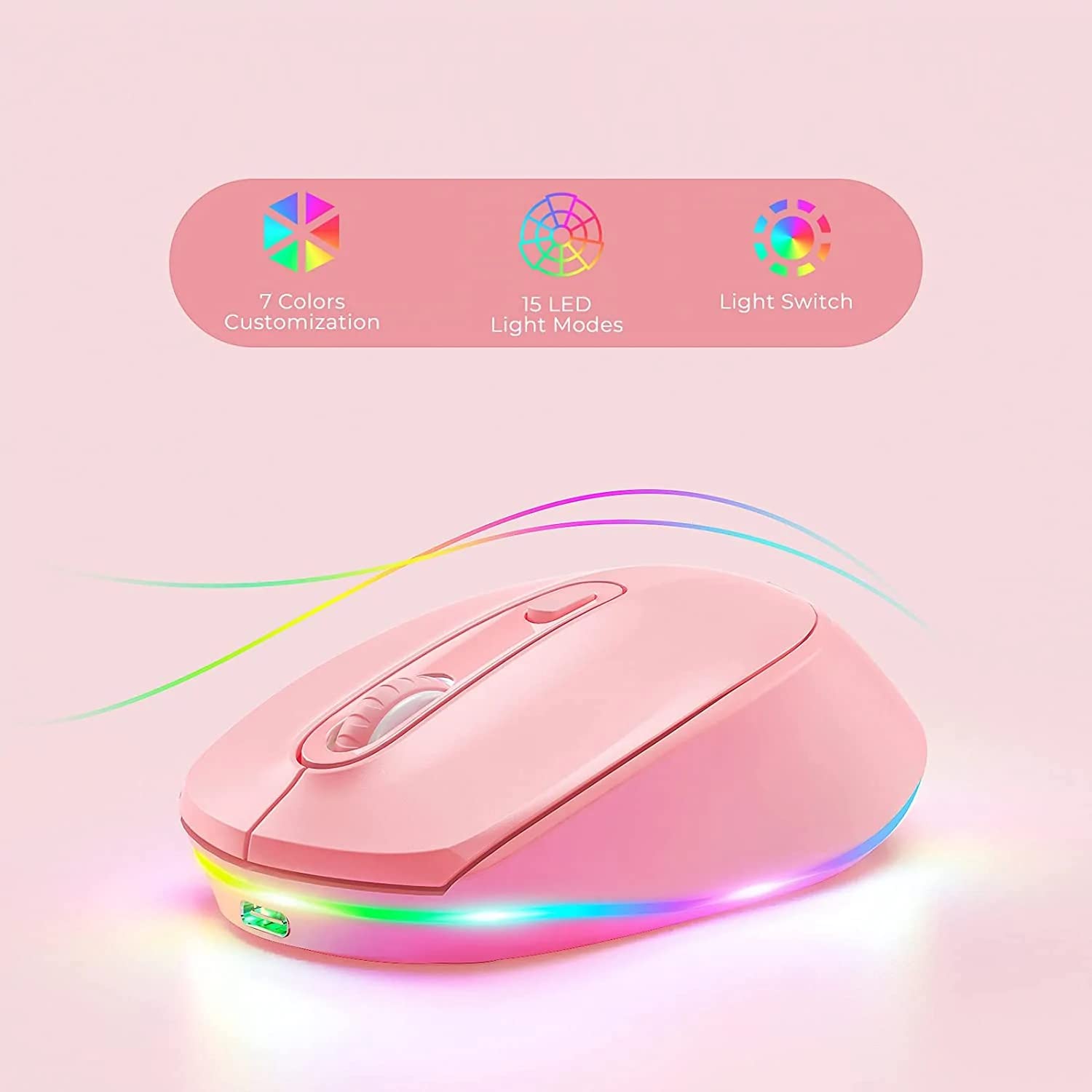
Figure 1: seenda IWG-FGM02 Rechargeable LED Wireless Mouse. This image displays the overall design of the mouse, highlighting its ergonomic shape and LED lighting.
Pakuotės turinys
Įsitikinkite, kad pakuotėje yra visi daiktai:
- seenda IWG-FGM02 Rechargeable LED Wireless Mouse
- USB Receiver (typically stored in the mouse's battery compartment)
- USB įkrovimo laidas
- Vartotojo vadovas (šis dokumentas)
Sąrankos instrukcijos
1. Pelės įkrovimas
Before first use, fully charge the mouse. Connect the provided USB charging cable to the charging port on the front of the mouse and the other end to a USB power source (e.g., computer USB port, USB wall adapter).
- The LED indicator will typically show charging status (e.g., red light for charging, off when fully charged).
- Pilnas įkrovimas paprastai trunka 2–3 valandas.
2. USB imtuvo prijungimas
The mouse connects wirelessly via a 2.4 GHz USB receiver.
- Locate the USB receiver, usually stored in a slot on the bottom of the mouse.
- Atjunkite imtuvą ir prijunkite jį prie laisvo kompiuterio USB prievado.
- Jūsų kompiuteris turėtų automatiškai aptikti ir įdiegti reikiamas tvarkykles. Tai gali užtrukti kelias akimirkas.
3. Įjungimas/išjungimas
Locate the power switch on the bottom of the mouse. Slide the switch to the "ON" position to activate the mouse. Slide it to "OFF" when not in use to conserve battery life.
Naudojimo instrukcijos
1. Pagrindinės pelės funkcijos
The seenda IWG-FGM02 mouse features standard left-click, right-click, and scroll wheel functions. Use these for navigation and interaction with your computer's operating system and applications.
2. DPI reguliavimas
The mouse typically includes a DPI (Dots Per Inch) button, often located near the scroll wheel, to adjust cursor sensitivity. Press this button to cycle through different DPI settings (e.g., 800, 1200, 1600 DPI). A higher DPI setting results in faster cursor movement across the screen.
3. LED apšvietimo valdymas
The mouse features LED lighting. Depending on the model, the lighting may be static, breathing, or switchable. Refer to the product packaging or specific model features for details on how to change or disable the LED effects. Some models may have a dedicated button for LED control, while others may integrate it with DPI or power functions.
Priežiūra
1. Pelės valymas
To maintain optimal performance and hygiene, clean your mouse regularly.
- Šiek tiek naudokite minkštą, be pūkelių šluostę dampnuplauti vandeniu arba švelniu valymo tirpalu.
- Venkite naudoti stiprias chemines medžiagas, abrazyvinius valiklius ir nepurkšti skysčių tiesiai ant pelės.
- Clean the optical sensor on the bottom of the mouse periodically to prevent tracking issues.
2. Akumuliatoriaus priežiūra
As a rechargeable mouse, proper battery care extends its lifespan.
- Avoid completely draining the battery frequently. Recharge when the low battery indicator appears.
- Nelaikykite pelės ekstremaliose temperatūrose.
- Jei pelę ilgesnį laiką laikysite, prieš laikydami įkraukite ją maždaug iki 50 %.
Trikčių šalinimas
If you encounter issues with your seenda IWG-FGM02 mouse, refer to the following common solutions:
1. Pelė nereaguoja
- Patikrinkite galią: Ensure the mouse is switched "ON" and has sufficient battery charge. Recharge if necessary.
- Patikrinkite USB imtuvą: Įsitikinkite, kad USB imtuvas yra tvirtai prijungtas prie veikiančio kompiuterio USB prievado. Išbandykite kitą USB prievadą.
- Iš naujo suporuoti: In some cases, you may need to re-pair the mouse with its receiver. This usually involves turning the mouse off and on, or pressing a connect button on the mouse/receiver (if available).
- Trikdžiai: Move the mouse closer to the receiver or away from other wireless devices that might cause interference.
2. Žymeklio judėjimas yra netolygus arba trūkčiojantis
- Švarus jutiklis: Pelės apačioje esantį optinį jutiklį nuvalykite minkštu skudurėliu.
- Paviršius: Use the mouse on a clean, non-reflective, opaque surface. Avoid glass or highly reflective surfaces. A mouse pad is recommended.
- DPI nustatymas: Jei žymeklis per jautrus, sumažinkite DPI reikšmę.
3. Neveikiančios LED lemputės
- Baterijos lygis: Ensure the mouse has enough charge. Low battery can sometimes affect LED functionality.
- LED valdymas: If your mouse has a dedicated LED control button, press it to cycle through modes or turn the lights on.
4. Įkrovimo problemos
- Kabelio patikrinimas: Ensure the USB charging cable is not damaged and is securely connected. Try a different USB cable if available.
- Maitinimo šaltinis: Try a different USB power source (e.g., another USB port on your computer, a different wall adapter).
Specifikacijos
| Funkcija | Detalė |
|---|---|
| Prekės ženklas | seenda |
| Modelis | IWG-FGM02 |
| Ryšio technologija | Wireless (2.4 GHz USB Receiver) |
| Ypatinga funkcija | Rechargeable, LED Lighting |
| Rankų orientacija | Abipusis |
| Operacinės sistemos suderinamumas | Linux, Windows 7, Windows XP (and generally newer Windows/macOS versions) |
| Aparatinės įrangos platforma | Nešiojamasis kompiuteris, asmeninis kompiuteris |
| Gaminio matmenys (IxPxH) | 10 x 6.5 x 6.5 cm |
| Prekės svoris | 140 g |
| Vidutinis baterijos veikimo laikas | Up to 12 Months (standby/usage dependent) |
Informacija apie garantiją
The seenda IWG-FGM02 Rechargeable LED Wireless Mouse comes with a 1 metų garantija nuo įsigijimo datos. Ši garantija taikoma gamybos defektams ir medžiagų trūkumams, atsiradusiems įprasto naudojimo metu. Ji netaikoma žalai, atsiradusiai dėl netinkamo naudojimo, nelaimingų atsitikimų, neleistinų modifikacijų ar įprasto nusidėvėjimo. Prašome išsaugoti pirkimo įrodymą garantiniams reikalavimams.
Palaikymas ir kontaktai
For further assistance, technical support, or warranty inquiries, please contact the importer or manufacturer:
- Importuotojas: Skaitmeninis rašiklistagavinas
- El. paštas: t.yadav@digitalpentagram.com
- Telefonas: 09999325592
- Gamintojas: Seenda, Shenzen Seenda, www.seenda.com
When contacting support, please have your product model (IWG-FGM02) and proof of purchase available.


