1. Įvadas
Ačiū, kad pirkoteasing the BYINTEK R17 Pro Portable Smart 3D DLP Projector. This manual provides essential information for safe and effective use of your device. Please read it thoroughly before operation and retain it for future reference.
The BYINTEK R17 Pro is a versatile portable projector featuring Android 9.0 OS, 4K decoding support, 3D capabilities, and a built-in battery, making it ideal for various entertainment and presentation needs. It also supports multiple languages including English, Russian, Arabic, Korean, Japanese, French, German, Italian, Spanish, Chinese, Vietnamese, Polish, and Traditional Chinese.
2. Saugos informacija
- Nežiūrėkite tiesiai į projektoriaus objektyvą, kai lamp yra įjungtas.
- Keep the projector away from water or other liquids to prevent electric shock.
- Neuždenkite ventiliacijos angų, kad išvengtumėte perkaitimo.
- Naudokite tik gamintojo pateiktą maitinimo adapterį.
- Nestatykite projektoriaus ant nestabilių paviršių.
- Nebandykite patys ardyti ar taisyti projektoriaus. Kreipkitės į kvalifikuotus techninės priežiūros darbuotojus.
- Laikykite projektorių vėsioje, sausoje vietoje, kai nenaudojate.
3. Pakuotės turinys
Išpakuodami patikrinkite pakuotės turinį, kad įsitikintumėte, jog yra visi reikalingi daiktai:
- BYINTEK R17 Pro Projector
- Maitinimo adapteris
- Nuotolinio valdymo pultas
- Vartotojo vadovas (šis dokumentas)
- HDMI kabelis (gali skirtis priklausomai nuo regiono)

Paveikslėlis: Detalus šoninis vaizdas view of the BYINTEK R17 Pro projector, highlighting its compact and portable design.
4. Sąrankos vadovas
4.1 Įjungimas / išjungimas
- Prijunkite maitinimą: Plug the power adapter into the projector's DC input port and then into a power outlet.
- Maitinimas: Paspauskite projektoriaus arba nuotolinio valdymo pulto maitinimo mygtuką. Užsidegs indikatoriaus lemputė.
- Išjungti: Dar kartą paspauskite maitinimo mygtuką. Jei būsite paraginti, patvirtinkite išjungimą.
4.2 Išdėstymas ir projekcija
Position the projector on a stable, flat surface. Ensure there are no obstructions in front of the lens. The ideal projection distance ranges from 1 to 8 meters, producing a screen size of 30 to 300 inches.
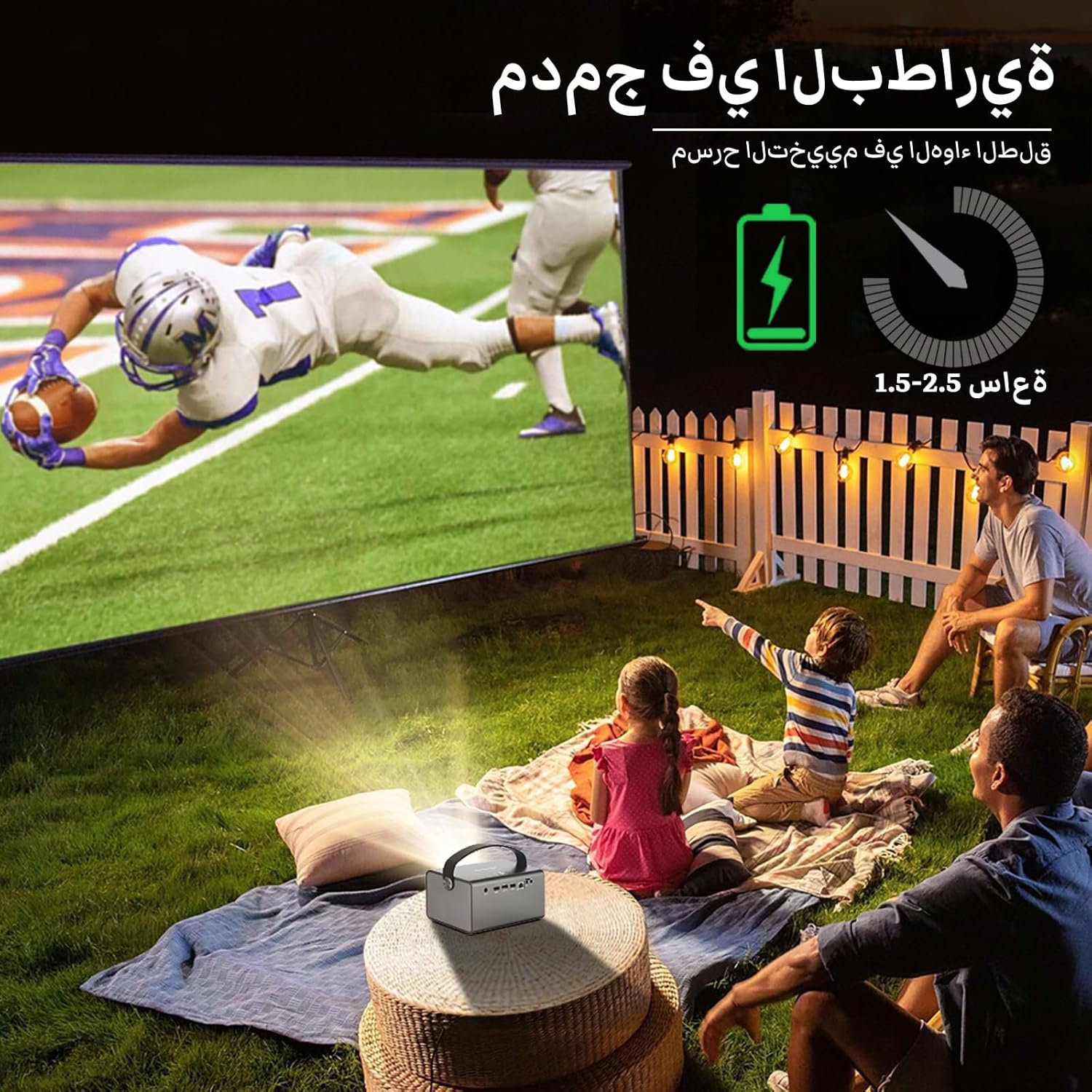
Image: The BYINTEK R17 Pro projector in an outdoor setting, demonstrating its portable use for entertainment. The image shows a football game projected onto a large screen, with people watching comfortably. This highlights the projector's battery life and suitability for outdoor events.
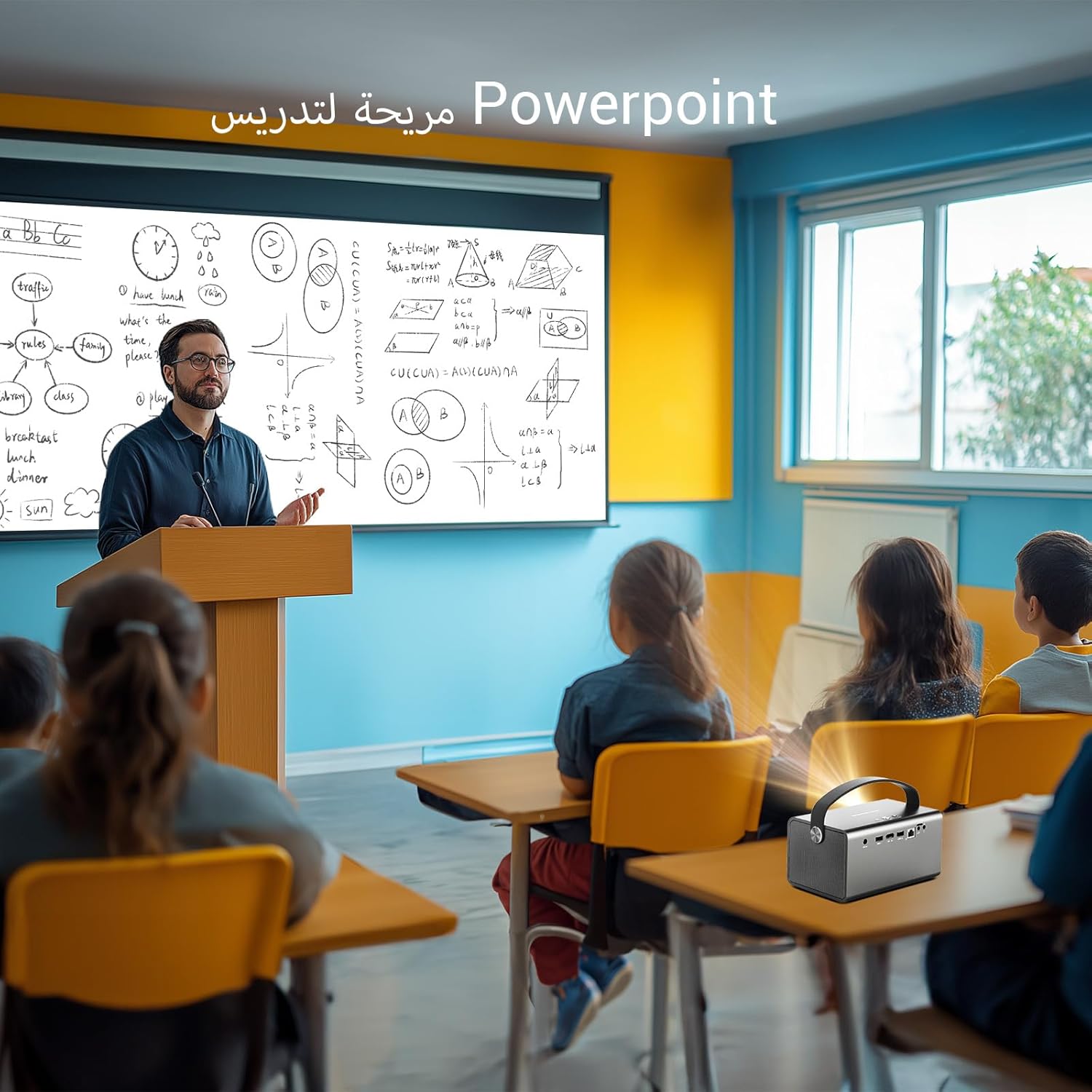
Image: The BYINTEK R17 Pro projector being used in a classroom to display a PowerPoint presentation. This illustrates its utility for educational purposes and presentations in various environments.
4.3 Fokusavimas ir trapecijos korekcija
- Elektrinis fokusavimas: Use the remote control to adjust the focus until the image is clear.
- Automatinė trapų korekcija: The projector supports automatic vertical keystone correction.
- Rankinis Keystone koregavimas: For side projections or specific adjustments, use the manual keystone correction feature via the settings menu. This includes corner keystone correction.
5. Operacija
5.1 Navigating the Android 9.0 System
The BYINTEK R17 Pro runs on Android 9.0, providing a smart interface. Use the remote control or a connected air mouse to navigate through menus, launch applications, and adjust settings.
- Pagrindinis ekranas: Access pre-installed apps and system settings.
- App Store: Download additional applications for streaming, productivity, or gaming.
- Nustatymai: Configure Wi-Fi, Bluetooth, display, sound, and other system preferences.
5.2 Medijos atkūrimas
The projector supports various media formats and sources:
- USB atmintis: Connect a USB drive or SSD (up to 32GB) to play videos, music, or view nuotraukos.
- Srautinė transliacija internetu: Use pre-installed or downloaded streaming apps via Wi-Fi.
- 3D turinys: The projector supports Blu-ray 3D. Ensure your 3D content and glasses are compatible.

Image: A couple enjoying a Blu-ray 3D movie projected by the BYINTEK R17 Pro. The image showcases the projector's ability to display immersive 3D content with vivid colors.
5.3 Screen Mirroring (Wi-Fi Display)
Mirror your smartphone, tablet, or computer screen wirelessly to the projector using Airplay, Miracast, or DLNA (Eshare app is pre-installed).
- Įsitikinkite, kad ir jūsų įrenginys, ir projektorius prijungti prie to paties „Wi-Fi“ tinklo.
- Open the Eshare app on the projector.
- On your mobile device, activate screen mirroring (e.g., Airplay for iOS, Smart View/Screen Cast for Android).
- Pasirinkite projektorių iš galimų įrenginių sąrašo.

Image: The BYINTEK R17 Pro projector wirelessly displaying a racing game from a smartphone. This demonstrates the screen mirroring feature for gaming and mobile content.
6. Ryšys
The BYINTEK R17 Pro offers multiple connectivity options:
- HDMI 2.0: Connect external devices like game consoles (e.g., PS4), computers, Blu-ray players, or TV boxes. Supports up to 4K input.
- USB 2.0 / USB 3.0: For connecting USB storage devices, external mice, game controllers, or 2.4GHz air mice.
- Garso išvestis: Norėdami pagerinti garsą, prijunkite išorinius garsiakalbius arba ausines.
- „Wi-Fi“ (2.4 GHz / 5 GHz): For internet access and wireless screen mirroring.
- "Bluetooth 5.0": For connecting Bluetooth speakers, headphones, or other compatible accessories.
7. Priežiūra
7.1 Objektyvo valymas
Use a soft, lint-free cloth specifically designed for optical lenses. Do not use abrasive cleaners or excessive force, as this can scratch the lens.
7.2 Projektoriaus korpuso valymas
Wipe the exterior of the projector with a soft, dry cloth. Avoid using chemical cleaners that may damage the finish.
7.3 Saugykla
When not in use for extended periods, store the projector in its original packaging or a protective case in a cool, dry, dust-free environment.
8. Problemų sprendimas
| Problema | Galima priežastis | Sprendimas |
|---|---|---|
| Vaizdas nerodomas | Power not connected; input source incorrect; lens cap on. | Check power connection; select correct input source (HDMI, USB, etc.); remove lens cap. |
| Vaizdas neryškus | Nenustatytas fokusavimas; projektorius per toli/per arti. | Adjust electric focus using the remote; reposition the projector within optimal distance. |
| Vaizdas iškraipytas (trapecijos formos) | Reikalinga trapecijos korekcija. | Use auto or manual keystone correction in settings. |
| Nėra garso | Volume too low; external speakers not connected/configured; audio output muted. | Increase volume; check external speaker connection; unmute audio. |
| Wi-Fi ryšio problemos | Incorrect password; out of range; router issues. | Verify password; move closer to router; restart router and projector. |
| Projector shuts down unexpectedly | Perkaitimas; išsikrovęs akumuliatorius. | Ensure ventilation is clear; charge the battery or connect to power. |
9. Specifikacijos
| Funkcija | Detalė |
|---|---|
| Prekės ženklas | BYINTEK |
| Modelis | R17 Pro |
| Lengvas variklis | TI 0.47 inch DMD WVGA |
| Šviesos šaltinis | OSRAM RGB 3LED |
| Lengvas gyvenimas | 50,000 valandos |
| Ryškumas | 750 ANSI liumenai |
| Kontrasto santykis | 10,000:1 |
| Gimtoji raiška | 1280 x 800 (supports up to 4K input) |
| Krašto santykis | 16: 10 / 16: 9 / 4: 3 |
| Ne ašis | 100 % |
| Metimo santykis | 1.2:1 |
| Projekcijos dydis | 30–300 colių |
| Projekcijos atstumas | 1–8 metrai |
| Fokusavimo režimas | Electric Motor Focus |
| Padidinti | Remote Electric Zoom |
| Keystone Korekcija | Auto/Manual Vertical, Manual Corner |
| Operacinė sistema | Android 9.0 |
| CPU | MTK Contex A53 Quad-core |
| GPU | Malis-G52 |
| RAM | 2GB DDR3 |
| ROM | 32 GB EMMC |
| Wi-Fi | Dviejų dažnių juosta 2.4 GHz / 5 GHz |
| Bluetooth | Bluetooth 5.0 |
| Wi-Fi ekranas | Airplay, Miracast, DLNA (Eshare pre-installed) |
| Baterija | Built-in 11.1V 5200mAh (15600mAh equivalent) Lithium-ion, 1.5-2.5 hours life |
| Garsiakalbiai | 2 x 5W stereo garsiakalbiai |
| Įvesties prievadai | HDMI 2.0 (supports 4K input), USB 2.0, USB 3.0 |
| Išvesties prievadai | Garso išvestis |
| Gaminio matmenys | 19.3 x 12.3 x 10 cm |
| Prekės svoris | 2.34 kg |
| Ypatingos savybės | Auto Focus, Built-in Wi-Fi Receiver, Built-in 3D Display, Portable, Built-in Speaker |
10. Garantija ir palaikymas
BYINTEK products come with a standard manufacturer's warranty. Please refer to the warranty card included in your package for specific terms and conditions. For technical support, service, or warranty claims, please contact BYINTEK customer service or visit the official BYINTEK websvetainę.
BYINTEK has a service center in Saudi Arabia to provide professional after-sales service. For more information, please visit the BYINTEK Store on Amazon.


