1. Įvadas
This manual provides detailed instructions for the setup, operation, and maintenance of your ORIA Digital Alarm Clock (Model OUS-HY-WA109B). Please read this manual thoroughly before using the product to ensure proper function and safety.
1.1 Pakuotės turinys
- ORIA Digital Alarm Clock (Model OUS-HY-WA109B)
- USB maitinimo laidas
- Vartotojo vadovas

Figure 1: Package contents including the ORIA Digital Alarm Clock, USB cable, and user manual.
2. Saugos informacija
- Nelaikykite prietaiso ekstremaliose temperatūrose, tiesioginiuose saulės spinduliuose ar didelėje drėgmėje.
- Saugokite prietaisą nuo vandens ar kitų skysčių.
- Use only the provided USB cable or a certified equivalent for power.
- Nebandykite patys išardyti ar taisyti įrenginio. Kreipkitės pagalbos į klientų aptarnavimo tarnybą.
- Išmeskite baterijas laikydamiesi vietinių taisyklių.
3. Sąranka
3.1 Įrenginio maitinimas
The ORIA Digital Alarm Clock offers dual power options:
- DC Cable Power (Recommended): Connect the provided USB power cable to the DC 5V port on the back of the clock and plug the other end into a USB power adapter (not included) or a USB port. The display will remain continuously on.
- Battery Power (Backup/Power Saving Mode): Insert 3 AAA batteries (not included) into the battery compartment on the back of the clock. In battery mode, the screen will automatically turn off after 8 seconds to conserve power. Touch the top button to wake up the screen for 8 seconds.
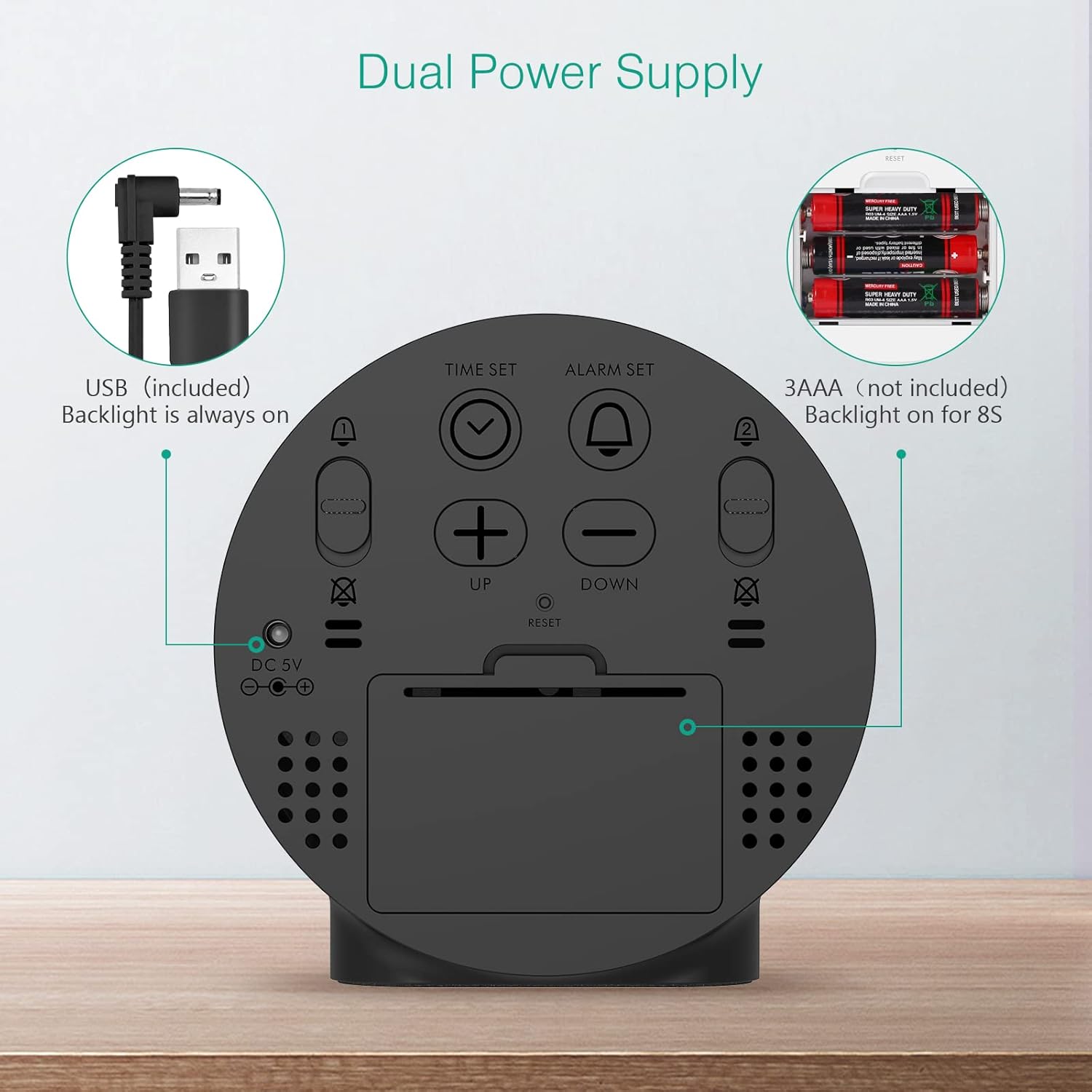
Figure 2: Back panel illustrating the USB power input and battery compartment for dual power supply.
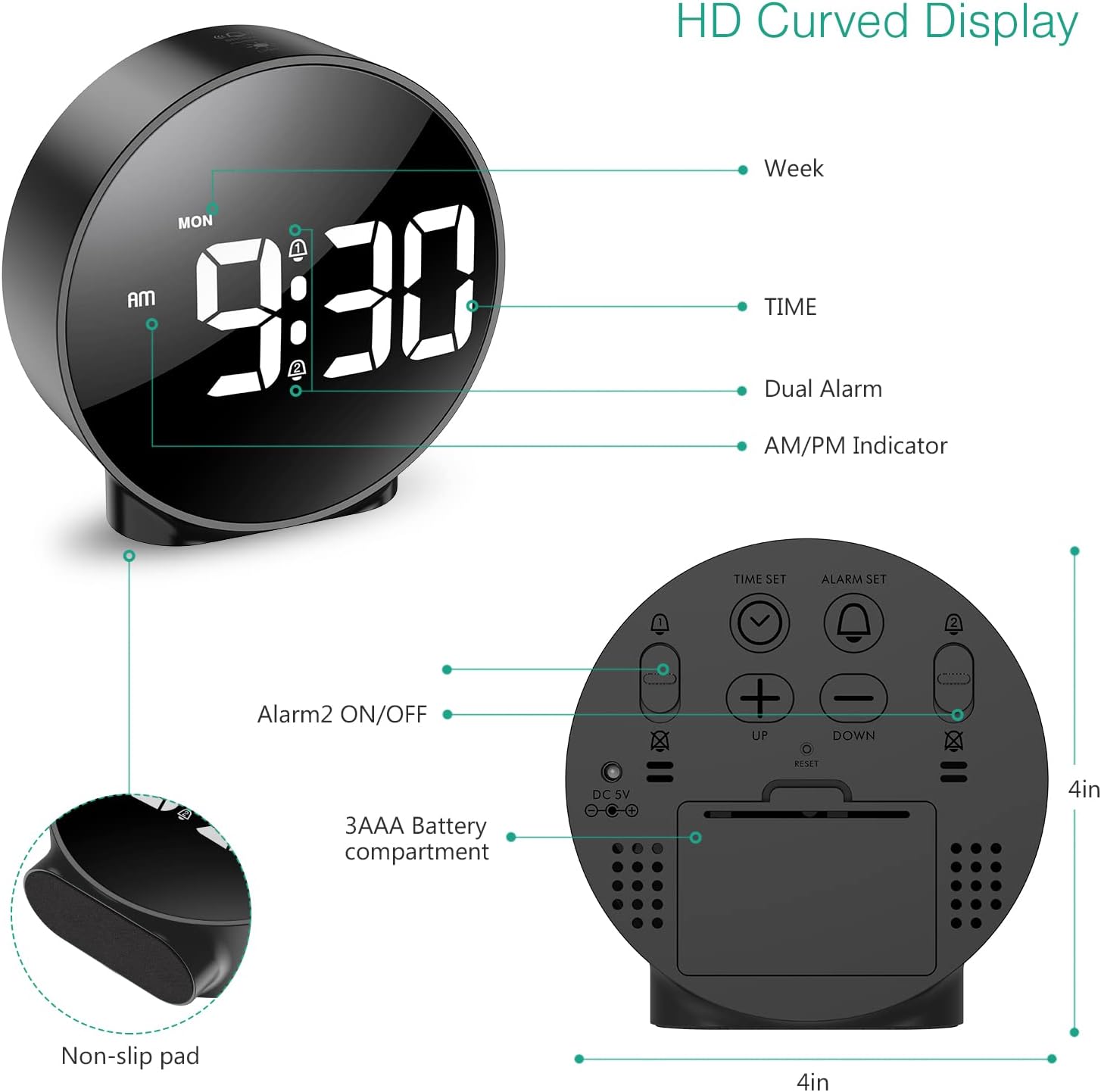
3 pav. Išsamus view of the clock's back panel, highlighting the DC 5V input, battery compartment, and control buttons.
4. Naudojimo instrukcijos
4.1 Setting the Time (12/24Hr Format)
- Paspauskite ir palaikykite LAIKO NUSTATYMAS button on the back of the clock for 3 seconds to enter time setting mode. The hour digits will start flashing.
- Naudokite UP or ŽEMYN mygtukai valandoms reguliuoti.
- Paspauskite LAIKO NUSTATYMAS dar kartą, kad patvirtintumėte valandas ir pereitumėte prie minučių nustatymo. Minučių skaitmenys mirksės.
- Naudokite UP or ŽEMYN mygtukai minutėms reguliuoti.
- Paspauskite LAIKO NUSTATYMAS dar kartą, kad patvirtintumėte minutes ir išeitumėte iš laiko nustatymo režimo.
- Norėdami perjungti tarp 12 valandų ir 24 valandų formato, paspauskite 12/24 val mygtuką.
4.2 Setting Alarms (Dual Alarms)
The clock supports two independent alarms (Alarm 1 and Alarm 2) with 5 alarm modes.
- Paspauskite ir palaikykite ALARM SET mygtukas (1 žadintuvui) arba 2 SIGNALAS ĮJUNGTAS/IŠJUNGTAS button (for Alarm 2) for 3 seconds to enter alarm setting mode. The hour digits will flash.
- Naudokite UP or ŽEMYN mygtukai žadintuvo valandoms reguliuoti.
- Paspauskite atitinkamą ALARM SET or 2 SIGNALAS ĮJUNGTAS/IŠJUNGTAS dar kartą paspauskite mygtuką , kad patvirtintumėte valandas ir pereitumėte prie minučių nustatymo. Minučių skaitmenys mirksės.
- Naudokite UP or ŽEMYN mygtukai žadintuvo minutėms reguliuoti.
- Paspauskite atitinkamą ALARM SET or 2 SIGNALAS ĮJUNGTAS/IŠJUNGTAS button again to confirm the minute and select the alarm mode. The display will show the current mode (e.g., "1-1" for one day).
- Naudokite UP or ŽEMYN buttons to cycle through the 5 alarm modes:
- 1-1: Žadintuvas suskamba vieną kartą.
- 1-5: Žadintuvas skamba nuo pirmadienio iki penktadienio.
- 1-6: Signalizacija skamba nuo pirmadienio iki šeštadienio.
- 1-7: Alarm sounds Monday to Sunday.
- 6-7: Alarm sounds Saturday to Sunday.
- Paspauskite atitinkamą ALARM SET or 2 SIGNALAS ĮJUNGTAS/IŠJUNGTAS button one last time to confirm the alarm mode and exit alarm setting.
- To turn an alarm ON or OFF, short press the respective ALARM SET or 2 SIGNALAS ĮJUNGTAS/IŠJUNGTAS mygtuką. Suaktyvinus, ekrane pasirodys žadintuvo piktograma.
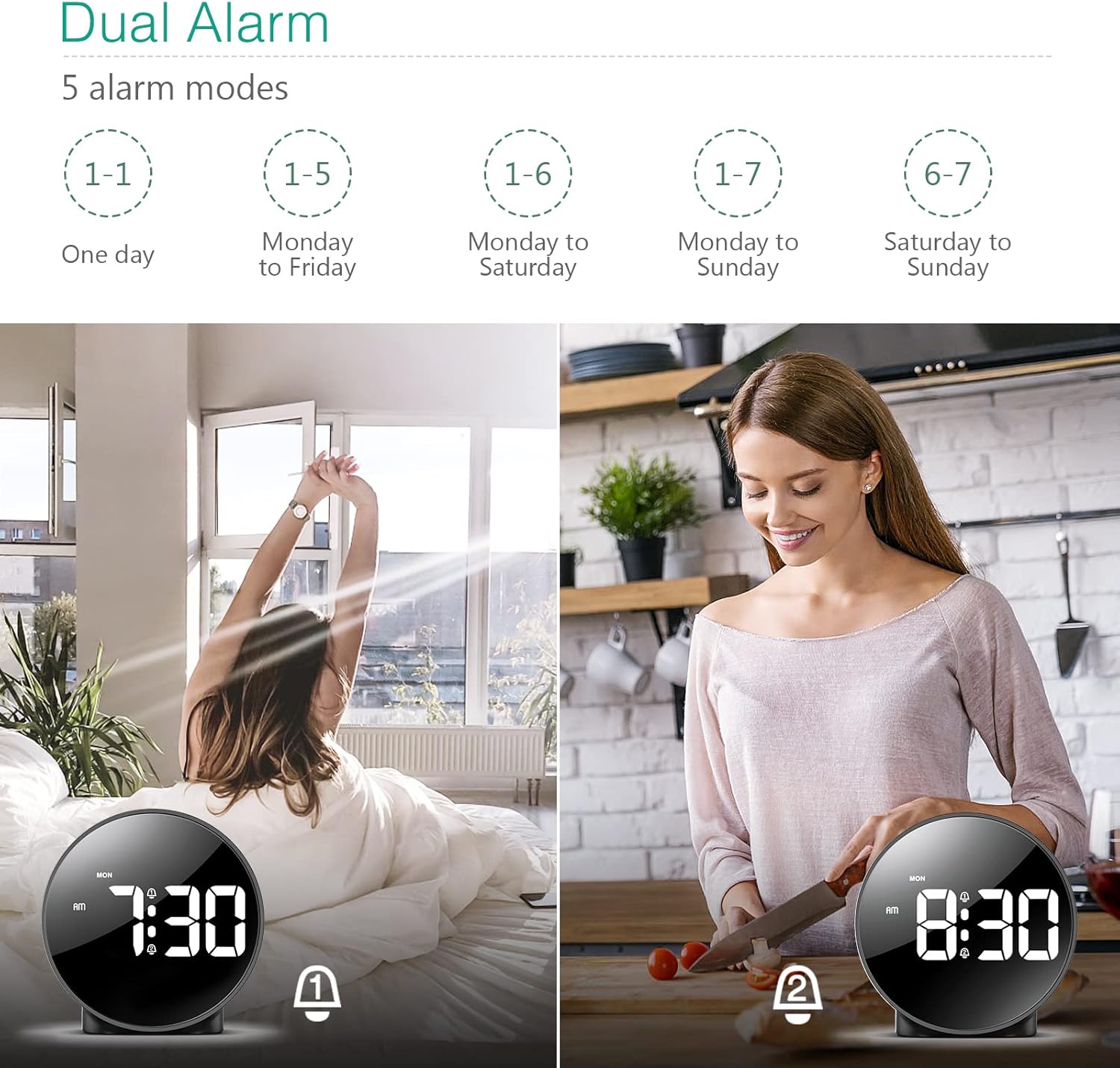
Figure 4: Illustration of the dual alarm functionality with various scheduling modes.
4.3 Snausti funkcija
Kai suskamba žadintuvas, paspauskite didelį SNAIGĖ / ŠVIESA button on the top of the clock to activate the snooze function. The alarm will pause for 5 minutes and then sound again. You can repeat this process multiple times.

Figure 5: Activating the snooze function by touching the top of the clock.
4.4 Ryškumo reguliavimas
The clock features 4 levels of adjustable brightness. Short press the SNAIGĖ / ŠVIESA button on the top of the clock to cycle through the brightness levels (100%, 80%, 60%, and 0% (off)).

Figure 6: Visual representation of the four adjustable brightness levels of the clock display.
4.5 Vasaros laikas (DST)
The clock supports Daylight Saving Time adjustment. Refer to the included mini-manual for specific instructions on how to activate or deactivate DST.
5. Savybės
- HD LED ekranas: Large, high-definition curved display for clear time reading.
- Dual Alarms with 5 Modes: Set two independent alarms with flexible scheduling options (one-day, weekdays, weekends, or every day).
- Reguliuojamas ryškumas: Four levels of display brightness, including an off mode, to suit various environments and preferences.
- Snaudimo funkcija: Provides an additional 5 minutes of sleep with a simple touch.
- 12/24 valandų formatas: Easily switch between standard and military time displays.
- Dvigubas maitinimo šaltinis: Operates via USB cable for continuous display or AAA batteries for power-saving mode (display turns off after 8 seconds).
- Kompaktiškas dizainas: Suitable for various locations such as bedrooms, living rooms, offices, or for travel.
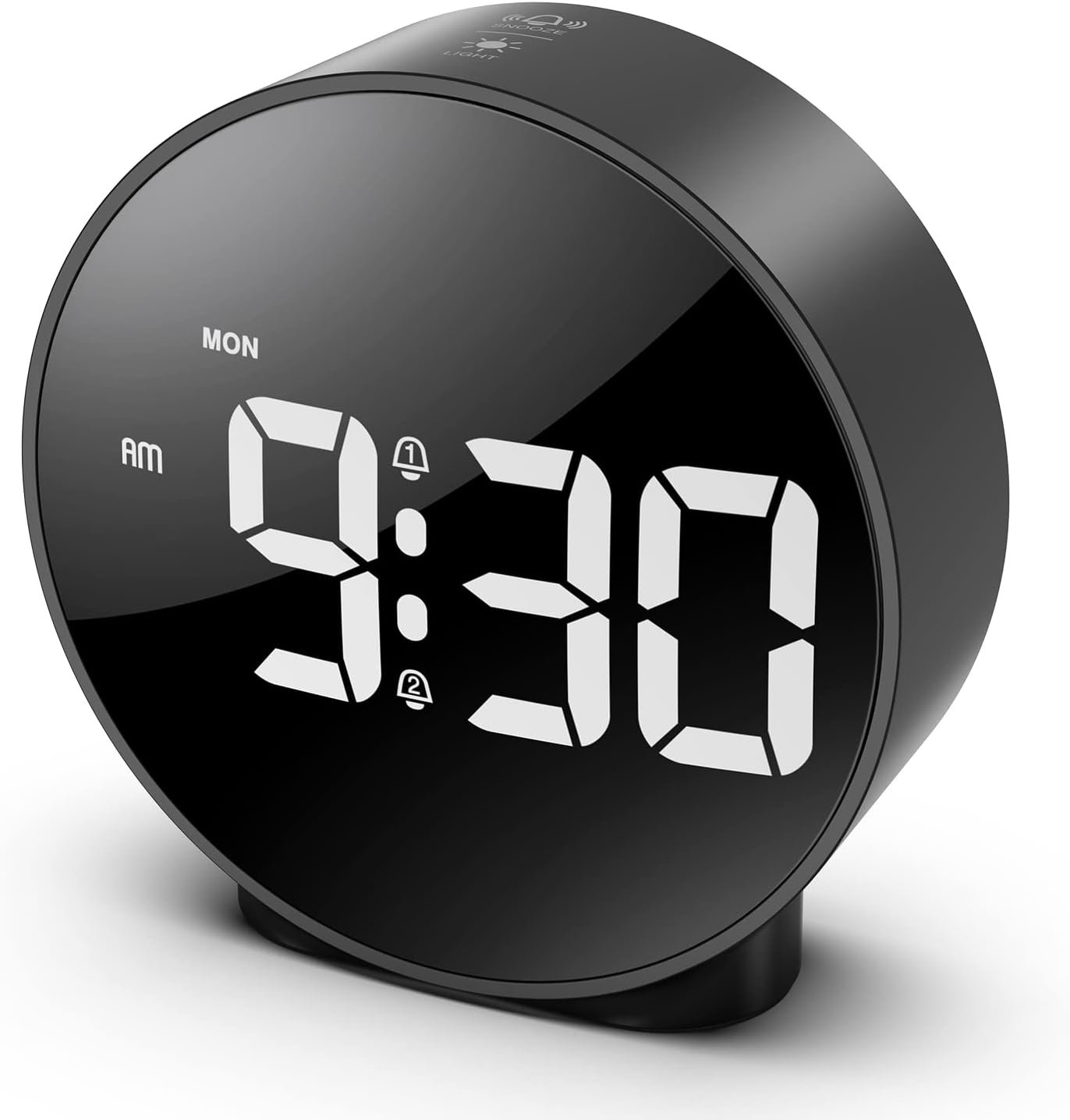
Figure 7: The ORIA Digital Alarm Clock showcasing its clear HD LED display.
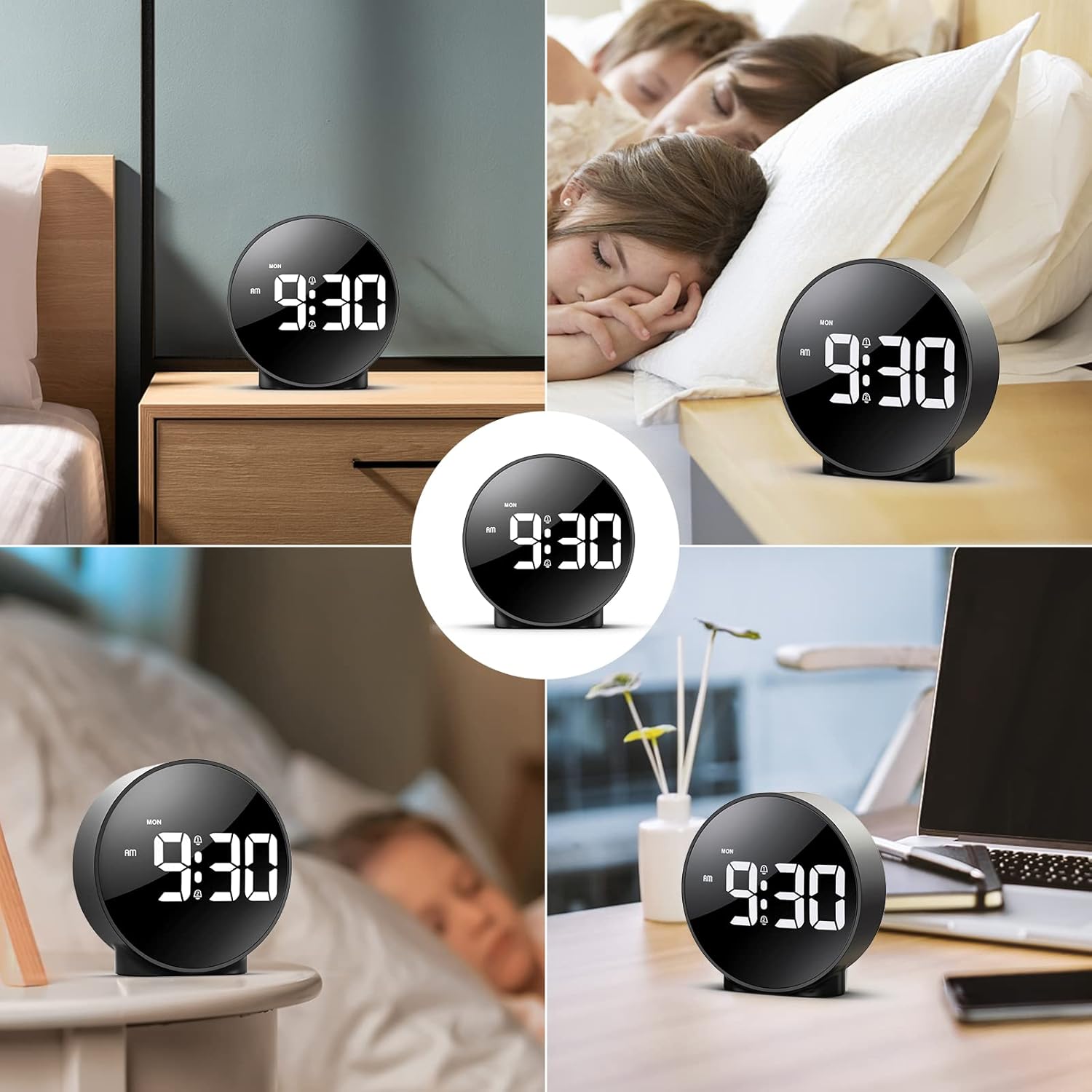
Figure 8: The versatile ORIA Digital Alarm Clock integrated into different environments like a bedroom, office, and living room.
6. Priežiūra
- Laikrodį valykite minkšta, sausa šluoste. Nenaudokite abrazyvinių valiklių ar tirpiklių.
- Jei ilgesnį laiką nenaudojate, išimkite baterijas, kad išvengtumėte pratekėjimo.
7. Problemų sprendimas
- Display is off in battery mode: This is normal for power saving. Touch the top button to activate the display for 8 seconds. For continuous display, use the USB power cable.
- Mygtukai nereaguoja: Try resetting the clock by pressing the small RESET button located on the back panel using a thin object (e.g., a paperclip).
- Signalizacija neskamba: Ensure the alarm is activated (alarm icon visible on display) and the volume is not set to zero.
- Neteisingas laikas / data: Re-enter time setting mode and adjust the time and date as per Section 4.1.
8. Specifikacijos
| Prekės ženklas | ORIA |
| Modelio numeris | OUS-HY-WA109B |
| Spalva | Black Case & White Digit |
| Ekrano tipas | Skaitmeninis LED |
| Gaminio matmenys | 4.29 colio pločio x 4.8 colio aukščio |
| Prekės svoris | 5.9 uncijos (0.17 kilogramo) |
| Maitinimo šaltinis | Corded Electric & Battery Powered (3x AAA, not included) |
| Medžiaga | Plastikiniai |
| Ypatingos savybės | Alarm, LED Display, Adjustable Brightness, Dual Alarms, Snooze |
9. Garantija ir palaikymas
- 1 metų garantija: Produktui taikoma 1 metų ribota garantija.
- 90-Day Free Replacements: Enjoy free replacements for eligible issues within 90 days of purchase.
- 30 dienų nemokamas grąžinimas: Returns are accepted within 30 days of purchase.
- 24/7 klientų aptarnavimas: For any inquiries or assistance, please contact ORIA customer support.
- Techninis palaikymas visą gyvenimą: Benefit from lifetime technical support for your product.
Dėl papildomos pagalbos apsilankykite ORIA Store on Amazon.


