Įvadas
Thank you for choosing the Vikeri (A1 + B1) Trail Camera. This high-performance game camera is designed to capture stunning vibrant images and clear audible videos of wildlife, day or night. Featuring a 120° wide-angle motion sensor, 940nm no-glow infrared LEDs for discreet night vision, and an IP66 waterproof rating, it is built for reliable outdoor use in various environments. This manual provides detailed instructions to help you set up, operate, and maintain your camera for optimal performance.
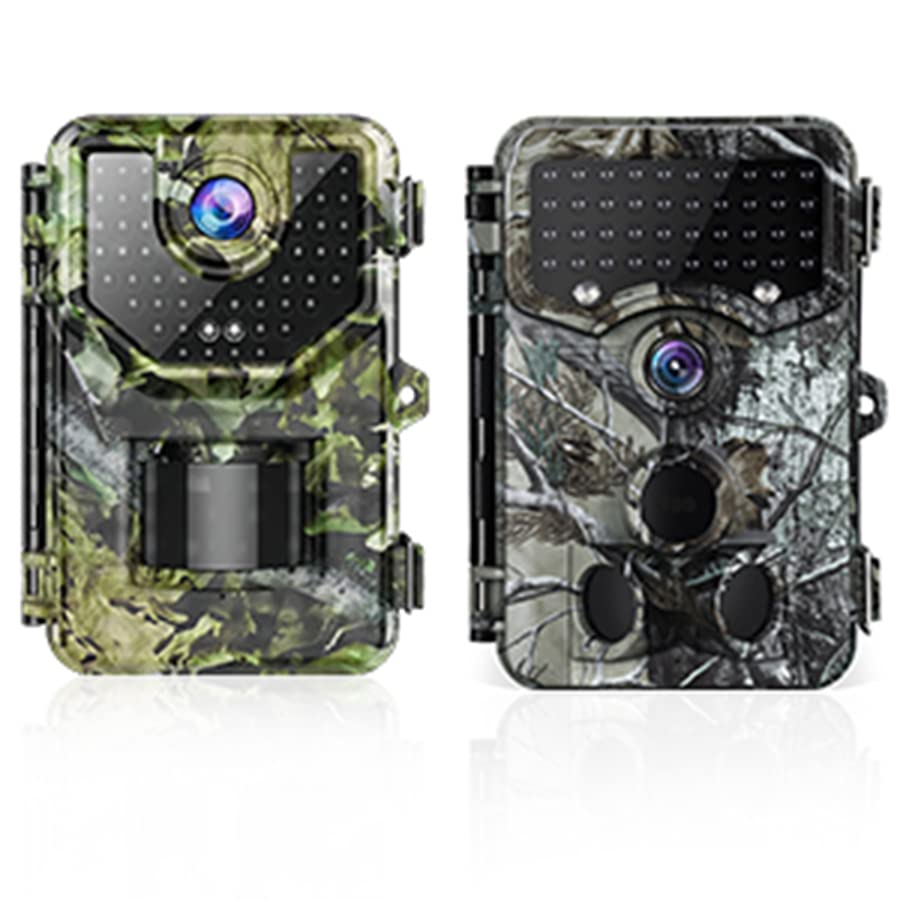
Image: The Vikeri A1 (green camo) and B1 (grey camo) Trail Cameras.
Saugos informacija
- Do not attempt to disassemble or modify the camera. This may cause damage and void the warranty.
- Use only recommended batteries. Incorrect battery types or improper installation can lead to malfunction or damage.
- Keep the camera away from extreme temperatures, direct sunlight for prolonged periods, and corrosive materials.
- Įsitikinkite, kad baterijų skyrius yra sandariai uždarytas, kad išlaikytumėte IP66 atsparumo vandeniui klasę.
- Atsakingai išmeskite baterijas pagal vietinius reikalavimus.
Pakuotės turinys
Upon opening your Vikeri Trail Camera package, please verify that all the following items are included:
- Vikeri Trail Camera (A1 or B1 model)
- Tvirtinimo dirželis
- USB kabelis
- Vartotojo vadovas
- SD Card (often included, check packaging)
- AA Batteries (often included, check packaging)

Image: Typical contents included with the Vikeri Trail Camera, such as an SD card and batteries.
Produktas baigtasview
Familiarize yourself with the main components of your Vikeri Trail Camera:

Image: Labeled diagram of the Vikeri Trail Camera's external features.
- 20 MP HD Lens: Captures high-resolution images and videos.
- 40PCS No Glow IR-LEDs: Suteikia nematomą apšvietimą, kad būtų galima aiškiai matyti naktį, netrukdant laukinei gamtai.
- Motion Sensors (Center & Side): Detects movement within the camera's field of view to trigger recording.
- Mėlynas LED indikatorius: Būsenos indikatorius.
- Red/Yellow LED Indicator: Būsenos indikatorius.
- 2.4" LCD Color Screen: For menu navigation, settings adjustment, and playback review.
- Baterijų skyrius: Located at the bottom, holds AA batteries.
- SD kortelės lizdas: Skirta atminties kortelei įdėti.
- USB prievadas: Prijungimui prie kompiuterio.
Sąranka
1. Akumuliatoriaus įdėjimas
Open the battery compartment cover. Insert 4 or 8 (depending on model) AA batteries, ensuring correct polarity (+/-). Close the cover securely to maintain the waterproof seal.
2. SD kortelės diegimas
Locate the SD card slot. Insert a formatted SD card (up to 32GB recommended) with the metal contacts facing down until it clicks into place. To remove, push the card in slightly until it springs out.
3. Kameros montavimas
Use the provided mounting strap to secure the camera to a tree or pole. Ensure the camera is stable and pointed towards the desired monitoring area. The camera is designed for outdoor use and is IP66 waterproof, making it resistant to rain, dust, and fog.
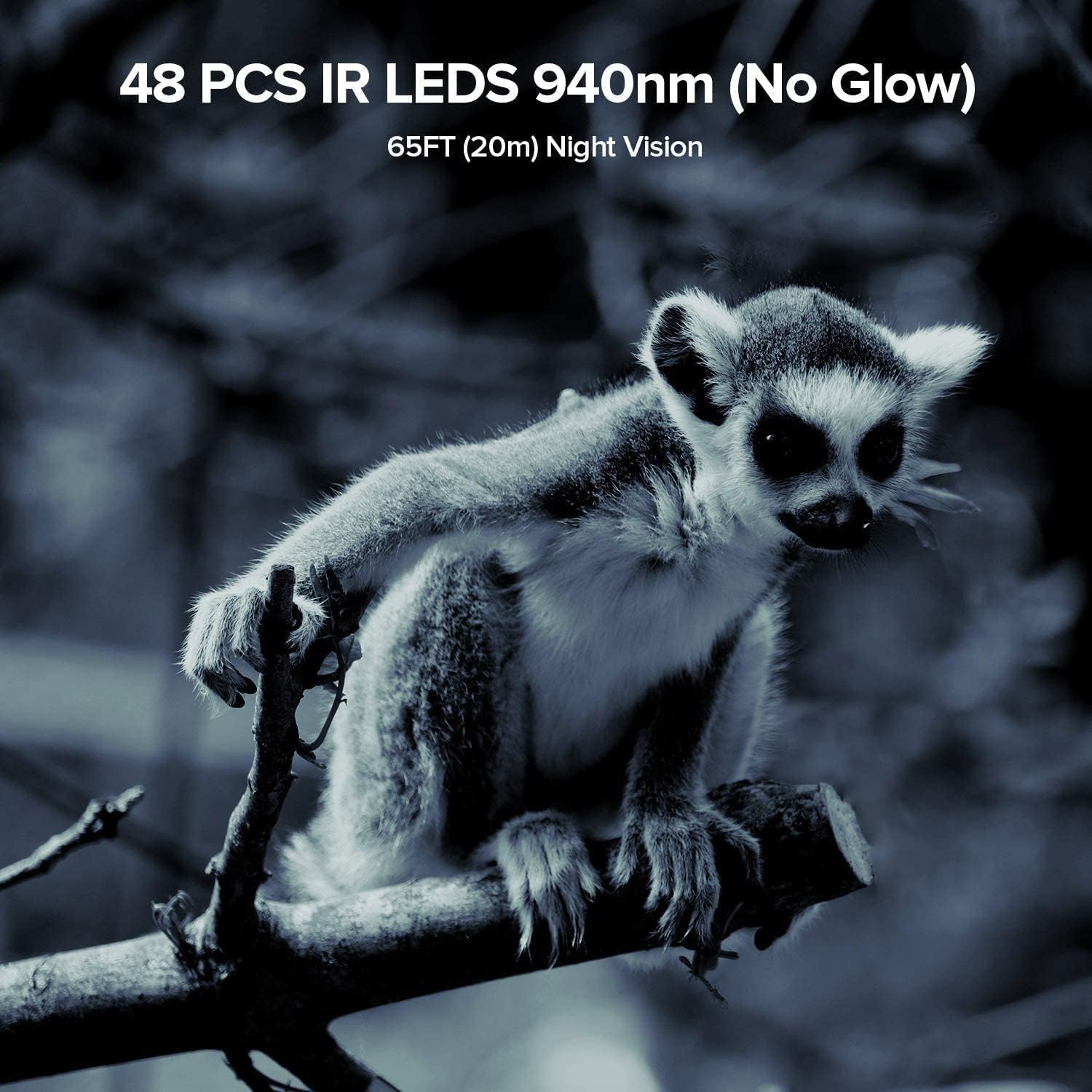
Image: The Vikeri Trail Camera mounted on a tree, demonstrating its IP66 waterproof and sturdy design.
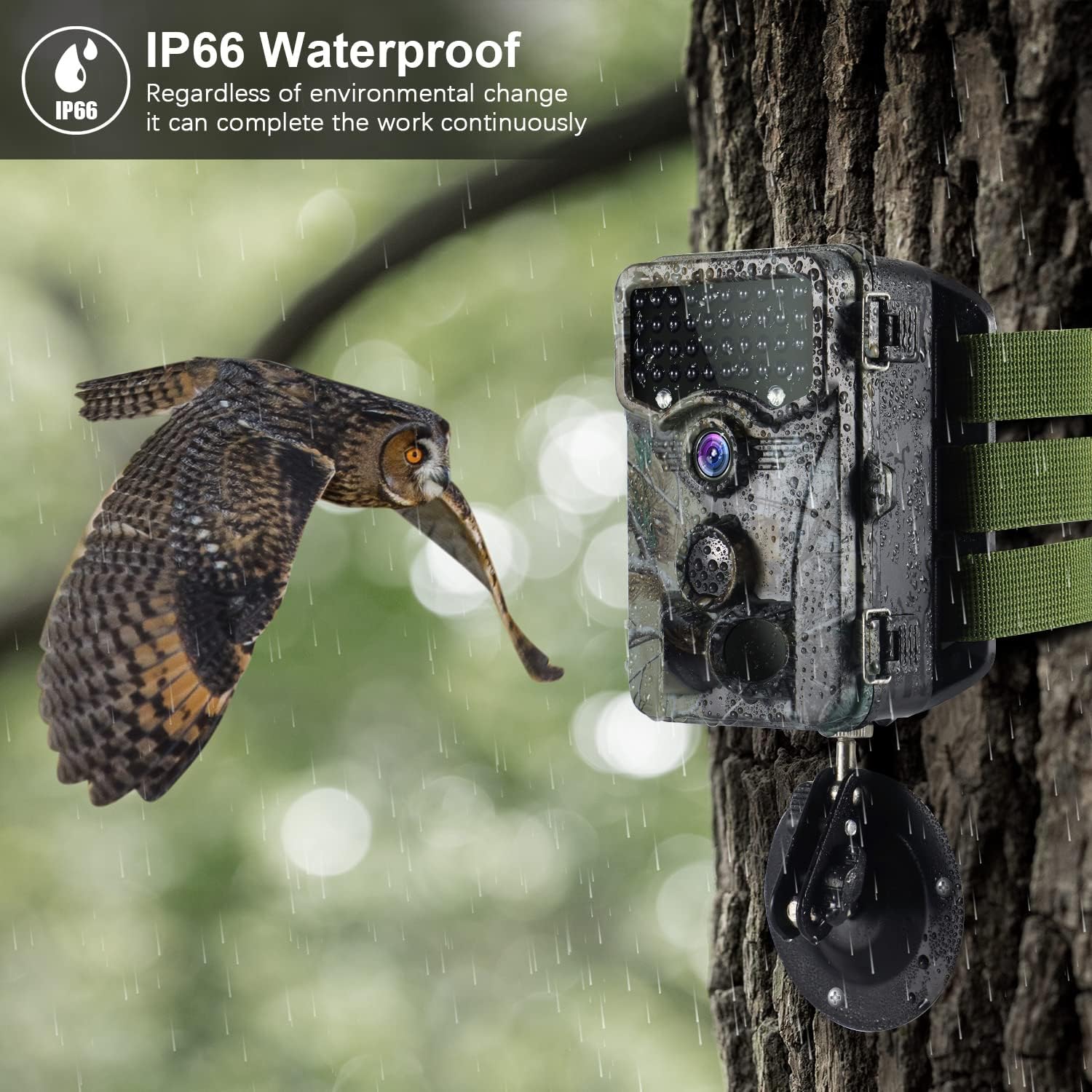
Image: The camera's IP66 waterproof design allows it to operate continuously in various environmental conditions, including rain.
Naudojimo instrukcijos
1. Įjungimas/išjungimas
Locate the power switch inside the camera. Slide it to the 'ON' position to power on the camera. To power off, slide it to the 'OFF' position.
2. Meniu naršymas
Once powered on, the 2.4" LCD screen will display the main menu. Use the navigation buttons (Up, Down, Left, Right, OK) to browse through options and confirm selections.
3. Datos ir laiko nustatymas
Navigate to the 'Date/Time' setting in the menu. Adjust the year, month, day, hour, and minute using the navigation buttons. Press 'OK' to save.
4. Photo/Video Mode Selection
Select your desired recording mode: 'Photo' for still images, 'Video' for video clips, or 'Photo+Video' for both. You can also set the resolution for each mode.

Image: The camera captures stunning 1520P video and 20MP photos, providing clear and detailed visuals.
5. Judesio jutiklio nustatymai
Adjust the PIR (Passive Infrared) sensitivity (Low, Medium, High) based on your environment to prevent false triggers. Set the 'PIR Interval' to determine the delay between detections.
6. Naktinis matymas
The camera is equipped with 940nm no-glow IR LEDs, providing clear night vision up to 65 feet (20 meters) without emitting a visible flash that could scare animals. The camera automatically switches to night mode in low-light conditions.

Image: The camera's 940nm no-glow IR LEDs provide clear night vision, capturing detailed images even in complete darkness.

Image: Comparison of daytime and nighttime capture capabilities, showcasing fotoaparato universalumą.
7. ViewAtkūrimas
In the menu, select 'Playback' to review captured photos and videos directly on the 2.4" LCD screen. Use the navigation buttons to scroll through files.
8. Prisijungimas prie kompiuterio
Connect the camera to your computer using the provided USB cable. The camera will appear as a removable disk, allowing you to access and transfer files. Alternatively, you can remove the SD card and insert it into a card reader connected to your computer.
Priežiūra
- Valymas: Gently wipe the lens and camera housing with a soft, dry cloth. Avoid abrasive cleaners or solvents.
- Baterijos keitimas: Pakeiskite baterijas, kai pasirodo išsikrovusių baterijų indikatorius arba kai suprastėja veikimas. Visada keiskite visas baterijas iš karto naujomis to paties tipo baterijomis.
- SD kortelės tvarkymas: Regularly format your SD card within the camera's menu to ensure optimal performance and prevent data corruption. Back up important files prieš formatavimą.
- Saugykla: Kai ilgesnį laiką nenaudojate fotoaparato, išimkite baterijas ir laikykite jį vėsioje, sausoje vietoje.
- Hidroizoliacijos priežiūra: Ensure the battery compartment and all ports are sealed tightly after opening to maintain the IP66 waterproof rating.

Image: The camera's IP66 rating ensures protection against water splashes and dust, making it suitable for various outdoor conditions.
Trikčių šalinimas
| Problema | Galima priežastis | Sprendimas |
|---|---|---|
| Kamera neįsijungia | Žemas arba išsikrovusios baterijos; neteisingas baterijų poliškumas; maitinimo jungiklis išjungimo padėtyje. | Replace batteries with new ones, ensuring correct polarity. Check if the power switch is set to 'ON'. |
| Prasta vaizdo / vaizdo kokybė | Nešvarus objektyvas; prastas apšvietimas; neteisingi skiriamosios gebos nustatymai. | Clean the lens. Ensure adequate lighting or rely on night vision. Adjust resolution settings in the menu. |
| Judesio jutiklis nesuveikia | PIR sensitivity too low; Obstructions in front of sensor; PIR interval too long. | Increase PIR sensitivity. Clear any obstructions. Reduce PIR interval. Ensure camera is positioned correctly. |
| Files corrupted or unreadable | SD card issue; Improper shutdown; File sistemos korupcija. | Format the SD card in the camera. Try a different SD card. Ensure camera is powered off correctly before removing card. |
| Sunkumas viewing videos on computer | Incompatible video player; SD card formatting issues; USB connection problems. | Ensure your computer has a compatible video player for AVI/MPEG-4 files. Try using an SD card reader. Reformat the SD card in the camera. |
Specifikacijos
| Funkcija | Detalė |
|---|---|
| Prekės ženklas | Vikeri |
| Modelis | A1 + B1 |
| Rezoliucija | 1520P Video / 20MP Photo |
| Objektyvas | 20 MP HD Lens |
| IR diodai | 40/48 PCS 940nm No Glow IR-LEDs |
| Naktinio matymo diapazonas | Up to 65FT (20m) |
| Judesio jutiklio kampas | 120° platus kampas |
| Ekranas | 2.4 colio LCD spalvotas ekranas |
| Atsparumo vandeniui įvertinimas | IP66 |
| Maitinimo šaltinis | Maitinamas baterijomis (AA baterijomis) |
| Ryšio technologija | Belaidis ryšys (Wi-Fi) |
| Suderinami įrenginiai | Išmanusis telefonas |
| Montavimo tipas | Sieninis laikiklis |
| Vaizdo įrašymo formatas | MPEG-4 |
| Naudojimas viduje / lauke | Lauke |
Garantija ir palaikymas
Vikeri products are designed for reliability and performance. For warranty information, technical support, or any inquiries regarding your Vikeri Trail Camera, please refer to the contact details provided on the product packaging or visit the official Vikeri websvetainė. Mūsų klientų aptarnavimo komanda pasirengusi jums padėti atsakyti į visus klausimus ar išspręsti problemas.


